Freedom251 › ISO Creation Software
bchunk
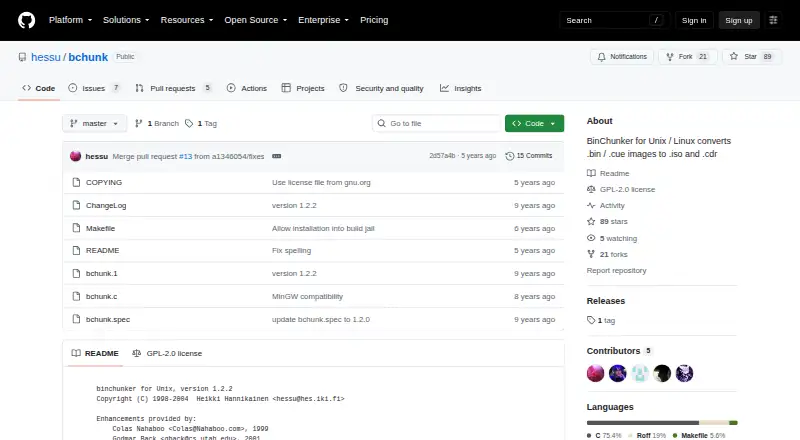
What bchunk is
bchunk is a command-line utility for converting CD image files in BIN/CUE format into ISO images and CDR tracks. It takes a .bin image, a .cue index containing track types and offsets, and an output basename. It can also write audio tracks as WAV files with the -w option; the -s option swaps the byte order in audio samples. For MODE2/2352 tracks, -p selects PSX mode and outputs 2336 bytes from offset 0, while -r writes raw data from offset 0 for 2352 bytes. The README identifies it as binchunker version 1.2.2 and describes building from source with make and installing with make install. That version’s changelog notes fixes for a heap-based buffer overflow and a crash involving malformed CUE files. The project is free under the GNU GPL, version 2 or later at the user’s option, and is listed for Linux and macOS.
Who it suits
bchunk suits users who need a command-line way to convert BIN/CUE CD images or extract audio tracks. It is for Linux and macOS users comfortable with building and installing from source.
What it does well
- Converts BIN/CUE images to ISO and CDR tracks.
- Can write audio tracks as WAV files.
- Offers PSX and raw MODE2/2352 output options.
- Free under the GNU GPL, version 2 or later.
What to know first
- Requires both a .bin image and a .cue index.
- The README describes building and installing from source.
- Listed platforms are Linux and macOS.
Plans
| Plan | Billed and limits | Price |
|---|---|---|
| bchunk | Free software under the GNU GPL, version 2 or later · Command-line utility · requires a .bin image and .cue track index | Free |
As github.com lists them, read 9 Oct 2026. The maker's own page has the final word.
Getting started
- Open the bchunk project at https://github.com/hessu/bchunk.
- Obtain a .bin image and its .cue index with track types and offsets.
- Build the program from source using make, as described in the README.
- Install it using make install.
- Provide the image, cue index and an output basename when running the command.
bchunk is a command-line utility for converting CD images into ISO and CDR tracks. It suits users who already work with BIN/CUE images and are comfortable building or installing software from source. Its focused conversion options are useful, but it is not a general-purpose disc authoring interface.
Overview
bchunk takes a .bin image, a .cue index describing track types and offsets, and an output basename. It converts BIN/CUE or RAW/CUE inputs into ISO and CDR outputs, with additional options for audio and MODE2/2352 tracks. This makes it a practical fit for targeted image conversion rather than broader disc management.
The README identifies the program as binchunker version 1.2.2 and describes building it with make and installing with make install. The project is licensed under the GNU General Public License, version 2 or any later version at the user's option. Its changelog records fixes in version 1.2.2 for a heap-based buffer overflow and for a null access violation and crash caused by malformed CUE files.
Key features
- ISO and CDR conversion: bchunk converts CD image tracks from BIN/CUE or RAW/CUE into ISO and CDR formats. That narrow scope is valuable when the job is converting an existing image, but does not make it a full disc-burning workflow.
- WAV audio output: The -w option writes audio tracks as WAV files. For audio samples whose byte order needs swapping, -s provides that adjustment.
- MODE2/2352 handling: The -p option processes tracks in PSX mode and outputs 2336 bytes from offset 0. The -r option instead writes raw MODE2/2352 tracks, taking 2352 bytes from offset 0. The distinction gives users two specific output paths for this track format.
Pricing
bchunk is free software under the GNU GPL, version 2 or later, with a listed price of $0. There is no trial to manage and no paid plan to weigh against the core utility. The trade-off is a command-line workflow and a build-and-install process described in the README, rather than a priced, packaged plan.
Platforms
bchunk is available for Linux and macOS. The project describes building from source with make and installing with make install, so it fits users on those systems who can work with that process. It is not a match for someone who needs a listed Windows option.
Who it's for
Choose bchunk if you need to convert BIN/CUE or RAW/CUE CD images, extract audio as WAV, or select a specific handling mode for MODE2/2352 tracks on Linux or macOS. Its explicit input requirements make it less suitable for someone seeking a graphical workflow or a tool that begins with a different kind of disc source.
Pros and cons
- Pro: WAV output and a byte-order swap option give audio-track conversion two useful controls.
- Pro: Separate PSX and raw MODE2/2352 options make the output behavior specific to the track format.
- Con: The workflow requires a .bin image, a .cue index, an output basename, and comfort with command-line use.
- Con: Linux and macOS support leaves Windows users without a listed platform fit.
Alternatives
For a broader set of ISO Creation Software options, compare tools by the image tasks and platforms you need. Folder2ISO is a free alternative for Linux, macOS, and Windows; its free plan is for noncommercial use and distribution, while commercial use or distribution requires the author's permission. mkpsxiso is another free, GPL-2.0 licensed option for Linux, macOS, and Windows.
Open Burning Suite is free, open-source software under the BSD 2-Clause license and supports Linux, macOS, and Windows. PhotoDirector has a free limited-features plan for macOS and Windows; choose it only if that limited plan fits your needs. Express Burn offers a free non-commercial option and a free trial on macOS and Windows.
ImgBurn is listed as free disc-burning software for Linux and Windows. InfraRecorder is free CD/DVD burning software for Windows and is marked beta. SysTools ISO Creator has a free version with limits on large ISO files and saving edited or bootable ISOs; its Full Version starts at $29, paid once and removes the file limit.
Verdict
bchunk is a sound choice for Linux and macOS users who need a focused, free conversion utility for BIN/CUE or RAW/CUE images, particularly when WAV or MODE2/2352 output matters. Look elsewhere if you need Windows support, a graphical workflow, or a tool centered on disc burning rather than image conversion.
Verdict
bchunk provides several output modes for CD images, including WAV audio and two MODE2/2352 options. Its command-line workflow and listed Linux and macOS platforms are important fit considerations.
Questions
Is bchunk free?
Yes. It is listed as free software under the GNU General Public License, version 2 or later.
Which operating systems are listed?
bchunk is listed for Linux and macOS.
What input files does bchunk require?
The command takes a .bin image, a .cue index containing track types and offsets, and an output basename.
What formats can it work with?
The listed image formats are BIN/CUE, RAW/CUE, ISO and CDR. Its stated conversion purpose is to turn .bin/.cue images into .iso images and .cdr tracks.
Can bchunk write audio tracks?
Yes. The -w option writes audio tracks in WAV format, and -s swaps byte order in audio samples.
How do I build and install it?
The README describes building from source with make and installing with make install. It identifies the program as binchunker version 1.2.2.
Facts from bchunk's own pages
- Audio byte order
- The -s option swaps byte order in audio track samples. · github.com, 9 Oct 2026
- Audio output
- The -w option writes audio tracks in WAV format. · github.com, 9 Oct 2026
- Build and install
- The README describes building from source with make and installing with make install. · github.com, 9 Oct 2026
- Input requirements
- The command takes an image .bin file, a .cue index file containing track types and offsets, and an output basename. · github.com, 9 Oct 2026
- Latest version noted
- The README identifies the program as binchunker version 1.2.2. · github.com, 9 Oct 2026
- License
- The project is released under the GNU General Public License, version 2 or any later version at the user's option. · github.com, 9 Oct 2026
- Platforms
- The README lists successful compilation on Linux, Solaris, Digital Unix, SGI IRIX, and Mac OS X, and says it should compile on any decent ANSI C system. · github.com, 9 Oct 2026
- PlayStation mode
- The -p option handles MODE2/2352 tracks in PSX mode by outputting 2336 bytes from offset 0. · github.com, 9 Oct 2026
- Purpose
- bchunk converts CD images in .bin/.cue format to .iso and .cdr tracks. · github.com, 9 Oct 2026
- Raw mode
- The -r option outputs MODE2/2352 tracks in raw format, from offset 0 for 2352 bytes. · github.com, 9 Oct 2026
- Release downloads
- The GitHub releases page states that there are no releases for this repository. · github.com, 9 Oct 2026
- Security fix history
- The changelog says version 1.2.2 fixed CVE-2017-15953, a heap-based buffer overflow, and CVE-2017-15955, a null access violation and crash on malformed CUE files. · github.com, 9 Oct 2026
Where bchunk stands on Freedom251
- ISO Creation Software#4 of 33