Freedom251 › ISO Creation Software

AnyToISO
What AnyToISO is
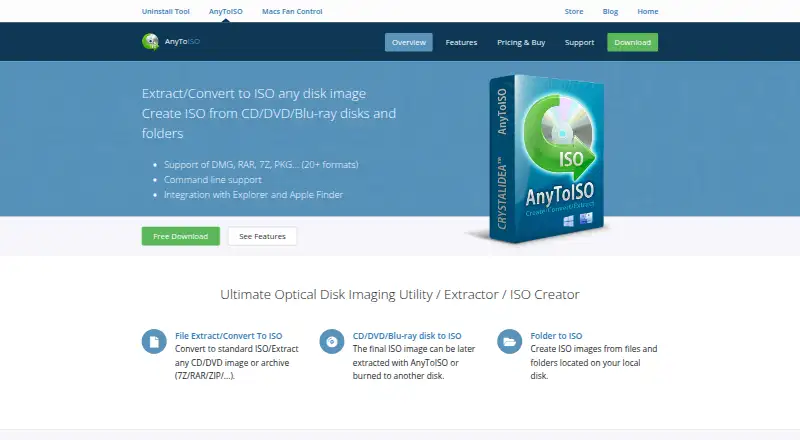
AnyToISO extracts or converts CD/DVD images and archives into ISO files, and creates ISO images from discs, files, and folders. It runs on Windows and macOS and supports formats including 7Z, BIN, DAA, DEB, DMG, IMG, ISO, ISZ, MDF, NRG, PKG, RAR, TAR variants, XAR, and ZIP. It can image CD, DVD, and Blu-ray discs while preserving the file system displayed on the source disc. For local files and folders, it can create images using ISO 9660, Joliet, and/or UDF. Windows users can access Explorer context-menu actions for files, folders, and drives; on macOS, supported files can be converted or extracted from Finder. Command-line batch operations are available on both platforms. A portable mode runs from a USB flash drive without installation but requires a special license. The free AnyToISO Lite edition is limited to files no larger than 870 MB. Paid licenses start at 22.95 USD one-time; the Standard Pro license for Windows & macOS costs 29.95 USD one-time. Disc burning is not supported, and password-protected or split-volume DAA images are not supported.
Who it suits
AnyToISO suits people who need to convert or extract disk images and archives, or create ISO images from discs and folders. Its command-line batch support may suit users processing multiple files on Windows or macOS.
What it does well
- Creates images from CD, DVD, and Blu-ray discs
- Supports ISO 9660, Joliet, and UDF folder images
- Offers Finder and Explorer integrations
- Supports command-line batch operations on Windows and macOS
What to know first
- Lite is limited to files no larger than 870 MB
- Disc burning is not supported
- Password-protected and split-volume DAA images are unsupported
Limits
AnyToISO Lite handles only files no larger than 870 MB. Portable operation requires a special license, while paid editions begin at 22.95 USD one-time.
Plans
| Plan | Billed and limits | Price |
|---|---|---|
| Standard Pro License for Windows | One-time payment · Per PC · lifetime technical support · free minor updates | $22.95, paid once |
| Standard Pro License for Windows & macOS | One-time payment · Per PC · lifetime technical support · free minor updates | $29.95, paid once |
| Portable Pro License for Windows | One-time payment · Single user, multiple PCs · lifetime technical support · free minor updates | $34.95, paid once |
| Standard Pro License for macOS | One-time payment · Per PC · lifetime technical support · free minor updates | On request |
As crystalidea.com lists them, read 4 Oct 2026. The maker's own page has the final word.
Getting started
- Open the AnyToISO website
- Choose Windows or macOS
- Install the desktop edition, or obtain the special license for portable USB use
- Use Explorer or Finder integration, the application, or command-line operations
- Select a supported image, archive, disc, file, or folder and create or extract an ISO
Verdict
AnyToISO covers common ISO creation and conversion tasks across Windows and macOS, with both graphical integrations and batch commands. Check the Lite file-size cap and unsupported DAA cases against your needs; paid licenses start at 22.95 USD one-time.
Questions
Is AnyToISO free?
Yes. AnyToISO Lite is free, with a per-file limit of 870 MB.
What does the paid version cost?
The Standard Pro License for Windows costs 22.95 USD one-time. The Windows and macOS license costs 29.95 USD one-time, and the Windows Portable Pro License costs 34.95 USD one-time.
Which platforms are supported?
AnyToISO runs on Windows and macOS. The support page lists Windows 11, 10, 8.1, 8, 7, and macOS 10.7 through macOS 26.
Can it burn discs?
No. Disc burning is not supported.
Does it support portable use?
Yes. Portable mode runs from a USB flash drive without installation, but it requires a special license.
Who makes AnyToISO?
AnyToISO is made by CrystalIDEA.
Facts from AnyToISO's own pages
- Command line
- Command-line batch operations are supported on Windows and macOS. · crystalidea.com, 4 Oct 2026
- Compatibility
- The support page lists Windows 11, 10, 8.1, 8, and 7, and macOS 10.7 through macOS 26 among system requirements. · crystalidea.com, 4 Oct 2026
- Disc imaging
- It can create ISO images from CD, DVD, and Blu-ray discs while preserving the file system shown on the source disc. · crystalidea.com, 4 Oct 2026
- Folder imaging
- It can create ISO images from local files and folders using ISO 9660, Joliet, and/or UDF file systems. · crystalidea.com, 4 Oct 2026
- Free edition limit
- AnyToISO Lite is free but only works with files no larger than 870 MB, described as regular CD size. · crystalidea.com, 4 Oct 2026
- Intended users
- CrystalIDEA says its customers include individuals, commercial organizations, and state structures. · crystalidea.com, 4 Oct 2026
- macOS integration
- Finder integration can convert or extract supported archive and disk image files directly from Finder. · crystalidea.com, 4 Oct 2026
- Notable format limit
- AnyToISO currently does not support password-protected or split-volume DAA images. · crystalidea.com, 4 Oct 2026
- Portable mode
- Portable mode runs from a USB flash drive without installation and requires a special license. · crystalidea.com, 4 Oct 2026
- Purpose
- AnyToISO extracts or converts CD/DVD images and archives to ISO and creates ISO images from discs and folders. · crystalidea.com, 4 Oct 2026
- Security and privacy
- The maker links a privacy policy from its product pages, but the pages reviewed do not state specific security or compliance certifications. · crystalidea.com, 4 Oct 2026
- Support
- The maker recommends its GitHub issue tracker for bugs, problems, and feature requests; paid licenses include lifetime technical support. · crystalidea.com, 4 Oct 2026
- Supported formats
- The maker lists formats including 7Z, BIN, DAA, DEB, DMG, IMG, ISO, ISZ, MDF, NRG, PKG, RAR, TAR variants, XAR, and ZIP. · crystalidea.com, 4 Oct 2026
- Windows integration
- Windows Explorer context menus are available for files, folders, and drives. · crystalidea.com, 4 Oct 2026
Where AnyToISO stands on Freedom251
- ISO Creation Software#3 of 33
- File Conversion Software#12 of 69