Freedom251 › ISO Creation Software

Open Burning Suite
What Open Burning Suite is
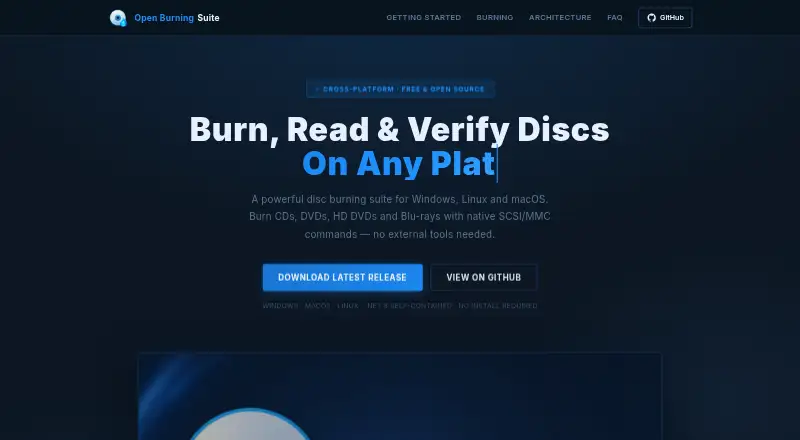
Open Burning Suite burns, reads, creates, and verifies CD, DVD, HD DVD, and Blu-ray discs on Linux, macOS, and Windows. It accesses optical drives through native SCSI/MMC commands and supports TAO, SAO, DAO, and RAW burning, along with simulation, overburn, and multi-copy. From files and folders, it creates images in ISO 9660, Joliet, UDF, Rock Ridge, and HFS+ formats. It can check images or discs with CRC32, MD5, SHA-1, SHA-256, and SHA-512 checksums, and its format support includes ISO 9660, BIN/CUE, CHD, NRG, and OBS Encrypted. Built-in presets cover consoles such as PlayStation, PSP, GameCube, Wii, Dreamcast, Saturn, and Xbox. It also creates audio CDs with CD-TEXT and authors DVD-Video and Blu-ray discs. Video authoring requires FFmpeg; reading or extracting CHD images requires chdman v0.287 or later. Burning, reading, and verification need a physical optical drive and platform-specific permissions. The free, BSD 2-Clause-licensed software can password-protect images using AES-256-CBC encryption with integrity verification.
Who it suits
It suits people who need to create or verify optical discs and disc images, including users working with console formats. Video authoring requires FFmpeg, and CHD reading or extraction requires chdman v0.287 or later.
What it does well
- Free, open-source BSD 2-Clause license.
- Supports Linux, macOS, and Windows.
- Offers TAO, SAO, DAO, and RAW modes.
- Verifies with five checksum algorithms.
- Supports password-protected disc images.
What to know first
- Requires a physical optical drive for disc operations.
- Direct hardware access needs platform-specific permissions.
- Video authoring requires FFmpeg.
- CHD reading and extraction require chdman v0.287 or later.
Plans
| Plan | Billed and limits | Price |
|---|---|---|
| Free | Free and open source · BSD 2-Clause license | Free |
As openburningsuite.pages.dev lists them, read 29 Sept 2026. The maker's own page has the final word.
Getting started
- Visit the Open Burning Suite website
- Choose the version for Linux, macOS, or Windows
- Install and run the application
- Connect a physical optical drive and arrange the required platform-specific permissions for burning, reading, or verification
- Install FFmpeg for video authoring or chdman v0.287 or later for CHD reading and extraction
Overview
Open Burning Suite is a free, open-source utility for creating and working with optical discs and disc images. It is best suited to people who still use physical media and want burning, image creation, and verification in one cross-platform application. Its breadth is a strength, but several core tasks depend on a physical drive, permissions, or optional software.
Key features
Burning and image creation
The suite supports TAO, SAO, DAO, and RAW recording, plus simulation, overburn, and multi-copy. That range gives users control over how discs are written, while simulation offers a way to check a burn setup before committing media. It can build ISO 9660, Joliet, UDF, Rock Ridge, and HFS+ images from files and folders, and supports image conversion and bootable media.
Supported image formats include ISO 9660, BIN/CUE, CHD, CCD/IMG/SUB, TOC/BIN, NRG, MDF/MDS, IMG, CDI, XISO, VCD, SVCD, XSVCD, and OBS Encrypted. The format coverage is useful for varied disc workflows; reading or extracting CHD images, however, requires chdman v0.287 or later.
Verification, consoles, and media authoring
Verification uses CRC32, MD5, SHA-1, SHA-256, or SHA-512 checksums. This makes the suite relevant when checking that a disc or image matches expected data, rather than merely completing a burn. Console presets cover PlayStation, PSP, GameCube, Wii, Dreamcast, Saturn, and Xbox, which should appeal to users preparing console-related discs.
It can create audio CDs with CD-TEXT and author DVD-Video and Blu-ray discs. Video authoring requires FFmpeg, so that capability depends on installing an additional tool. Disc images can also be password-protected using AES-256-CBC encryption, PBKDF2 key derivation, and HMAC-SHA256 integrity verification.
Pricing
The Free plan costs nothing and is open source under the BSD 2-Clause license. It includes disc burning, image conversion, bootable media creation, and checksum verification; there is no paid tier or seat or quota limit to weigh against a cheaper option. Its practical constraints are environmental rather than plan caps: burning, reading, and verification require a physical optical drive and platform-specific permissions for direct hardware access.
Platforms
Open Burning Suite supports Linux, macOS, and Windows. Its direct SCSI/MMC drive communication means platform support alone is not enough: the computer needs a compatible physical optical drive and the permissions required for hardware access.
Who it's for
This is a strong fit for users who need one free tool for physical-disc burning, image conversion, checksum verification, or console-oriented presets across desktop operating systems. It is less suitable for people without an optical drive, or for users seeking video authoring without installing FFmpeg. The documentation directs users to GitHub to report issues.
Pros and cons
- Pros: A wide mix of burn modes, image formats, checksum choices, and console presets makes it useful for varied disc tasks.
- Pros: The free BSD-licensed plan includes bootable media and image conversion as well as burning and verification.
- Cons: Physical-drive operations need an optical drive and platform-specific permissions, limiting use on machines without suitable hardware access.
- Cons: Video authoring and CHD reading or extraction rely on separately required tools, FFmpeg and chdman v0.287 or later respectively.
Alternatives
For narrower ISO-image needs, browse ISO Creation Software. Express Burn is another freemium option with a free plan and trial for macOS and Windows. ImgBurn is a free alternative for Linux and Windows, while InfraRecorder is a free Windows-only option. PhotoDirector offers a free, limited-features plan for macOS and Windows, but the available description does not establish a disc-burning role. Alcohol 52% has a Windows free edition and 15-day trial; AnyBurn has a free plan covering disc burning, audio CD ripping, image-file tools, and bootable USB creation. Disc Studio is a free Windows option for personal and commercial use, with no ads or account requirement. ISO Master is a free Linux/BSD graphical ISO image editor, a more focused choice for editing ISO images.
Verdict
Choose Open Burning Suite if you need a free, cross-platform toolkit for physical-disc work and a broad range of image formats, especially when checksum verification or console presets matter. Look elsewhere if you lack drive access or want video authoring without an FFmpeg dependency.
Verdict
Open Burning Suite brings disc burning, image creation, and verification together, with console presets and encryption among its capabilities. Check its hardware and optional-tool requirements against your setup before choosing it.
Questions
How much does Open Burning Suite cost?
The Free plan costs nothing.
Which operating systems does it support?
It supports Linux, macOS, and Windows.
Does it need a physical disc drive?
Burning, reading, and verification require a physical optical drive. Direct hardware access also requires platform-specific permissions.
What extra tools are required?
FFmpeg is required for video authoring. Reading and extracting CHD images requires chdman v0.287 or later.
Is Open Burning Suite open source?
Yes. It is released under the BSD 2-Clause license.
How can users report an issue?
The documentation directs users to GitHub to report issues.
Facts from Open Burning Suite's own pages
- Audio and video
- It creates audio CDs with CD-TEXT and authors DVD-Video and Blu-ray discs; FFmpeg is required for video authoring. · openburningsuite.pages.dev, 29 Sept 2026
- Burning features
- Burning supports TAO, SAO, DAO, and RAW modes, plus simulation, overburn, and multi-copy. · openburningsuite.pages.dev, 29 Sept 2026
- Direct drive access
- It communicates with optical drives using native SCSI/MMC commands. · openburningsuite.pages.dev, 29 Sept 2026
- Disc imaging
- It creates ISO 9660, Joliet, UDF, Rock Ridge, and HFS+ images from files and folders. · openburningsuite.pages.dev, 29 Sept 2026
- Encryption
- Disc images can be password-protected with AES-256-CBC encryption, PBKDF2 key derivation, and HMAC-SHA256 integrity verification. · openburningsuite.pages.dev, 29 Sept 2026
- Gaming
- Built-in presets cover consoles including PlayStation, PSP, GameCube, Wii, Dreamcast, Saturn, and Xbox. · openburningsuite.pages.dev, 29 Sept 2026
- Hardware and permissions
- Burning, reading, and verification require a physical optical drive and platform-specific permissions for direct hardware access. · openburningsuite.pages.dev, 29 Sept 2026
- Integrity checks
- Verification supports CRC32, MD5, SHA-1, SHA-256, and SHA-512 checksums. · openburningsuite.pages.dev, 29 Sept 2026
- License
- The application is released under the BSD 2-Clause license. · openburningsuite.pages.dev, 29 Sept 2026
- Optional tools
- FFmpeg is required for video authoring, and chdman v0.287 or later is required to read and extract CHD images. · openburningsuite.pages.dev, 29 Sept 2026
- Purpose
- Open Burning Suite burns, reads, builds, and verifies CD, DVD, HD DVD, and Blu-ray discs. · openburningsuite.pages.dev, 29 Sept 2026
- Support
- The documentation directs users to GitHub to report issues. · github.com, 29 Sept 2026
Where Open Burning Suite stands on Freedom251
- ISO Creation Software#14 of 33