Freedom251 › File Compression Software
PowerISO
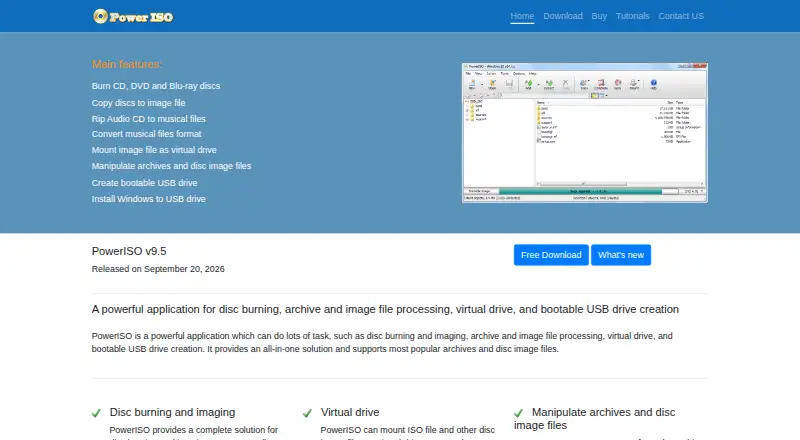
What PowerISO is
PowerISO is a utility for burning and imaging discs, managing archives and image files, mounting virtual drives, and making bootable USB drives. It burns CDs, DVDs, and Blu-ray discs, and can copy discs into ISO and other image formats. Mount an image as a virtual drive to browse its contents without extracting them; the software can also create, edit, extract, and convert archives and disc images. USB tools create bootable media from ISO files, install Windows to USB, copy USB drives into image files, and write image files to USB. Other tools include a GUI DISM utility, musical file format conversion, and a sector data viewer. The download page lists 64-bit, 32-bit, and arm64 editions. Windows has a graphical application, while Linux and macOS/OS X options are command-line utilities. The unregistered version is free to evaluate but cannot create or edit image files over 300MB and displays a registration prompt. Registration costs 39.95 USD one-time and removes those restrictions, with lifetime free updates and unlimited email technical support. A 30-day money-back guarantee is offered.
Who it suits
It suits people working with optical discs, archives, disc images, or bootable USB media across Windows, Linux, or macOS.
What it does well
- Burns CDs, DVDs, and Blu-ray discs
- Mounts images as virtual drives
- Creates bootable USB drives from ISO files
- Supports 64-bit, 32-bit, and arm64 downloads
What to know first
- Unregistered image creation and editing limited to 300MB
- Unregistered version displays a registration prompt
- Linux and macOS options are command-line utilities
Limits
The free unregistered version cannot create or edit image files larger than 300MB and displays a registration prompt. The 39.95 USD license removes that limitation and startup dialog.
Plans
| Plan | Billed and limits | Price |
|---|---|---|
| PowerISO v9.5 | US$39.95 · Removes the 300MB unregistered limitation · Lifetime free software updates · Unlimited email technical support | $39.95, paid once |
As poweriso.com lists them, read 11 Oct 2026. The maker's own page has the final word.
Getting started
- Open the PowerISO website
- Download the edition matching your platform and architecture
- Install the Windows application or use the Linux or macOS command-line utility
- Evaluate the unregistered version with image files up to 300MB
- Purchase the PowerISO v9.5 license for unrestricted image work
Verdict
PowerISO combines disc, image, archive, and USB utilities, with a free evaluation version for limited use. The 39.95 USD one-time license removes the 300MB restriction and includes lifetime updates.
Questions
How much does PowerISO cost?
PowerISO v9.5 costs 39.95 USD as a one-time payment.
Is there a free version or trial?
Yes. The unregistered version is free to evaluate, but image files above 300MB cannot be created or edited and a registration prompt appears.
Which platforms are supported?
The listed Windows editions cover Windows 9x through Windows 11. Linux and macOS/OS X are provided as command-line utilities.
What does registration add?
Registration removes the startup dialog and 300MB limitation and includes lifetime free software updates plus unlimited email technical support.
What can PowerISO do with USB drives?
It can create bootable USB drives from ISO files, install Windows to USB, copy USB drives to image files, and write image files to USB drives.
Is there a refund policy?
The purchase page offers a 30-day money-back guarantee, with refund requests sent by email to [email protected].
Facts from PowerISO's own pages
- Additional tools
- It includes a GUI DISM tool, musical file format conversion, and a sector data viewer. · poweriso.com, 11 Oct 2026
- Archive and image tools
- It can create, edit, extract, and convert archives and disc image files. · poweriso.com, 11 Oct 2026
- Company
- The site copyright identifies Power Software Ltd.; the pages reviewed do not state its headquarters or founding year. · poweriso.com, 11 Oct 2026
- Download editions
- The download page offers 64-bit, 32-bit, and arm64 editions. · poweriso.com, 11 Oct 2026
- Latest version
- The download page lists PowerISO version 9.5, released September 20, 2026. · poweriso.com, 11 Oct 2026
- License benefits
- After registration, users receive the full version by email, removal of the startup dialog and 300MB limitation, lifetime free updates, and unlimited email technical support. · poweriso.com, 11 Oct 2026
- Linux availability
- The download page provides PowerISO for Linux and a Linux command-line utility. · poweriso.com, 11 Oct 2026
- macOS availability
- The download page provides a command-line utility for OSX. · poweriso.com, 11 Oct 2026
- Optical discs
- It supports burning CD, DVD, and Blu-ray discs and copying discs to ISO and other image files. · poweriso.com, 11 Oct 2026
- Purpose
- PowerISO handles disc burning and imaging, archive and image file processing, virtual drives, and bootable USB creation. · poweriso.com, 11 Oct 2026
- Refund
- The purchase page offers a 30-day money-back guarantee and says buyers can request a refund by emailing [email protected]. · poweriso.com, 11 Oct 2026
- Support
- Technical support is available by email at [email protected]. · poweriso.com, 11 Oct 2026
- Unregistered limit
- The unregistered version is free to evaluate but cannot create or edit image files greater than 300MB and displays a registration prompt. · poweriso.com, 11 Oct 2026
- USB tools
- It can create bootable USB drives from ISO files, install Windows to USB, copy USB drives to image files, and write image files to USB drives. · poweriso.com, 11 Oct 2026
- Virtual drives
- It can mount ISO and other disc image files as virtual drives so users can browse their contents without extracting them. · poweriso.com, 11 Oct 2026
Where PowerISO stands on Freedom251
- File Compression Software#15 of 36
- ISO Creation Software#16 of 33