Freedom251 › Image Compression Software
FileOptimizer
What FileOptimizer is
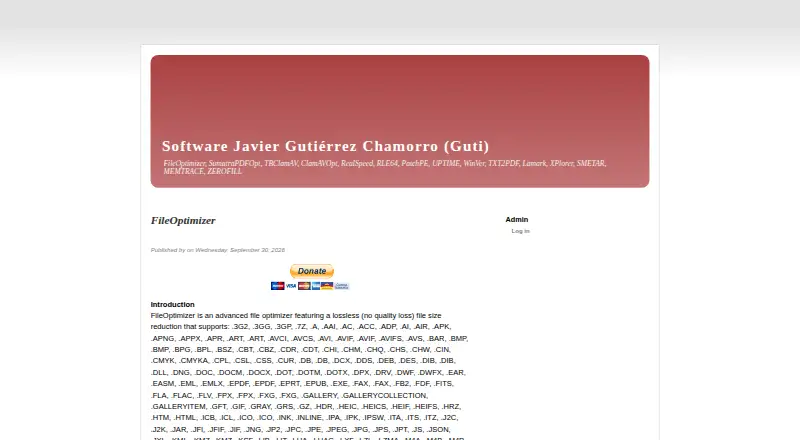
FileOptimizer recompresses files that have already been compressed, aiming to reduce their size while keeping their format and behavior. It supports batch processing, and users can add files through its interface or pass files and directories through the command line. Optimization replaces the working files with optimized versions; by default, extra metadata and unneeded information are removed, while originals are kept in the recycle bin. The maker says the program recognizes more than 600 file extensions by examining file contents, regardless of extension, and includes more than 90 third-party tools as plugins. Listed formats include APNG, AVIF, BMP, GIF, HEIC, JPEG, PNG, SVG, TIFF and WEBP, among others. Lossless optimization is the default, though options enable lossy processing for PNG, JPEG and GIF. FileOptimizer is a Windows program offered free for personal and commercial use without feature limits. Downloads include installer and portable-capable distributions for x86 and x64, plus source; the maker also describes use through Wine or a Windows virtual machine in some Linux and macOS environments.
Who it suits
It suits Windows users who want to batch optimize a broad range of file types, including through command-line automation. It may also suit commercial users seeking a free tool with no feature limitations.
What it does well
- Free for personal and commercial use without feature limits
- Batch processing and command-line automation
- Supports more than 600 file extensions
- Original files are kept in the recycle bin
- Lossless optimization is the default
What to know first
- The program is for Windows
- Optimization overwrites working files
- Lossy options are available for PNG, JPEG and GIF
- PDF optimization can reduce image quality
Plans
| Plan | Billed and limits | Price |
|---|---|---|
| FileOptimizer | Free for personal and commercial use · full version without limitations | Free |
As nikkhokkho.sourceforge.io lists them, read 11 Oct 2026. The maker's own page has the final word.
Getting started
- Open the FileOptimizer website.
- Choose the Windows x86 or x64 installer, portable-capable 7z SFX distribution, or source archive.
- Install or run the program on a listed Windows system.
- Add files through the interface or pass files or directories through the command line.
- Review the PDF profile setting if optimizing PDFs, since image downsampling can reduce quality.
Verdict
FileOptimizer offers broad file support, batch handling and command-line workflows at no charge. Windows users should note that optimization overwrites working files and that PDF processing can reduce image quality.
Questions
Does FileOptimizer cost anything?
The program is free for personal and commercial use under the GNU Affero General Public License. The maker says the full version has no feature limitations.
Which operating systems are listed?
The listed requirements include Windows XP through Windows 11 and Server 2022. The maker also reports that it works in some Linux and macOS environments through Wine, or in a Windows virtual machine.
Is its compression lossless?
Lossless optimization is the default. The maker also documents options for lossy optimization of PNG, JPEG, and GIF.
Which file types does it support?
The maker says it supports more than 600 file extensions and detects file types by content. Listed formats include APNG, AVIF, BMP, GIF, JPEG, PNG, SVG, TIFF, and WEBP, among others.
Does it process multiple files or support command-line use?
Yes. It supports batch processing, and files or directories can be passed through the command line.
What happens to files and metadata during optimization?
Optimization overwrites files with optimized versions. By default, additional metadata and unneeded information are removed, while original files remain in the recycle bin.
Facts from FileOptimizer's own pages
- Automation
- The maker describes command-line automation and says files or directories can be passed to the program for processing. · nikkhokkho.sourceforge.io, 11 Oct 2026
- Batch processing
- Yes · nikkhokkho.sourceforge.io, 20 Sept 2026
- Compression modes
- lossless · nikkhokkho.sourceforge.io, 20 Sept 2026
- Deployment
- The maker lists deployment restrictions for the current user and all users, and documents silent installation and an all-users installer option. · nikkhokkho.sourceforge.io, 11 Oct 2026
- Downloads
- The maker offers Windows x86 and x64 executables in installer and portable-capable 7z SFX distributions, plus a source archive. · nikkhokkho.sourceforge.io, 11 Oct 2026
- File support
- The maker says it supports more than 600 file extensions and detects file types by analyzing file contents, regardless of their extensions. · nikkhokkho.sourceforge.io, 11 Oct 2026
- Free plan
- Yes · nikkhokkho.sourceforge.io, 20 Sept 2026
- Integrated tools
- The program includes more than 90 third-party tools as plugins. · nikkhokkho.sourceforge.io, 11 Oct 2026
- License
- The program is provided free of charge under the GNU Affero General Public License, and the maker says personal and commercial use is free without feature limitations. · nikkhokkho.sourceforge.io, 11 Oct 2026
- Lossy options
- Although the product is described as lossless by default, the maker documents options that enable lossy optimization for PNG, JPEG, and GIF. · nikkhokkho.sourceforge.io, 11 Oct 2026
- Metadata and originals
- By default, it removes additional metadata and unneeded information, while keeping original files in the recycle bin. · nikkhokkho.sourceforge.io, 11 Oct 2026
- Metadata controls
- Yes · nikkhokkho.sourceforge.io, 20 Sept 2026
- Other operating systems
- The maker reports that the Windows program works in some Linux and macOS environments through Wine, or in a Windows virtual machine. · nikkhokkho.sourceforge.io, 11 Oct 2026
- PDF limitation
- The maker notes that PDF optimization can downsample images and reduce quality, with a profile setting to control this. · nikkhokkho.sourceforge.io, 11 Oct 2026
- Purpose
- FileOptimizer recompresses already compressed files to reduce their size while preserving their format and behavior. · nikkhokkho.sourceforge.io, 11 Oct 2026
- Security guidance
- The maker warns that repackaged downloads from torrent and warez sites may contain malware and recommends downloading from the official page. · nikkhokkho.sourceforge.io, 11 Oct 2026
- Support
- The maker points users to SourceForge discussions for suggestions and bug reports and does not guarantee support or answers for users outside the community. · nikkhokkho.sourceforge.io, 11 Oct 2026
- Supported formats
- APNG,AVIF,BMP,BPG,DDS,DNG,GIF,HEIC,HEIF,ICO,J2C,J2K,JP2,JPEG,JPG,JXL,MNG,MPO,PCX,PNG,PSD,SVG,TGA,TIF,TIFF,WEBP · nikkhokkho.sourceforge.io, 20 Sept 2026
- Windows requirements
- The listed requirements include Windows XP through Windows 11 and Server 2022, 128 MB of free memory, and 300 MB of disk space. · nikkhokkho.sourceforge.io, 11 Oct 2026
- Workflow
- Users can add files in the interface or by command line, and optimization overwrites the files with optimized versions. · nikkhokkho.sourceforge.io, 11 Oct 2026
Where FileOptimizer stands on Freedom251
- Image Compression Software#18 of 85
- File Compression Software#11 of 36