Freedom251 › Image Compression Software
Squoosh
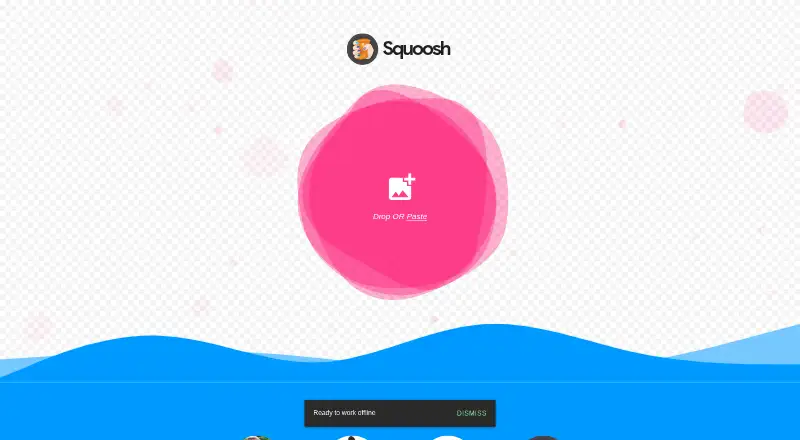
What Squoosh is
Squoosh is a free web app for compressing images across numerous formats. Users open an image, inspect the difference between the original and compressed result, adjust settings, and save the output. Squoosh says it can reduce file size while maintaining high quality. Image processing happens locally on the device, so images do not leave it, according to the app. The project is open source under an Apache-2.0 license. Its README says Google Analytics collects basic visitor data and before-and-after image size values. For Squoosh PWA installations, the README says analytics also records installation type and installation date and time. The app runs on the web and is designed around compressing and reviewing an image before saving. It does not support batch processing or API access. The listed Free plan costs nothing. This makes the workflow relevant to people who want to tune compression settings and inspect an image result, rather than process batches or connect through an API.
Who it suits
Squoosh suits people who want to compress an image in a browser, compare the result, adjust settings, and save it. It may fit users who prefer local processing and do not need batch processing or API access.
What it does well
- Processes images locally on the device.
- Supports numerous formats and both compression modes.
- Lets users compare results and adjust settings.
- Open source under an Apache-2.0 license.
What to know first
- Batch processing is not available.
- API access is not available.
- Runs on web only.
Limits
The Free plan provides browser-based image compression with local processing. It does not include batch processing or API access.
Plans
| Plan | Billed and limits | Price |
|---|---|---|
| Free | Image compression in the browser · local processing | Free |
As squoosh.app lists them, read 11 Oct 2026. The maker's own page has the final word.
Getting started
- Open https://squoosh.app/ in a web browser.
- Open an image in the app.
- Adjust compression settings and inspect the comparison.
- Save the compressed result.
Overview
Squoosh is a browser-based image compressor for people who want to tune one file, compare the result, and save it. It is best suited to designers, developers, and occasional publishers who value on-device processing more than automation. The trade-off is a deliberately narrow workflow: people handling collections or building compression into software will need another tool.
Key features
Squoosh lets you open an image, adjust compression settings, inspect the differences, and save the output. That visual review makes the quality-versus-size decision explicit, rather than hiding it behind a single preset. Squoosh says it can reduce file size while maintaining high quality, but the final balance depends on the settings you choose and the image you are working with.
Compression works in both directions, giving you flexibility across supported formats. Processing occurs locally on the device, so the image itself does not leave it while it is being compressed. That is a meaningful advantage for private assets, client work, or files that should not be uploaded to a service.
Local processing is not the same as zero telemetry. The project README says Google Analytics collects basic visitor data and before-and-after image-size values. For Squoosh installed as a progressive web app, analytics also records installation type and installation date and time. Users who want to avoid usage measurement altogether should account for that distinction.
The project is open source and identified under an Apache-2.0 license. That makes the code and licensing model more accommodating for technical users who want to inspect or build around the project, although the product itself remains a browser workflow rather than an integration service.
Pricing
Squoosh has one plan. Free costs nothing and includes image compression in the browser with local processing. There is no paid tier, subscription renewal, seat charge, usage quota, or trial period to manage. The absence of batch processing and API access is a capability limit rather than a paid-plan restriction: paying more is not an option for scaling this particular workflow.
Platforms
Squoosh is available on the web. That makes it convenient on a compatible browser without a desktop installation, while the PWA option can add an installable app-style entry point. Its browser focus also means it is not presented as a native Linux, macOS, or Windows utility, and it does not provide an API endpoint for automated pipelines.
Who it's for
Choose Squoosh when you compress images individually and want to see the visual result before committing. It fits a web designer checking an asset, a developer preparing a few site images, or anyone who wants files processed on their own device at no cost.
Look elsewhere when a recurring job must handle many files, when compression needs to run inside a service, or when operational analytics are unacceptable. The lack of batch processing and API access makes repeated production work manual.
Pros and cons
Pros
- Local image processing: image data stays on the device during compression, which suits privacy-conscious workflows.
- Visual comparison controls: you can inspect differences and adjust settings before saving, helping preserve quality deliberately.
- No-cost access: the Free plan costs nothing with browser compression and no paid upgrade required.
- Open-source project: the Apache-2.0 license is useful for readers who value an inspectable, permissive codebase.
Cons
- No batch processing: collections require one-image-at-a-time handling, which becomes inefficient for large sets.
- No API access: compression cannot be wired directly into an automated application or publishing pipeline.
- Usage analytics: Google Analytics collects visitor and before-and-after size data, while PWA installs report installation details.
Alternatives
Image Compression Software is the broader directory for comparing compression tools. Pick Optimole instead when a web service with a free allowance of 2,000 monthly visits, unlimited images, and unlimited sites better matches your delivery model. TinyPNG is a better fit when you need an API-oriented option and can work within its Web Free limits of 20 compressions per session, 5 MB per image, and three conversions per session.
Choose pngcrush for a free, open-source desktop command-line style utility across Linux, macOS, and Windows. Fastly Image Optimizer suits API, Linux, or web deployments, with a free allowance of 100,000 image requests per month. JPEGmini is aimed at users who want a cross-platform freemium tool with a seven-day Pro trial and a 50-images-per-day free limit.
Thumbor is the alternative for an open-source, self-hosted photo-thumbnail service. FileOptimizer is a Windows choice offering a full version without limitations for personal and commercial use. Curtail is a Linux option with GNU GPL v3-or-later licensing and support for PNG, JPEG, WebP, and SVG compression.
Verdict
Squoosh is a strong choice for anyone who needs to compress individual images, compare quality changes, and keep image processing on the device without paying. Its main reason to choose it is that focused, inspectable browser workflow. Its main reason to look elsewhere is equally clear: no batch processing or API access, plus analytics that may matter to privacy-sensitive users.
Verdict
Squoosh offers a focused browser workflow for compressing and reviewing images, with local processing and no charge listed beyond its free plan. Its lack of batch processing and API access limits it to individual image workflows.
Questions
How much does Squoosh cost?
The Free plan costs nothing.
Does Squoosh have a free plan?
Yes. Its Free plan includes image compression in the browser and local processing.
Which platforms does Squoosh support?
Squoosh runs on the web.
Is Squoosh open source?
Yes. The project is identified as open source under the Apache-2.0 license.
Does Squoosh offer batch processing or API access?
Neither batch processing nor API access is available.
Facts from Squoosh's own pages
- Analytics
- The project README says Google Analytics collects basic visitor data and before-and-after image size values. · github.com, 11 Oct 2026
- API access
- No · squoosh.app, 20 Sept 2026
- Audience
- Squoosh describes a simple workflow for people who want to compress an image, inspect the result, and save it. · squoosh.app, 11 Oct 2026
- Batch processing
- No · squoosh.app, 20 Sept 2026
- Comparison
- Users can open an image, inspect the differences, adjust settings, and save the result. · squoosh.app, 11 Oct 2026
- Compression modes
- both · squoosh.app, 20 Sept 2026
- File size
- Squoosh says it can reduce file size while maintaining high quality. · squoosh.app, 11 Oct 2026
- Free plan
- Yes · squoosh.app, 20 Sept 2026
- Local processing
- Squoosh says images never leave the device because processing happens locally. · squoosh.app, 11 Oct 2026
- Open source
- The GitHub repository identifies Squoosh as an open-source project and displays an Apache-2.0 license. · github.com, 11 Oct 2026
- Purpose
- Squoosh is an image compression web app that reduces image sizes through numerous formats. · github.com, 11 Oct 2026
- PWA analytics
- For Squoosh PWA installations, the README says analytics collects installation type and installation date and time. · github.com, 11 Oct 2026
Where Squoosh stands on Freedom251
- Image Compression Software#17 of 85