Freedom251 › Virtual Drive Software
ImgDrive
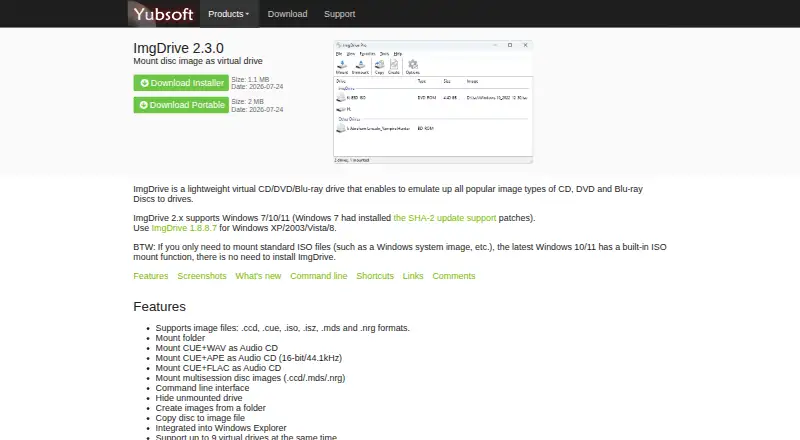
What ImgDrive is
ImgDrive by Yubsoft turns disc image files into virtual CD, DVD, and Blu-ray drives on Windows. It handles formats including CCD, CUE, ISO, ISZ, MDS, NRG, ASHDISC, CDI, PDI, BWT, B5T/B6T, MDX, and UIF, and can mount folders as virtual drives. For audio discs, the free editions can mount CUE files paired with WAV, APE, or FLAC; Pro adds M4A, TTA, and WV. The free editions support up to four virtual drives, while Pro supports up to nine. ImgDrive can also create image files from folders and copy discs into image files. Windows Explorer integration and a command-line interface provide ways to work with the software. The free plan is for personal use; commercial use requires Pro. ImgDrive Pro Lifetime costs $12, paid once and includes commercial use, priority support, additional image and audio CD formats, and up to nine drives. A single-user license may be used on any number of computers, provided that only the licensed user uses it. Yubsoft offers technical support by email and requests a download link when an image cannot be mounted.
Who it suits
ImgDrive suits Windows users who need to mount disc images or folders as virtual drives, or create images from folders and discs. The free plan is for personal use; commercial users need Pro, which also raises the drive limit and adds formats.
What it does well
- Mounts a broad range of optical image formats.
- Mounts folders as virtual drives.
- Creates image files from folders and copies discs to images.
- Integrates with Windows Explorer and includes a command-line interface.
- A single-user license can cover any number of that user's computers.
What to know first
- Free editions are limited to four virtual drives.
- Commercial use requires the paid Pro license.
- Purchases are covered by Yubsoft's no-refund policy.
Limits
The free plan is for personal use and supports up to four virtual drives. Commercial use requires Pro; Pro supports up to nine drives and adds image and audio CD formats.
Plans
| Plan | Billed and limits | Price |
|---|---|---|
| ImgDrive | Free for personal use · commercial use requires Pro | Free |
| ImgDrive Pro Lifetime | Lifetime · Commercial use · up to 9 virtual drives · priority support · additional image formats and audio CD formats | $12, paid once |
As yubsoft.com lists them, read 7 Oct 2026. The maker's own page has the final word.
Getting started
- Visit the ImgDrive website.
- Choose the free plan for personal use or ImgDrive Pro Lifetime for commercial use and its additional features.
- Use the Windows version that matches your system: version 2.x supports Windows 7, 10, and 11; version 1.8.8.7 is directed to users of XP, 2003, Vista, or 8.
- Mount supported image files or folders as virtual drives, or use the software to create image files from folders or discs.
Verdict
Choose ImgDrive if you need Windows software for mounting optical images and folders, with image creation and Explorer integration. Personal users can start with the free plan; commercial use, up to nine drives, and extra formats require the $12.00 USD lifetime Pro license. Users on other platforms should look elsewhere.
Questions
Is ImgDrive free?
Yes. Its free plan costs nothing and is for personal use.
How much does ImgDrive Pro cost?
ImgDrive Pro Lifetime costs $12, paid once.
Which platforms does ImgDrive support?
It is Windows software. Version 2.x supports Windows 7, 10, and 11; version 1.8.8.7 is directed to users of Windows XP, 2003, Vista, or 8.
How many virtual drives can it use?
The free editions support up to four virtual drives. Pro supports up to nine.
What does Pro add?
Pro permits commercial use and includes up to nine virtual drives, priority support, and additional image and audio CD formats.
Can one license be used on multiple computers?
A single-user license can be used on any number of computers as long as only that user uses it.
Facts from ImgDrive's own pages
- Audio CD mounting
- It can mount CUE files with WAV, APE, or FLAC audio as Audio CDs; Pro adds M4A, TTA, and WV support. · yubsoft.com, 7 Oct 2026
- Drive capacity
- The product comparison lists support for up to 4 virtual drives in the free editions and up to 9 in Pro. · yubsoft.com, 7 Oct 2026
- Folder mounting
- It can mount folders as virtual drives. · yubsoft.com, 7 Oct 2026
- Image creation
- It can create image files from folders and copy discs to image files. · yubsoft.com, 7 Oct 2026
- Image formats
- It supports formats including CCD, CUE, ISO, ISZ, MDS, NRG, ASHDISC, CDI, PDI, BWT, B5T/B6T, MDX, and UIF. · yubsoft.com, 7 Oct 2026
- License scope
- A single-user license can be used on any number of computers as long as only that user uses it. · yubsoft.com, 7 Oct 2026
- Maker
- Yubsoft describes itself as a small software development studio focused on simple software and also offers software consulting. · yubsoft.com, 7 Oct 2026
- Purpose
- ImgDrive emulates virtual CD, DVD, and Blu-ray drives for disc image files. · yubsoft.com, 7 Oct 2026
- Refund policy
- Yubsoft states that purchases of its software, products, and services are covered by a no-refund policy. · yubsoft.com, 7 Oct 2026
- Security claim
- Yubsoft says ImgDrive is free of viruses, adware, malware, and spyware, and notes antivirus warnings may be false positives. · yubsoft.com, 7 Oct 2026
- Support
- Technical support is available by email, and the maker asks users to send a download link for images that cannot be mounted. · yubsoft.com, 7 Oct 2026
- Windows integration
- ImgDrive integrates into Windows Explorer and provides a command line interface. · yubsoft.com, 7 Oct 2026
- Windows support
- ImgDrive 2.x supports Windows 7, 10, and 11; the maker directs users of Windows XP, 2003, Vista, or 8 to version 1.8.8.7. · yubsoft.com, 7 Oct 2026
Where ImgDrive stands on Freedom251
- Virtual Drive Software#9 of 24