Freedom251 › Virtual Drive Software
Paragon Image Mounter
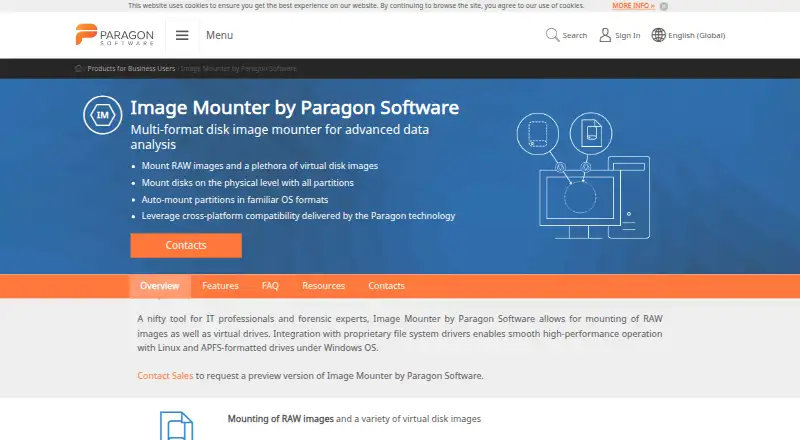
What Paragon Image Mounter is
Paragon Image Mounter is a Windows tool for mounting disk images during advanced data analysis. It supports RAW, VMDK, VDI, VHD, pVHD, and VHDX files, and can mount disks at the physical level with all partitions. Partitions in known operating system formats can be mounted automatically. Users can choose read-only or read-write mode. Paragon File System Link drivers let Windows mount and operate drives formatted with Linux, HFS+, and APFS file systems. The maker describes the product for IT professionals and forensic experts. The minimum listed requirement is Windows 7 SP1 or Windows Server 2008 R2 or above. A preview version is available free of charge by request from sales. The maker describes an advanced version that will add E01 and Ex01 forensic formats, APFS read-write support, and automatic mounting at system startup. The paid product's pricing is available on request. Paragon directs users who need help to its support service.
Who it suits
Image Mounter is aimed at IT professionals and forensic experts working with disk images on Windows. It may suit users who need physical-level mounting, partition access, or Linux, HFS+, and APFS drive support in Windows.
What it does well
- Supports RAW, VMDK, VDI, VHD, pVHD, and VHDX.
- Can mount disks with all partitions at the physical level.
- Offers read-only and read-write mounting modes.
- File System Link supports Linux, HFS+, and APFS drives.
- Free preview version available by request from sales.
What to know first
- Windows only.
- Paid product pricing is available on request.
- Free preview requires a request to sales.
- Advanced version features are described as future additions.
Plans
| Plan | Billed and limits | Price |
|---|---|---|
| Preview version | Preview version; request from sales | Free |
As paragon-software.com lists them, read 9 Oct 2026. The maker's own page has the final word.
Getting started
- Visit the Paragon Image Mounter business page.
- Request the free preview version from sales.
- Use a system meeting the listed Windows 7 SP1 or Windows Server 2008 R2 minimum.
- Install or use the product on Windows and select a supported image file.
- Choose read-only or read-write mounting mode.
Verdict
Paragon Image Mounter covers several disk image formats and offers both read-only and read-write mounting on Windows. The free preview requires a request to sales, and pricing for the paid product is on request.
Questions
How much does Paragon Image Mounter cost?
The paid product is priced on request. The preview version is listed as free and can be requested from sales.
Is there a free plan?
A free preview version is available by request from sales.
Which platforms are supported?
The listed platform is Windows. The minimum requirement is Windows 7 SP1 or Windows Server 2008 R2 or above.
Which disk image formats does it support?
The listed formats are RAW, VMDK, VDI, VHD, pVHD, and VHDX.
Does it support Linux, HFS+, and APFS drives?
Paragon File System Link drivers let Windows mount and operate Linux, HFS+, and APFS-formatted drives.
Who makes Image Mounter?
It is a Paragon Software product. The company was founded in 1994 and is headquartered in Freiburg, Germany.
Facts from Paragon Image Mounter's own pages
- Advanced version
- The one-pager says an advanced version will add E01 and Ex01 forensic formats, APFS read-write support, and auto-mount on system startup. · download.paragon-software.com, 9 Oct 2026
- Disk mounting
- It can mount disks at the physical level, including all partitions, and automatically mount partitions in known OS formats. · paragon-software.com, 9 Oct 2026
- File system integration
- Paragon File System Link drivers let users mount and operate Linux, HFS+, and APFS-formatted drives in Windows. · paragon-software.com, 9 Oct 2026
- Founded
- 1994 · paragon-software.com, 28 Sept 2026
- Headquarters
- Freiburg, Germany · paragon-software.com, 28 Sept 2026
- Image formats
- Supported image types are RAW, VMDK, VDI, VHD, pVHD, and VHDX. · paragon-software.com, 9 Oct 2026
- Intended users
- The maker describes it as a tool for IT professionals and forensic experts. · paragon-software.com, 9 Oct 2026
- Mount modes
- Users can select read-only or read-write mounting modes. · paragon-software.com, 9 Oct 2026
- Preview availability
- The preview version is available free of charge and can be requested from sales. · download.paragon-software.com, 9 Oct 2026
- Purpose
- Image Mounter is a multi-format disk image mounter for advanced data analysis. · paragon-software.com, 9 Oct 2026
- Sales support
- The product page lists business inquiry sales contacts and weekday phone hours for Germany, the United States, Japan, Poland, and Russia. · paragon-software.com, 9 Oct 2026
- Security reporting
- Paragon provides a channel for reporting actively exploited vulnerabilities and severe incidents, with encrypted email communication available on request. · paragon-software.com, 9 Oct 2026
- Support
- The product page directs users who need help to Paragon Support. · paragon-software.com, 9 Oct 2026
- Windows 7 note
- The FAQ says Windows 7 SP1 may require update KB3033929 and Microsoft Visual C++ 2015 Redistributable Update 3 RC. · paragon-software.com, 9 Oct 2026
- Windows requirements
- The listed minimum requirement is Windows 7 SP1 or Windows Server 2008 R2 or above. · paragon-software.com, 9 Oct 2026
Where Paragon Image Mounter stands on Freedom251
- Virtual Drive Software#11 of 24