Freedom251 › WebDAV Client Software

ExpanDrive
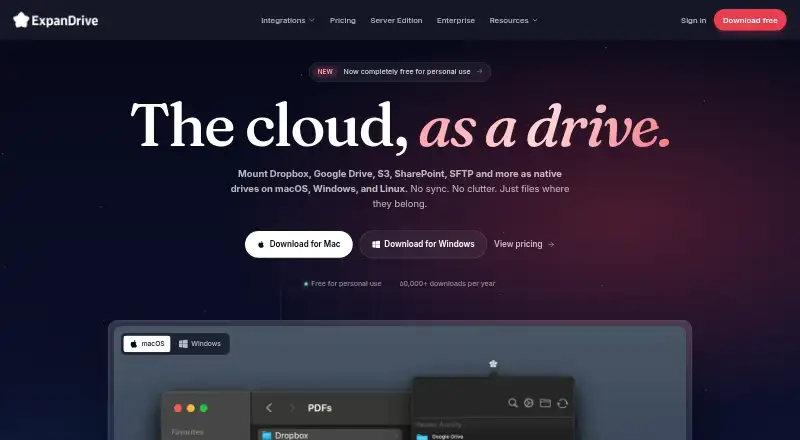
What ExpanDrive is
ExpanDrive mounts cloud storage and protocol endpoints as desktop drives, so you can open files through Finder, Explorer, and other applications. Files stream on demand, with local caching and an option to pin files for offline access; folder synchronization is not supported. It connects to services including Amazon S3, Backblaze B2, Box, Dropbox, Google Drive, OneDrive, SharePoint, and Nextcloud, as well as FTP, SFTP, and WebDAV. Desktop versions are available for macOS, Windows, and Linux. Server Edition can run as a headless service on Windows Server or Linux and expose mounted storage as a Windows SMB share. Its command line supports mount management and related tasks. Connections use TLS, and credentials are held in the local operating system credential store. Plain FTP sends credentials and file contents without encryption, so FTPS or SFTP is advised for sensitive connections. A free plan is available; Business costs $29 a month, billed monthly. Enterprise pricing is custom.
Who it suits
ExpanDrive suits people who want cloud storage or protocol endpoints available through desktop file applications, without folder synchronization. Server Edition and its command-line tools may suit teams managing mounted storage on Windows Server or Linux.
What it does well
- Mounts many cloud services and protocols as desktop drives.
- Streams files with local caching and offline pinning.
- Supports macOS, Windows, and Linux.
- Credentials stay in the operating system credential store.
- Server Edition can expose mounts as a Windows SMB share.
What to know first
- Folder synchronization is not supported.
- Plain FTP sends credentials and files in the clear.
- Business costs $29 a month, billed monthly.
Limits
The Free plan is for personal use and allows up to 10 users or devices per year. Business allows up to 10 users or devices and one Server Edition instance. Enterprise pricing is custom.
Plans
| Plan | Billed and limits | Price |
|---|---|---|
| Free | forever · Personal use · up to 10 users or devices per year · all 15 cloud services and protocols · community support | Free |
| Business | monthly · Up to 10 users or devices · 1 Server Edition instance · web management console · team configuration sharing · priority email support | $29 a month |
| Enterprise | Custom; talk to sales for a quote · Volume licensing · under 30 minute SLA · dedicated partnership engineer · SAML SSO · audit logs · advanced RBAC | On request |
As expandrive.com lists them, read 3 Oct 2026. The maker's own page has the final word.
Getting started
- Visit the ExpanDrive website.
- Choose the Free plan for personal use or Business for team features.
- Download the version for macOS, Windows, or Linux.
- Connect to a listed cloud service or protocol endpoint.
- Pin files you need available offline.
ExpanDrive makes remote storage available as a desktop drive, for people who want to work with cloud files in their usual applications without keeping synchronized folders. Its broad endpoint support is a strong fit for direct file access, but anyone who needs folder sync should look elsewhere.
Overview
Mounted storage appears in Finder, Explorer, and other applications. Files stream on demand, with local caching and an option to pin files for offline access. That keeps the workflow focused on remote files instead of maintaining a synchronized copy; the trade-off is that ExpanDrive does not synchronize folders.
Connections include Amazon S3, Backblaze B2, Box, Dropbox, Google Cloud Storage, Google Drive, IDrive e2, Nextcloud, OneDrive, OneDrive for Business, SharePoint, Wasabi, FTP, FTPS, SFTP, and WebDAV. ExpanDrive says connections use TLS and do not pass through its infrastructure. Passwords, SSH keys, and OAuth tokens are stored in the local operating system credential store rather than plaintext files or ExpanDrive servers. Plain FTP sends credentials and file contents in the clear, so sensitive connections should use FTPS or SFTP.
Key features
- Desktop drive mounting: Remote storage works through familiar file applications, which suits people who want access from existing desktop workflows rather than a separate sync routine.
- On-demand access and pinning: Streaming and caching avoid requiring a full local copy, while pinning provides offline access to selected files.
- Remote editing and SSH authentication: ExpanDrive supports remote file editing and SSH key authentication, useful for workflows involving SFTP endpoints.
- Server Edition: A headless service for Windows Server and Linux can expose mounted cloud storage as an SMB share on Windows. Its exfs command line supports mounting, unmounting, connection listing, license registration, and synchronous-write mode.
- Security: TLS connections and local credential storage help keep credentials out of plaintext files and ExpanDrive servers. Plain FTP remains a cleartext exception and is a poor choice for sensitive transfers.
Pricing
The free plan costs nothing, billed forever. It is for personal use, supports up to 10 users or devices per year, includes all 15 cloud services and protocols, and comes with community support. That is a useful way for personal users to access the full connection range, but the personal-use condition and annual user-or-device cap matter for teams.
Business costs $29 a month, billed monthly. It covers up to 10 users or devices and includes one Server Edition instance, a web management console, team configuration sharing, and priority email support. It suits small teams that need shared configuration or server mounting; the limit of one Server Edition instance may constrain larger deployments.
Enterprise has custom pricing by quote, with volume licensing, an under-30-minute SLA, a dedicated partnership engineer, SAML SSO, audit logs, and advanced RBAC. Those controls and response commitments make it the relevant tier for organizations with access-management and support requirements; teams without them can avoid a custom quote by choosing Business.
There is no free trial. The free plan is billed forever, while Business is billed monthly; Enterprise pricing is custom.
Platforms
Desktop versions cover macOS 11 Big Sur and later, Windows 10 and 11, Windows Server 2016 and later, and 64-bit desktop Linux on x86-64. Server Edition runs headlessly on Windows Server and Linux. This is a practical spread for mixed desktop and server environments, though Linux desktop support is specifically 64-bit x86-64.
Who it's for
ExpanDrive suits individuals and teams that want remote cloud or protocol storage to behave like a desktop drive, especially when selected files need offline pinning but a full synchronized folder is unnecessary. Business adds sharing and a server instance for small teams; Enterprise is aimed at organizations that need volume licensing, auditability, SSO, and rapid-response support. It is not the right choice for readers whose core requirement is folder synchronization or who must use plain FTP for sensitive data.
Pros and cons
- Pro: Connections span 15 cloud services and protocols, giving users one desktop-drive workflow across varied storage endpoints.
- Pro: On-demand streaming, caching, and file pinning offer a middle ground between remote-only access and keeping everything synchronized locally.
- Pro: Business includes team configuration sharing and one Server Edition instance, while Enterprise adds SSO, audit logs, and advanced access controls.
- Con: Folder synchronization is not supported, ruling it out for users who need automatically matched local and remote folders.
- Con: Plain FTP exposes credentials and file contents in transit; sensitive connections require FTPS or SFTP instead.
- Con: Business is limited to 10 users or devices and one Server Edition instance, while larger needs lead to custom-priced Enterprise.
Alternatives
For broader browsing of related tools, see Virtual Drive Software, SFTP Client Software, or WebDAV Client Software.
Arsenal Image Mounter is an option for Linux and Windows users focused on disk-image mounting, with a free mode for temporary writes, BitLocker tools, and CLI and PowerShell support.
libguestfs is a free open-source library and toolset for readers seeking that approach across Linux, macOS, Windows, API, or self-hosted environments.
OSFClone is a free self-booting disk-imaging utility for Linux and Windows, rather than a cloud-drive mounting workflow.
Alcohol 52% offers a Windows-focused free edition and a 15-day trial for readers considering that alternative.
DAEMON Tools Lite is a Windows alternative with free basic imaging functionality and a paid personal lifetime subscription.
ImDisk is a free Windows virtual disk driver for readers looking specifically for that kind of tool.
TotalMounter is a free Windows option with virtual CD/DVD, encrypted disk, iSCSI, and INetDisk client functions.
VHD Attach is a free Windows option for users working with VHD files.
Verdict
Choose ExpanDrive if you want cloud and protocol storage mounted as a desktop drive, with on-demand files and optional offline pinning instead of folder synchronization. Its broad endpoint coverage and server options are the main reasons to choose it; the absence of sync and the need to avoid plain FTP for sensitive connections are the clearest reasons to look elsewhere.
Verdict
ExpanDrive provides broad endpoint access through desktop drives, with a free plan and Server Edition options. Keep in mind that it does not synchronize folders, and sensitive FTP connections should use FTPS or SFTP.
Questions
Is there a free plan?
Yes. Free costs nothing, billed forever, and includes personal use, up to 10 users or devices per year, all 15 cloud services and protocols, and community support.
How much does Business cost?
Business costs $29 a month, billed monthly. It includes up to 10 users or devices, one Server Edition instance, a web management console, team configuration sharing, and priority email support.
Which platforms does ExpanDrive support?
It supports macOS, Windows, and Linux. The download page lists macOS 11 Big Sur and later, Windows 10, 11, and Windows Server 2016+, and 64-bit desktop Linux on x86-64.
Does ExpanDrive synchronize folders?
No. Files stream on demand, and users can pin files for offline access.
What does Enterprise include?
Enterprise lists volume licensing, an under-30-minute SLA, a dedicated partnership engineer, SAML SSO, audit logs, and advanced RBAC. Pricing is custom; buyers can talk to sales for a quote.
How are connections protected?
The security page says connections use TLS and are not terminated or proxied through ExpanDrive infrastructure. Plain FTP sends credentials and file contents in the clear; FTPS or SFTP is recommended for sensitive connections.
Facts from ExpanDrive's own pages
- Command line
- Server Edition includes the exfs command line for mounting, unmounting, listing connections, license registration, and synchronous-write mode. · expandrive.com, 3 Oct 2026
- Company history
- ExpanDrive says it began in 2004, was acquired by Files.com in January 2024, and relaunched under Files.com in April 2025. · expandrive.com, 3 Oct 2026
- Credential storage
- The maker says passwords, SSH keys, and OAuth tokens are stored in the local operating system credential store and are not written to plaintext files or sent to ExpanDrive servers. · expandrive.com, 3 Oct 2026
- Desktop platforms
- The download page provides versions for macOS 11 Big Sur and later, Windows 10, 11, and Windows Server 2016+, and 64-bit desktop Linux on x86-64. · expandrive.com, 3 Oct 2026
- Encryption
- The security page says connections use TLS and ExpanDrive does not terminate or proxy traffic through its infrastructure. · expandrive.com, 3 Oct 2026
- Enterprise features
- The Enterprise plan lists SAML SSO, audit logs, advanced RBAC, and a 24/7 rapid-response service with an under-30-minute SLA. · expandrive.com, 3 Oct 2026
- Founded
- 2004 · expandrive.com, 28 Sept 2026
- Integrations
- The integrations page lists Amazon S3, Backblaze B2, Box, Dropbox, FTP, Google Cloud Storage, Google Drive, IDrive e2, Nextcloud, OneDrive, OneDrive for Business, SFTP, SharePoint, Wasabi, and WebDAV. · expandrive.com, 3 Oct 2026
- No sync required
- Files stream on demand, with smart local caching and the option to pin files for offline access. · expandrive.com, 3 Oct 2026
- Plain FTP limitation
- Plain FTP is supported but sends credentials and file contents in the clear; the maker recommends FTPS or SFTP for sensitive connections. · expandrive.com, 3 Oct 2026
- Product
- ExpanDrive mounts cloud storage and protocol endpoints as native drives on a desktop, accessible from Finder, Explorer, and other applications. · expandrive.com, 3 Oct 2026
- Server Edition
- Server Edition runs as a headless system service on Windows Server and Linux and can expose mounted cloud storage as an SMB share on Windows. · expandrive.com, 3 Oct 2026
- Support
- Free includes community support, Business includes priority email support, and Enterprise includes a dedicated partnership engineer and rapid response. · expandrive.com, 3 Oct 2026
Where ExpanDrive stands on Freedom251
- WebDAV Client Software#4 of 26
- SFTP Client Software#5 of 31
- Virtual Drive Software#4 of 24