Freedom251 › WebDAV Client Software

Air Live Drive
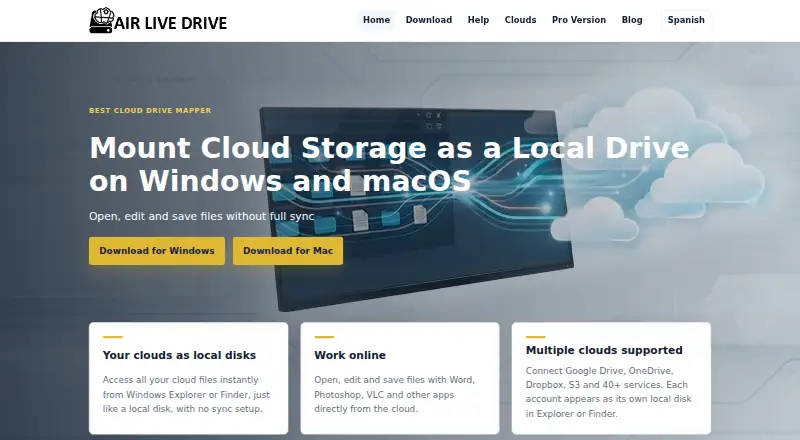
What Air Live Drive is
Air Live Drive mounts cloud storage as local drives on Windows and macOS, so users can open, edit, and save files through Explorer or Finder without full synchronization. It connects to personal, business, and infrastructure storage providers, including Google Drive, OneDrive, Dropbox, iCloud, SharePoint Online, S3, FTP, FTPS, SFTP, and WebDAV. Optional local caching can speed repeated access, while files are streamed rather than duplicated in bulk. Depending on the provider, supported audio and video files can play from the cloud without first making a full local copy. Windows users can enable background uploads and check progress in a transfer list. Pro includes startup and administrator passwords, drive export and import, and unlimited drives; its Windows edition also supports command-line drive and cache operations for scripts. Basic costs nothing and permits one drive per provider, up to three drives overall. The 1 Year plan costs $17 a year, and Pro Lifetime costs $25, paid once; both licenses are per device. Folder and scheduled synchronization are not supported.
Who it suits
Air Live Drive suits Windows or Mac users who want to work with cloud files through a local drive without syncing entire folders. Its listed providers include personal, business, and infrastructure storage services.
What it does well
- Mounts cloud storage as local drives.
- Supports a broad range of listed providers.
- Optional caching can speed repeat access.
- Windows supports background uploads.
- Paid plans allow unlimited drives.
What to know first
- Basic is limited to three drives overall.
- Basic allows one drive per cloud provider.
- Folder synchronization is not supported.
- Scheduled synchronization is not supported.
Limits
Basic allows up to three drives total and one drive per cloud provider, with no startup or administrator password and no drive export/import. Paid plans remove the drive limits and include those controls.
Plans
| Plan | Billed and limits | Price |
|---|---|---|
| Basic | 1 drive per cloud · maximum 3 drives · no startup password · no admin password · no drive export/import | Free |
| 1 Year | Unlimited drives per cloud · unlimited drives · startup password · admin password · export/import drives · 1 license per device | $17 a year |
| Pro Lifetime | Unlimited drives per cloud · unlimited drives · startup password · admin password · export/import drives · 1 license per device | $25, paid once |
As airlivedrive.com lists them, read 15 Oct 2026. The maker's own page has the final word.
Getting started
- Visit https://www.airlivedrive.com/ and choose the Windows or macOS version.
- Install the app on a compatible Windows or macOS computer.
- Connect a cloud storage provider and mount it as a drive.
- Use Explorer or Finder to open files in desktop applications.
- Choose Basic, 1 Year, or Pro Lifetime according to your drive needs.
Air Live Drive turns cloud storage into drives in Windows Explorer or macOS Finder, allowing desktop applications to work on online files directly. It is best for people managing several cloud services who prefer mounted drives to synchronized folders. The main question is whether its connection caps, device-based licensing and mount-first workflow fit your setup.
Overview
Founded in 2018 and based in Spain, Air Live Drive supports personal, business and infrastructure storage from one desktop interface. Connections include Google Drive, OneDrive, Dropbox, iCloud, SharePoint Online, S3, FTP, FTPS, SFTP and WebDAV. This breadth makes it useful for mixed-provider households, freelancers and organizations with legacy file servers as well as mainstream cloud accounts.
The product mounts those services as local drives rather than maintaining a synchronized folder. Files can be opened, edited and saved through applications such as Word, Excel and Photoshop, with changes written back to the cloud. That is a strong fit when the online copy is the working copy; it is the wrong model for users who need an always-available local replica.
Key features
Optional local caching can make repeatedly opened files feel faster, while streaming avoids copying entire cloud libraries to disk. Supported audio and video may play without first creating a complete local file, although behavior depends on the provider. On Windows, background uploads and a transfer list let users keep track of uploads after initiating them.
Pro adds startup and administrator passwords, and the help guide describes a read-only mode for mounted drives. Windows Pro also exposes command-line mount, unmount, refresh and cache commands, giving script-driven workflows useful control. The privacy policy says Google Account and Google Drive information is retained locally on the computer rather than sent or stored elsewhere by Air Live Drive, while it does not promise absolute security for data transmitted or stored electronically.
The free version allows up to three drives and one account per cloud provider. That is enough for a small personal setup, but restrictive for users combining multiple accounts or many service endpoints.
Pricing
Air Live Drive uses a freemium model. Basic costs nothing and permits one drive per cloud, with a maximum of three drives overall. It does not include a startup password, administrator password, or drive export/import. Choose it for occasional access to a small number of accounts, not for a growing multi-cloud workspace.
1 Year costs $17 a year, billed for one year. It removes the drive limits, adds startup and administrator passwords plus drive export/import, and includes one license per device. This is the sensible paid option when you need broader connections but prefer an annual commitment.
Pro Lifetime costs 25.00 USD once and includes the same unlimited-drive and security features, with one license per device. The one-time price is attractive for long-term single-device use, but each additional device requires its own license. Pro purchases carry a 15-day guaranteed refund.
Platforms
Air Live Drive runs on Windows and macOS. The download page lists Windows 7, 8, 10 and 11, alongside a separate Mac version compatible with macOS. Drive mounting is supported; folder synchronization and scheduled synchronization are not.
Who it's for
It suits users who want cloud files exposed through familiar desktop paths, editors who work directly in desktop software, and administrators who need password controls or scripted drive operations on Windows. It is less suitable for offline-first work, automatic folder replication, or teams expecting personalized support: the maker reviews reproducible errors, bugs and suggestions but does not provide one-to-one support.
Pros and cons
Pros
- Broad support for consumer, business and infrastructure protocols, including S3, SFTP and WebDAV.
- Mounted files can be edited in established desktop applications and saved back without a full synchronization library.
- Streaming and optional caching reduce the need to duplicate large cloud collections locally.
- Low-cost paid tiers add unlimited drives, import/export and password controls.
- Windows command-line controls support repeatable mount and cache tasks.
Cons
- The free tier is capped at three drives and one account per provider.
- There is no folder or scheduled synchronization for users who need local replicas.
- Licenses are per device, which can raise the cost across several computers.
- Background uploads and some media playback are Windows- or provider-dependent.
- Support is not personalized, and absolute data security is not guaranteed.
Alternatives
For a directory of comparable protocol-focused tools, see WebDAV Client Software.
- CloudDrive2 is worth choosing if you need Android, iOS, Linux, web or self-hosted access; its free plan allows up to two cloud drives and one local mount.
- rclone is the better fit for a free, open-source project with broad command-line and platform coverage.
- FolderSync suits Android-centered syncing, with desktop availability as well.
- Owlfiles is an alternative for cross-platform file management plus document, photo, music and video access.
- Air Explorer fits users seeking cloud-to-cloud transfer and synchronization controls rather than only mounted drives.
- Cyberduck is a GPL-licensed macOS and Windows option with source available on GitHub.
- ExpanDrive offers a free personal-use tier covering 15 cloud services and protocols.
- RaiDrive is an alternative for Windows and Linux users who want a free tier and a free trial.
Verdict
Choose Air Live Drive when you want many cloud and server providers mounted as ordinary drives, with desktop editing, streaming and optional caching instead of synchronized folders. The Pro Lifetime plan is particularly compelling for one device needing unlimited connections.
Verdict
Air Live Drive focuses on accessing cloud files through local drives rather than synchronizing folders. Check the Basic drive limits and per-device license terms against the number of connections you need.
Questions
Is Air Live Drive free?
Yes. Basic costs nothing and allows up to three drives overall, with one drive per cloud provider.
How much do the paid plans cost?
The 1 Year plan costs $17 a year. Pro Lifetime costs 25.00 USD once. Both use one license per device.
Which platforms does it support?
Air Live Drive supports Windows and macOS. Its download page lists Windows 7, 8, 10 and 11 compatibility and a separate Mac version compatible with macOS.
Does it synchronize folders?
No. Folder synchronization and scheduled synchronization are not supported; the app mounts cloud storage as drives.
What does Pro add?
The paid plans allow unlimited drives and include startup and administrator passwords plus drive export and import. Windows Pro also supports command-line drive mount, unmount, refresh and cache operations.
Does Air Live Drive provide one-to-one support?
The maker says it does not provide personalized or one-to-one support, but reviews reproducible errors, bugs and suggestions.
Facts from Air Live Drive's own pages
- Automation
- The Windows Pro version supports command-line drive mount and unmount operations, plus refresh and cache commands for scripts. · airlivedrive.com, 5 Oct 2026
- Background uploads
- Uploads can continue in the background while users keep working, with transfer progress available in the application. · airlivedrive.com, 15 Oct 2026
- Caching
- Optional local cache profiles speed repeated access and can be configured or cleared per storage connection. · airlivedrive.com, 15 Oct 2026
- Cloud connections
- It supports personal, business and infrastructure storage providers, including Google Drive, OneDrive, Dropbox, iCloud, SharePoint Online, S3, FTP, FTPS, SFTP and WebDAV. · airlivedrive.com, 5 Oct 2026
- Cloud integrations
- Supported connections include Google Drive, OneDrive, Dropbox, Box, MEGA, iCloud, SharePoint, S3-compatible storage, WebDAV, FTP, FTPS, SFTP and many other providers. · airlivedrive.com, 15 Oct 2026
- Command-line automation
- The Windows Pro edition provides command-line operations for mounting and unmounting drives, refreshing folders and managing cache contents. · airlivedrive.com, 15 Oct 2026
- Compatibility
- The download page lists Windows 7, 8, 10 and 11 compatibility and a separate Mac version compatible with macOS. · airlivedrive.com, 5 Oct 2026
- Custom OAuth
- The help center documents configuring a customer-owned Google OAuth client ID instead of entering a Google password into Air Live Drive. · airlivedrive.com, 15 Oct 2026
- Data collection
- The application sends its version, operating system and language at startup for update notices and statistics, while purchased users provide contact details for notifications. · airlivedrive.com, 15 Oct 2026
- Data handling
- The privacy policy says Google Account and Google Drive information is kept locally on the computer and is not sent or stored elsewhere by Air Live Drive. · airlivedrive.com, 5 Oct 2026
- Direct file editing
- Users can open cloud documents and media in desktop applications such as Word, Excel, Photoshop or VLC and save changes back to the cloud. · airlivedrive.com, 15 Oct 2026
- Documentation depth
- The official help center contains setup, account, drive configuration, file workflow, cache, automation, troubleshooting and security topics. · airlivedrive.com, 15 Oct 2026
- Dokan dependency
- Windows installation includes the open-source Dokan filesystem library, which Air Live Drive requires to create mounted filesystems. · airlivedrive.com, 15 Oct 2026
- File workflows
- Users can open and edit cloud files with desktop apps such as Word, Excel or Photoshop and save changes back to the cloud. · airlivedrive.com, 5 Oct 2026
- Founded
- 2018 · airlivedrive.com, 28 Sept 2026
- Google API use
- The privacy policy says Google account and Drive data stays on the user’s computer and lists Drive, profile and email OAuth scopes used by the software. · airlivedrive.com, 15 Oct 2026
- Headquarters
- Spain · airlivedrive.com, 28 Sept 2026
- Independent distribution
- Softpedia listed Air Live Drive 2.7.0 on July 19, 2026 for Windows 7, 8, 10 and 11. · softpedia.com, 15 Oct 2026
- Independent package record
- A Microsoft winget package request identifies Iniciativas Informáticas y de Comunicación as publisher and describes Air Live Drive as software mounting online clouds as Windows volumes. · github.com, 15 Oct 2026
- Independent praise: broad support
- An AlternativeTo user highlighted support for many clouds and a simple interface, while another said it worked reliably for a home LAN WebDAV setup. · alternativeto.net, 15 Oct 2026
- Independent praise: ease and stability
- A SaaSHub reviewer praised its robust operation, startup connection, lack of crashes, local-drive mapping and visible used/free space. · saashub.com, 15 Oct 2026
- Independent support limits
- The Japanese distributor warns that support does not cover the connected cloud providers or their accounts and that network conditions, file size and file count can slow operations. · lifeboat.jp, 15 Oct 2026
- Independent system requirements
- The Japanese distributor lists Windows 7/8.1/10/11, a 1 GHz or faster Intel-compatible CPU, at least 2 GB RAM, 50 MB free disk space plus cache space, and an internet connection. · lifeboat.jp, 15 Oct 2026
- License and refund
- Pro licenses are per device, and the Pro page states a 15-day guaranteed refund. · airlivedrive.com, 5 Oct 2026
Where Air Live Drive stands on Freedom251
- WebDAV Client Software#3 of 26