Freedom251 › Virtual Drive Software
VHD Attach
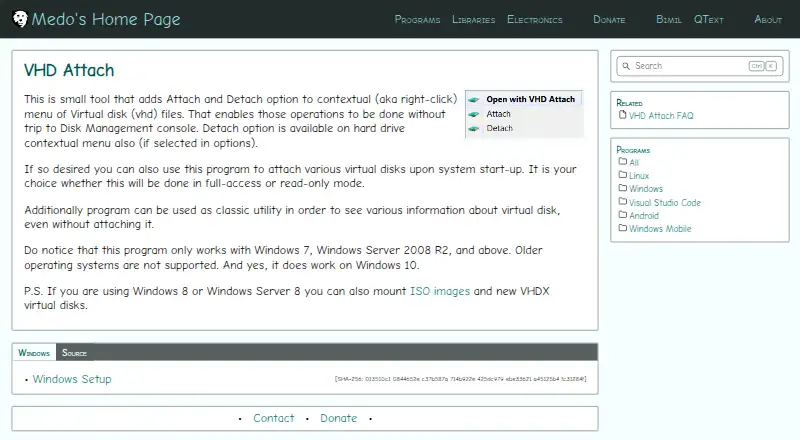
What VHD Attach is
VHD Attach is a free Windows utility for attaching and detaching virtual disks. It adds Attach and Detach choices to the right-click menu for VHD files, and settings can add a Detach choice to the hard-drive menu. It can mount virtual disks automatically at startup in full-access or read-only mode, and can display disk information without attaching the disk. The utility also supports the /attach, /detach and /detachdrive command-line parameters. It works on Windows 7, Windows Server 2008 R2 and later, including Windows 10; Windows Vista and other older Windows systems are not supported. On Windows 8 and Windows Server 8, it can also be used with ISO images and VHDX disks. Its source repository is published under the MIT License. A VHD stored on a network location may require changing the service account to grant access. Automatic mounting of BitLocker-enabled drives does not show the password prompt because mounting begins before the user interface appears.
Who it suits
VHD Attach suits Windows users who want context-menu or startup controls for virtual disks. It may also suit users who need command-line attachment options or disk information without mounting a disk.
What it does well
- Free to use
- Adds VHD attach and detach context-menu options
- Supports startup mounting in full-access or read-only mode
- Can show disk information without attaching
What to know first
- Windows Vista and older systems are unsupported
- Network-hosted VHDs may require service-account changes
- Startup mounting does not show BitLocker password prompts
Limits
The free plan is for Windows 7, Windows Server 2008 R2, and later; older Windows systems are unsupported. Writing images is not supported. For a network-hosted VHD, the service account may need access to that location.
Plans
| Plan | Billed and limits | Price |
|---|---|---|
| Free | Windows 7, Windows Server 2008 R2 and above | Free |
As medo64.com lists them, read 30 Sept 2026. The maker's own page has the final word.
Getting started
- Visit the VHD Attach website.
- Use a system running Windows 7, Windows Server 2008 R2, or later.
- Install the program; the installer supports the /VERYSILENT parameter for unattended installation.
- Use the VHD file's right-click menu to attach or detach it, or configure startup mounting in the options.
Verdict
VHD Attach provides several ways to work with virtual disks on supported Windows systems, including context-menu and command-line options. Check the Windows version and the network and BitLocker limitations before relying on automatic mounting.
Questions
Is VHD Attach free?
Yes. The Free plan costs nothing.
Which Windows versions does it support?
It supports Windows 7, Windows Server 2008 R2, and later, including Windows 10. Windows Vista and older Windows operating systems are unsupported.
Can it work with ISO and VHDX files?
On Windows 8 and Windows Server 8, it can be used with ISO images and VHDX virtual disks.
Is VHD Attach open source?
Its source repository is published under the MIT License.
Can it mount disks at startup?
Yes. Startup attachments can use full-access or read-only mode.
How can I contact the maker?
The maker provides a contact form for messages and replies.
Facts from VHD Attach's own pages
- Access modes
- Startup attachments can use full-access or read-only mode. · medo64.com, 30 Sept 2026
- BitLocker limitation
- Auto-attaching a BitLocker-enabled drive does not show its password prompt because mounting occurs before the user interface appears. · medo64.com, 30 Sept 2026
- Command line
- Supports /attach, /detach, and /detachdrive command-line parameters. · github.com, 30 Sept 2026
- Disk information
- Can show virtual-disk information without attaching the disk. · medo64.com, 30 Sept 2026
- Founded
- 2009 · medo64.com, 28 Sept 2026
- Hard-drive detach
- A Detach option can also be added to the hard-drive context menu through the options. · medo64.com, 30 Sept 2026
- Image formats
- Windows 8 and Windows Server 8 can use the program with ISO images and VHDX virtual disks. · medo64.com, 30 Sept 2026
- Maker description
- Josip Medved describes the site as a personal page containing hobby projects and notes. · medo64.com, 30 Sept 2026
- Network locations
- Attaching a VHD from a network location may require changing the VHD Attach service account so it has access to that location. · medo64.com, 30 Sept 2026
- Open source license
- The source repository is published under the MIT License. · github.com, 30 Sept 2026
- Silent installation
- The installer supports the /VERYSILENT parameter for unattended installation. · medo64.com, 30 Sept 2026
- Startup mounting
- Can automatically attach virtual disks when the system starts. · medo64.com, 30 Sept 2026
- Support contact
- The maker provides a contact form for messages and replies. · medo64.com, 30 Sept 2026
- Supported Windows
- Works on Windows 7, Windows Server 2008 R2, and later, including Windows 10. · medo64.com, 30 Sept 2026
- Unsupported systems
- Older Windows operating systems, including Windows Vista, are not supported. · medo64.com, 30 Sept 2026
- Virtual disk menu
- Adds Attach and Detach options to the right-click menu for VHD files. · medo64.com, 30 Sept 2026
Where VHD Attach stands on Freedom251
- Virtual Drive Software#14 of 24