Freedom251 › AI Calendar Assistants
Akiflow
by Akiflow
What Akiflow is
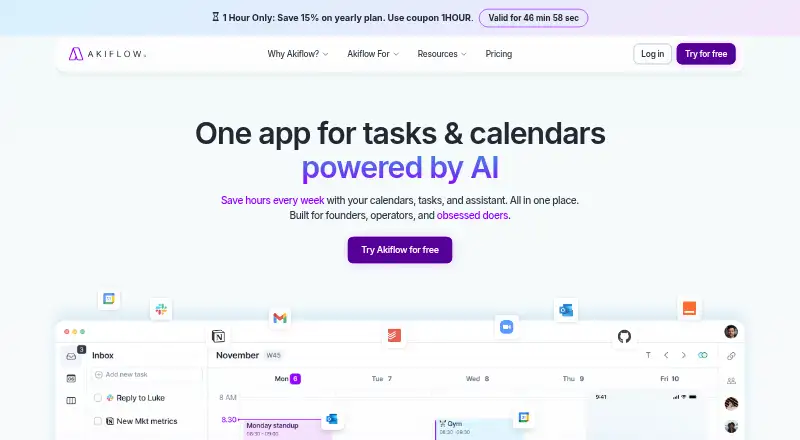
Akiflow is a paid task and calendar scheduling app from Akiflow. Its listed tools include tasks, subtasks, meetings, and integrations, along with shared calendars, time blocking, scheduling links, and two-way calendar sync. The service supports video meetings and has mobile apps for iOS and Android. Akiflow’s Pro plans also include the Aki AI assistant, the MCP Connector, and all power features. Buyers can choose monthly billing at $34 a month or yearly billing at $19 a month, billed yearly; the listed feature set is the same for both. Akiflow lists a 7-day trial, and there is no free plan. The maker lists its headquarters at 2093 Philadelphia Pike #2731, Claymont, Delaware, United States. The website is akiflow.com. Its listed mobile platforms are Android and iOS, while the calendar features include shared calendars, scheduling links, and bidirectional sync. Akiflow’s offering combines task planning and calendar scheduling with meeting support in the paid Pro plans.
Who it suits
Akiflow may suit people who want to organize tasks and subtasks alongside calendar scheduling, time blocking, and meetings. It fits buyers looking for iOS or Android access and who are comfortable choosing a paid monthly or yearly Pro plan; a 7-day trial is listed.
What it does well
- Calendar sync works in both directions.
- Shared calendars, time blocking, and scheduling links are included.
- Mobile apps are available for iOS and Android.
- Pro plans include tasks, subtasks, meetings, and integrations.
- Aki AI assistant and MCP Connector are included in Pro.
What to know first
- There is no free plan.
- Pro Monthly costs $34 a month.
- The listed trial lasts 7 days.
Limits
Akiflow has no free plan. A 7-day trial is listed; Pro Monthly costs $34 a month and Pro Yearly costs $19 a month, billed yearly.
Plans
| Plan | Billed and limits | Price |
|---|---|---|
| Pro Monthly | Per month, billed monthly · Tasks, subtasks, meetings and integrations · Aki AI assistant and MCP Connector · All power features | $34 a month |
| Pro Yearly | Per month, billed yearly · Tasks, subtasks, meetings and integrations · Aki AI assistant and MCP Connector · All power features | $19 a month |
As akiflow.com lists them, read 20 Sept 2026. The maker's own page has the final word.
Getting started
- Visit akiflow.com.
- Choose Pro Monthly at $34 a month, billed monthly, or Pro Yearly at $19 a month, billed yearly.
- Akiflow lists a 7-day trial.
- Install the mobile app on iOS or Android.
Verdict
Pick Akiflow if you want task and calendar features, mobile apps, and a choice of monthly or yearly Pro billing. Look elsewhere if you need a free plan or do not want to pay for a plan.
Questions
Does Akiflow have a free plan?
No. Akiflow is listed as a paid service with no free plan.
How much do the Pro plans cost?
Pro Monthly is $34 a month, billed monthly. Pro Yearly is $19 a month, billed yearly.
Is there a trial?
Akiflow lists a 7-day trial.
Which mobile platforms are supported?
Akiflow has mobile apps for iOS and Android.
What features are included in Pro?
The plans include tasks, subtasks, meetings, integrations, the Aki AI assistant, the MCP Connector, and all power features.
Who makes Akiflow?
Akiflow is made by Akiflow, whose listed headquarters are at 2093 Philadelphia Pike #2731, Claymont, Delaware, United States.
Facts from Akiflow's own pages
- Calendar sync
- two_way · akiflow.com, 20 Sept 2026
- Free plan
- No · akiflow.com, 20 Sept 2026
- Headquarters
- 2093 Philadelphia Pike #2731, Claymont, Delaware, United States · akiflow.com, 28 Sept 2026
- Mobile apps
- ios and android · akiflow.com, 20 Sept 2026
- Scheduling links
- Yes · akiflow.com, 20 Sept 2026
- Shared calendars
- Yes · akiflow.com, 20 Sept 2026
- Paid from
- 19 · akiflow.com, 20 Sept 2026
- Time blocking
- Yes · akiflow.com, 20 Sept 2026
- Video meeting support
- Yes · akiflow.com, 20 Sept 2026
Where Akiflow stands on Freedom251
- AI Calendar Assistants#18 of 27
- Time Management Apps#27 of 35
- Time Blocking Apps#26 of 31
- Task Management Software#52 of 59
- Daily Planner Apps#124 of 137
- To-do list apps#140 of 150
- Calendar apps#184 of 194