Freedom251 › AI Calendar Assistants
ClaroCal
What ClaroCal is
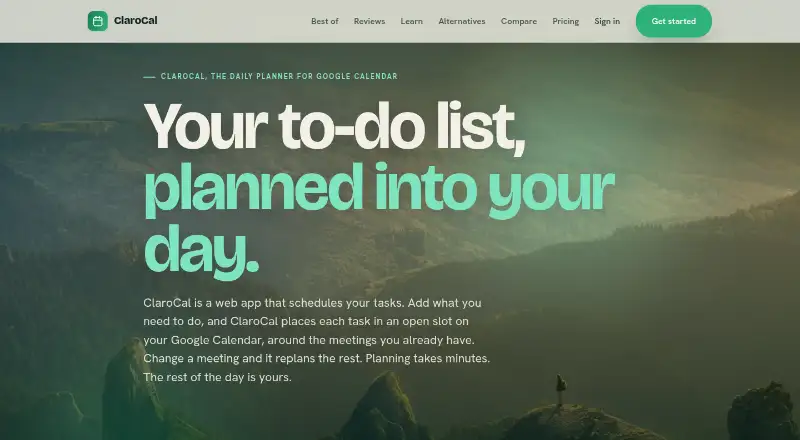
ClaroCal is a web-based daily planner that places tasks into available time in Google Calendar and can replan them when schedules change. Add a task title and duration, and it schedules the task as a calendar block. Two-way sync reflects changes made to task blocks in either ClaroCal or Google Calendar; sync runs hourly on Essential, every 15 minutes on Plus, and every 5 minutes on Power. The service supports multiple calendars and natural-language planning input. Essential includes one reusable booking link, while Plus and Power include unlimited links. Plus adds calendar insights; Power adds SMS morning briefings, two-way text, proactive insights, and priority support. Plans cost $6/month, $10/month, and $16/month, respectively, with a 14-day trial and no free plan. ClaroCal requires a Google Calendar account and runs in a browser; an iPhone app is described as coming soon. ClaroCal says it does not sell Google user data or use it for advertising or AI model training, and requests calendar event, free/busy, and basic Google profile permissions.
Who it suits
ClaroCal suits people who use Google Calendar and want to coordinate tasks with their schedule. It runs in a web browser and requires a Google Calendar account.
What it does well
- Schedules tasks in available calendar time
- Replans task blocks around schedule changes
- Two-way Google Calendar sync
- Supports multiple calendars and natural-language input
- Power includes priority support
What to know first
- No free plan
- Requires a Google Calendar account
- Sync is hourly on Essential
- iPhone app is described as coming soon
Limits
There is no free plan. Essential costs $6/month, syncs hourly, and includes one reusable booking link; Plus costs $10/month with 15-minute sync, while Power costs $16/month with five-minute sync.
Plans
| Plan | Billed and limits | Price |
|---|---|---|
| Essential | $6/month · Hourly two-way Google Calendar sync · daily plan notification · one reusable booking link | $6 a month |
| Plus | $10/month · Sync every 15 minutes · unlimited booking links · calendar insights | $10 a month |
| Power | $16/month · Sync every 5 minutes · SMS morning briefing and two-way text · proactive insights · priority support | $16 a month |
| Plus | $100/year, 12 months for the price of 10 · Sync every 15 minutes · unlimited booking links · calendar insights | $100 a year |
| Power | $160/year, 12 months for the price of 10 · Sync every 5 minutes · SMS morning briefing and two-way text · proactive insights · priority support | $160 a year |
| Essential | $60/year, 12 months for the price of 10 · Hourly two-way Google Calendar sync · daily plan notification · one reusable booking link | $60 a year |
As clarocal.com lists them, read 30 Sept 2026. The maker's own page has the final word.
Getting started
- Open the ClaroCal website in a browser
- Have a Google Calendar account ready
- Grant calendar event, free/busy, and basic Google profile permissions
- Choose Essential, Plus, or Power and start the 14-day trial
- Create tasks with a title and duration
- Connect booking links or calendars as needed
Verdict
ClaroCal combines task scheduling and calendar coordination, with sync frequency and added features varying by plan. It may suit Google Calendar users who want tasks placed into open time and adjusted when plans change.
Questions
How much does ClaroCal cost?
Essential is $6/month, Plus is $10/month, and Power is $16/month. A 14-day trial is available, and there is no free plan.
What calendar does ClaroCal use?
ClaroCal uses two-way Google Calendar sync and requires a Google Calendar account.
Which platforms are supported?
ClaroCal runs in a web browser. An iPhone app is described as coming soon.
How often does calendar synchronization run?
Essential syncs hourly, Plus every 15 minutes, and Power every five minutes.
What booking links are included?
Essential includes one reusable booking link. Plus and Power include unlimited booking links.
What permissions does ClaroCal request?
It requests calendar event, free/busy, and basic Google profile permissions, and says it does not request the full calendar scope.
Facts from ClaroCal's own pages
- Account requirement
- The pricing page says users need a Google Calendar account to use ClaroCal. · clarocal.com, 30 Sept 2026
- Booking links
- Essential includes one booking link, while Plus and Power include unlimited booking links. · clarocal.com, 30 Sept 2026
- Calendar integration
- ClaroCal uses two-way Google Calendar sync, so changes to task blocks in either app are reflected in the other. · clarocal.com, 30 Sept 2026
- Free plan
- No · clarocal.com, 20 Sept 2026
- Permissions
- ClaroCal requests calendar event and free/busy access plus basic Google profile permissions, and says it does not request the full calendar scope. · clarocal.com, 30 Sept 2026
- Platform availability
- ClaroCal runs in a web browser, and its iPhone app is described as coming soon. · clarocal.com, 30 Sept 2026
- Privacy
- ClaroCal says it does not sell Google user data or use it for advertising or AI model training. · clarocal.com, 30 Sept 2026
- Security
- The privacy policy says ClaroCal uses industry-standard measures to protect data in transit and at rest. · clarocal.com, 30 Sept 2026
- Support
- The help page directs users with unanswered questions to its contact page for setup assistance; Power includes priority support. · clarocal.com, 30 Sept 2026
- Sync intervals
- Calendar sync runs hourly on Essential, every 15 minutes on Plus, and every 5 minutes on Power. · clarocal.com, 30 Sept 2026
- Task planning
- Tasks can include a title and duration, and ClaroCal schedules them in available calendar time. · clarocal.com, 30 Sept 2026
- What it does
- ClaroCal turns tasks into time-blocked calendar events and replans them around schedule changes. · clarocal.com, 30 Sept 2026
- Who it is for
- ClaroCal describes itself as a daily planner for people who use Google Calendar and want to coordinate tasks with their calendar. · clarocal.com, 30 Sept 2026
Where ClaroCal stands on Freedom251
- AI Calendar Assistants#15 of 27
- Daily Planner Apps#120 of 137