Freedom251 › AI Calendar Assistants
Mynor AI
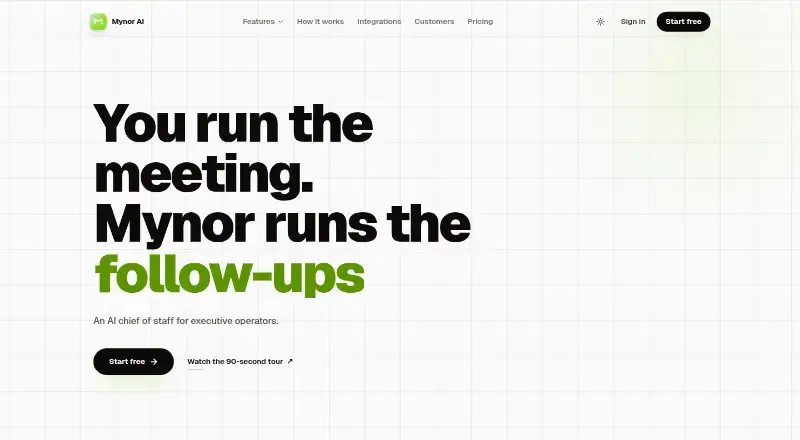
What Mynor AI is
Mynor AI is an AI chief of staff for executive operators, bringing meeting follow-through, task tracking, calendar planning, and project risk estimates into one service. It joins Zoom and Google Meet meetings, transcribes them, and identifies decisions, tasks, owners, and follow-ups. Commitments can become tasks with deadlines and links to the conversations they came from. Its planner weighs meetings, action items, and focus time, then suggests calendar blocks; proposed blocks reach Google Calendar only after approval. Mynor can estimate project ETAs using team capacity and current commitments, and flag work that may slip. The listed integrations include Gmail, Google Calendar, Google Meet, Zoom, Slack, and Microsoft Teams. Outbound steps wait for user approval before sending. Mynor is available on the web and through an API, with a free plan and paid plans. Paid plans include a 7-day trial. AI actions use credits, while recording hours and credits have plan caps; non-essential AI calls pause by default when a cap is reached. The maker describes its data handling as SOC 2-aligned. Paid-tier content is not used to train AI models unless the user opts in; free-tier inputs may be used to improve models, with an opt-out available.
Who it suits
Mynor AI suits executive operators who want meeting decisions and commitments turned into assigned, deadline-based tasks. It may also suit teams that want help planning calendar time and spotting projects at risk, with approval before outbound steps are sent.
What it does well
- Transcribes Zoom and Google Meet meetings and extracts decisions and follow-ups.
- Creates tasks with owners, deadlines, and source links.
- Suggests calendar blocks that require acceptance before reaching Google Calendar.
- Estimates project ETAs using team capacity and current commitments.
- Supports integrations including Gmail, Slack, and Microsoft Teams.
- Paid-tier content is excluded from AI training unless users opt in.
What to know first
- AI actions consume credits, and recording hours and credits are capped by plan.
- Paid plans charge after the 7-day trial unless cancelled before day 8.
- Free-tier inputs may be used to improve AI models unless users opt out.
Limits
AI actions use credits, and recording hours and credits are capped by plan; the available plan details do not provide the cap amounts. Non-essential AI calls pause by default when a cap is reached. Paid-plan trials last 7 days, and cancellation is required before day 8 to avoid the first charge.
Getting started
- Visit https://mynor.ai/ in a web browser.
- Choose the free plan or review the paid plans.
- For a paid plan, use the 7-day trial and cancel before day 8 to avoid the first charge.
- Connect the listed meeting, calendar, email, or collaboration integrations you use.
- Review free-tier AI data settings and opt out in account settings or contact support if preferred.
Verdict
Choose Mynor AI if you want meeting follow-through, task ownership, calendar proposals, and project risk estimates in one service. Its free plan offers a way to start, while paid plans include a 7-day trial. Review the plan’s credit and recording-hour caps, and the free-tier data setting, before relying on it for regular work.
Questions
Does Mynor AI have a free plan?
Yes. Mynor AI lists a free plan as well as paid plans.
How long is the paid-plan trial?
Paid plans include a 7-day trial. Cancel before day 8 to avoid the first charge.
Which platforms can I use?
Mynor AI is available on the web and through an API.
Which services does it integrate with?
The listed integrations are Gmail, Google Calendar, Google Meet, Zoom, Slack, and Microsoft Teams.
Is user content used to train AI models?
Paid-tier content is not used to train models unless the user opts in. Free-tier inputs may be used to improve models, and users can opt out in account settings or by contacting support.
Who provides Mynor AI?
The terms identify Concept Dzign LLC as the service provider, with an address in Lewes, Delaware, United States.
Facts from Mynor AI's own pages
- AI training
- The privacy policy says paid-tier content is not used to train Mynor's AI models unless the user opts in; free-tier inputs may be used to improve models. · mynor.ai, 8 Oct 2026
- Calendar planning
- Its calendar assistant prioritizes meetings and deep work, time-blocks them, and replans when schedules change. · mynor.ai, 8 Oct 2026
- Company
- The terms identify Concept Dzign LLC as the company behind Mynor and list its address in Lewes, Delaware, United States. · mynor.ai, 8 Oct 2026
- Credits and caps
- Credits cover AI actions such as chat replies, summaries, briefings, and action extraction; when a cap is reached, non-essential AI calls pause by default. · mynor.ai, 8 Oct 2026
- Data retention
- The privacy policy says account data is deleted or anonymized within 30 days of a verified deletion request, while backups may persist for up to 90 days. · mynor.ai, 8 Oct 2026
- Free tier data
- The terms say free-tier inputs may be used to help improve AI models, with this disclosed at registration; users can opt out in account settings or by contacting support. · mynor.ai, 7 Oct 2026
- Headquarters
- Lewes, Delaware, United States · mynor.ai, 28 Sept 2026
- Human review
- The site says outbound steps wait for the user's approval before sending. · mynor.ai, 8 Oct 2026
- Integrations
- The site names Gmail, Google Calendar, Google Meet, Zoom, Slack, and Microsoft Teams as integrations. · mynor.ai, 8 Oct 2026
- Meeting intelligence
- It turns calls into summaries, decisions, action items, and commitments linked to the transcript. · mynor.ai, 8 Oct 2026
- Outbound approval
- The product says outbound steps wait for the user’s approval before they are sent. · mynor.ai, 7 Oct 2026
- Paid plan trial
- The pricing page states that paid plans include a 7-day trial and says to cancel before day 8 to avoid the first charge. · mynor.ai, 8 Oct 2026
- Paid-tier data
- The terms say paid-tier content is not used to train AI models unless the user explicitly opts in through account settings. · mynor.ai, 7 Oct 2026
- Product
- Mynor describes itself as an AI chief of staff for executive operators that handles meeting follow-ups. · mynor.ai, 8 Oct 2026
- Project risk
- Its predictive intelligence estimates project ETAs using team capacity and current commitments, and flags slipping work. · mynor.ai, 7 Oct 2026
- Project risks
- Its predictive intelligence estimates project ETAs based on team capacity and current commitments and flags slipping work. · mynor.ai, 8 Oct 2026
- Security
- The privacy policy says data is encrypted in transit using TLS and at rest using AES-256, with role-based access controls and security assessments. · mynor.ai, 8 Oct 2026
- Support
- The company lists [email protected] for service and privacy inquiries. · mynor.ai, 8 Oct 2026
- Support and company
- The terms identify Concept Dzign LLC as the service provider and list its address as 16192 Coastal Highway, Lewes, Delaware 19958, United States, with [email protected] for contact. · mynor.ai, 7 Oct 2026
- Task extraction
- It extracts tasks, owners, and deadlines from conversations automatically. · mynor.ai, 8 Oct 2026
- Task tracking
- It turns commitments from conversations into tasks with owners, deadlines, and links to their source. · mynor.ai, 7 Oct 2026
- Trial
- Pricing states that paid plans include a 7-day trial and says to cancel before day 8 to avoid the first charge. · mynor.ai, 7 Oct 2026
- Usage limits
- Pricing says AI actions use credits, roughly one credit per 1,000 LLM tokens, and recording hours and credits are capped by plan; the page text available here does not expose plan prices or cap amounts. · mynor.ai, 7 Oct 2026
Where Mynor AI stands on Freedom251
- AI Calendar Assistants#11 of 27