Freedom251 › AI Calendar Assistants
Horolog
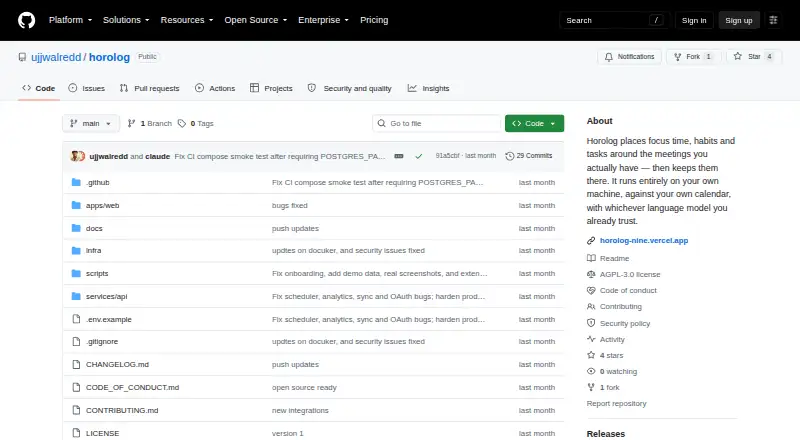
What Horolog is
Horolog is a free, open-source calendar that you host yourself. It plans focus time, habits and tasks around meetings, using natural-language planning input and automatic scheduling. Its task scheduler fits deadline-aware work into available periods around meetings and assigns P1–P4 priorities when several tasks compete for a time slot. Habit routines can recur, follow time-of-day windows and daily caps, and move automatically when schedules change.
Horolog connects with Google and Outlook calendars, ICS feeds and CalDAV servers, and can export a subscribable ICS plan. Smart Meetings find times that work across every attendee’s availability. Native task synchronization modules are listed for Linear, Todoist, GitHub Issues, Notion, ClickUp and Jira. Productivity analytics cover deep-work hours, meeting load, schedule fragmentation, the longest daily stretch of free time, after-hours load and unmet demand. Users can choose local or hosted language models, including Ollama, vLLM, SGLang, llama.cpp, Anthropic and OpenAI-compatible providers.
The project describes Horolog as a single-user app with no authentication. Its README says it runs on the user’s machine without an account or telemetry; hosted model and calendar connections may still rely on external services. Docker Compose deployment is provided, with SQLite as an option instead of the default Postgres service. The project uses the AGPL-3.0-or-later license.
Who it suits
Horolog suits people who want to host their own calendar and coordinate tasks, habits and focus time around meetings. Its connections to several calendars and task tools may help users who plan across multiple services, while its local model options suit those who want to choose where language-model processing runs.
What it does well
- Automatically schedules deadline-aware tasks around meetings.
- Supports Google, Outlook, ICS and CalDAV calendars.
- Habit routines include recurrence, time windows and daily caps.
- Offers local and hosted language-model choices.
- Provides analytics on deep work and meeting load.
What to know first
- The app is single-user and has no built-in authentication.
- Booking links have no authentication.
- Team use calls for an SSO proxy; internet-facing booking routes need a reverse proxy.
Limits
Horolog is single-user and unauthenticated by design. Booking links also have no authentication; the maker recommends an SSO proxy for team use and a reverse proxy before exposing booking routes to the internet.
Getting started
- Visit the Horolog GitHub repository.
- Deploy the app with the provided Docker Compose setup.
- Use the default Postgres service or choose SQLite.
- Connect Google or Outlook calendars, ICS feeds or CalDAV servers.
- Optionally connect supported task services and choose a language model.
Verdict
Choose Horolog if you want a self-hosted calendar that schedules tasks and habits around meetings, with a choice of local or hosted models. For team use or internet-facing booking links, account for the maker’s proxy recommendations because the app and links have no authentication.
Questions
Is Horolog free and open source?
Yes. Horolog is free and licensed AGPL-3.0-or-later. The project says modified network-service versions must publish their changes.
Where can I use Horolog?
The listed platform is web, and the app is self-hosted. Docker Compose deployment is provided, with SQLite available instead of the default Postgres service.
Which calendars does it support?
Horolog supports Google and Outlook calendars, ICS feeds and CalDAV servers. It can also export a subscribable ICS plan feed.
Can it connect to task management services?
Native sync modules are listed for Linear, Todoist, GitHub Issues, Notion, ClickUp and Jira.
Can I choose which AI model it uses?
Yes. Options include local and hosted models such as Ollama, vLLM, SGLang, llama.cpp, Anthropic and OpenAI-compatible providers.
Is Horolog suitable for a team?
The project describes this build as single-user and unauthenticated. It recommends an SSO proxy for team use.
Facts from Horolog's own pages
- AI models
- Users can choose local or hosted language models, including Ollama, vLLM, SGLang, llama.cpp, Anthropic, and OpenAI. · github.com, 8 Oct 2026
- Analytics
- Productivity analytics include deep-work hours, meeting load, fragmentation, longest free run per day, after-hours load, and unmet demand. · github.com, 8 Oct 2026
- Authentication limit
- The project describes this build as single-user and unauthenticated by design, and recommends an SSO proxy for team use. · github.com, 8 Oct 2026
- Booking link limit
- Booking links have no authentication, and the README recommends putting the route behind a reverse proxy before internet exposure. · github.com, 8 Oct 2026
- Booking links
- Booking links have no authentication, and the maker advises placing the route behind a reverse proxy before exposing it to the internet. · github.com, 8 Oct 2026
- Calendar connections
- It supports Google and Outlook calendars, ICS feeds, and CalDAV servers, and can export the plan as a subscribable ICS feed. · github.com, 8 Oct 2026
- Calendar support
- Horolog supports Google and Outlook calendars, ICS feeds and CalDAV servers, and can export a subscribable ICS plan feed. · github.com, 8 Oct 2026
- Data handling
- The README says Horolog runs on the user's machine with no account or telemetry and that nothing leaves the machine. · github.com, 8 Oct 2026
- Deployment
- The README provides Docker Compose deployment and says SQLite can be used instead of the default Postgres service. · github.com, 8 Oct 2026
- Habits
- Habit routines support recurrence, time-of-day windows, daily caps, and automatic relocation. · github.com, 8 Oct 2026
- Habits and focus
- The Habit & Routine Manager supports recurrence, time-of-day windows, per-day caps and automatic relocation. · github.com, 8 Oct 2026
- License
- Horolog is licensed AGPL-3.0-or-later, and the README says modified network-service versions must publish their changes. · github.com, 8 Oct 2026
- Meeting scheduling
- Smart Meetings find times that intersect every attendee’s availability. · github.com, 8 Oct 2026
- Model providers
- Users can choose local or hosted models, including Ollama, vLLM, SGLang, llama.cpp, Anthropic and OpenAI-compatible providers. · github.com, 8 Oct 2026
- Privacy
- The README says Horolog runs on the user's machine with no account, no telemetry and nothing leaving the machine; hosted model or calendar connections may require their own external services. · github.com, 8 Oct 2026
- Product
- Horolog is an open-source, self-hosted AI calendar that schedules focus time, habits and tasks around meetings. · github.com, 8 Oct 2026
- Purpose
- Horolog is an open-source, self-hosted AI calendar that schedules focus time, habits, and tasks around meetings. · github.com, 8 Oct 2026
- Security limitation
- The app is single-user and unauthenticated by design, and the maker advises putting it behind an SSO proxy for team use. · github.com, 8 Oct 2026
- Support
- The repository links to a security policy for vulnerability reporting and welcomes contributions through its contributing guide. · github.com, 8 Oct 2026
- Support and reporting
- The repository links to a security policy for reporting vulnerabilities and welcomes contributions through its contributing guide. · github.com, 8 Oct 2026
- Task integrations
- Native sync modules are listed for Linear, Todoist, GitHub Issues, Notion, ClickUp, and Jira. · github.com, 8 Oct 2026
- Task scheduling
- Its task scheduler places deadline-aware tasks in sittings around meetings, with P1–P4 priorities for contested slots. · github.com, 8 Oct 2026
Where Horolog stands on Freedom251
- AI Calendar Assistants#9 of 27