Freedom251 › AI Calendar Assistants

DayWise
by DayWise
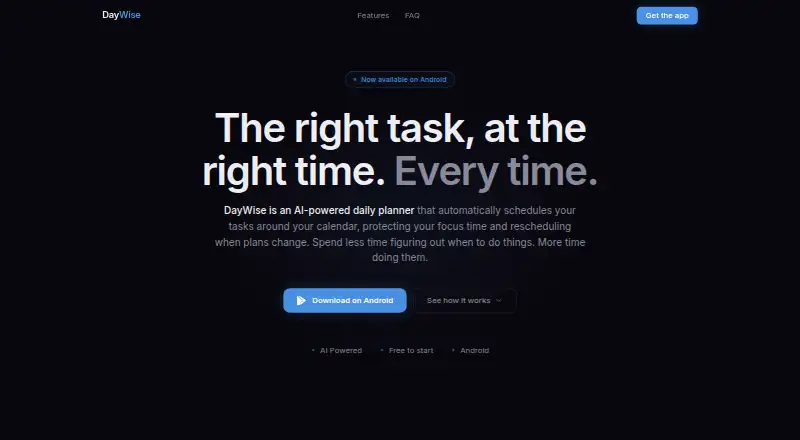
What DayWise is
DayWise is a daily planner for Android that uses AI to fit tasks around calendar commitments and revise the schedule when plans change. It considers task priority, deadlines, calendar events, and energy patterns when finding time slots. Google Calendar connects directly, and DayWise schedules tasks around existing events. You can also adjust the plan yourself by dragging tasks to another time, changing their duration, or moving them to tomorrow.
The app is designed for individuals, including students, freelancers, and professionals. Its Free plan costs nothing and includes manual scheduling and core task management. A 7-day trial is also offered. Pro includes unlimited AI scheduling, automatic rescheduling, and advanced analytics. DayWise is available through Google Play for Android 8.0 and later.
DayWise says Google Calendar events are accessed read-only and are not kept on its servers beyond what scheduling requires. Relevant task information is sent to third-party AI services, including OpenAI, for scheduling suggestions; the privacy policy says that information is not used to train third-party models under its agreements. The policy also describes encryption in transit and at rest, row-level database security, and regular security reviews. DayWise says it does not sell personal information or use task content for advertising, and that analytics exclude task content. The maker is based in Cape Town, South Africa.
Who it suits
DayWise suits individuals who want tasks arranged around calendar events, deadlines, priorities, and energy patterns. Its stated audience includes students, freelancers, and professionals using Android.
What it does well
- Schedules tasks around Google Calendar events.
- Factors priorities, deadlines, and energy patterns into scheduling.
- Tasks can be moved or resized manually.
- Free plan includes core task management.
- Privacy policy describes encryption and row-level database security.
What to know first
- Available for Android, with Android 8.0 or later required.
- Free plan provides manual scheduling rather than AI scheduling.
- Pro features include unlimited AI scheduling and automatic rescheduling.
Limits
The Free plan includes manual scheduling and core task management. Unlimited AI scheduling, automatic rescheduling, and advanced analytics are listed under Pro.
Plans
| Plan | Billed and limits | Price |
|---|---|---|
| Free | Manual scheduling · core task management | Free |
| Pro | Unlimited AI scheduling · auto-reschedule · advanced analytics | On request |
As daywiseapp.com lists them, read 5 Oct 2026. The maker's own page has the final word.
Getting started
- Visit the DayWise website.
- Install DayWise from Google Play on Android 8.0 or later.
- Connect Google Calendar to schedule around existing events.
- Add tasks and use manual scheduling or the available trial.
- Drag tasks, adjust durations, or move tasks to tomorrow as plans change.
DayWise is an Android planner that places tasks around your existing calendar and can rebuild the day when plans change. It is aimed at individual students, freelancers, and professionals who want automated time blocking without surrendering control of the schedule. The main trade-off is that its strongest automation is tied to the Pro tier, Android availability, and third-party processing of task data.
Overview
DayWise considers task priority, deadlines, calendar events, and your energy patterns when finding time slots. It can replan when commitments shift, which is more useful than a static to-do list for days that rarely go exactly as planned. Google Calendar connects directly, and the app schedules tasks around existing events.
This is a personal planning tool rather than a team workspace. There is no support for multiple calendars, so people who divide work across several calendar accounts may find its model restrictive. The combination of automatic planning and direct user correction is the product's clearest advantage: you can delegate the first draft, then drag a task, alter its duration, or move it to tomorrow when reality intervenes.
Key features
- Calendar-aware scheduling: Priority, due dates, calendar commitments, and energy patterns shape suggested slots. That can reduce the daily effort of deciding what fits where, especially for a crowded personal calendar.
- Automatic rescheduling: When plans change, DayWise can rearrange tasks instead of leaving you to rebuild the day manually. This is a meaningful benefit for users whose appointments move frequently.
- Manual controls: Drag-and-drop movement, duration changes, and a “tomorrow” option provide practical overrides when the algorithm's preference does not match your priorities.
- Task management: Core task handling is included, while priority replanning links task importance to the schedule rather than treating every item identically.
- Privacy and security: Relevant task information is sent to third-party AI services, including OpenAI, for scheduling suggestions, under agreements that prohibit training third-party models on it. Data is encrypted in transit and at rest, database row-level security is used, and regular security reviews are performed. Google Calendar events are read-only and retained on DayWise servers only as needed to create a schedule. DayWise says it does not sell personal information or use task content for advertising, analytics exclude task content, and deletion requests can be made in app settings; personal data is deleted within 30 days unless retention is legally required.
Pricing
DayWise uses a freemium model and includes a seven-day trial.
| Plan | Price | Includes |
|---|---|---|
| Free | free | Manual scheduling and core task management |
| Pro | Custom pricing | Unlimited AI scheduling, automatic rescheduling, and advanced analytics |
The free tier suits people willing to arrange tasks themselves and who mainly need a structured task list around their calendar. It gives up the unlimited AI scheduling, automatic replanning, and analytics that make DayWise most distinctive. Pro is the relevant choice for users who want the app to continually generate and revise plans, but its price is not published, so ongoing cost cannot be weighed before contacting the seller or starting the trial. The seven-day trial offers a short window to judge whether automated planning earns its place in a daily routine.
Platforms
DayWise is a mobile Android app available through Google Play for Android 8.0 and later. There is no iOS, desktop, or web version, making it unsuitable for users who require cross-platform access. Support is handled at [email protected].
Who it's for
Choose DayWise for individual planning when a Google Calendar is central to your day and you want priorities and deadlines converted into time blocks. Students balancing classes, freelancers managing changing appointments, and professionals with shifting commitments are the clearest matches. It is a weaker fit for teams, multi-calendar households, or anyone who will not send task information to external AI services.
Pros and cons
- Pro: Scheduling accounts for priorities, deadlines, events, and energy patterns rather than simply listing tasks.
- Pro: Automatic replanning and quick manual overrides cover both delegation and personal judgment.
- Pro: Read-only calendar access, encryption, row-level security, and stated limits on advertising use provide concrete privacy safeguards.
- Con: The most advanced automation is reserved for Pro, whose price is custom and unpublished.
- Con: Android-only support and no multiple-calendar capability limit device and calendar flexibility.
- Con: Task information is processed by third-party AI services, which may disqualify privacy-sensitive users.
Alternatives
AI Calendar Assistants is the broader category to browse when you want to compare several AI scheduling approaches. For a wider app roundup, see Daily Planner Apps.
- Open Sunsama is free for personal use and runs on Android, iOS, Linux, macOS, web, Windows, through an API, or self-hosted; pick it when platform breadth or self-hosting matters.
- Routine has a free-forever tier with three integrations, three custom databases, and 250 AI credits, making it a better fit when you need broader workspace features and cross-platform clients.
- Amie offers free and trial-based plans on iOS, macOS, and Windows; choose it if you use Apple or desktop platforms rather than Android.
- FlowSavvy provides Android, iOS, and web access; its Basic plan limits scheduling profiles, repeating tasks, lists, and the scheduling range, while Pro costs $14 a month.
- General Bots Calendar is a free, self-hosted option with unlimited users and operations and no per-user licensing fees; it suits organizations prepared to run software on their own infrastructure.
- Efficio is a web service with a free beta-tester plan for early access, calendar and to-do features, and feedback participation.
- Reclaim AI offers a free-forever Lite plan with one user, a one-week scheduling range, one calendar sync, one scheduling link, and five AI agents; select it when those explicit starter limits fit your needs.
- Trevor AI has a free plan for one calendar account and a 6.00 USD-per-month Pro plan with multiple calendar accounts and full intelligence; choose it when multi-calendar support and a published monthly price are priorities.
Verdict
DayWise is a sensible choice for an Android individual who wants calendar-aware scheduling, automatic replanning, and the ability to correct the plan by hand. Its strongest reason to choose it is the balance between AI-generated time blocks and manual control. Look elsewhere if you need iOS or desktop access, multiple calendars, team coordination, or a clearly published price for advanced automation.
Verdict
Choose DayWise if you want an Android planner that combines calendar-aware scheduling with manual task adjustments. Its free plan covers manual scheduling and core task management; people seeking unlimited AI scheduling, automatic rescheduling, or advanced analytics need Pro.
Questions
What does DayWise cost?
The Free plan is listed as free. A 7-day trial is also offered.
What does the Free plan include?
It includes manual scheduling and core task management.
Which platforms support DayWise?
DayWise is available on Android through Google Play and supports Android 8.0 and later.
Does DayWise connect to Google Calendar?
Yes. It accesses calendar events read-only and schedules tasks around existing events.
Who makes DayWise?
The maker is DayWise, based in Cape Town, South Africa.
How does DayWise handle task and calendar data?
Relevant task information is sent to third-party AI services, including OpenAI, for scheduling suggestions. The privacy policy says Google Calendar events are read-only and are not retained on DayWise servers beyond scheduling needs.
Facts from DayWise's own pages
- Calendar data
- The privacy policy says Google Calendar events are accessed read-only and are not stored on DayWise servers beyond what is needed to generate a schedule. · daywiseapp.com, 5 Oct 2026
- Calendar integration
- The site says Google Calendar connects directly and DayWise schedules tasks around existing events. · daywiseapp.com, 5 Oct 2026
- Compliance
- The privacy policy states that the developer complies with South Africa's POPIA and responds to data rights requests within 30 days. · daywiseapp.com, 5 Oct 2026
- Data deletion
- The policy says users can request deletion in app settings and that personal data will be deleted within 30 days, except where law requires retention. · daywiseapp.com, 5 Oct 2026
- Data processing
- The privacy policy says relevant task information is sent to third-party AI services including OpenAI for scheduling suggestions, and is not used to train third-party models under its agreements. · daywiseapp.com, 5 Oct 2026
- Free plan
- Yes · daywiseapp.com, 20 Sept 2026
- Headquarters
- Cape Town, South Africa · daywiseapp.com, 28 Sept 2026
- Individual users
- DayWise says it is designed for individuals, including students, freelancers, and professionals. · daywiseapp.com, 5 Oct 2026
- Maker
- The privacy policy describes DayWise as developed and operated by a sole developer based in South Africa. · daywiseapp.com, 5 Oct 2026
- Manual control
- Users can drag tasks to different time slots, adjust durations, or move tasks to tomorrow. · daywiseapp.com, 5 Oct 2026
- Platform
- The site links to Google Play and says the app is available for Android 8.0 and later. · daywiseapp.com, 5 Oct 2026
- Privacy practices
- DayWise says it does not sell personal information or use task content for advertising, and that analytics exclude task content. · daywiseapp.com, 5 Oct 2026
- Purpose
- DayWise is an AI-powered daily planner that schedules tasks around a calendar and reschedules when plans change. · daywiseapp.com, 5 Oct 2026
- Scheduling
- Its scheduling uses task priority, deadlines, calendar events, and energy patterns to find time slots. · daywiseapp.com, 5 Oct 2026
- Security
- The policy says data is encrypted in transit and at rest, database tables have row-level security, and regular security reviews are performed. · daywiseapp.com, 5 Oct 2026
- Support
- Google Play lists [email protected] as the app's support email. · play.google.com, 5 Oct 2026
Where DayWise stands on Freedom251
- AI Calendar Assistants#5 of 27
- Daily Planner Apps#87 of 137