Freedom251 › AI Calendar Assistants
KerrOS Calendar
What KerrOS Calendar is
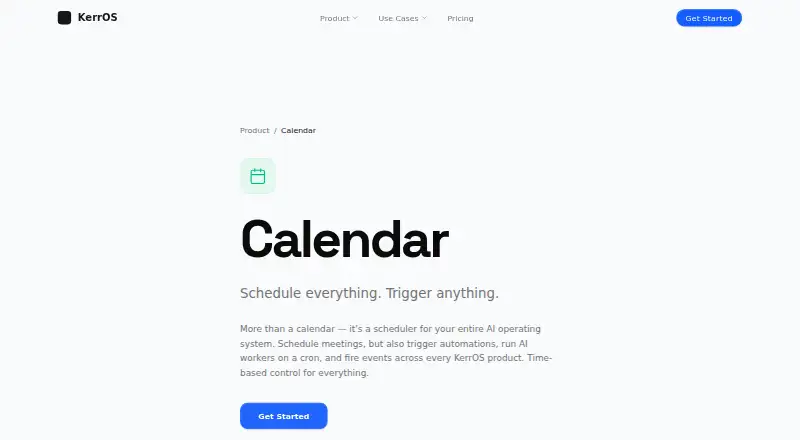
KerrOS Calendar is a scheduling tool that can also start automations, AI workers, and events across KerrOS products. Its AI scheduling uses priorities and availability to find meeting times, while protecting deep work blocks. It can identify overlapping working hours and adjust schedules across time zones. Users can schedule AI workers, automations, and recurring tasks on daily, hourly, or custom intervals. For recurring events, Calendar manages recurrence, rescheduling, and reminders after they are set up.
Calendar events can connect to Automator workflows that trigger workers, notifications, data processing, or other automation chains. Native integrations include KerrOS AI Chat, Hub, Tasks, and CRM; task deadlines and milestones can sync in both directions. KerrOS also lists integrations such as Slack, Google Drive, GitHub, Outlook, Notion, Airtable, Jira, Salesforce, and Figma.
The calendar is available on Linux, macOS, Windows, and web, with self-hosting also supported. Deployment options include local hardware, hybrid cloud, and a dedicated cluster. Pricing is freemium, with a free plan, a 14-day trial, and Pro for $20 a month billed monthly. KerrOS Sweden AB is based in Stockholm, Sweden.
Who it suits
KerrOS Calendar suits people who coordinate meetings across time zones and want scheduling to account for priorities and availability. It may also suit teams that connect calendar events to KerrOS products or Automator workflows, and users who need local, hybrid cloud, or dedicated cluster deployment.
What it does well
- AI scheduling uses priorities and availability to find meeting times.
- Can protect deep work blocks automatically.
- Schedules workers and recurring tasks on daily, hourly, or custom intervals.
- Task deadlines and milestones sync both ways with KerrOS Tasks.
- Supports Linux, macOS, Windows, web, and self-hosting.
What to know first
- Pro costs $20 a month, billed monthly.
- Pro excludes SSO/SAML, SOC2 compliance, and a custom SLA.
- Core and Enterprise prices are listed as custom or lifetime without an amount.
Limits
The free plan's limits are not described in the available plan details. Pro costs $20 a month billed monthly and excludes SSO/SAML, SOC2 compliance, and a custom SLA.
Plans
| Plan | Billed and limits | Price |
|---|---|---|
| Pro | monthly · Hybrid cloud deployment · Enterprise connectors · Regular support · API access included · No SSO/SAML, SOC2 compliance, or custom SLA | $20 a month |
| Core | lifetime · Local deployment · Basic connectors · Regular support · API access, SSO/SAML, SOC2 compliance, and custom SLA not included | On request |
| Enterprise | Custom · Dedicated cluster · Custom connectors · White-glove support · API access, SSO/SAML, SOC2 compliance, and custom SLA | On request |
As kerros.com lists them, read 9 Oct 2026. The maker's own page has the final word.
Getting started
- Visit the KerrOS Calendar website.
- Choose the free plan or start the 14-day trial; the trial requires no credit card.
- Select a supported platform: Linux, macOS, Windows, web, or self-hosted.
- Choose a deployment option: local hardware, hybrid cloud, or dedicated cluster.
- Connect KerrOS products or Automator workflows to calendar events as needed.
Verdict
Choose KerrOS Calendar if you want meeting scheduling alongside recurring task and automation triggers, especially within KerrOS products. Its free plan and 14-day trial offer ways to start, while Pro is $20 a month billed monthly. Look elsewhere if SSO/SAML, SOC2 compliance, or a custom SLA is required on Pro.
Questions
Is KerrOS Calendar free?
Yes. It has a free plan, and the pricing note also lists a 14-day trial.
How much does Pro cost?
Pro costs $20 a month, billed monthly.
Which platforms does it support?
Linux, macOS, Windows, web, and self-hosted deployment.
What integrations does it offer?
Native integrations include KerrOS AI Chat, Hub, Tasks, and CRM. KerrOS also lists third-party integrations including Slack, Google Drive, GitHub, Outlook, Notion, Airtable, Jira, Salesforce, and Figma.
Where is KerrOS based?
KerrOS Sweden AB is located in Stockholm, Sweden.
What deployment options are available?
KerrOS describes local deployment on the user's hardware, hybrid cloud, and dedicated cluster options.
Facts from KerrOS Calendar's own pages
- Calendar purpose
- KerrOS Calendar schedules meetings and can trigger automations, AI workers, and events across KerrOS products. · kerros.com, 9 Oct 2026
- Company location
- The site identifies the maker as KerrOS Sweden AB, located in Stockholm, Sweden. · kerros.com, 9 Oct 2026
- Deployment
- KerrOS describes local deployment on a user's own hardware as well as hybrid cloud and dedicated cluster deployment options. · kerros.com, 9 Oct 2026
- GDPR
- KerrOS says it applies GDPR-level protections to users regardless of location and identifies itself as a Swedish company. · kerros.com, 9 Oct 2026
- Headquarters
- Stockholm, Sweden · kerros.com, 28 Sept 2026
- KerrOS integrations
- The Calendar page lists native integrations with AI Chat, Hub, Tasks, and CRM, including bidirectional syncing of task deadlines and milestones. · kerros.com, 9 Oct 2026
- Platforms
- KerrOS describes itself as a web operating system layered on Mac, Windows, Linux, and cloud. · kerros.com, 9 Oct 2026
- Privacy and security
- KerrOS's privacy policy states that stored data is encrypted with AES-256, connections use TLS 1.2 or higher, and it does not sell user data or use it to train AI models. · kerros.com, 9 Oct 2026
- Recurring events
- Recurring events can be set once, with recurrence, rescheduling, and reminders handled by Calendar. · kerros.com, 9 Oct 2026
- Scheduled automation
- It supports scheduling AI workers, automations, and recurring tasks on daily, hourly, or custom intervals. · kerros.com, 9 Oct 2026
- Smart scheduling
- Its AI scheduling feature finds meeting times based on priorities and availability and protects deep work blocks automatically. · kerros.com, 9 Oct 2026
- Third-party integrations
- KerrOS's homepage lists Slack, Google Drive, GitHub, Stripe, Zapier, Outlook, Notion, Airtable, HubSpot, Jira, Salesforce, Twilio, Linear, and Figma among its integrations. · kerros.com, 9 Oct 2026
- Time zones
- The page says Calendar identifies overlapping working hours and adjusts schedules across time zones. · kerros.com, 9 Oct 2026
- Trial
- The KerrOS homepage advertises a 14-day free trial with no credit card required. · kerros.com, 9 Oct 2026
- Workflow integration
- Calendar events can connect to Automator workflows that trigger workers, notifications, data processing, or other automation chains. · kerros.com, 9 Oct 2026
Where KerrOS Calendar stands on Freedom251
- AI Calendar Assistants#3 of 27