Freedom251 › Document Collaboration Software

AFFiNE
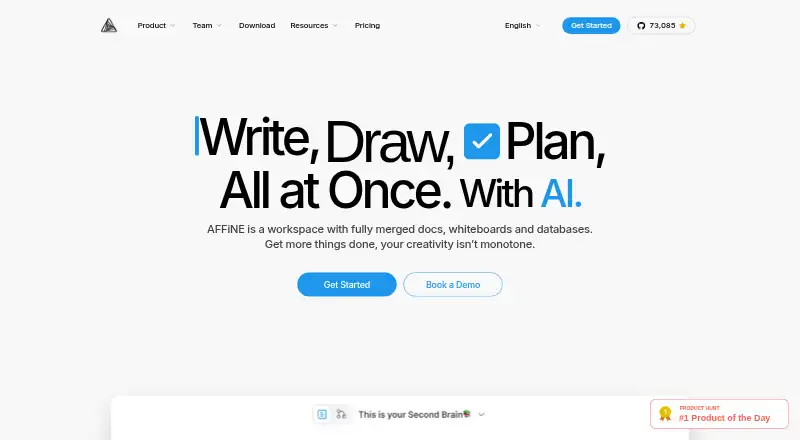
What AFFiNE is
AFFiNE is a local-first workspace bringing documents, whiteboards, databases, and AI together. Its AI can draft or summarize content, adjust tone, generate mind maps, and create presentations. AI features run through AFFiNE Cloud and require sign-in; each Cloud user gets 10 trial experiences. A built-in MCP server lets compatible clients such as Claude and Cursor search a workspace and read documents. Access credentials apply to one workspace, can be revoked, and are read-only by default. The desktop app keeps documents and whiteboards on the device and supports offline reading and editing without an account. Mobile apps focus on capturing and reviewing notes, while desktop includes the full Edgeless whiteboard and local file control. AFFiNE offers Android, iOS, Linux, macOS, Windows, web, extensions, and self-hosting. The free cloud tier includes 10 GB storage, up to 3 workspace members, and 7 days of version history. Pro costs $6.75 per month billed annually. The editor, desktop app, and most code are MIT-licensed; the backend uses a separate Enterprise Edition license.
Who it suits
AFFiNE suits individual creators and small teams seeking a combined writing and whiteboard workspace. Enterprise teams looking for self-hosting or custom deployment may also find it relevant.
What it does well
- Desktop documents and whiteboards work offline without an account.
- AI can draft, summarize, and generate mind maps and presentations.
- MCP credentials are revocable and read-only by default.
- Available on desktop, mobile, web, and as self-hosted software.
What to know first
- Cloud AI requires sign-in.
- Free cloud tier limits workspaces to 3 members.
- Free cloud tier provides only 7 days of version history.
- Mobile apps focus on capturing and reviewing notes.
Limits
The free cloud tier has 10 GB storage, a 10 MB maximum file size, up to 3 members per workspace, 7 days of version history, and up to 3 login devices. AFFiNE AI offers 10 trial experiences per Cloud user; AI requires Cloud sign-in.
Plans
| Plan | Billed and limits | Price |
|---|---|---|
| Local FOSS + Cloud Basic | Free forever · 10 GB cloud storage · 10 MB max file size · Up to 3 members per workspace · 7 days version history · Up to 3 login devices | Free |
| Free | Unlimited local workspaces · 10 GB cloud storage · 10 MB maximum file size · up to 3 members per workspace · 7 days version history · up to 3 devices | Free |
| Team | per seat/month · 100 GB initial storage + 20 GB per seat · 500 MB maximum file size · multiple admin roles · priority support | $10 a month |
| Believer Plan | One-time purchase · Lifetime personal usage · 1 TB cloud storage · Includes AFFiNE Pro | $499.99, paid once |
| Believer | Lifetime personal Pro use · 1 TB cloud storage | $499.99, paid once |
| Pro | billed annually · 100 GB cloud storage · 100 MB maximum file size · up to 10 members per workspace · 30 days version history · community support | $6.75 a month |
| AFFiNE AI | billed annually · AI add-on for writing, rewriting, translation, presentations, mind maps and planning | $8.90 a month |
| Enterprise | 100+ seats · dedicated contact · custom contract · source-code review · self-hosted/cloud hybrid · SLA on request | On request |
The first 8 of 9 plans, as affine.pro lists them, read 3 Oct 2026. The maker's own page has the final word. Every plan
Getting started
- Open the AFFiNE website or choose a listed platform: Android, extension, iOS, Linux, macOS, self-hosted, web, or Windows.
- Install or open the desktop app to keep documents and whiteboards on your device and work offline without an account.
- Optionally sync a workspace to AFFiNE Cloud.
- Sign in to AFFiNE Cloud to use AFFiNE AI and its 10 trial experiences per Cloud user.
- Choose a plan based on storage, workspace membership, history, support, or deployment needs.
Overview
AFFiNE is a workspace that brings documents, whiteboards, databases and AI tools together, with desktop files stored locally and cloud sync as an option. It suits people who want to move between structured notes and visual work without giving up offline desktop access. Its strongest case is the combination of local control and broad workspace tools; the trade-off is that cloud collaboration and mobile use are more limited than the desktop experience.
AFFiNE was founded in 2022 and is headquartered in Singapore. The editor, desktop app and most of the codebase use the MIT license, while the backend uses the AFFiNE Enterprise Edition license. For more options in this category, see Document Collaboration Software.
Key features
Documents, whiteboards and databases
AFFiNE combines several work formats rather than centering the experience on documents alone. On desktop, the full Edgeless whiteboard and local file control make it a stronger fit for visual planning alongside notes. Documents and whiteboards are stored on the device and can be read and edited offline without an account, which is useful when cloud access is not wanted or available.
AI tools and workspace access
AFFiNE AI can draft and summarize writing, adjust tone, generate mind maps and create presentations. It currently runs through AFFiNE Cloud and requires sign-in, so the offline advantage does not extend to these AI tools. Each AFFiNE Cloud user receives 10 free AI trial experiences; from version 0.27, users can bring their own API key.
A built-in MCP server lets compatible clients such as Claude and Cursor search a workspace and read documents. Credentials are limited to one workspace, can be revoked and default to read-only access, a useful boundary for users connecting external clients.
Pricing
AFFiNE is freemium. The free Local FOSS + Cloud Basic plan costs nothing and is free forever. It includes 10 GB cloud storage, a 10 MB maximum file size, up to 3 members per workspace, 7 days of version history and up to 3 login devices. That is a workable starting point for an individual or small group, but the member cap and short history window can constrain ongoing team use.
Pro costs $6.75 a month, billed $6.75 per month. It raises storage to 100 GB, file size to 100 MB, workspace membership to 10 and version history to 30 days, with community support. This is the clearest step up for a small team that needs more room and a longer recovery window; it does not remove the 10-member limit.
AFFiNE AI costs $8.90 a month, billed $8.9 / month billed annually. It includes AI writing, image and mind-map generation, and presentations, alongside 10 trial experiences per AFFiNE Cloud user. The annual billing term matters for anyone choosing this tier primarily to keep AI access.
Team costs $10 a month, billed $10 per seat/month. It starts with 100 GB storage plus 20 GB per seat, allows files up to 500 MB and unlimited team members with 10 or more seats, and adds multiple admin roles and priority customer support. It is aimed at larger teams that need administration and support; the per-seat charge makes the cost rise with headcount.
The Believer Plan is a one-time purchase at $499.99, paid once, billed One-time purchase. It includes lifetime personal usage, 1 TB cloud storage and AFFiNE Pro, making it a personal-use option rather than a substitute for team administration. Enterprise has custom pricing for 100+ seats, custom deployment, a dedicated point of contact, self-hosted and cloud hybrid options, and an SLA on request. The Code License also has custom pricing and provides commercial source-code licensing, whitelabel and rebrand rights, and OEM and SDK embedding support.
Platforms
AFFiNE is available on Android, iOS, Linux, macOS, Windows and the web, with an extension and self-hosted option. Mobile is oriented toward capturing and reviewing notes; people who need the full Edgeless whiteboard and local file control should use desktop.
Who it's for
AFFiNE is a good fit for individual creators and small teams who want documents, databases and visual planning in one workspace, especially if offline desktop editing and control over file location matter. Larger organizations may find a fit in its self-hosted or custom deployment options. It is less suited to teams that need broad mobile parity or more than 10 cloud workspace members without moving to the Team plan.
Pros and cons
- Pro: Desktop documents and whiteboards work offline without an account, while users retain control over file location.
- Pro: Documents, databases, whiteboards and AI tools share one workspace, reducing the need to split those activities across products.
- Pro: MCP access is workspace-scoped, revocable and read-only by default.
- Con: The free cloud tier caps workspaces at 3 members and version history at 7 days, limiting its usefulness for growing teams or longer-term recovery.
- Con: Mobile focuses on note capture and review rather than the complete desktop whiteboard and local-file experience.
- Con: AFFiNE AI requires cloud sign-in, and its paid AI plan is billed annually.
Alternatives
Choose Lark if the stated Starter plan’s 20-user allowance, 100 GB storage, 18 months of message history and 1,000 monthly automations better match your team’s collaboration needs.
Collabora Online is another freemium option, with a free on-premise edition for testing and home use.
Choose Craft if its free plan’s 1,500 blocks, 1 GB storage, 25 MB media upload limit, 7 days of version history and 15 AI assistant credits suit your personal workspace needs.
Notion has a free plan for individuals organizing personal projects and life, with pages and blocks, databases and basic collaboration.
Choose Nuclino if a free plan capped at 50 items, 3 canvases and 2 GB total storage fits your workspace better.
ONLYOFFICE Docs is another freemium option with a free Docs Community edition recommended for up to 20 users and community support.
WPS Docs is another freemium option with a free WPS Standard plan.
Ziflow is another freemium option with a free plan for up to 2 users.
Verdict
Choose AFFiNE if you want one workspace for notes, databases and visual planning, with offline desktop editing and optional cloud sync. Its local-first desktop experience is the main reason to choose it; look elsewhere if you need mobile to match desktop or need more than 10 cloud workspace members without paying per seat.
Verdict
AFFiNE combines offline-capable desktop work with optional cloud sync and AI tools. Check the cloud tier’s member and history limits, and note that mobile offers a narrower feature set than desktop.
Questions
Is AFFiNE free?
Yes. The Local FOSS + Cloud Basic plan is free forever and includes 10 GB cloud storage, a 10 MB maximum file size, up to 3 workspace members, 7 days of version history, and up to 3 login devices.
How much do the paid plans cost?
Pro is $6.75 per month, billed at $6.75 per month. AFFiNE AI is $8.90 per month, billed annually; Team is $10 per seat/month. The Believer Plan is a one-time purchase of $499.99.
Which platforms does AFFiNE support?
Listed platforms are Android, extension, iOS, Linux, macOS, self-hosted, web, and Windows. The full Edgeless whiteboard and local file control are on desktop; mobile apps focus on capturing and reviewing notes.
Can I use AFFiNE offline?
The desktop app stores documents and whiteboards on the device and supports offline reading and editing without an account.
Is AFFiNE open source?
The editor, desktop app, and most of the codebase are MIT-licensed. The backend uses the AFFiNE Enterprise Edition license.
Does AFFiNE integrate with Claude or Cursor?
Its built-in MCP server lets compatible clients such as Claude and Cursor search a workspace and read documents. Credentials are scoped to one workspace, revocable, and read-only by default.
Facts from AFFiNE's own pages
- AI availability
- AFFiNE AI currently runs through AFFiNE Cloud and requires sign-in; the page says users can bring their own API key starting with version 0.27. · affine.pro, 3 Oct 2026
- AI features
- AFFiNE AI can draft, rewrite, translate, summarize, create mind maps and turn ideas into presentation or task structures. · affine.pro, 14 Oct 2026
- AI trial
- Each AFFiNE Cloud user gets 10 free AFFiNE AI trial experiences. · affine.pro, 3 Oct 2026
- Audience
- AFFiNE says it serves individual creators and small teams as well as enterprise teams needing self-hosting or custom deployment. · affine.pro, 3 Oct 2026
- Company facts
- LinkedIn lists AFFiNE as privately held, founded in 2020, headquartered in Singapore and employing 11–50 people. · linkedin.com, 14 Oct 2026
- Company legal name
- Crunchbase identifies the maker as TOEVERYTHING PTE. LTD. · crunchbase.com, 14 Oct 2026
- Core features
- AFFiNE AI can draft and summarize content, adjust tone, generate mind maps, and create presentations. · affine.pro, 3 Oct 2026
- Database
- AFFiNE databases support table, Kanban and calendar-style planning views. · toolguide.io, 14 Oct 2026
- Documentation
- Official documentation includes Docker installation, backup, upgrade, HTTPS, access and OIDC configuration guidance. · affine.pro, 14 Oct 2026
- Document editor
- The product supports structured block-based documents, connected pages and Markdown writing. · apps.apple.com, 14 Oct 2026
- Founded
- 2022 · affine.pro, 28 Sept 2026
- Funding
- Crunchbase lists one seed funding round with six investors, including Huachuang Zhiye Capital, Red Dot Ventures and Sinovation Ventures. · crunchbase.com, 14 Oct 2026
- Headquarters
- Singapore · affine.pro, 28 Sept 2026
- Integrations
- The product supports Google Calendar and CalDAV synchronization, a web clipper, and imports from Notion, Obsidian, Bear and OneNote. · toolguide.io, 14 Oct 2026
- License
- The editor, desktop app and most client code are MIT licensed, while the backend uses the source-available AFFiNE Enterprise Edition license. · affine.pro, 14 Oct 2026
- Licensing
- The editor, desktop app, and most of the codebase are MIT-licensed, while the backend uses the AFFiNE Enterprise Edition license. · affine.pro, 3 Oct 2026
- Limit: AI pricing
- ToolGuide lists AI as a separate paid add-on rather than part of the base plan. · toolguide.io, 14 Oct 2026
- Limit: Android reliability
- Google Play reviewers describe Android text deletion, keyboard obstruction, self-hosted connection failures and unusable scrolling. · play.google.com, 14 Oct 2026
- Limit: enterprise identity
- AFFiNE's self-hosting page says SAML, SCIM provisioning, built-in audit logs and official Kubernetes deployment are not currently available. · affine.pro, 14 Oct 2026
- Limit: mobile bugs
- An Apple reviewer reported table checkboxes failing and the keyboard remaining visible after tapping plus. · apps.apple.com, 14 Oct 2026
- Limit: product maturity
- Tolodora reports that AFFiNE is younger and less polished than established tools, with rough edges and uneven completeness. · tolodora.com, 14 Oct 2026
- Linux support
- Linux downloads are offered as x64 AppImage, deb and Flatpak packages. · affine.pro, 14 Oct 2026
- Local-first
- Local workspaces support offline use while cloud synchronization remains optional. · affine.pro, 14 Oct 2026
- MCP access controls
- MCP credentials are scoped to one workspace, can be revoked, and default to read-only access. · affine.pro, 3 Oct 2026
Where AFFiNE stands on Freedom251
- Document Collaboration Software#1 of 32