Freedom251 › Content Collaboration Software

Coda
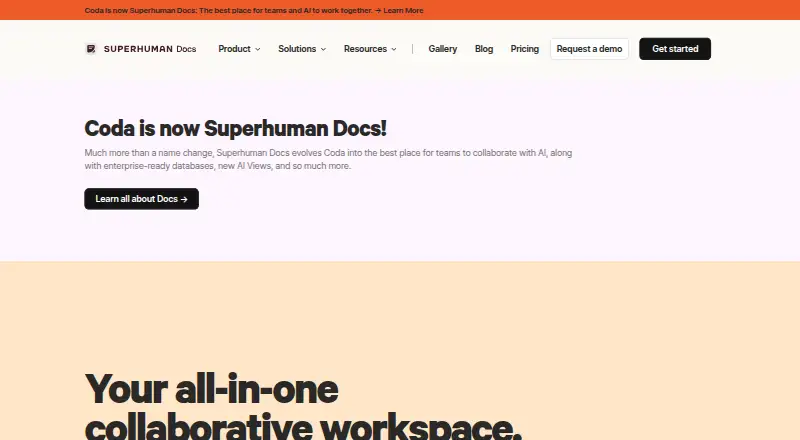
What Coda is
Coda is a collaborative workspace for teams that combines documents, spreadsheets, and applications. Teams can use its shared canvas for collaborative docs and team hubs, then create tables, trackers, and apps around their workflows. Tables organize structured data that can be filtered, sorted, summarized, analyzed, and referenced in formulas. Automations can respond to row changes, scheduled times, form submissions, or webhooks; actions can change rows, notify people, or invoke Packs. Coda AI can help create content, surface insights, and handle repetitive tasks. Coda lists more than 600 integrations, including Slack, Jira, Salesforce, Google, AWS, Figma, Miro, and Zoom, and provides an API guide for interacting with docs programmatically. It is available on web, iOS, and Android, with an API platform. The Free plan costs nothing and has limits on shared-doc pages and objects, attachments, automation quota, and version history. Paid plans add capacity and controls, with Pro at $12 a month per member when billed annually and Business at $33 a month per member when billed annually. Enterprise pricing is available through sales.
Who it suits
Coda suits teams that want documents, structured data, trackers, and workflow apps on a shared canvas. Its tables, automations, AI, and integrations are useful for teams organizing repeatable work across connected tools.
What it does well
- Combines collaborative documents, spreadsheets, and apps.
- Tables support filtering, analysis, and formulas.
- Automations respond to four trigger types.
- Lists more than 600 integrations.
- Available on web, iOS, and Android.
- Enterprise controls cover sharing, authentication, and exports.
What to know first
- Free shared docs have limited pages and objects.
- Free attachments are limited to 1GB per doc.
- Free version history lasts 7 days.
- Enterprise pricing requires contacting sales.
Limits
The Free plan has limited pages and objects for shared docs, 1GB of attachments per doc, a low automation quota, and 7-day version history. Pro is $12 a month per member when billed annually and includes 5GB attachments per doc, a medium automation quota, and 30-day version history; Business is $33 a month per member when billed annually and includes unlimited automations, version history, and attachments.
Plans
| Plan | Billed and limits | Price |
|---|---|---|
| Free | shared docs up to 50 objects and 1,000 rows · 7-day history · 35 time-based and 100 event-based automations/month | Free |
| Pro | per user / per month · unlimited pages and objects · 30-day history · 100 time-based and 500 event-based automations/month · 2,000 AI credits per Doc Maker/month | $10 a month |
| Team | per user / per month · unlimited history · unlimited automations · doc locking · folder-access management · 6,000 AI credits per Doc Maker/month | $30 a month |
| Business | per member / month, billed annually; $40 when billed monthly · unlimited automations · unlimited version history · unlimited attachments · hourly connectors | $33 a month |
| Enterprise | custom pricing · SAML SSO · SCIM provisioning · advanced access controls · audit events · SOC 2 Type 2 report · 12,000 AI credits per Doc Maker/month | On request |
As coda.io lists them, read 15 Oct 2026. The maker's own page has the final word.
Getting started
- Visit https://coda.io/.
- Choose the Free plan at no cost, or review Pro and Business pricing.
- Use Coda on the web, or choose the iOS or Android platform.
- Start with collaborative docs and team hubs, then build tables, trackers, or apps.
- Connect other tools through integrations, or use the API guide for programmatic access.
Verdict
Choose Coda if your team wants a shared workspace that can combine docs, data tables, and workflow apps, with broad integrations and automation options. The Free plan has limits on shared-doc size, attachments, automation quota, and history; teams needing advanced security and admin controls should consider Enterprise, whose price is available through sales.
Questions
Does Coda have a free plan?
Yes. The Free plan costs nothing and includes limits on shared-doc pages and objects, attachments, automation quota, and version history.
How much do the paid plans cost?
Pro is $12 a month per member when billed annually, or $15 when billed monthly. Business is $33 a month per member when billed annually, or $40 when billed monthly.
Which platforms does Coda support?
Coda is available on web, iOS, and Android, and provides an API platform.
What tools can Coda integrate with?
Coda says it offers more than 600 integrations, including Slack, Jira, Salesforce, Google, AWS, Figma, Miro, and Zoom.
Does Coda provide an API?
Yes. Coda provides an API guide for interacting programmatically with Coda docs.
What security and compliance information does Coda provide?
Coda uses TLS 1.2 or higher for data in transit and AES-256 encryption at rest. It lists ISO 27001, ISO 27017, ISO 27018, SOC 2 Type 2 for enterprise customers, SOC 3, GDPR, CCPA, and HIPAA compliance information.
Facts from Coda's own pages
- AI
- Coda AI offers chat, content generation, summarization, table generation and AI-powered columns. · coda.io, 15 Oct 2026
- API
- Coda documents expose a programmatic API for interacting with docs. · coda.io, 15 Oct 2026
- API limits
- API traffic is rate limited to 100 reads per six seconds, 10 writes per six seconds and three content writes per ten seconds. · help.coda.io, 15 Oct 2026
- Automations
- Coda automations support row-change, time-based, form-submitted, and webhook-invoked triggers, with actions such as changing rows, notifying people, and invoking Packs. · help.coda.io, 30 Sept 2026
- Company founding
- Coda Project, Inc. was founded by Shishir Mehrotra and Alex DeNeui in June 2014. · en.wikipedia.org, 15 Oct 2026
- Compliance
- Coda lists ISO 27001, ISO 27017, ISO 27018, SOC 2 Type 2 for enterprise customers, SOC 3, GDPR, CCPA, and HIPAA compliance information. · coda.io, 30 Sept 2026
- Core model
- Coda blends the best of documents, spreadsheets, and applications. · coda.io, 30 Sept 2026
- Custom applications
- Users can build workflow solutions with formulas, buttons and automations inside documents. · coda.io, 15 Oct 2026
- Docs and hubs
- The product provides collaborative docs and team hubs intended to centralize strategy, schedules and other team information. · coda.io, 15 Oct 2026
- Documentation
- The help center covers document management, sharing and publishing, canvas work, formulas, buttons, controls and automations. · help.coda.io, 15 Oct 2026
- Enterprise controls
- Enterprise administrators can govern authentication, sharing, publishing, folders, exports, uploads, and session duration. · coda.io, 30 Sept 2026
- Funding and acquisition
- Axios reported that Coda had raised about $320 million and agreed to an all-stock Grammarly acquisition announced in December 2024. · axios.com, 15 Oct 2026
- Headquarters
- The Google Play listing identifies Coda Project, Inc. at 888 Villa St, Mountain View, California, United States. · play.google.com, 15 Oct 2026
- Integrations
- Coda advertises more than 600 integrations, including Google Calendar, Slack, Figma and Jira workflows. · coda.io, 15 Oct 2026
- Large-document API limit
- Developer API access is not supported once a document exceeds 125 MB, excluding attachments. · help.coda.io, 15 Oct 2026
- Licence
- Coda's developer terms prohibit making the Developer Platform subject to third-party open-source licence terms, indicating a proprietary platform. · coda.io, 15 Oct 2026
- Limit: complexity and performance
- Independent reviews report that large or complex documents can become cluttered, slow or difficult to administer. · softwareadvice.com, 15 Oct 2026
- Limit: learning curve
- TrustRadius reviewers report that advanced formulas, layout choices and document construction require substantial learning or training. · trustradius.com, 15 Oct 2026
- Limit: mobile experience
- Google Play and Apple App Store reviews report bugs, sign-in problems, limited mobile functionality and cases where the app fails to load. · play.google.com, 15 Oct 2026
- Limit: pricing and free-tier constraints
- Software Advice reviewers criticize the pricing model for individual use and describe free-plan document-size limits as restrictive for hobby users. · softwareadvice.com, 15 Oct 2026
- Limit: published mobile docs
- A Trustpilot reviewer says published Coda pages cannot reliably be joined or used from mobile devices and work only in selected browsers. · trustpilot.com, 15 Oct 2026
- MCP access
- The Coda MCP can be connected with personal access tokens; paid Doc Makers receive full tool and endpoint access. · help.coda.io, 15 Oct 2026
- Notable news: rebrand
- Coda was incorporated into Grammarly's Superhuman productivity suite after Grammarly rebranded as Superhuman in October 2025. · en.wikipedia.org, 15 Oct 2026
- Packs extensibility
- Packs let developers customize document behavior and connect Coda with external services. · coda.io, 15 Oct 2026
Where Coda stands on Freedom251
- Content Collaboration Software#1 of 28
- Document Collaboration Software#4 of 32
- Cloud Content Collaboration Software#4 of 30
- Team Collaboration Software#5 of 25