Freedom251 › Mobile Scanning Apps
Zoho Scanner
by Zoho Scanner
What Zoho Scanner is
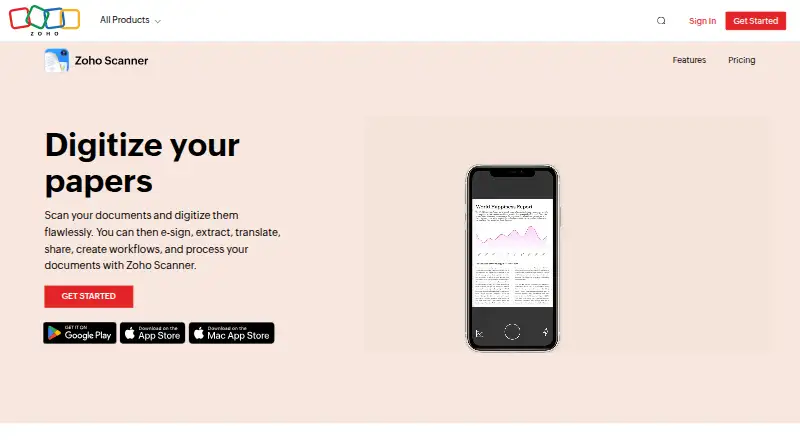
Zoho Scanner scans documents and provides tools to edit, organize, and share the resulting files. Users can crop, rotate, reorder, and edit scanned pages, and combine multiple pages in a PDF. Its text recognition can identify text in more than 25 languages; extracted text can also be exported and translated into 18 languages. Documents can be uploaded to Google Drive, Dropbox, OneDrive, Zoho WorkDrive, and Zoho Expense, and users can create workflows to automate tasks. For signing, users can add a signature from Zoho Sign along with details such as initials, names, signing dates, and email addresses. Passcode, Touch ID, or Face ID can lock documents and the app. Organization tools include folders, reminders, tags, and suggestions for tags based on document content. Zoho Scanner is available on Android, iOS, macOS, and the web. The web version lets people access and manage documents in a browser after signing in with a Zoho account. The free Essential plan includes unlimited document scans, editing, cloud export, text recognition, translation, and other organization tools. Premium adds OCR text export, e-signing, Google Drive backup, unlimited workflows, and automatic cloud uploads. The maker is Zoho Scanner, and the company history includes an entry for 1996.
Who it suits
Zoho Scanner suits people who want to scan, edit, and organize documents across Android, iOS, macOS, or a browser. It may also fit users who need text recognition, translation, cloud exports, or document signing as part of their scanning workflow.
What it does well
- Scans and edits multipage PDF documents.
- Recognizes text in more than 25 languages.
- Translates extracted text into 18 languages.
- Exports files to five named cloud services.
- Locks documents with a passcode, Touch ID, or Face ID.
- Offers folders, reminders, tags, and tag suggestions.
What to know first
- CamScanner document import is available only on Android.
- OCR text export is a Premium feature.
- E-signing and Google Drive backup are Premium features.
Limits
The free Essential plan includes text recognition, but OCR text export is listed under Premium. Premium also adds e-signing, Google Drive backup, unlimited workflows, and automatic cloud uploads.
Plans
| Plan | Billed and limits | Price |
|---|---|---|
| Essential | Unlimited document scans · Folders · Cloud export · Editing and filters · Text recognition in 25+ languages · Translation into 18 languages · Annotations · Tags · Reminders · Document reading · Sync and search | Free |
| Premium | year · All Essential features · 100GB cloud storage · E-sign up to 10 documents · Unlimited workflows · Automatic cloud uploads | On request |
As zoho.com lists them, read 11 Oct 2026. The maker's own page has the final word.
Getting started
- Open Zoho Scanner on Android, iOS, or macOS, or visit its website.
- For web access, sign in with a Zoho account.
- Start with the free Essential plan.
- Choose Premium for OCR text export, e-signing, Google Drive backup, unlimited workflows, and automatic cloud uploads.
Overview
Zoho Scanner turns paper documents into editable scans that can be organized and accessed on mobile or the web. It is best suited to people who want scanning alongside text recognition, translation, and connections to Zoho services; its free Essential plan covers a broad set of everyday tools, while OCR text export and several automation and backup features require Premium.
Key features
Users can crop, rotate, edit, and reorder scanned pages, then save multipage PDFs. Folders, tags, reminders, content-based tag suggestions, and search help make a growing archive easier to manage. That is a useful combination for people handling recurring paperwork, though it may be more organization than someone who only scans the occasional receipt needs.
Text recognition supports more than 25 languages, and extracted text can be translated into 18 languages. This makes the scanner more useful for working with multilingual documents, but exporting recognized text is a Premium feature. Essential includes text recognition, so the paid-plan distinction matters for people who need to take that text out of a scan rather than simply use the recognition tools.
Scans can be sent to Dropbox, OneDrive, Zoho WorkDrive, and Zoho Expense. Premium adds Google Drive backup, automatic cloud uploads, and unlimited workflows; it also includes OCR text export, translation, and e-signing. The Essential plan already includes cloud export, but users who depend on Google Drive backup or more extensive task automation will need Premium.
Signing tools let users add a Zoho Sign signature, initials, names, signing dates, and email addresses. Users can lock documents and the app with a passcode, Touch ID, or Face ID. Zoho says it logically separates customer service data and scans user files with an automated malware-scanning system.
Zoho Scanner Web lets users manage documents in a browser after signing in to a Zoho account. Android users can also import scans from CamScanner, a practical migration option for people moving an existing archive; that import feature is limited to the Android app.
Pricing
Zoho Scanner uses a freemium model. Essential costs nothing and includes unlimited document scans, folders, cloud export, editing and filters, text recognition in 25+ languages, translation into 18 languages, annotations, tags, reminders, document reading, sync, and search. It is a strong starting point for personal scanning and organization, with no scan quota to manage.
Premium has custom pricing. It adds OCR text export, translation, e-signing, Google Drive backup, unlimited workflows, and automatic cloud storage uploads. It is the relevant upgrade for users who need those capabilities, but the absence of a published price makes it harder to judge the cost against their requirements.
Platforms
Zoho Scanner is available on Android, iOS, macOS, and the web. Browser access requires a Zoho account. CamScanner import is an Android-only feature.
Who it's for
Zoho Scanner fits people who scan documents regularly and want editing, searchable text, translation, and filing tools in one product. It is especially compelling for users who already work with Zoho services or want a free plan with unlimited scans. Those who need OCR text export, Google Drive backup, or unlimited workflows should weigh Premium's custom pricing before committing.
Pros and cons
- Pros: Essential includes unlimited scans, editing, multipage PDFs, text recognition, and organization features at no cost, making it capable for routine document handling.
- Pros: Recognition across 25+ languages and translation into 18 languages give multilingual users useful tools without requiring a scan limit trade-off.
- Pros: Web access, several cloud destinations, and document security options support a workflow that spans devices and services.
- Cons: OCR text export, e-signing, Google Drive backup, and unlimited workflows sit behind Premium, so the free plan may not cover more advanced document handling.
- Cons: Premium has custom pricing, leaving buyers without a clear price to compare against the value of its added features.
- Cons: CamScanner migration is limited to Android, which reduces its usefulness for people switching from another platform.
Alternatives
Choose Smallpdf if you want a freemium document tool with 30+ tools and two Sign.com documents on its Free plan; its free trial lasts 7 days. Choose CamScanner if you want to compare another freemium scanner with a free Basic plan that allows up to 10 OCR recognitions. Genius Scan is another freemium option with a free, fully functional mobile scanner offering unlimited scans and high-resolution scans. Easy Scanner may suit Android or iOS users considering a Premium plan at $4.49 a month, with a 3-day free trial and 10 GB of cloud storage. TapScanner offers a free plan capped at three completed tasks per day after sign-in, with limits on files, size, and pages per task. Docutain is worth comparing if you want a free Android or iOS plan with unlimited scans, OCR recognition, and cloud synchronization. vFlat Scan has a free plan with monthly limits on PDF export and OCR, plus separate monthly use caps for two-page mode and auto-detection. Prizmo is another option to consider if you are choosing an iOS or macOS scanning app.
For a broader comparison, browse Mobile Scanning Apps.
Verdict
Zoho Scanner is a persuasive free choice for people who want unlimited scans with editing, multilingual recognition, translation, and practical organization tools across mobile and web. Its strongest reason to choose is the amount of document handling Essential includes without a scan cap. Look elsewhere if you need OCR text export, Google Drive backup, or extensive workflow automation but require clear Premium pricing before deciding.
Verdict
Choose Zoho Scanner if you want document scanning with editing, text recognition, organization, and cloud export on the listed platforms. The free Essential plan covers scanning and several text and organization tools; look to Premium for OCR text export, e-signing, Google Drive backup, and other added features.
Questions
Is Zoho Scanner free?
Yes. Zoho Scanner has a free Essential plan priced at $0.
Which platforms does it support?
The listed platforms are Android, iOS, macOS, and web. The web version requires signing in with a Zoho account.
Does it include OCR and multipage PDFs?
Yes. It includes OCR and supports multipage PDFs. Text recognition can identify text in more than 25 languages.
What does Premium add?
Premium lists OCR text export, translation, e-signing, Google Drive backup, unlimited workflows, and automatic uploads to cloud storage.
Which cloud services can it upload documents to?
The listed services are Google Drive, Dropbox, OneDrive, Zoho WorkDrive, and Zoho Expense.
Can it import documents from CamScanner?
Yes, but the CamScanner import feature is available only in the Android app.
Facts from Zoho Scanner's own pages
- Android app
- Yes · zoho.com, 22 Sept 2026
- CamScanner migration
- Users can import scanned documents from CamScanner, a feature the site says is available only in the Android app. · zoho.com, 11 Oct 2026
- Cloud integrations
- The product can upload documents to Google Drive, Dropbox, OneDrive, Zoho WorkDrive, and Zoho Expense. · zoho.com, 11 Oct 2026
- Company founding
- Zoho's company history timeline includes an entry for 1996. · zoho.com, 11 Oct 2026
- Document editing
- Users can crop, edit, rotate, and reorder pages in scanned documents. · zoho.com, 11 Oct 2026
- Document security
- Users can lock documents and the app with a passcode or Touch ID or Face ID. · zoho.com, 11 Oct 2026
- E-signatures
- Users can add a signature from Zoho Sign, along with initials, names, signing dates, and email addresses. · zoho.com, 11 Oct 2026
- Founded
- 1996 · zoho.com, 28 Sept 2026
- Free plan
- Yes · zoho.com, 22 Sept 2026
- iOS app
- Yes · zoho.com, 22 Sept 2026
- Multipage PDF
- Yes · zoho.com, 22 Sept 2026
- OCR included
- Yes · zoho.com, 22 Sept 2026
- Organization
- The product supports folders, reminders, tags, and content-based tag suggestions. · zoho.com, 11 Oct 2026
- Purpose
- Zoho Scanner scans documents and lets users edit and organize the scanned files. · zoho.com, 11 Oct 2026
- Text recognition
- Text recognition can identify and export text in more than 25 languages. · zoho.com, 11 Oct 2026
- Translation
- The product can translate extracted text into 18 languages. · zoho.com, 11 Oct 2026
- Web access
- Zoho Scanner Web lets users access and manage documents from a web browser after signing in with a Zoho account. · zoho.com, 11 Oct 2026
- Workflows
- Users can create workflows to automate tasks. · zoho.com, 11 Oct 2026
- Zoho security practices
- Zoho says it logically separates customer service data and scans user files with an automated malware-scanning system. · zoho.com, 11 Oct 2026
Where Zoho Scanner stands on Freedom251
- Mobile Scanning Apps#1 of 76
- Scanner apps#1 of 76