Freedom251 › Mobile Scanning Apps

Genius Scan
by Genius Scan
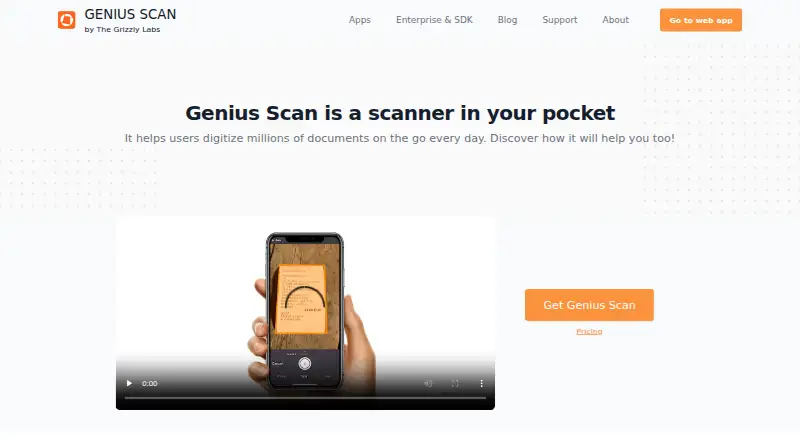
What Genius Scan is
Genius Scan is a mobile document scanner for digitizing documents, with access also available through a web app. Its free Basic plan is fully functional, supports high-resolution scanning, and has no scan or document-count limit. Users can create multipage PDFs, organize documents with tags, archive them, and search for them. Ultra adds on-device OCR, placing searchable and indexable text in PDFs. Documents are processed and stored on the phone unless explicitly exported. Access can be protected with Face ID, Touch ID, or a PIN. Export options include services such as Dropbox, Box, Google Drive, OneDrive, WebDAV, and FTP. Genius Cloud provides cloud storage, backup, syncing, storage savings, and web access. Automatic export can run in the background and route documents according to rules. Ultra costs $39.99 a year. Team features include centralized license management and consolidated annual billing; a BAA is available with Genius Scan Team for organizations needing HIPAA-aligned handling.
Who it suits
It suits people who want to scan and organize documents on a mobile device, with optional OCR and cloud features. Teams can use centralized license management, and organizations seeking HIPAA-aligned handling can request a BAA with Genius Scan Team.
What it does well
- Basic allows unlimited high-resolution scans for free.
- OCR makes PDF text searchable and indexable.
- Documents stay on the phone unless exported.
- Supports exports to multiple cloud and file services.
- Face ID, Touch ID, or PIN can protect access.
What to know first
- Ultra costs $39.99 a year.
- OCR and cloud exports are listed with Ultra.
- No desktop platform is listed.
Limits
Basic is free and includes unlimited high-resolution scans, but OCR, cloud exports, enhanced security, backups, syncing and web access are included with Ultra at $39.99 per year.
Plans
| Plan | Billed and limits | Price |
|---|---|---|
| Basic | billed annually · Unlimited scans · High-resolution scans · Full privacy | Free |
| Ultra | billed annually · OCR · Cloud-provider exports · Unlimited cloud backups · Sync across devices · Web access | $39.99 a year |
| For Teams | From $40 to $20/license/year · Everything in Ultra · Centralized license management · Volume discounts · Enforce user settings | On request |
As thegrizzlylabs.com lists them, read 28 Sept 2026. The maker's own page has the final word.
Getting started
- Open the Genius Scan website.
- Install the iOS or Android app, or access the web app.
- Start with the free Basic plan or choose Ultra at $39.99 per year.
- Scan documents and organize them with tags or archives.
- Choose export destinations or set background auto-export rules as needed.
Overview
Genius Scan is a mobile document-scanning app for turning paper into digital documents, with web access as well. It is a strong fit for people who want unlimited high-resolution scans without a subscription, but the more useful document-management tools require Ultra.
Its defining trade-off is straightforward: scanning is free, while searchable OCR, cloud exports and connected backup features are paid. That makes it compelling for capturing documents, less so for anyone who needs a complete searchable, synced filing system at no cost.
Key features
Automatic capture and multipage PDF support make Genius Scan suited to everyday paperwork and longer documents. Basic includes fast, high-resolution scanning with no scan-count or document-count cap, so frequent users do not have to ration scans.
Ultra adds on-device OCR, which places searchable and indexable text in PDFs. Documents stay processed and stored on the phone unless explicitly exported; Face ID, Touch ID or a PIN can help prevent unauthorized access. The privacy approach will appeal to people handling personal documents, though cloud backup and syncing require choosing to use those services. The maker references GDPR and CCPA.
Ultra also includes exports to Dropbox, Box, Google Drive, Evernote, OneDrive, OneNote, SugarSync, WebDAV, FTP and other services, plus Genius Cloud for unlimited storage, backup, syncing, storage savings and web access. Tags, archiving and document search help keep a growing collection manageable. Background auto-export rules can route files to different destinations, a practical upgrade for recurring workflows but unnecessary overhead for people who only scan occasionally.
For organizations, the Team plan adds centralized license management, volume discounts, enforced user settings and document collaboration. It also provides consolidated annual billing and organization-approved payment methods. A BAA is available for organizations seeking HIPAA-aligned handling.
Pricing
Basic
Basic is free and fully functional as a mobile scanner, with unlimited scans, no document-count limit, high-resolution scans and full privacy. It is the sensible choice for people who mainly need to capture and keep documents on their phone. It does not include Ultra’s OCR, cloud-provider exports, cloud backups, syncing or web access.
Ultra
Ultra costs $39.99 per year, billed annually. It includes Basic features plus OCR, cloud-provider exports, unlimited cloud backups, syncing across devices, storage savings and web access. Choose it if searchable PDFs and an organized, backed-up document library matter; skip it if free local scanning meets the need.
For Teams
For Teams uses custom pricing, with volume discounts and per-license annual billing. It includes Ultra, centralized license management, enforced user settings and collaboration. The administrative controls and BAA option make it the relevant tier for organizations, rather than a single user looking for a cheaper scanner.
Platforms
Genius Scan is a mobile app for iOS and Android, with access through a web app. Its phone-first approach suits scanning on the move; Ultra’s web access and syncing matter more to people who need documents across devices.
Who it's for
Genius Scan suits individuals who want dependable, unlimited document capture without paying, and users willing to pay annually for searchable PDFs, backups and cloud workflows. It is also worth considering for teams that need centralized administration and HIPAA-aligned handling. It is a weaker fit for anyone who expects OCR and connected storage in the free tier.
Pros and cons
- Pro: Basic allows unlimited high-resolution scans with no document-count cap, avoiding quotas for regular scanning.
- Pro: On-device processing and storage by default keep documents local unless exported.
- Pro: Ultra combines searchable PDFs, cloud exports, unlimited backups, syncing and web access for a more complete filing workflow.
- Con: OCR and cloud features are excluded from Basic, so users who need searchable, synced files must pay annually.
- Con: Team pricing is custom, which makes it less straightforward to budget than the individual Ultra subscription.
Alternatives
For a wider collection of options, browse Mobile Scanning Apps.
Smallpdf is worth considering if a broader set of PDF tools matters more than an unlimited mobile scanning tier; its free plan includes 30 tools, and its trial lasts 7 days.
Easy Scanner is an Android and iOS alternative with a 3-day free trial and a Premium plan at $4.49 a month, including 10 GB of cloud storage.
TapScanner may suit people whose scanning is occasional: its free tier allows three completed tasks per day after sign-in, with limits of 25 files, 100 MB and 500 pages per task.
Docutain is an option for people who want a free Android or iOS plan with unlimited scans, OCR text recognition and cloud synchronization; it also supports Windows.
Prizmo is an iOS and macOS alternative to consider for its Premium Pack, which includes unlimited on-device OCR and watermark-free exports.
LumenScan offers a free iOS and Android plan with daily scans, PDF export, on-device OCR and no account requirement.
PDF Scanner is an iOS alternative.
ScanLens is another iOS alternative, with a free plan that unlocks the first three pages of each document.
Verdict
Choose Genius Scan if you want a genuinely useful free scanner with unlimited high-resolution capture, or Ultra if searchable PDFs and cloud-backed organization are worth $39.99 per year. Look elsewhere if you need those paid capabilities without a subscription, or if a broader document-tool suite matters more than a phone-first scanner.
Verdict
Genius Scan offers an unlimited free scanning tier, while searchable OCR, cloud exports, and related features are part of Ultra. Its on-device processing and optional export approach may suit readers attentive to document privacy.
Questions
Is Genius Scan free?
Yes. Basic is free and includes unlimited high-resolution scans with no document-count limit.
How much is Ultra?
Ultra costs $39.99 a year.
Which platforms can I use?
The product lists web access, and it has iOS and Android apps.
Does Genius Scan include OCR?
OCR is included with Ultra. It runs on-device and adds searchable, indexable text to PDFs.
Is Genius Scan open source?
The facts do not describe an open-source license.
Who makes Genius Scan?
The maker is Genius Scan, and the company describes itself as The Grizzly Labs, based in Paris, France. It was founded in 2010.
Facts from Genius Scan's own pages
- Android app
- Yes · thegrizzlylabs.com, 23 Sept 2026
- Auto capture
- Smart algorithms detect documents, correct perspective, enhance colors, and can snap documents hands-free. · thegrizzlylabs.com, 28 Sept 2026
- Cloud backup
- Genius Cloud offers unlimited cloud storage, backups, syncing, storage savings, and web access. · thegrizzlylabs.com, 28 Sept 2026
- Cloud integrations
- Export support includes Dropbox, Box, Google Drive, Evernote, OneDrive, OneNote, SugarSync, WebDAV, FTP, and others. · thegrizzlylabs.com, 28 Sept 2026
- Company location
- The Grizzly Labs describes itself as a European-based company where privacy is important. · thegrizzlylabs.com, 28 Sept 2026
- Device protection
- Face ID, Touch ID, or a PIN code can prevent unauthorized document access. · thegrizzlylabs.com, 28 Sept 2026
- Document organization
- Users can archive documents, group them with tags, and search for documents quickly. · thegrizzlylabs.com, 28 Sept 2026
- Export automation
- Auto-export can run in the background, with rules that route documents to different locations. · thegrizzlylabs.com, 28 Sept 2026
- Founded
- 2010 · thegrizzlylabs.com, 28 Sept 2026
- Free plan
- Yes · thegrizzlylabs.com, 23 Sept 2026
- Free scan limit
- The Basic plan has unlimited scans and no document-count limit. · thegrizzlylabs.com, 28 Sept 2026
- Free tier
- Basic is free, fully functional, and includes fast high-resolution scanning. · thegrizzlylabs.com, 28 Sept 2026
- Headquarters
- Paris, France · thegrizzlylabs.com, 28 Sept 2026
- HIPAA support
- A BAA is available with Genius Scan Team for organizations needing HIPAA-aligned handling. · thegrizzlylabs.com, 28 Sept 2026
- iOS app
- Yes · thegrizzlylabs.com, 23 Sept 2026
- Mobile scanner
- Genius Scan is a scanner in your pocket that helps users digitize documents on the go. · thegrizzlylabs.com, 28 Sept 2026
- Multipage PDF
- Users can create multi-page PDFs, add pages, move pages, and merge documents. · thegrizzlylabs.com, 28 Sept 2026
- OCR included
- Yes · thegrizzlylabs.com, 23 Sept 2026
- OCR text layer
- On-device OCR adds a searchable and indexable text layer to PDFs. · thegrizzlylabs.com, 28 Sept 2026
- Platform apps
- The page describes Genius Scan as a mobile app and mentions access through a web app. · thegrizzlylabs.com, 28 Sept 2026
- Searchable PDF
- Yes · thegrizzlylabs.com, 23 Sept 2026
- Privacy and security
- Documents are processed and stored on the phone unless explicitly exported; privacy references include GDPR and CCPA. · thegrizzlylabs.com, 28 Sept 2026
- Support contact
- The site provides a Support link and invites visitors to ask questions. · thegrizzlylabs.com, 28 Sept 2026
- Team administration
- Teams get centralized license management, consolidated annual billing, and organization-approved payment methods. · thegrizzlylabs.com, 28 Sept 2026
Where Genius Scan stands on Freedom251
- Mobile Scanning Apps#13 of 76
- Scanner apps#13 of 76