PDF Scanner
What PDF Scanner is
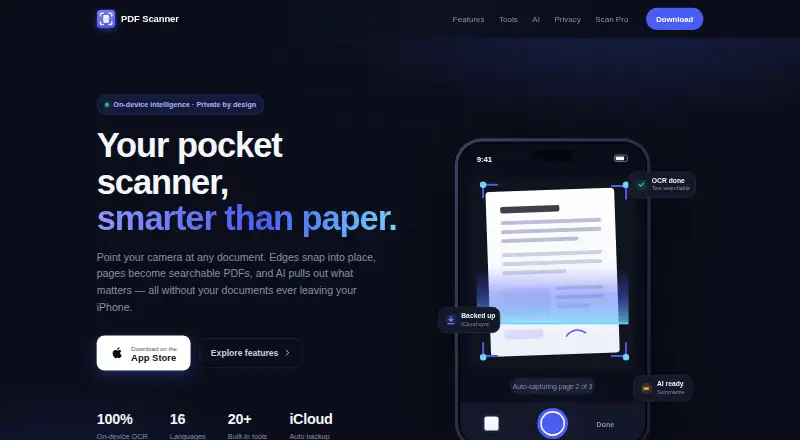
PDF Scanner is an iPhone app that captures documents with the camera and turns them into searchable PDFs. Its document scanning mode detects page edges, corrects perspective, and supports hands-free capture across multiple pages. Other capture modes cover Live Text, ID cards, QR codes and barcodes, and converting images to PDF. On-device OCR makes scans searchable across the app library and through iPhone Spotlight. Built-in PDF tools include merging, compression, signing, reminders, PDF and ZIP export, email, and AirPrint. On-device AI can summarize a scan, extract key information, and answer questions about a document. The maker says scanning, OCR, and document processing stay on the device, without documents being uploaded for processing. The app can back up automatically to iCloud and retains deleted scans in Recently Deleted for 30 days. It also imports PDFs and photos from Files, Photos, or other apps through the iOS share sheet. The maker describes scanning, OCR search, exports, and backups as free forever; Scan Pro removes ads and adds tools. The app requires iOS 17 or later, needs no account or setup, and is localized in 16 languages.
Who it suits
PDF Scanner suits iPhone users who want camera scans with searchable text, multipage capture, and document tools in one app. It is also suited to people who value on-device document processing, iCloud backup, or Spotlight search.
What it does well
- Detects document edges and corrects perspective.
- Supports hands-free multi-page capture.
- On-device OCR enables library and Spotlight search.
- Includes PDF merging, compression, signing, and reminders.
- Offers on-device summaries, key information extraction, and document questions.
- Provides automatic iCloud backup.
What to know first
- Made for iPhone and requires iOS 17 or later.
- The maker lists no Android app.
Plans
| Plan | Billed and limits | Price |
|---|---|---|
| Upgrade to Premium | — | On request |
| Life Time Access | Lifetime access | On request |
| Free | Scanning · OCR search · exports · backups | Free |
| Scan Pro | One subscription; cancel anytime in Settings. · Ad-free · AI Key Info and Ask-your-document · unlimited pro tools · priority access to new features | On request |
As apps.bitclone.in lists them, read 22 Sept 2026. The maker's own page has the final word.
Getting started
- Visit the PDF Scanner website.
- Install PDF Scanner on an iPhone running iOS 17 or later.
- Open the app; the maker says no account or setup is required.
- Capture a document or import a PDF or photo from Files, Photos, or another app.
- Use scanning, OCR search, export, and backup features on the free offering.
Verdict
Choose PDF Scanner if you use a compatible iPhone and want searchable camera scans, document utilities, and on-device processing. Scan Pro is the route for removing ads and unlocking additional tools.
Questions
What does PDF Scanner cost?
The Free plan costs nothing. The maker describes scanning, OCR search, exports, and backups as free forever.
Which devices can run the app?
PDF Scanner is made for iPhone and requires iOS 17 or later. The maker lists no Android app.
Does it include OCR and searchable PDFs?
Yes. On-device OCR enables full-text search across the library, including through iPhone Spotlight.
Does using it require an account?
The maker describes the app as requiring no account or setup.
What does Scan Pro add?
Scan Pro removes ads and unlocks additional tools, including AI key information and document questions, unlimited pro tools, and priority access to new features.
How does it handle documents and backups?
The maker says scanning, OCR, and document processing happen on-device and documents are not uploaded for processing. Automatic iCloud backup is available, and deleted scans remain in Recently Deleted for 30 days.
Facts from PDF Scanner's own pages
- Account requirement
- The app is described as requiring no account or setup. · apps.bitclone.in, 8 Oct 2026
- Android app
- No · apps.bitclone.in, 22 Sept 2026
- Auto capture
- Yes · apps.bitclone.in, 22 Sept 2026
- Backup and recovery
- The app offers automatic iCloud backup and keeps deleted scans in Recently Deleted for 30 days. · apps.bitclone.in, 8 Oct 2026
- Document AI
- On-device AI can summarize scans, extract key information, and answer questions about a document. · apps.bitclone.in, 8 Oct 2026
- Document capture
- Document Scan detects edges, corrects perspective, and supports hands-free multi-page capture. · apps.bitclone.in, 8 Oct 2026
- Free offering
- Scanning, OCR search, exports, and backups are described as free forever; Scan Pro removes ads and unlocks additional tools. · apps.bitclone.in, 8 Oct 2026
- Free plan
- Yes · apps.bitclone.in, 22 Sept 2026
- Import and sharing
- Users can import PDFs and photos from Files, Photos, or other apps through the iOS share sheet. · apps.bitclone.in, 8 Oct 2026
- Integrations
- The maker names iCloud backup, iPhone Spotlight search, Word or Pages text exports, and AirPrint printing. · apps.bitclone.in, 8 Oct 2026
- iOS app
- Yes · apps.bitclone.in, 22 Sept 2026
- Localization
- The site says the app is fully localized in 16 languages. · apps.bitclone.in, 8 Oct 2026
- Multipage PDF
- Yes · apps.bitclone.in, 22 Sept 2026
- OCR included
- Yes · apps.bitclone.in, 22 Sept 2026
- OCR and search
- On-device OCR enables full-text search across the library, including through iPhone Spotlight. · apps.bitclone.in, 8 Oct 2026
- PDF tools
- Built-in tools include merging, compression, signing, reminders, PDF and ZIP export, email, and AirPrint. · apps.bitclone.in, 8 Oct 2026
- Platform requirement
- The maker says PDF Scanner is made for iPhone and requires iOS 17 or later. · apps.bitclone.in, 8 Oct 2026
- Privacy
- The maker says scanning, OCR, and document processing happen on-device and documents are not uploaded for processing. · apps.bitclone.in, 8 Oct 2026
- Purpose
- PDF Scanner captures documents with an iPhone camera and turns them into searchable PDFs. · apps.bitclone.in, 8 Oct 2026
- Scan modes
- The app supports Live Text, ID Card, QR and Barcode, and Image to PDF capture modes. · apps.bitclone.in, 8 Oct 2026
- Searchable PDF
- Yes · apps.bitclone.in, 22 Sept 2026
Where PDF Scanner stands on Freedom251
- Scanner apps#21 of 76
- Mobile Scanning Apps#28 of 76