Freedom251 › Mobile Scanning Apps

CamScanner
by CamScanner
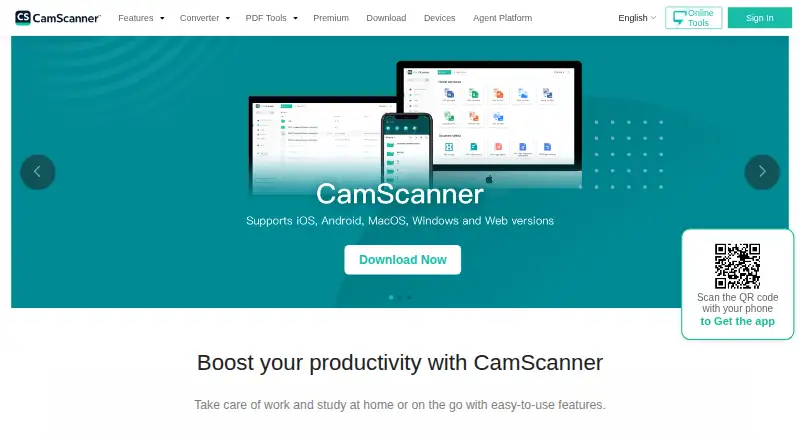
What CamScanner is
CamScanner turns phone captures of documents, forms, slides, and whiteboards into PDFs. It can automatically remove backgrounds, flatten pages, and apply filters to improve scans. OCR extracts editable text and recognizes 41 languages; PDFs can be searchable and contain multiple pages. Users can merge, split, reorder, compress, sign, annotate, password-protect, and watermark PDFs. Files sync and back up for use across devices, and the service supports wireless printing and faxing to more than 30 countries. The iOS app lists sharing through WhatsApp, iMessage, and Microsoft Teams, and uploads to Dropbox, Google Drive, Evernote, and OneDrive. CamScanner Agent offers Skill, MCP, and CLI integration options, with ChatGPT, Claude, Google Gemini, and Microsoft Copilot listed as supported platforms. Apps are available for Android, iOS, macOS, web, and Windows. Basic is free and includes up to 10 OCR recognitions. Premium is listed at $9.99 a month or $59.99 a year in the US App Store; both subscriptions automatically renew and include unlimited access to app features.
Who it suits
CamScanner suits people who want to capture paper materials with a phone and manage them as PDFs. Its OCR, syncing, and listed sharing options also suit users who need editable text and access across devices.
What it does well
- OCR recognizes 41 languages.
- PDF tools include signing, annotation, and password protection.
- Syncs and backs up files across devices.
- Supports wireless printing and faxing to more than 30 countries.
What to know first
- Basic includes up to 10 OCR recognitions.
- Premium subscriptions automatically renew.
- Premium prices are listed in the US App Store.
Limits
Basic accounts include up to 10 OCR recognitions. Premium includes 1,000 OCR recognitions per month and is listed at $9.99 a month or $59.99 a year.
Plans
| Plan | Billed and limits | Price |
|---|---|---|
| Basic | Up to 10 OCR recognitions | Free |
| Premium Account(1 year) | automatically renews; price shown in US App Store · Unlimited access to app features | $59.99 a year |
| Premium Account (1 Month) | automatically renews; price shown in US App Store · Unlimited access to app features | $9.99 a month |
As camscanner.com lists them, read 9 Oct 2026. The maker's own page has the final word.
Getting started
- Visit the CamScanner website.
- Install the app on Android or iOS, or use it on macOS, web, or Windows.
- Start with the free Basic plan or choose a Premium subscription.
- Capture documents, forms, slides, or whiteboards with a phone.
CamScanner suits people who scan paperwork, forms, or presentation material on a phone and need to edit or share the resulting PDFs across devices. Its range of capture and document tools is a strong fit for recurring workflows; the Basic tier’s small OCR allowance makes it less suitable for frequent text extraction.
Overview
CamScanner brings scanning, document cleanup, OCR, and PDF editing into one app. Automatic capture and image enhancement can remove backgrounds, flatten pages, and apply filters, while multipage PDF support keeps longer scans together. The editing toolkit covers merging, splitting, reordering, compression, signatures, annotations, passwords, and watermarks, giving users room to finish common document tasks after capture.
That breadth favors people who move from scanning to organizing or sharing documents regularly. OCR supports 41 languages and can turn image text into editable text, but the free Basic tier allows only 10 recognitions. Users who need text extraction as part of an ongoing workflow will likely outgrow that cap.
Key features
- Capture and cleanup: Automatic capture and page enhancement reduce the steps between pointing a phone at a document and producing a usable scan. Support for forms, slides, and whiteboards broadens its use beyond paperwork.
- OCR and searchable PDFs: Recognition in 41 languages and searchable PDF support help make scans easier to reuse and find. Basic’s 10-recognition ceiling is restrictive for regular OCR; Premium raises the allowance to 1,000 per month.
- PDF editing and sharing: Tools for merging, splitting, reordering, compressing, signing, annotating, password-protecting, and watermarking PDFs make the app useful after scanning. Wireless printing and faxing to more than 30 countries add options for sending finished documents.
- Sync and integrations: File sync and backup support access across devices. The iOS app lists sharing through WhatsApp, iMessage, and Microsoft Teams, plus uploads to Dropbox, Google Drive, Evernote, and OneDrive.
- Agent integrations: CamScanner Agent offers Skill, MCP, and CLI integration options and lists ChatGPT, Claude, Google Gemini, and Microsoft Copilot as supported platforms.
- Security and support: The maker says CamScanner holds ISO/IEC 27001, ISO/IEC 27701, and ISO/IEC 20000 certifications. Users can send feedback in the app or contact [email protected].
Pricing
CamScanner is freemium. Basic costs nothing and includes up to 10 OCR recognitions, which suits occasional scanning and limited text extraction. That allowance is the main constraint for people who rely on OCR frequently.
Premium Account (1 Month) costs $9.99 a month, and Premium Account(1 year) costs $59.99 a year. Both include unlimited access to app features and 1,000 OCR recognitions per month. The monthly option suits someone who wants Premium for a shorter period; the annual option lowers the listed monthly equivalent for a continuing need. Both prices are shown in the US App Store and both subscriptions automatically renew, so the renewal term matters when budgeting.
Platforms
CamScanner is available on Android, iOS, macOS, web, and Windows. Its mobile apps handle phone capture, while the broader platform range supports access across devices.
Who it's for
CamScanner is a good fit for people who scan documents or presentation material regularly and want OCR, PDF editing, and cross-device access in the same product. Premium is the more practical choice for recurring text recognition, with 1,000 monthly recognitions. Someone who only scans occasionally and rarely needs editable text can start with Basic. Readers whose main requirement exceeds that OCR allowance should compare paid plans and alternatives before committing.
Pros and cons
- Pro: Capture, image cleanup, OCR, searchable PDFs, and a substantial set of editing tools sit in one workflow, reducing the need to move between separate scan and PDF apps.
- Pro: Recognition supports 41 languages, and Premium includes 1,000 OCR recognitions per month for regular extraction needs.
- Pro: Sync and backup, wide device support, and listed sharing and upload integrations make it suited to moving scans between devices and services.
- Con: Basic’s 10 OCR recognitions are a sharp limit for anyone who regularly turns scans into editable text.
- Con: The two listed Premium subscriptions automatically renew, so users need to account for recurring charges.
Alternatives
Browse the Mobile Scanning Apps list to compare more scanning tools. Choose Zoho Scanner if its OCR text export, translation, e-signing, Google Drive backup, and cloud workflow features better match your document process. Smallpdf is another freemium option, with a seven-day free trial and a free plan that includes 30+ tools and two Sign.com documents per month.
Genius Scan may suit readers who prioritize unlimited mobile scans and high-resolution scans in its free, fully functional scanner. Easy Scanner is worth comparing for Android or iOS users interested in a 3-day Premium trial and 10 GB of cloud storage. TapScanner offers a free tier with three completed tasks per day after sign-in, subject to file, size, and page limits per task. Docutain provides a free plan with unlimited scans, OCR recognition, and cloud synchronization across Android, iOS, and Windows. vFlat Scan may fit readers whose scanning needs fall within its free monthly export and OCR allowances. Prizmo is an option for iOS and macOS users considering on-device OCR or cloud OCR with handwriting recognition.
Verdict
Its broad editing toolkit and 41-language OCR are the strongest reasons to choose it. Look elsewhere if 10 free OCR recognitions will not cover your needs and Premium’s automatic renewal or 1,000-recognition monthly allowance does not suit your workflow.
Verdict
CamScanner combines phone-based document capture with OCR and a broad set of PDF tools. The free Basic tier has a 10-recognition OCR limit; Premium prices are listed with automatic renewal.
Questions
Is CamScanner free?
Yes. Its Basic plan is free and includes up to 10 OCR recognitions.
How much does Premium cost?
Premium is listed at $9.99 a month or $59.99 a year in the US App Store. Both subscriptions renew automatically.
Which platforms does CamScanner support?
It is available on Android, iOS, macOS, web, and Windows.
What can CamScanner do with PDFs?
It can create searchable, multipage PDFs and merge, split, reorder, compress, sign, annotate, password-protect, or watermark them.
Which services are listed for sharing and uploads?
The iOS app lists WhatsApp, iMessage, and Microsoft Teams for sharing, and Dropbox, Google Drive, Evernote, and OneDrive for uploads.
Who makes CamScanner?
The listed maker is CamScanner. Its headquarters are in Singapore, and it was founded in 2017.
Facts from CamScanner's own pages
- Agent integrations
- CamScanner Agent offers Skill, MCP, and CLI integration options and lists ChatGPT, Claude, Google Gemini, and Microsoft Copilot as supported platforms. · camscanner.com, 9 Oct 2026
- Android app
- Yes · camscanner.com, 23 Sept 2026
- Auto capture
- Yes · camscanner.com, 23 Sept 2026
- Company
- The Chinese CamScanner homepage identifies Shanghai Linguan Data Technology Co., Ltd. as established in 2017 and gives a Shanghai address. · camscanner.com, 9 Oct 2026
- Free plan
- Yes · camscanner.com, 23 Sept 2026
- Free tier limit
- Basic accounts receive up to 10 OCR recognitions, while Premium includes 1,000 OCR recognitions per month. · camscanner.com, 9 Oct 2026
- Headquarters
- Singapore · camscanner.com, 28 Sept 2026
- Image enhancement
- The app can automatically remove scan backgrounds, flatten pages, and apply filters to improve scans. · camscanner.com, 9 Oct 2026
- Integrations
- The iOS app lists sharing through WhatsApp, iMessage, and Microsoft Teams, and uploads to Dropbox, Google Drive, Evernote, and OneDrive. · apps.apple.com, 9 Oct 2026
- iOS app
- Yes · camscanner.com, 23 Sept 2026
- Multipage PDF
- Yes · camscanner.com, 23 Sept 2026
- OCR
- Its OCR extracts editable text from images and supports recognition in 41 languages. · camscanner.com, 9 Oct 2026
- PDF tools
- Users can merge, split, reorder, compress, sign, annotate, password-protect, and watermark PDFs. · camscanner.com, 9 Oct 2026
- Platforms
- The download page offers Android and iOS apps, Windows and Mac downloads, and online PDF tools. · camscanner.com, 9 Oct 2026
- Purpose
- CamScanner captures documents, forms, slides, and whiteboards with a phone and turns them into PDFs. · camscanner.com, 9 Oct 2026
- Searchable PDF
- Yes · camscanner.com, 23 Sept 2026
- Security
- The maker says CamScanner holds ISO/IEC 27001, ISO/IEC 27701, and ISO/IEC 20000 certifications. · camscanner.com, 9 Oct 2026
- Sharing and fax
- CamScanner supports wireless printing and faxing to more than 30 countries. · camscanner.com, 9 Oct 2026
- Support
- The maker provides in-app feedback routes and lists [email protected] for further assistance. · camscanner.com, 9 Oct 2026
- Sync
- The product syncs and backs up files for access across devices. · camscanner.com, 9 Oct 2026
Where CamScanner stands on Freedom251
- Mobile Scanning Apps#3 of 76
- Scanner apps#3 of 76