Freedom251 › Mobile Scanning Apps
Tiny Scanner
What Tiny Scanner is
Tiny Scanner is a document-scanning app for iOS, Android, macOS, and web access through its cloud service. It detects document edges automatically, offers scan modes and filters, recognizes text in multiple languages, and supports multipage PDFs. Documents can be converted to PDF, Word, Excel, or image files. Its PDF editor adds text, images, dates, highlights, watermarks, and footers. The PDF AI assistant can summarize or simplify documents, highlight information, extract contacts, and help draft or polish emails. Tiny Scanner Cloud syncs files across phones, tablets, and the web; turning sync off keeps files local. Protection includes app lock, a password- or Face ID-protected Safe Folder, PDF encryption, and encrypted exported PDFs. Website tools merge, compress, and sign PDFs without sign-up or subscription. The app has a free plan and multiple in-app purchases, including monthly and yearly premium options and a one-time Plus upgrade.
Who it suits
It suits businesses, families, and people needing mobile scanning, OCR, PDF editing, and document assistance. Users who prefer local storage can disable cloud sync, while web tools handle basic PDF tasks without registration.
What it does well
- Automatic capture and edge detection
- OCR supports multiple languages
- Multipage PDF and file conversion
- Cloud sync across devices and web
- Safe Folder and PDF encryption
What to know first
- Some features may be limited without registration
- Free plan includes in-app purchase options
- Privacy policy says personal and usage data are collected
- Cloud files require sync to be enabled
Plans
| Plan | Billed and limits | Price |
|---|---|---|
| Premium Plan - Yearly | Yearly · Premium features; in-app purchase | $19.99 a year |
| Premium Reward Plan - Monthly | Monthly · Premium features; in-app purchase | $2.99 a month |
| Premium Reward Plan - Yearly | Yearly · Premium features; in-app purchase | $29.99 a year |
| Upgrade to Tiny Scanner Plus | One-time in-app purchase · Plus upgrade | $4.99, paid once |
| Premium Plan - Monthly | Monthly · Premium features; in-app purchase | $6.99 a month |
| Premium Plan - Weekly | Weekly · Premium features; in-app purchase | $9.99 a month |
As tinyscanner.app lists them, read 11 Oct 2026. The maker's own page has the final word.
Verdict
Tiny Scanner combines scanning, OCR, editing, AI assistance, conversion, and document protection across mobile and web access. Its free availability and local-storage controls make it flexible, while users should review account limits and privacy settings before syncing files.
Facts from Tiny Scanner's own pages
- Account requirement
- The terms say users may use the service without registering, though some features or functions may then have limited availability. · tinyscanner.app, 11 Oct 2026
- AI assistant
- Its PDF AI assistant can summarize and simplify documents, highlight information, extract contacts, and help draft or polish emails. · tinyscanner.app, 11 Oct 2026
- Android app
- Yes · tinyscanner.app, 23 Sept 2026
- Audience
- The maker describes the app as serving businesses and families, with AI features for everyday use, business, and education. · tinyscanner.app, 11 Oct 2026
- Auto capture
- Yes · tinyscanner.app, 23 Sept 2026
- Cloud sync
- Tiny Scanner Cloud syncs files across phones, tablets, and the web, and users can turn sync off to store files locally. · tinyscanner.app, 11 Oct 2026
- Company
- The terms identify TinyWork Apps as the service controller. · tinyscanner.app, 11 Oct 2026
- Document protection
- The app offers app lock, Safe Folder protection with a password or Face ID, and PDF encryption. · tinyscanner.app, 11 Oct 2026
- Document scanning
- The app captures documents, detects edges automatically, and offers multiple scan modes and filters. · tinyscanner.app, 11 Oct 2026
- Document security
- The app offers local file storage, a Safe Folder protected by password or Face ID, and PDF encryption. · tinyscanner.app, 11 Oct 2026
- File conversion
- The maker says the app converts documents into PDF, Word, Excel, or image files. · tinyscanner.app, 11 Oct 2026
- File sharing
- Users can share files by link or encrypt exported PDFs before sharing. · tinyscanner.app, 11 Oct 2026
- Free availability
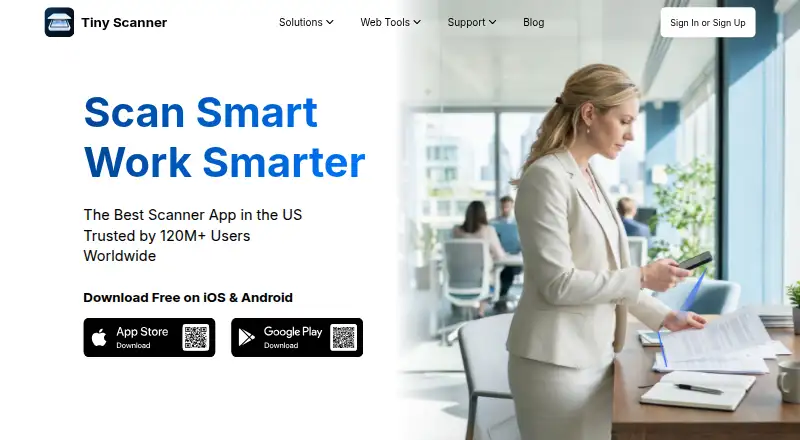
- The maker advertises free downloads on iOS and Android, while the US App Store lists the app as free with in-app purchases. · tinyscanner.app, 11 Oct 2026
- Free plan
- Yes · tinyscanner.app, 23 Sept 2026
- Headquarters
- Hangzhou, Zhejiang, China · tinyscanner.app, 28 Sept 2026
- iOS app
- Yes · tinyscanner.app, 23 Sept 2026
- Multipage PDF
- Yes · tinyscanner.app, 23 Sept 2026
- OCR included
- Yes · tinyscanner.app, 23 Sept 2026
- PDF AI assistant
- AI features include summarizing documents, highlighting key information, simplifying text, and drafting or polishing emails. · tinyscanner.app, 11 Oct 2026
- PDF editing
- The PDF editor can add text, images, dates, highlights, watermarks, and footers. · tinyscanner.app, 11 Oct 2026
- Platforms
- The maker links to iOS and Android downloads, and its cloud page describes access through the web; the App Store listing also specifies Mac compatibility. · tinyscanner.app, 11 Oct 2026
- Privacy controls
- Users can turn off cloud sync and store files locally on their device. · tinyscanner.app, 11 Oct 2026
- Privacy policy
- The privacy policy says the application collects personal data, including usage data and device information, and describes security measures to prevent unauthorized access, disclosure, modification, or destruction. · tinyscanner.app, 11 Oct 2026
- Support
- Users can submit a support form and the team says it will respond as soon as possible. · tinyscanner.app, 11 Oct 2026
Where Tiny Scanner stands on Freedom251
- Mobile Scanning Apps#5 of 76
- Scanner apps#7 of 76