Freedom251 › Motion Capture Software

Webcam Motion Capture
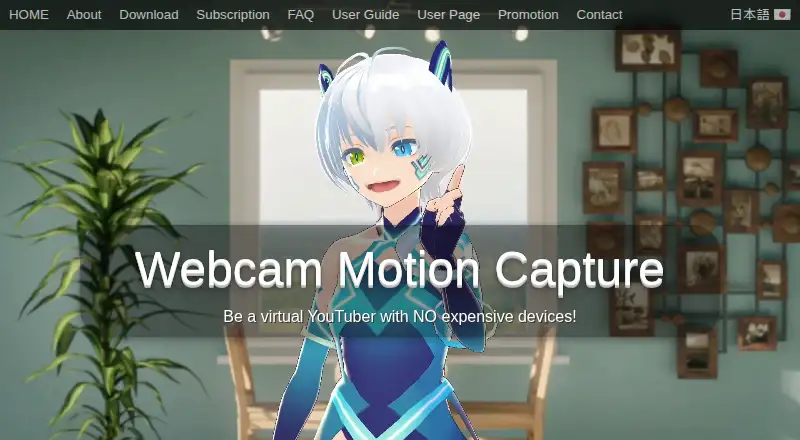
What Webcam Motion Capture is
Webcam Motion Capture uses a computer or smartphone camera to control a 3D avatar. It tracks hands and fingers, the head and upper body, facial expressions, eye gaze, blinking and lip sync. Tracking data can be sent through the VMC protocol to compatible apps such as VSeeFace and game engines using plugins. Motion capture can also be saved as an FBX file for use in software such as Blender, Maya and 3ds Max.
The maker describes using OBS Studio to record or stream video with a 3D avatar. The app can receive mocopi motion data and combine it with hand and facial tracking. The FAQ lists support for Windows 10 or later and macOS Catalina or later; the product is listed for iOS, macOS and Windows. A free plan lets users try tracking features, but hiding the interface, sending tracking data to external apps and saving FBX files require a subscription. Commercial creation and monetization are permitted, but reselling or redistributing the app is prohibited. Stable tracking is encouraged in a bright, uncluttered room with the user's face and chest visible.
Who it suits
It suits people who want to drive a 3D avatar from camera-based tracking, including users who stream or record with OBS Studio. It may also suit creators who need motion data for compatible apps or 3D software, provided they subscribe for external data use or FBX saving.
What it does well
- Tracks hands, fingers, face, gaze and lip sync.
- Can send tracking data to VMC-compatible apps with subscription.
- Can save motion capture as FBX with subscription.
- Can combine mocopi data with hand and facial tracking.
- Commercial content creation and monetization are permitted.
What to know first
- External tracking data use requires a subscription.
- Saving FBX files requires a subscription.
- Hiding the interface requires a subscription.
- Stable tracking is recommended in a bright, uncluttered room.
Limits
The free plan allows tracking features to be tried, but hiding the interface, sending tracking data to external apps, and saving FBX files require a subscription. Paid access is available as a subscription or prepaid 90-day, 360-day, and lifetime options; plan prices are not included in the details.
Plans
| Plan | Billed and limits | Price |
|---|---|---|
| Free | All tracking features can be tried for free | Free |
| 90 days | Non-recurring prepaid access | On request |
| 360 days | Non-recurring prepaid access | On request |
| Lifetime | Future software updates · Non-recurring license | On request |
| Free download | Tracking features available; UI hiding and external tracking data use require a subscription | Free |
| Subscription | Includes future software updates; cancel anytime; payment page does not display a price in the opened page | On request |
| Prepaid Plan | 90 days · 360 days · Lifetime; includes future updates; payment page does not display prices | On request |
As webcammotioncapture.info lists them, read 20 Sept 2026. The maker's own page has the final word.
Getting started
- Visit https://webcammotioncapture.info/.
- Choose the free download or a paid access option.
- Use the app on a listed platform; the FAQ specifies Windows 10 or later and macOS Catalina or later.
- Import a VRM avatar for the 3D avatar workflow.
- Position yourself in a bright, uncluttered room with your face and chest visible.
- Choose compatible tracking integrations or use mocopi data if those are part of your setup.
- Select a subscription to hide the interface, send data to external apps, or save FBX files.
Overview
Webcam Motion Capture turns camera input from a computer or smartphone into motion for a 3D avatar, and is best suited to creators who want face, hand and body tracking in one workflow. Its broad tracking range is appealing, but the free plan is mainly a way to try it: sending data to other apps, saving FBX files and hiding the interface all require a subscription.
Key features
Tracking covers hands and fingers, head and upper body, facial expression, eye gaze, blinking and lip sync. That mix can support expressive avatar work without a dedicated motion-capture suit. Stable tracking depends on a bright, uncluttered room with the face and chest visible, so the setup is less forgiving when lighting or camera framing is poor.
The app sends tracking data to VMC-compatible software, including VSeeFace and game engines through plugins. It can also save motion-capture data as FBX for use in Blender, Maya or 3ds Max. These outputs make it relevant both to live avatar workflows and animation work, but they are among the features gated behind a subscription.
The maker describes using OBS Studio to record or stream video with a 3D avatar. The app can receive mocopi motion data and combine it with hand and face tracking. Its face-tracking integrations include iWebcamMotionCapture, waidayo, Facemotion3d, iFacialMocap and VTube Studio; the VTube Studio route requires FaceMocap2VMC on Windows.
VRM avatar import and full-body tracking are supported, while there is no virtual camera. Commercial creation and monetization are permitted, but reselling or redistributing the app, or incorporating it into another product, is prohibited.
Pricing
The Free plan costs nothing and makes all tracking features available to try. It does not remove the practical limits that matter for production: a subscription is needed to hide the user interface, send tracking data to external apps or save FBX files.
Prepaid access is offered for 90 days, 360 days or a lifetime license, and subscriptions include future software updates; lifetime access also includes future updates. The 90-day and 360-day options are non-recurring prepaid access, and the lifetime license is non-recurring. Subscription access can be cancelled anytime. Paid prices are custom pricing, so the free plan is the only option with a stated price.
For occasional experiments, Free is a low-commitment way to assess tracking. Creators who need an uncluttered interface, VMC output or FBX export will need paid access; prepaid terms suit those avoiding recurring billing, while a subscription offers cancellation flexibility.
Platforms
Webcam Motion Capture is available for iOS, macOS and Windows. The supported desktop operating systems are Windows 10 or later and macOS Catalina or later. FaceMocap2VMC support for VTube Studio is specifically a Windows workflow.
Who it's for
This is a good fit for creators who want a camera-based 3D avatar workflow spanning expressive tracking, VMC-compatible apps and FBX animation exports. The mocopi integration is useful for people who already use that motion data and want to combine it with hand and face tracking.
It is less suitable for anyone who needs unrestricted free output, since the free plan cannot send data to external apps or save FBX files. Users should also look elsewhere if they need a virtual camera or cannot provide the bright, clear view of face and chest recommended for stable tracking.
Pros and cons
- Pros: Hand, finger, upper-body and facial tracking, including gaze, blinking and lip sync, gives creators several inputs for expressive 3D avatars.
- Pros: VMC output, FBX export and mocopi input connect the app to streaming and animation workflows.
- Pros: The free plan lets users try all tracking features before paying.
- Cons: A subscription is required for external tracking output, FBX saving and interface hiding, limiting what the free plan can do in a finished workflow.
- Cons: Stable tracking calls for bright lighting and an uncluttered room with face and chest visible.
- Cons: Paid prices are custom pricing, making it difficult to compare the prepaid terms and subscription before purchase.
Alternatives
For a broader VTuber software shortlist, see VTuber Software; for tools focused on capturing movement, compare the Motion Capture Software list or the AI Motion Capture Software list.
Animaze is a freemium alternative for creators who want Android, iOS, Windows or API availability and a stated Plus tier at $3.99 a month, billed $47.88/year, with watermark removal and access to Animaze Original content.
VTube Studio is a better fit for creators seeking Live2D model support, webcam or smartphone tracking, and voice-based lip sync on Android, iOS, macOS or Windows; its free plan costs nothing.
XR Animator is a free alternative for readers who want availability across Android, Linux, macOS, web and Windows.
nizima LIVE offers an iOS, macOS and Windows free plan at no cost, with 40-minute continuous camera use and a displayed logo.
PNGTuber Plus is a free option for creators looking for PNG avatar customization and sprite sheets on Linux, macOS or Windows.
veadotube has a free mini version for Linux, macOS and Windows, with an early-access paid tier at $8 a month.
vTuber Kit is another free option for Linux, macOS and Windows.
LuppetX is a Windows alternative with a free download, no account registration or license purchase required, and commercial use permitted.
Verdict
Choose Webcam Motion Capture if you want camera-driven 3D avatar tracking with several inputs and routes into VMC software, OBS workflows and FBX animation. Its range of tracking and mocopi support are the strongest reasons to consider it; the main reason to look elsewhere is that the free plan stops short of the external output and export features that make the app useful in a production workflow, while paid prices are custom pricing.
Verdict
Webcam Motion Capture combines several avatar-tracking inputs and supports workflows involving VMC apps, FBX files and OBS Studio. The free plan allows tracking features to be tried, while several export and interface options require a subscription.
Questions
Is Webcam Motion Capture free?
Yes. Its free plan is listed as free, and tracking features can be tried for free.
What does a subscription unlock?
A subscription is required to hide the user interface, send tracking data to external apps, and save motion capture data as FBX.
Which platforms are supported?
The product is listed for iOS, macOS, and Windows. The FAQ specifies Windows 10 or later and macOS Catalina or later.
Can it work with other apps or 3D software?
Tracking data can be sent to apps supporting VMC, including VSeeFace and game engines through plugins. FBX files can be used in software such as Blender, Maya, and 3ds Max.
Can I use content made with the app commercially?
The user agreement permits commercial creation and monetization of digital content. It prohibits reselling, redistributing, or incorporating the app into another product.
What are the paid plan options?
The listed options include non-recurring 90-day, 360-day, and lifetime prepaid access, plus a subscription that can be canceled anytime. Prices are not included in the plan details.
Facts from Webcam Motion Capture's own pages
- Animation export
- The app can save motion capture data as an FBX file for use in software such as Blender, Maya, and 3ds Max. · webcammotioncapture.info, 3 Oct 2026
- Commercial use
- The user agreement permits commercial creation and monetization of digital content, but prohibits reselling, redistributing, or incorporating the app into another product. · webcammotioncapture.info, 3 Oct 2026
- External apps
- Tracking data can be sent to apps that support the VMC protocol, including VSeeFace and game engines through plugins. · webcammotioncapture.info, 3 Oct 2026
- Founded
- 2021 · webcammotioncapture.info, 28 Sept 2026
- Headquarters
- Tama, Tokyo, Japan · webcammotioncapture.info, 28 Sept 2026
- Mobile tracking integrations
- The FAQ lists iWebcamMotionCapture, waidayo, Facemotion3d, iFacialMocap, and VTube Studio as supported face-tracking apps, with VTube Studio via FaceMocap2VMC on Windows. · webcammotioncapture.info, 3 Oct 2026
- mocopi integration
- The user guide says the app can receive mocopi motion data and combine it with hand and facial tracking. · webcammotioncapture.info, 3 Oct 2026
- Privacy and payments
- The FAQ says Stripe and PayPal handle transactions and that the maker collects only an email address for communication. · webcammotioncapture.info, 3 Oct 2026
- Purpose
- The software uses a computer or smartphone camera to control a 3D avatar. · webcammotioncapture.info, 3 Oct 2026
- Streaming
- The maker describes using OBS Studio to live stream or record video with 3D avatars. · webcammotioncapture.info, 3 Oct 2026
- Support
- The maker lists contact by email and X for users who need help opening the app or resolving camera issues. · webcammotioncapture.info, 3 Oct 2026
- Supported operating systems
- The FAQ says Windows 10 or later and macOS Catalina or later are supported. · webcammotioncapture.info, 3 Oct 2026
- Tracking
- Features include hand and finger tracking, head and upper body tracking, facial expressions, eye gaze, blinking, and lip sync. · webcammotioncapture.info, 3 Oct 2026
- Usage conditions
- The maker recommends a bright, uncluttered room with the user's face and chest visible for stable tracking. · webcammotioncapture.info, 3 Oct 2026
- Usage limits
- A subscription is required to hide the user interfaces or send tracking data to external apps or save it as an FBX file. · webcammotioncapture.info, 3 Oct 2026
Where Webcam Motion Capture stands on Freedom251
- Motion Capture Software#18 of 63
- AI Motion Capture Software#16 of 27
- VTuber Software#17 of 25