Freedom251 › Motion Capture Software
QuickMagic
What QuickMagic is
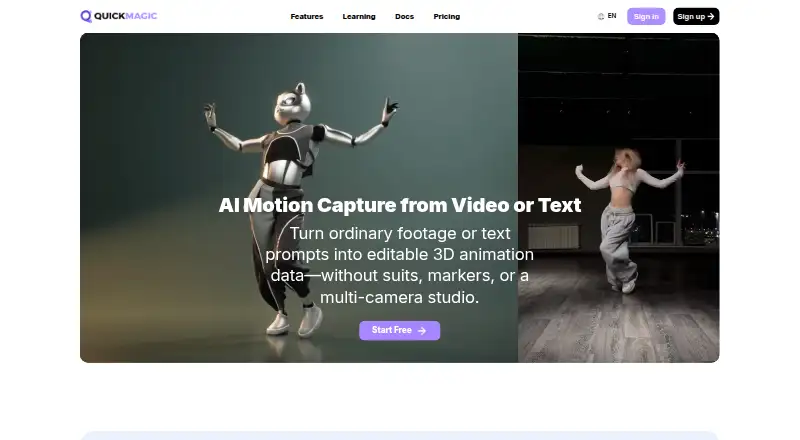
QuickMagic turns video or plain-language prompts into editable 3D animation and motion data. Its video workflows support full-body or upper-body capture, hand and facial motion options, single- and multi-subject footage, and static or moving cameras. Text-to-motion creates a draft from a description of an action, pose, or performance, which users can preview, export, and refine. The workflows do not require a mocap suit, markers, or a multi-camera studio. Listed exports include FBX, BVH, BIP, C4D, VMD, Mixamo, Unreal, Character Creator and iClone, Roblox, and OnlyFace; named workflows also include Blender, Unity, Maya, 3ds Max, MotionBuilder, and MikuMikuDance. Availability varies by plan and workflow. QuickMagic also provides human-motion references for robotics simulation, imitation-learning experiments, and behavior prototyping, with supported Unitree G1, H1, and H1_2 presets. Browser-based QuickMagic Avatar tools include AI Dance, Talking Avatar, Face Swap, Image-to-Video, and Character Generator. QuickMagic is offered on the web and through API plans. The free plan includes FBX export, up to 30 seconds of video, a 50 MB upload limit, and 15-day asset storage. Personal paid plans start at $11.90 per month billed yearly; API packages are separately priced, with API Basic at $299 as a one-time purchase.
Who it suits
QuickMagic suits animators, creators, and teams turning footage or text descriptions into editable motion data. Its API plans target developers, platforms, studios, and businesses integrating motion workflows, while robotics users can draw on human-motion references and supported Unitree presets.
What it does well
- Video workflows support full-body and upper-body capture.
- Options cover hand and facial motion and multiple subjects.
- Text prompts create editable motion drafts for preview and refinement.
- Exports and workflows include several 3D tools and destinations.
- Browser-based Avatar includes five named creative tools.
- Robotics references support simulation and behavior prototyping.
What to know first
- Free video clips are limited to 30 seconds and 50 MB.
- Free assets are stored for 15 days.
- Commercial licenses are not included on the Free plan.
- Personal plans, including Studio, do not include API access.
Limits
The Free plan allows a maximum 30-second video, a 50 MB upload, two queued videos, and 15-day asset storage. It includes FBX export but does not include a commercial license. Personal plan video duration and upload limits vary by plan.
Plans
| Plan | Billed and limits | Price |
|---|---|---|
| Free | $0/mo · 50 V-Coins · 2 queued videos · 30s maximum · 50 MB upload · 1 person · FBX export · 15-day storage · no commercial license | Free |
| Basic | $11.9/mo billed yearly · 200 credits · 5 queued videos · 60s maximum · 100 MB upload · 2 people · multiple export formats · commercial license | $14.90 a month |
| Max | $143.9/mo billed yearly · 5,000 credits · 15 queued videos · 120s maximum · 300 MB upload · 4 people · highest priority · commercial license | $179.90 a month |
| API Basic | one-time purchase · 2K API credits · 5 concurrent jobs · 60s maximum · 100 MB upload · 2-month validity shown in table | $299, paid once |
| Pro | $39.9/mo billed yearly · 1,000 credits · 10 queued videos · 90s maximum · 200 MB upload · 3 people · high priority · commercial license | $49.90 a month |
| Studio | $399.9/mo billed yearly · 20,000 credits · 20 queued videos · 120s maximum · 400 MB upload · 6 people · dedicated queue · 3 team seats listed as opening soon | $499.90 a month |
| API Max | one-time purchase · 70K API credits · 20 concurrent jobs · 120s maximum · 300 MB upload · validity period shown in API FAQ | $4,999, paid once |
| API Pro | one-time purchase · 10K API credits · 10 concurrent jobs · 90s maximum · 200 MB upload · validity period shown in API FAQ | $999, paid once |
The first 8 of 10 plans, as quickmagic.ai lists them, read 15 Oct 2026. The maker's own page has the final word. Every plan
Getting started
- Open the QuickMagic website in a browser, or review API plans for an integration.
- Choose the Free plan or a personal paid plan; API packages are separate.
- Upload a video within the limits of the selected plan, or describe an action, pose, or performance.
- Preview and refine the resulting motion draft.
- Export using a format or workflow available for your plan.
Verdict
Choose QuickMagic if you want to turn video or text into editable motion data, with export options for varied animation workflows. Look elsewhere if you need API access with a personal plan or commercial use under the free plan.
Questions
Is QuickMagic free?
Yes. The Free plan costs nothing and includes 50V Coins, two queued videos, and FBX export.
What does the Free plan limit?
It allows video up to 30 seconds and 50 MB, with 15-day asset storage. Commercial licenses are not included.
Which platforms does QuickMagic support?
The listed platforms are web and API. Personal plans, including Studio, do not include API access.
What export formats and workflows are listed?
Exports include FBX, BVH, BIP, C4D, VMD, Mixamo, Unreal, Character Creator and iClone, Roblox, and OnlyFace. Named workflows include Blender, Unity, Maya, 3ds Max, MotionBuilder, and MikuMikuDance; availability varies by plan and workflow.
How much do paid personal plans cost?
The listed Basic plan is $11.90 a month, billed yearly. Other personal plans and one-time API packages have separate listed prices.
How long are API assets retained after a package expires?
Related assets remain available for 30 days, then enter a 15-day deletion process before permanent deletion.
Facts from QuickMagic's own pages
- 3D Previs
- A beta 3D Previs module is listed for character-action and camera-blocking visualization. · quickmagic.ai, 15 Oct 2026
- API access
- API plans target developers, platforms, studios, and businesses integrating QuickMagic into products or workflows; personal plans, including Studio, do not include API access. · quickmagic.ai, 30 Sept 2026
- API credit limits
- API credit use can vary by feature, model, video duration, frame rate, number of people, and processing method. · quickmagic.ai, 30 Sept 2026
- API data retention
- After an API package expires, related assets remain available for 30 days, then enter a 15-day deletion process before permanent deletion. · quickmagic.ai, 30 Sept 2026
- API maintenance note
- The API documentation says legacy business upload and download endpoints will gradually stop being maintained and recommends the COS direct-upload flow for new integrations. · docs.quickmagic.ai, 15 Oct 2026
- Audio to Motion
- Audio-driven character motion is listed as a beta product module. · quickmagic.ai, 15 Oct 2026
- Avatar tools
- QuickMagic Avatar includes AI Dance, Talking Avatar, Face Swap, Image-to-Video, and Character Generator tools usable in a browser. · quickmagic.ai, 30 Sept 2026
- Body tracking
- Supported workflows include full-body, upper-body, single-subject, and multi-subject capture, with pose, frame-rate, and cleanup controls. · quickmagic.ai, 15 Oct 2026
- Commercial rights
- Basic, Pro, Max, Studio, and eligible API plans include commercial-use rights, while the Free plan does not. · quickmagic.ai, 15 Oct 2026
- Commercial use
- The pricing comparison marks commercial licenses as included for paid personal plans and not included for Free; API commercial use is included in the listed paid API packages. · quickmagic.ai, 30 Sept 2026
- Company facts
- Crunchbase lists QuickMagic as an active private for-profit software company with 11–50 employees and no public funding, founder, headquarters, or founding-year details on its listing. · crunchbase.com, 15 Oct 2026
- Developer API
- QuickMagic exposes an enterprise video open-platform API with upload, download, COS credential, confirmation, picture-upload, and consumption-record endpoints, and its documentation includes Python requests examples. · docs.quickmagic.ai, 15 Oct 2026
- Documentation depth
- Documentation covers account setup, capture workflows, video selection, editing, plans, FAQs, agreements, privacy, and API mocap; Text to Motion is marked coming soon in the docs navigation. · docs.quickmagic.ai, 15 Oct 2026
- Exports and integrations
- The site lists FBX, BVH, BIP, C4D, VMD, Mixamo, Unreal, Character Creator and iClone, Roblox, and OnlyFace exports, and names Blender, Unity, Maya, 3ds Max, MotionBuilder, and MikuMikuDance workflows; availability varies by plan and workflow. · quickmagic.ai, 30 Sept 2026
- Founded fact
- SourceForge lists QuickMagic as founded in 2024 and based in China. · sourceforge.net, 15 Oct 2026
- Free plan limit
- The Free plan includes FBX export, a 30-second maximum single video, a 50 MB upload limit, and 15-day asset storage. · quickmagic.ai, 30 Sept 2026
- Hand and face capture
- QuickMagic provides separate hand and facial-motion options, including wrist, finger, and facial-expression tracking. · docs.quickmagic.ai, 15 Oct 2026
- Input formats
- The product facts page lists MP4, MOV, AVI, and WebM video inputs. · quickmagic.ai, 15 Oct 2026
- Integrations and exports
- Exports include FBX, BVH, BIP, C4D, VMD, Mixamo, Unreal, Unity Anim, Character Creator/iClone, Roblox, OnlyFace, and UniRobot formats for tools such as Blender, Unreal, Unity, Maya, 3ds Max, MotionBuilder, Cascadeur, and MMD. · quickmagic.ai, 15 Oct 2026
- Legal entity and location
- The user agreement identifies QuickMagic LLC and gives a Wan Chai, Hong Kong contact address. · docs.quickmagic.ai, 15 Oct 2026
- Licence
- QuickMagic is proprietary: its agreement says the software, code, algorithms, models, documentation, and platform materials belong to QuickMagic LLC and may not be copied or reverse engineered. · docs.quickmagic.ai, 15 Oct 2026
- Limit: cleanup and depth
- Challenging Voice says single-camera capture leaves depth ambiguity that must be corrected during cleanup. · challengingvoice.com, 15 Oct 2026
- Limit: fine tracking
- AI Indigo reports that occlusion can create glitches and unnatural joints, while fine finger and subtle facial tracking are weaker than general body tracking. · aiindigo.com, 15 Oct 2026
- Limit: input quality
- Independent guidance says low light, motion blur, camera shake, occlusion, slow motion, and complex contacts can reduce stability and require manual correction. · geekrealmhub.com, 15 Oct 2026
Where QuickMagic stands on Freedom251
- Motion Capture Software#17 of 63
- AI Motion Capture Software#15 of 27