nizima LIVE
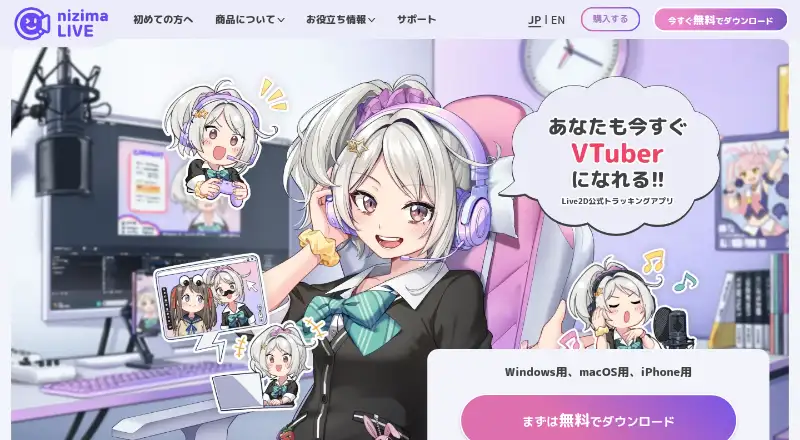
What nizima LIVE is
nizima LIVE tracks facial expressions and movement to animate Live2D models for VTubing, video calls, and other uses. Its output does not show the user's real camera image, according to the maker. Users can adjust tracking parameters, map tracked items to model parameters, and configure lip sync from audio. Camera tracking needs a separate webcam or iPhone; connecting the nizima LIVE TRACKER iPhone app can provide higher-precision tracking than a webcam, according to the maker. The app includes over 100 preset items and supports items bought on nizima or made by users. Collaboration rooms support up to eight users, and a paid user in a room removes free users' time limits. A free OBS Studio plugin is available, but streaming also needs separate software such as OBS Studio. Sony mocopi can add leg and waist movement with mocopi hardware and a compatible Live2D model. A free nizima account is required. The free plan costs nothing, with 40-minute continuous camera use and a displayed logo. Paid plans start at ¥550 a month; annual options are also listed.
Who it suits
nizima LIVE suits people animating Live2D models for VTubing, video calls, or other uses. Its collaboration rooms may suit groups of up to eight, while businesses should review the maker's sales-based plan and contract conditions.
What it does well
- Tracks facial movement without showing the real camera image
- More than 100 preset items included
- Collaboration rooms support up to eight users
- Paid plans allow unlimited camera use without a logo
- Free OBS Studio plugin available
What to know first
- Free plan limits continuous camera use to 40 minutes
- Free plan displays a logo
- Separate webcam or iPhone needed for camera tracking
- Streaming requires separate streaming software
Limits
The free plan allows 40 minutes of continuous camera use and displays a logo. Paid plans provide unlimited camera use without a logo; the listed paid plans are for Windows and macOS.
Plans
| Plan | Billed and limits | Price |
|---|---|---|
| nizima LIVE free plan | ¥0 · 1 user/month · 40-minute continuous camera use · logo displayed · Windows/macOS · some features limited | Free |
| nizima LIVE for business | ¥3,300 per user/month; annual plan ¥31,680/year (¥2,640/month) · For medium and large businesses with recent annual sales of ¥10 million or more · unlimited camera use · no logo · Windows/macOS | ¥3,300 a month |
| nizima LIVE for indie | ¥550 per user/month; annual plan ¥5,280/year (¥440/month) · For individuals and small businesses with recent annual sales under ¥10 million · unlimited camera use · no logo · Windows/macOS | ¥550 a month |
As nizimalive.com lists them, read 30 Sept 2026. The maker's own page has the final word.
Getting started
- Create a free nizima account.
- Install nizima LIVE on Windows, macOS, or iOS.
- Connect a webcam or iPhone for camera tracking.
- Choose the free plan or a paid plan based on your use and eligibility.
- For streaming, use separate software such as OBS Studio; the maker also offers a free OBS Studio plugin.
nizima LIVE animates Live2D models from facial movement for VTubing, video calls and other uses. It is best suited to creators who want control over how a Live2D model responds, rather than a fixed tracking setup. The free plan makes it approachable, but its camera cap and the need for separate camera and streaming tools matter.
Overview
The app tracks facial movement without showing the user's real camera image in the output. Users can adjust tracking parameters, configure audio-based lip sync and map tracking items to Live2D model parameters. That makes it a flexible choice for tuning an avatar's behavior, but less suitable for creators whose workflow does not use Live2D.
Use requires a free nizima account and a separate webcam or iPhone for camera tracking. Connecting an iPhone through nizima LIVE TRACKER is described by the maker as more precise than webcam tracking. Streaming also needs separate software such as OBS Studio; a free OBS Studio plugin is offered, but it does not replace the streaming application.
Key features
- Tracking and model controls: Adjust tracking parameters, configure audio-based lip sync and map tracking items to Live2D model parameters. These controls are useful when a creator wants the avatar's response tailored to a model.
- Items: More than 100 preset items are included, and the app can load items purchased on nizima or user-created data. This gives creators a starting collection as well as a way to bring in their own assets.
- Collaboration: Rooms support up to eight users. If at least one participant has a paid plan, free users in the room lose their time limit, a useful concession for group sessions.
- Full-body movement: Sony mocopi can supply leg and waist movement, but this requires mocopi hardware and a compatible Live2D model. It is an extension for creators who already have that setup, not a camera-only feature.
- Additional capabilities: Hand tracking, virtual camera output and recording are supported, alongside the face-tracking and lip-sync workflow.
Pricing
The freemium plans are priced per user. All three plans are for Windows and macOS; the free plan is the lowest-commitment way to try the workflow, while paid tiers remove its camera-time restriction and logo.
| Plan | Price | What it includes | Best suited to |
|---|---|---|---|
| nizima LIVE free plan | free (billed ¥0 · 1 user/month) | 40-minute continuous camera use, logo displayed, some features limited | Creators who can work within timed sessions or want to start without a subscription |
| nizima LIVE for indie | ¥550 a month (billed ¥550 per user/month); annual plan ¥5,280/year (¥440/month) | Unlimited camera use, no logo | Individuals and small businesses with recent annual sales under ¥10 million |
| nizima LIVE for business | ¥3,300 a month (billed ¥3,300 per user/month); annual plan ¥31,680/year (¥2,640/month) | Unlimited camera use, no logo | Medium and large businesses with recent annual sales of ¥10 million or more |
The annual options cost less per month than paying monthly, but require an annual term. The free plan's 40-minute continuous-use cap and visible logo make it a constrained choice for regular broadcasts; either paid plan removes those limits. Plan selection is tied to business scale: the maker requires a separate individual contract when sales from the business using nizima LIVE reach ¥20 million or more annually.
Platforms
The app is available for iOS, macOS and Windows. The listed paid and free plans cover Windows and macOS, while iPhone tracking depends on the separate nizima LIVE TRACKER app and an iPhone used as the camera.
Who it's for
nizima LIVE fits Live2D creators who want to tune face tracking, lip sync and parameter mapping, and streamers willing to use a separate camera and streaming application. The free tier can suit occasional use or collaboration with a paid-plan room member. It is a weaker fit for someone who needs unrestricted camera time without paying, wants streaming built into the app, or does not use Live2D.
Pros and cons
- Pro: Detailed model control. Parameter adjustment, audio lip sync and mapping tracking items to model parameters let creators shape how their Live2D model moves.
- Pro: Useful included assets and imports. Over 100 presets plus support for purchased and user-created items provide options beyond a bare tracking setup.
- Pro: Group sessions can accommodate free users. Rooms hold up to eight people, and one paid member removes the free users' time limits.
- Con: Free camera use is capped. Forty minutes of continuous use and a displayed logo may interrupt or undermine longer public sessions.
- Con: The setup depends on other tools. Camera tracking requires a webcam or iPhone, and streaming needs separate software, adding dependencies beyond nizima LIVE itself.
- Con: Advanced body tracking has hardware and model requirements. Leg and waist movement through mocopi depends on both compatible hardware and a compatible Live2D model.
Alternatives
VTuber Software is a useful starting point for comparing options across the category.
- Animaze is worth considering if Android support or a broader set of free items matters; its Plus plan removes the watermark and costs $3.99 a month, billed $47.88/year.
- VTube Studio is another freemium option for Live2D, with webcam and smartphone tracking and voice-based lip sync on its free plan.
- Webcam Motion Capture suits readers looking for a free tier where all tracking features can be tried, with prepaid 90-day and 360-day options also offered.
- XR Animator is a free alternative.
- PNGTuber Plus is a free option for PNG avatar customization and sprite sheets.
- veadotube offers a free mini version with optional support contributions, as well as an early-access plan.
- vTuber Kit is a free option with no paid tiers stated.
- LuppetX offers a free Windows download with commercial use permitted.
Verdict
Choose nizima LIVE if you work with Live2D and want adjustable tracking, lip sync and model-parameter mapping, with a free way to begin. The main reason to look elsewhere is the setup burden: camera tracking needs separate hardware, streaming needs another application, and sustained camera use requires a paid plan.
Verdict
nizima LIVE offers Live2D tracking and adjustment tools, with a free plan and paid options for longer camera use. Camera tracking and streaming depend on separate hardware or software, and a nizima account is required.
Questions
Is nizima LIVE free?
Yes. The free plan is listed as free, with a 40-minute continuous camera-use limit and a displayed logo.
What do the paid plans cost?
The indie plan is ¥550 a month, or ¥5,280/year (¥440/month) on the annual plan. The business plan is ¥3,300 a month, or ¥31,680/year (¥2,640/month) annually.
Which platforms does nizima LIVE support?
The listed platforms are iOS, macOS, and Windows. The free plan lists Windows and macOS; paid plans also list Windows and macOS.
Do I need a camera to use tracking?
Camera tracking requires a separate webcam or iPhone. A free nizima account is also required.
Can nizima LIVE stream directly?
Streaming requires separate streaming software such as OBS Studio. The maker offers a free OBS Studio plugin.
Can it track legs and waist?
Connecting Sony mocopi enables leg and waist movement. It requires mocopi hardware and a compatible Live2D model.
Facts from nizima LIVE's own pages
- Collaboration
- Collaboration rooms support up to eight users; a room with at least one paid user removes free users' time limits. · nizimalive.com, 30 Sept 2026
- Commercial use
- The paid plans are presented for individuals or businesses according to annual sales, and the maker requires a separate individual contract when sales from the business using nizima LIVE reach ¥20 million or more annually. · nizimalive.com, 30 Sept 2026
- Face tracking
- The maker says the app tracks facial movement without showing the user's real camera image in the output. · nizimalive.com, 30 Sept 2026
- Full-body tracking
- Connecting Sony mocopi enables use of leg and waist movement, and requires a mocopi-compatible Live2D model and mocopi hardware. · nizimalive.com, 30 Sept 2026
- iPhone tracking
- Connecting the iPhone app nizima LIVE TRACKER lets an iPhone act as a camera for higher-precision tracking than a webcam, according to the maker. · nizimalive.com, 30 Sept 2026
- Items
- The app includes over 100 preset items and can load items purchased on nizima or user-created data. · nizimalive.com, 30 Sept 2026
- Model adjustment
- Users can adjust tracking parameters, configure lip sync from audio, and map tracking items to Live2D model parameters. · nizimalive.com, 30 Sept 2026
- Platforms
- The desktop app is downloadable for Windows and macOS, and the maker links to an iPhone app; some macOS features are unsupported. · nizimalive.com, 30 Sept 2026
- Purpose
- nizima LIVE tracks facial expressions and movement to animate Live2D models for VTubing, video calls, and other uses. · nizimalive.com, 30 Sept 2026
- Requirements
- Use requires a free nizima account, and camera tracking requires a separate webcam or iPhone. · nizimalive.com, 30 Sept 2026
- Streaming integration
- The maker offers a free OBS Studio plugin, and streaming requires separate streaming software such as OBS Studio. · nizimalive.com, 30 Sept 2026
- Support
- The maker provides tutorials, a manual, FAQs, and a contact channel staffed by nizima LIVE staff. · nizimalive.com, 30 Sept 2026
Where nizima LIVE stands on Freedom251
- VTuber Software#5 of 25