LuppetX
What LuppetX is
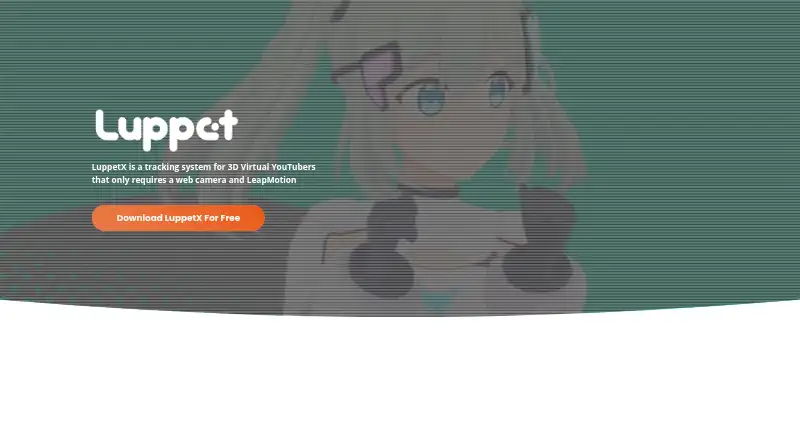
LuppetX is a Windows application for animating 3D VTuber characters using webcam and Leap Motion tracking. It focuses on upper-body expression, including eye and arm movement, and also lists hand tracking and lip-sync. The software animates VRM files, including VRM 1.0, and can make attached accessories such as ribbons, cat ears, necklaces, or microphones follow character movement. Tracked motion is sent to external applications in real time through the VMC Protocol. The maker describes uses such as OBS chat or game streaming, avatar meetings, and presentations. Requirements include Windows 10 64-bit, a GTX 970 or better, an Intel Core i5-4460 equivalent or better, 8 GB RAM, an Ultraleap device, and a webcam. The maker describes setup without prior calibration. Version 1.1.0 works offline and needs no server connection, account registration, or license purchase. It is a free download; Personal costs 6600.00 JPY once, and Enterprise costs 99800.00 JPY once. Support ended October 4, 2026; the maker says it will no longer answer inquiries or provide fixes or updates, and that the company is dissolving.
Who it suits
LuppetX suits Windows users animating VRM-based VTuber characters for streaming, remote meetings, or presentations. It requires an Ultraleap device and webcam, alongside the listed PC specifications.
What it does well
- Supports VRM 1.0 models
- Sends tracked motion through the VMC Protocol
- Version 1.1.0 works offline
- Commercial use is permitted for version 1.1.0
What to know first
- Requires an Ultraleap device and webcam
- Requires Windows 10 64-bit
- Support ended October 4, 2026
- Earlier versions require server-based login and license verification
Limits
Version 1.1.0 is free and has the same functionality as the previous version, but support ended October 4, 2026. Versions 1.0.9p and earlier depend on server login and license verification and stop working after the servers are shut down.
Plans
| Plan | Billed and limits | Price |
|---|---|---|
| LuppetX ver. 1.1.0 | Free download; no account registration or license purchase required · Same functionality as previous version · Commercial use permitted · Support ended October 4, 2026 | Free |
| LuppetX Ver. 1.1.0 Free | individual and business use · commercial use allowed · no account or license required · same functionality as 1.0.9p | Free |
| LuppetX Personal | one-time purchase · individual license · watermark removed · all features | ¥6,600, paid once |
| LuppetX Enterprise | one-time purchase · corporate license · watermark removed · all features · corporate use | ¥99,800, paid once |
As luppet.jp lists them, read 7 Oct 2026. The maker's own page has the final word.
Getting started
- Open the LuppetX website.
- Download version 1.1.0 for the free offline option, which requires no account registration or license purchase.
- Use a Windows 10 64-bit system meeting the listed processor, graphics, and memory requirements.
- Connect an Ultraleap device and webcam.
- Wear the Leap Motion around your neck and point the webcam at yourself; prior calibration is not required.
- Send tracked motion to an external application through the VMC Protocol.
Verdict
LuppetX provides webcam and Leap Motion tracking for VRM characters, with real-time motion output to other applications. Support has ended, and versions 1.0.9p and earlier depend on servers that will be shut down.
Questions
What does LuppetX cost?
Version 1.1.0 is a free download. LuppetX Personal costs 6600.00 JPY once, and LuppetX Enterprise costs 99800.00 JPY once.
Which operating system does LuppetX support?
The listed platform is Windows. The requirements specify Windows 10 64-bit.
What avatar formats does it support?
LuppetX animates VRM files and supports VRM 1.0.
Does the free version require an account or license?
Version 1.1.0 works offline and requires no server connection, account registration, or license purchase. Commercial use is permitted.
What do the paid plans include?
Both Personal and Enterprise remove the watermark and provide access to all features. Personal is for individuals; Enterprise is for companies and is available for corporate use.
Is LuppetX still supported?
No. Support ended October 4, 2026; the maker says it will no longer answer inquiries or provide bug fixes or updates.
Facts from LuppetX's own pages
- Accessories
- Accessories can follow avatar bones and be attached to locations including the head, neck and arms. · luppet.jp, 15 Oct 2026
- Background expression control
- Expression shortcuts continue to work while LuppetX is minimized or another window is focused. · doc.luppet.jp, 15 Oct 2026
- Booth distribution
- The BOOTH listing provides a free 82.9 MB installer ZIP and a separate documentation ZIP for version 1.1.0. · negipoyoc.booth.pm, 15 Oct 2026
- Company
- The maker identifies Luppet Technologies, Inc. as the provider and says the company is dissolving. · doc.luppet.jp, 7 Oct 2026
- Company legal name
- The maker identifies itself as Luppet Technologies Inc., legally 株式会社ラペットテクノロジーズ. · luppet-tech.co.jp, 15 Oct 2026
- Company size
- The company page lists two people including officers and contractors. · luppet-tech.co.jp, 15 Oct 2026
- Documentation and support
- The documentation site includes setup, usage, troubleshooting, FAQs, release notes, known issues and contact forms. · doc.luppet.jp, 15 Oct 2026
- Ease of setup
- The maker says users can wear the Leap Motion around the neck and point a webcam at themselves without prior calibration. · luppet.jp, 7 Oct 2026
- Expression keys
- Users can trigger VRM expressions such as happy and angry with configurable keyboard shortcuts. · doc.luppet.jp, 15 Oct 2026
- External motion
- Tracked motion can be sent to other applications in real time through the VMC Protocol. · doc.luppet.jp, 15 Oct 2026
- Founded
- The company was established on November 1, 2019. · luppet-tech.co.jp, 15 Oct 2026
- Founder and representative
- The listed representative director is Takumi Negishi, who began offering Luppet as an individual business in February 2019. · luppet-tech.co.jp, 15 Oct 2026
- Future maintenance limit
- After support ended, no bug fixes, updates or compatibility work for future operating systems, software or devices was promised. · negipoyoc.booth.pm, 15 Oct 2026
- Hardware requirements
- The documentation lists Windows 10 64-bit, a GTX 970 or better, an Intel Core i5-4460 equivalent or better, 8 GB RAM, an Ultraleap device, and a webcam as requirements. · doc.luppet.jp, 7 Oct 2026
- Headquarters
- The company lists its address in Shinagawa, Tokyo, Japan. · luppet-tech.co.jp, 15 Oct 2026
- Installer
- LuppetX is distributed as a Windows installer executable and can be removed through Windows Control Panel. · doc.luppet.jp, 15 Oct 2026
- Known hand-tracking issue
- The older V4 LeapMotion software released in 2020 is not supported for hand tracking. · doc.luppet.jp, 15 Oct 2026
- Known webcam issue
- The documentation reports that Ultraleap camera changes can conflict with a webcam and stop camera tracking. · doc.luppet.jp, 15 Oct 2026
- Legacy versions
- Versions 1.0.9p and earlier require server-based login and license verification and stop working after the servers are shut down. · doc.luppet.jp, 7 Oct 2026
- Licence delivery delay
- The BOOTH licence listing warns that redeem-code issuance can take up to 12 hours and discount codes cannot be used. · booth.pm, 15 Oct 2026
- Minimum CPU and memory
- The minimum processor is equivalent to an Intel Core i5-4460 and the minimum memory is 8 GB RAM. · doc.luppet.jp, 15 Oct 2026
- Minimum GPU
- The minimum graphics requirement is an NVIDIA GeForce GTX 970 or better. · doc.luppet.jp, 15 Oct 2026
- Model support
- It animates VRM files and supports VRM 1.0. · luppet.jp, 7 Oct 2026
- Motion integration
- It sends tracked motion in real time to external applications using the VMC Protocol. · doc.luppet.jp, 7 Oct 2026
Where LuppetX stands on Freedom251
- VTuber Software#6 of 25