Freedom251 › Digital Adoption Platforms

VisualSP
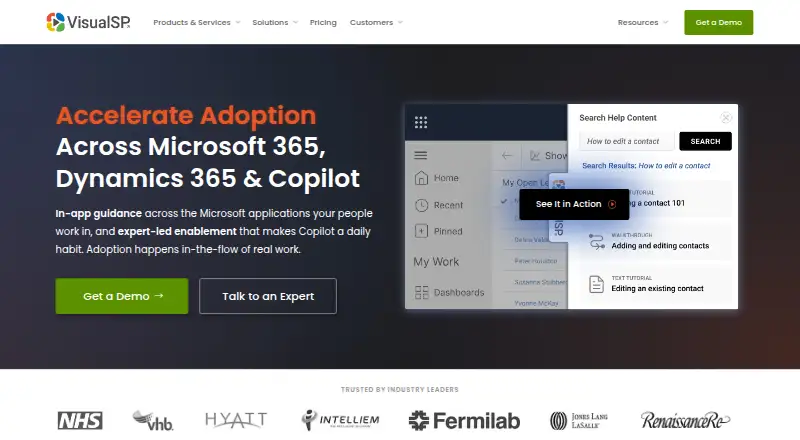
What VisualSP is
VisualSP is a digital adoption platform that puts training, help, and messages within enterprise web applications. Teams can create interactive walkthroughs and customizable training content, offer contextual help, and make support materials searchable. Its AI Assistant provides answers from an organization’s own content and policies while users work. For measuring usage, VisualSP lists heatmaps, session recordings, event data, and usage and ROI reporting. Supported applications include Microsoft 365, Dynamics 365, Copilot, Power Platform, Salesforce, HubSpot, Workday, ServiceNow, Jira, NetSuite, SAP, Zendesk, and Zoom. VisualSP works with most browser-based applications, including in-house and custom apps. Its support FAQ says desktop applications are outside its scope except for Teams. The extension is offered for Chrome or Chromium, Microsoft Edge, and Microsoft Teams; other deployment options can be discussed with the company. Plans include Adopt365, a free extension for help in Microsoft 365 web apps, and Enterprise, Platinum, and Clarity Connect 365, with pricing on request. A free trial is offered. The company says the software is SOC 2 certified and hosted in Microsoft Azure.
Who it suits
VisualSP suits organizations that want to guide employees inside browser-based business applications with walkthroughs, searchable help, and customized training. Enterprise is described for teams primarily using Microsoft applications, while Platinum is intended for teams using a mix of applications.
What it does well
- Interactive walkthroughs and customizable training content
- AI answers draw on an organization’s content and policies
- Analytics include heatmaps, recordings, event data, and ROI reporting
- Works with most browser-based applications, including custom apps
- Free Adopt365 extension supports Microsoft 365 web apps
What to know first
- Desktop application support is limited to Teams
- Enterprise and Platinum starting prices are not displayed
- Adopt365 is scoped to Microsoft 365 web apps
Limits
Adopt365 is a lightweight extension for Microsoft 365 web apps, with predefined prompts and step-by-step answers. Enterprise includes English content and 90 days of reporting and analytics; Platinum includes all available content and languages and up to three years of reporting and analytics.
Plans
| Plan | Billed and limits | Price |
|---|---|---|
| Adopt365 | Free · Microsoft 365 web apps · Predefined prompts and step-by-step answers · Chrome and Edge | Free |
| Platinum | per year · cloud deployment · full functionality | $15,345 a year |
| Standard | flat rate per year · cloud deployment · package tier | $6,574 a year |
| Enterprise | per year · cloud deployment · Microsoft-focused DAP | $6,875 a year |
| Clarity Connect 365 | Monthly or annually (save 40%); starting price not displayed · Standalone Microsoft Clarity insights for Microsoft 365, Copilot, and Dynamics 365 | On request |
As visualsp.com lists them, read 7 Oct 2026. The maker's own page has the final word.
Getting started
- Visit the VisualSP website.
- Choose Adopt365 for free Microsoft 365 web app help, or review Enterprise, Platinum, and Clarity Connect 365.
- Start the free trial for the Digital Adoption Platform.
- Install the extension for Chrome or Chromium, Microsoft Edge, or Microsoft Teams.
- Contact VisualSP about other deployment options or plan pricing.
VisualSP puts training, contextual support, and messaging inside business applications, making it a fit for organizations that need to guide employees through Microsoft software or a wider set of browser-based tools. Its mix of walkthroughs, an AI assistant, and adoption analytics is compelling; its desktop reach is narrow.
Overview
VisualSP works across most browser-based applications, including custom and in-house software. That flexibility makes it relevant to organizations whose workflows span several business systems, rather than only a single vendor’s suite. The main boundary is important: desktop applications are not supported, except Microsoft Teams.
Its guidance includes interactive walkthroughs, product tours, contextual help, searchable support materials, and customizable training. The AI Assistant answers questions using an organization’s own content and policies within the workflow, so assistance can draw on internal guidance rather than relying only on fixed instructions. For adoption analysis, VisualSP offers heatmaps, session recordings, event data, and usage and ROI reporting.
VisualSP says its software is SOC 2 certified and hosted in Microsoft Azure. It collects users’ first and last names and email addresses to provide usage analytics, a consideration for organizations assessing employee-data practices.
Key features
Guidance and analytics
The combination of step-by-step help, searchable materials, and customizable training gives teams several ways to support users at the point of need. The AI Assistant adds contextual answers based on company content and policies. These capabilities are most useful when organizations have material worth surfacing inside the software employees use; they do not remove the need to create and maintain that content.
Analytics span behavioral signals such as heatmaps and session recordings as well as event data and usage and ROI reporting. Reporting history varies by plan: Enterprise includes 90 days, while Platinum provides up to three years. Teams that need longer-term analysis therefore need to weigh the higher-tier scope, not just the guidance features.
Application coverage
Supported applications include Microsoft 365, Dynamics 365, Copilot, Power Platform, Salesforce, HubSpot, Workday, ServiceNow, Jira, NetSuite, SAP, Zendesk, and Zoom. The extension is offered for Chrome or Chromium, Microsoft Edge, and Microsoft Teams; other deployment options are available by contacting VisualSP. Browser-based coverage is broad, but desktop software beyond Teams is outside the stated support scope.
Pricing
VisualSP uses a freemium model. Adopt365 is free; Enterprise, Platinum, and Clarity Connect 365 have custom pricing. Paid plans can be billed monthly or annually, with annual billing saving 40%.
| Plan | Price | Includes | Best fit |
|---|---|---|---|
| Adopt365 | free | Microsoft 365 web apps, predefined prompts and step-by-step answers, and Chrome and Edge support. | Individuals or teams seeking lightweight, in-the-moment help inside Microsoft 365. |
| Enterprise | Custom pricing | Microsoft 365, Dynamics 365, and Copilot applications; English content; 90 days of reporting and analytics. | Teams primarily using Microsoft applications. |
| Platinum | Custom pricing | Any web application; all available content and languages; up to three years of reporting and analytics. | Teams supporting a mix of applications or needing broader language and reporting coverage. |
| Clarity Connect 365 | Custom pricing | Standalone Microsoft Clarity insights for Microsoft 365, Copilot, and Dynamics 365. | Organizations seeking those standalone insights. |
Adopt365 is the lowest-commitment option, but its scope is limited to Microsoft 365 web apps and predefined assistance; it does not include the broader application coverage and reporting windows of the paid tiers. Enterprise narrows the application scope to Microsoft tools and content to English, while Platinum is the choice for mixed web applications, all available languages, and longer reporting history.
Support is offered at Basic, Advanced, and VIP levels, with response SLAs of 3 business days, 4 hours, and 2 hours, respectively. Organizations should factor the required response time into their plan decision.
Platforms
VisualSP is available as a browser extension and web product. The extension supports Chrome or Chromium, Microsoft Edge, and Microsoft Teams. The company also offers Adopt365 downloads for Chrome and Edge. The platform works with browser-based applications, but its support FAQ excludes desktop applications other than Teams.
Who it's for
VisualSP suits organizations that need to standardize in-app help across Microsoft applications, or that need guidance spanning a broader mix of browser-based systems. Enterprise is positioned for teams primarily using Microsoft applications; Platinum is intended for mixed application environments. Adopt365 offers a narrower free starting point for Microsoft 365 web apps.
It is a weaker fit for organizations that depend on desktop application guidance beyond Teams, or for teams that need a specific trial duration or published price before engaging with the vendor.
Pros and cons
- Broad browser-app coverage: Support for most browser-based apps, including custom and in-house applications, suits organizations with varied software environments.
- Multiple forms of in-workflow help: Walkthroughs, tours, searchable support, customizable training, and an AI assistant give teams options beyond static documentation.
- Useful adoption signals: Heatmaps, recordings, event data, and usage and ROI reporting cover several ways to assess engagement.
- Desktop limitation: Desktop applications are excluded except Teams, which rules VisualSP out for organizations needing wider desktop guidance.
- Shorter reporting on Enterprise: Its 90-day analytics window is substantially narrower than Platinum’s up-to-three-year history.
- Custom pricing on paid tiers: Organizations must request pricing for Enterprise, Platinum, and Clarity Connect 365 rather than compare published plan prices.
Alternatives
Explore Digital Adoption Platforms for more options. Choose Whatfix if Android, iOS, macOS, Windows, or self-hosted deployment matters alongside web and extension support; it has a free plan and free trial, while its free analytics plan is available only with a DAP Web & Desktop plan. Stonly is worth considering for teams seeking a freemium guide-building product with a defined Basic allowance of 400 guide views per month, five published guides, one language, and one team member.
Ziplyne may suit teams wanting a short trial to create and test guides: its Ziplyne POV plan is free for 14 days and includes three guides and one application domain. Consider Candu if a free plan with overlays, three live experiences, and unlimited user licenses better matches the required scope. Zoho Digital Adoption Platform offers a free plan for one manager, one walkthrough, three interactive videos and guides, one web banner, and an unlimited Help Hub.
Nexthink Adopt, Cornerstone Learning, and Newired are other alternatives to compare.
Verdict
Choose VisualSP if your organization needs in-app guidance across browser-based business software, particularly Microsoft applications, and values analytics alongside training. Its broad web coverage and varied support tools make it a strong fit for enterprise workflows. Look elsewhere if desktop application guidance beyond Teams is essential, or if you need published pricing to make a decision without requesting a quote.
Verdict
Choose VisualSP if your organization needs in-app guidance across browser-based business software, especially Microsoft applications. Teams seeking desktop application support beyond Teams should look elsewhere; the support FAQ excludes those apps.
Questions
Is VisualSP free?
Yes. Adopt365 is a free extension for help inside Microsoft 365 web apps. VisualSP also offers a free trial of its Digital Adoption Platform.
Which platforms does VisualSP support?
Its listed platforms are extension and web. Extensions are offered for Chrome or Chromium, Microsoft Edge, and Microsoft Teams.
Which applications can it support?
Supported applications include Microsoft 365, Dynamics 365, Copilot, Power Platform, Salesforce, HubSpot, Workday, ServiceNow, Jira, NetSuite, SAP, Zendesk, and Zoom. It works with most browser-based applications, including in-house and custom apps.
How much do the plans cost?
Adopt365 is free. Enterprise, Platinum, and Clarity Connect 365 have pricing on request.
What do Enterprise and Platinum include?
Enterprise covers Microsoft 365, Dynamics 365, and Copilot applications, English content, and 90 days of reporting and analytics. Platinum covers any web application, all available content and languages, and up to three years of reporting and analytics.
Does VisualSP work in desktop applications?
Its support FAQ says it does not work in desktop applications except Teams.
Facts from VisualSP's own pages
- AI assistant
- The platform includes an AI assistant that returns contextual answers from organizational content and policies. · visualsp.com, 14 Oct 2026
- Analytics
- Usage reporting tracks engagement, adoption, saved time and support-cost effects; Clarity Connect 365 adds heatmaps and session recordings. · visualsp.com, 14 Oct 2026
- Analytics export
- The support FAQ says analytics can be exported to CSV for use in other reporting tools. · support.visualsp.com, 14 Oct 2026
- Browser requirements
- The architecture page identifies extensions for the latest Google Chrome and latest Microsoft Edge. · support.visualsp.com, 14 Oct 2026
- Chrome extension update
- The Chrome Web Store lists version 2.1.373 updated September 28, 2026. · chromewebstore.google.com, 14 Oct 2026
- Company history
- The company says it began with SharePoint training in 2005, released VisualSP as a product in 2012 and renamed the company VisualSP in 2015. · visualsp.com, 14 Oct 2026
- Company legal name
- The Chrome Web Store identifies the developer as Rehmani Consulting, Inc. · chromewebstore.google.com, 14 Oct 2026
- Content languages
- G2 lists English, German, French, Italian, Japanese, Dutch, Portuguese, Russian, Spanish and Simplified Chinese as supported languages. · g2.com, 14 Oct 2026
- Context-sensitive help
- Help items can appear as inline icons, links, buttons and hidden launchers tied to application context. · visualsp.com, 14 Oct 2026
- Custom content
- Organizations can add their own tutorials, policies, messages, screenshots, documents, videos and walkthroughs. · visualsp.com, 14 Oct 2026
- Custom web extensibility
- For custom applications, VisualSP can be installed by adding a line of JavaScript to the application header. · support.visualsp.com, 14 Oct 2026
- Data collected
- The company says it collects and stores users’ first name, last name, and email address to provide usage analytics. · visualsp.com, 7 Oct 2026
- Deployment
- The VisualSP extension is offered for Chrome or Chromium, Microsoft Edge, and Microsoft Teams; other deployment options are available by contacting the company. · visualsp.com, 7 Oct 2026
- Deployment options
- Deployment can use a browser extension, SharePoint app catalog, Dynamics managed solution, Teams installation or a script tag in a custom web application. · support.visualsp.com, 14 Oct 2026
- Founded and size
- LinkedIn lists VisualSP as privately held, founded in 2005, with 11–50 employees. · linkedin.com, 14 Oct 2026
- Founder
- VisualSP identifies Asif Rehmani as founder and chief executive officer. · visualsp.com, 14 Oct 2026
- Free access
- The FAQ describes a free limited-capability version, and the Dynamics page advertises a 30-day free trial. · visualsp.com, 14 Oct 2026
- Free offering
- Adopt365 is a free lightweight extension that provides in-the-moment help inside Microsoft 365 apps and offers Chrome and Edge downloads. · visualsp.com, 7 Oct 2026
- Government environments
- The vendor states compatibility with Microsoft GCC and GCC High environments. · visualsp.com, 14 Oct 2026
- Guidance
- The platform offers interactive walkthroughs, contextual help, searchable support materials, and customizable training content. · visualsp.com, 7 Oct 2026
- Guided walkthroughs
- Administrators can create step-by-step interactive walkthroughs that run inside the application being used. · visualsp.com, 14 Oct 2026
- Headquarters
- LinkedIn lists headquarters at 13400 S Route 59, Suite 116, Plainfield, Illinois, United States. · linkedin.com, 14 Oct 2026
- Hosting architecture
- The backend runs on Microsoft Azure App Service with Azure Cloud SQL storage and Azure HDInsight analytics. · support.visualsp.com, 14 Oct 2026
- In-app communications
- The product delivers announcements, reminders, policy messages, banners, pop-ups and notifications inside web applications. · visualsp.com, 14 Oct 2026
Where VisualSP stands on Freedom251
- Digital Adoption Platforms#5 of 29