Freedom251 › Church Presentation Software
VerseVIEW
What VerseVIEW is
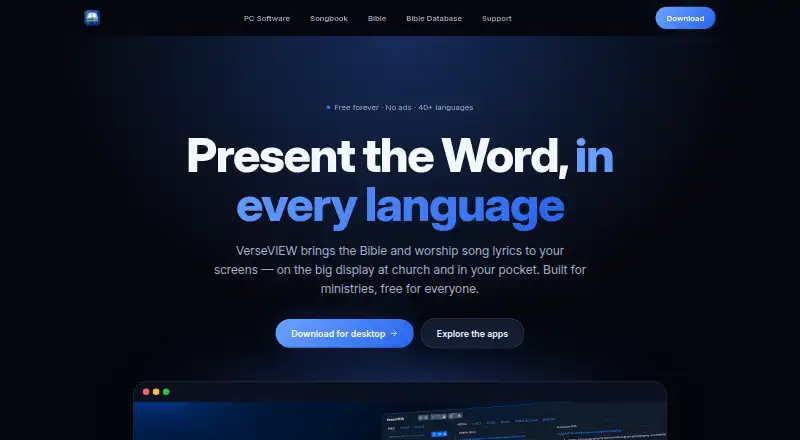
VerseVIEW is free software for presenting Bible verses and worship song lyrics in church services, ministries, and personal devotion. Its desktop presentation software displays scripture and songs in multiple languages, with themes, video backgrounds, media playback, remote control, and lower thirds for live streams. VerseVIEW 11 includes slide and theme design tools plus an Events system for planning and running services. Presentation content can be sent over a local network to OBS, vMix, and similar tools for streaming or recording overlays. The Bible app supports side-by-side reading of up to three translations, along with cross-references, word search, notes, and bookmarks. Malayalam, Hindi, Tamil, Telugu, and English translations are included, with additional translations available to download. The Songbook has lyrics in Malayalam, Hindi, Tamil, Telugu, Kannada, and Bengali, with English transliteration for most lyrics. It also includes chords and transpose tools for over 500 Malayalam songs, schedules, YouTube links, and presentation mode. VerseVIEW is listed for Windows, macOS, Linux, iOS, Android, and web browsers, and the desktop download page says there are no accounts or ads.
Who it suits
VerseVIEW suits churches and ministries preparing scripture or song presentations, as well as people using Bible and songbook tools for personal devotion. Its presentation tools may also suit services that stream or record through OBS, vMix, or similar software.
What it does well
- Free for everyone, with no ads listed
- Desktop presentation includes themes and video backgrounds
- Bible app compares up to three translations
- Songbook includes chords and transpose tools for Malayalam songs
What to know first
- Additional Bible translations require downloading
- Copyrighted software code may not be modified unless released publicly
- Desktop software is listed for Windows, macOS, and Linux
Limits
The plan is free forever. VerseVIEW says code may not be modified unless VerseVIEW releases it in a public repository.
Plans
| Plan | Billed and limits | Price |
|---|---|---|
| VerseVIEW | Free forever · No ads · Free for everyone | Free |
As verseview.com lists them, read 4 Oct 2026. The maker's own page has the final word.
Getting started
- Visit the VerseVIEW website.
- Choose the desktop software for Windows, macOS or Linux, or use the listed iOS, Android or web platforms.
- Start with the free plan; VerseVIEW says no account is needed.
- Use the desktop presentation tools, Bible app or Songbook for your intended use.
VerseVIEW combines church-service presentation software with Bible-reading and songbook apps. It is best suited to ministries that need multilingual scripture and lyrics, service planning, and stream overlays in one free suite. Its range is a strong fit for that work, though users who need only presentation software may find its broader toolkit unnecessary.
Overview
The desktop software handles scripture and song projection, while the Bible app and Songbook serve reading, study, and music use beyond a service. That combination gives churches and individuals more than a slide tool, with particular value for communities using several of the supported languages. VerseVIEW says its desktop software is free, has no ads, and requires no account.
Key features
Presentation and streaming
VerseVIEW 11 includes slide and theme designers, plus an Events system for planning and running services. Multiple-language scripture and lyrics, video backgrounds, media playback, and remote control give teams practical ways to shape a service presentation. It can send content over a local network to OBS, vMix, and similar tools for stream or recording overlays. That is a meaningful advantage for ministries already using those production tools; it matters less to a church that only needs projected slides.
Bible and Songbook
The Bible app displays up to three translations side by side and includes cross-references, word search, notes, and bookmarks. Malayalam, Hindi, Tamil, Telugu, and English translations are included, with more available to download. This makes the app useful for comparative reading and personal study, not just service projection.
The Songbook covers Christian lyrics in Malayalam, Hindi, Tamil, Telugu, Kannada, and Bengali, with English transliteration for most songs. Chords and transpose tools cover more than 500 Malayalam songs; schedules, YouTube links, and presentation mode connect song preparation with performance. The language range is a clear strength, although the chord and transpose tools are specifically described for Malayalam songs.
Pricing
VerseVIEW costs nothing, billed Free forever. The free plan is for everyone and has no ads; the desktop download page also says no account is required. There is no paid tier to weigh against that offer, so it suits churches and individual users who want the included presentation, Bible, and Songbook functions without a subscription. VerseVIEW says it owns all software copyrights and that code may not be modified unless it is released in a public repository by VerseVIEW, so users seeking to modify the software should look elsewhere.
Platforms
Desktop software is listed for Windows, macOS, and Linux. VerseVIEW also supports iOS, Android, and web browsers, extending the Bible and song functions beyond desktop service use.
Who it's for
VerseVIEW is a strong match for ministries serving multilingual congregations, especially those that plan services in the software and send overlays to streaming or recording tools. Its Bible app and Songbook also make it relevant to personal devotion and song preparation. A user who needs only a simple presentation tool, or a developer who wants to modify the code, has reason to consider another option.
Pros and cons
- Pros: Free forever with no ads and no account requirement, lowering barriers for churches and individual users.
- Pros: Presentation design, service planning, and local-network streaming overlays serve a broader church workflow than lyric projection alone.
- Pros: Bible reading across three translations and song content in six named languages support multilingual study and worship.
- Cons: The many presentation, Bible, and song features may be unnecessary for users who only need slides.
- Cons: Software copyright remains with VerseVIEW, and code modification is restricted unless VerseVIEW releases it publicly.
Alternatives
Church Presentation Software is a useful next step for comparing options across the category. Choose Holyrics if a freemium alternative with paid plans tied to computer and app limits suits your setup: Basic is $5 a month for up to 3 computers and 30 apps, while Advanced is $10 a month for up to 10 computers and 100 apps. Church Presenter is another free option; its Free Forever plan is GNU GPL v3, has no subscription, and has no seat limits.
WorshipTools Presenter may fit teams that want a free cloud-storage allowance and defined service and user limits: its Free plan includes 500 MB, 10 users, and 15 items per service, with unlimited services and songs. DisplayWord is worth comparing for a free church plan that includes a hall screen and Bible, song library and editor, PDF chord sheets, offline use, media, and backgrounds. FreeShow is a free presentation-software alternative whose maker says it will always be free.
VerseCAST offers free Bible presentation with demo limits on slide count and functionality, alongside a paid monthly plan at $3.49 a month. Crown Cast is a free, no-account option with unlimited installs and lifetime updates. SoftProjector is a free and open-source alternative for users who want software they can use without charge.
Verdict
Choose VerseVIEW if your church needs multilingual scripture and songs, service-planning tools, and streaming overlays without paying for a plan. Its strongest reason to choose it is the breadth of ministry and personal-use features at no cost; look elsewhere if you need a more focused presentation tool or want software whose code you can modify.
Verdict
VerseVIEW brings presentation, Bible reading, and songbook functions together across desktop and mobile platforms. Its multiple-language content and streaming overlays are especially relevant to ministry use.
Questions
How much does VerseVIEW cost?
The VerseVIEW plan is free, billed free forever.
Is there a free plan?
Yes. VerseVIEW is free forever, with no ads.
Which platforms are supported?
VerseVIEW is listed for Windows, macOS, Linux, iOS, Android and web browsers. The desktop software is listed for Windows, macOS and Linux.
Can the Bible app show more than one translation?
Yes. It supports up to three translations side by side. Malayalam, Hindi, Tamil, Telugu and English translations are included, with additional translations available to download.
Is VerseVIEW open source?
VerseVIEW says it owns all software copyrights and that code may not be modified unless VerseVIEW releases it in a public repository.
What can the Songbook do?
It provides lyrics in Malayalam, Hindi, Tamil, Telugu, Kannada and Bengali, with English transliteration for most lyrics. It also includes chords and transpose tools for over 500 Malayalam songs, schedules, YouTube links and presentation mode.
Facts from VerseVIEW's own pages
- Audience
- The site describes VerseVIEW as built for ministries and says it serves churches and personal devotion. · verseview.com, 4 Oct 2026
- Bible app
- The Bible app supports reading up to three translations side by side, with cross-references, word search, notes and bookmarks. · verseview.com, 4 Oct 2026
- Bible languages
- The Bible app comes with Malayalam, Hindi, Tamil, Telugu and English translations and offers additional translations to download. · verseview.com, 4 Oct 2026
- Desktop platforms
- The site lists Windows, macOS and Linux for desktop software. · verseview.com, 4 Oct 2026
- Desktop presentation
- The desktop software can display scripture and song lyrics in multiple languages with themes, video backgrounds, media playback, remote control and live-stream lower thirds. · verseview.com, 4 Oct 2026
- Live streaming
- The desktop software sends presentation content over the local network to OBS, vMix and similar tools for stream or recording overlays. · verseview.com, 4 Oct 2026
- Presentation tools
- VerseVIEW 11 includes a slide designer, theme designer and an Events system for planning and running services. · verseview.com, 4 Oct 2026
- Privacy and accounts
- The desktop download page says VerseVIEW is free with no accounts and no ads. · verseview.com, 4 Oct 2026
- Purpose
- VerseVIEW presents Bible verses and worship song lyrics for church services, ministries and personal devotion. · verseview.com, 4 Oct 2026
- Software ownership
- VerseVIEW says it owns all software copyrights and that code may not be modified unless released in a public repository by VerseVIEW. · verseview.com, 4 Oct 2026
- Songbook
- The Songbook offers Christian song lyrics in Malayalam, Hindi, Tamil, Telugu, Kannada and Bengali, with English transliteration for most lyrics. · verseview.com, 4 Oct 2026
- Songbook features
- The Songbook includes chords and transpose tools for over 500 Malayalam songs, schedules, YouTube links and presentation mode. · verseview.com, 4 Oct 2026
- Support
- The site lists [email protected] as a contact address. · verseview.com, 4 Oct 2026
- Version 11
- The site lists VerseVIEW 11 version 11.1.0, dated October 1, 2026. · verseview.com, 4 Oct 2026
Where VerseVIEW stands on Freedom251
- Church Presentation Software#17 of 35