Freedom251 › Church Presentation Software
Praisenter
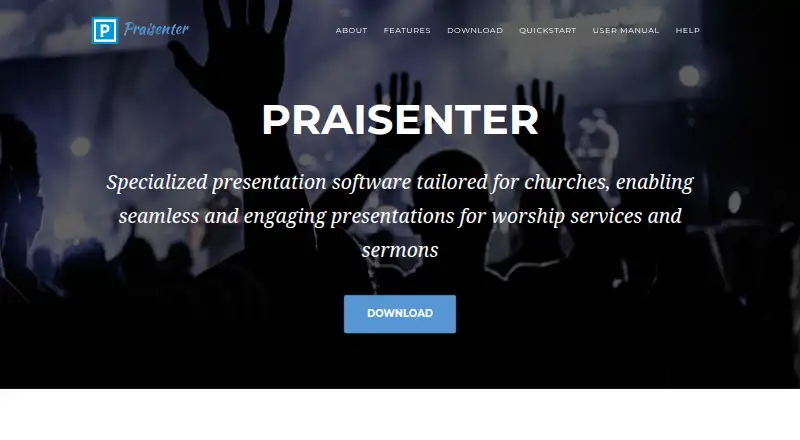
What Praisenter is
Praisenter is free, open-source presentation software focused on churches and worship services. It can display Bible verses, song lyrics, pictures, videos, custom slides, and notifications, while sending different content to each display; the number of displays depends on the computer’s video outputs. Slides can include backgrounds, text, dates, countdowns, pictures, and animations. Bible verses and lyrics can appear side by side in two languages or versions. Praisenter imports hundreds of media formats and can convert them to an optimized form during import, a setting users can change or turn off. Song lyrics can be imported in OpenLyrics, ChordPro, SongSelect, and ChurchView formats. Workspaces keep service or event materials in separate folders on the computer, and multiple workspaces can be used on one computer. Other tools include Bible and song bulk editing, Bible search, notification overlays, slide queuing, and text scaling. Praisenter can send video and audio over NDI for use with applications such as OBS. It runs on Windows, Linux, and macOS, with no device or user-count restrictions. Its content and configuration are stored locally, without cloud uploads, cross-device synchronization, or remote backups.
Who it suits
Praisenter suits small to medium-sized churches that need to prepare and display worship-service content across screens. It is also a fit for users who prefer local workspaces and free software without device or user-count restrictions.
What it does well
- Presents scripture, lyrics, video, images, slides, and notifications.
- Supports Windows, Linux, and macOS.
- Imports song lyrics in four listed formats.
- NDI output can be used with applications such as OBS.
- No device or user-count restrictions.
What to know first
- Number of displays depends on video outputs.
- Default assets include only a few templates and samples.
- Minimum requirements include at least 4 GB of memory.
- Provided as-is without guarantee or warranty.
Limits
Praisenter is free for any use, with no registration, user-count, or device-count restrictions and no trial period or limited feature set. The manual’s minimum requirements include Windows 10 x64 or Ubuntu 22.04 x64, at least 4 GB of memory, a recent multicore CPU, and at least two video outputs.
Plans
| Plan | Billed and limits | Price |
|---|---|---|
| Free | 100% free for any use · no registration or sign-up · no trial period or limited feature set | Free |
As praisenter.org lists them, read 7 Oct 2026. The maker's own page has the final word.
Getting started
- Visit the Praisenter website.
- Download Praisenter for Windows, Linux, or macOS.
- Create a local workspace for a service or event.
- Add Bibles, lyrics, videos, pictures, or other assets to the workspace.
- Create slides or import supported song lyrics.
- Connect the displays available through the computer’s video outputs.
Verdict
Praisenter covers worship presentations with tools for lyrics, scripture, media, multiple displays, and local workspaces. The manual notes it may not offer complete feature parity with other options, and its display capacity depends on the computer’s video outputs.
Questions
Is Praisenter free?
Yes. Its free plan costs nothing and is described as free for any use, with no registration, user-count, or device-count restrictions.
Which platforms does Praisenter support?
It runs on Windows, Linux, and macOS. The manual lists Windows 10 x64 or Ubuntu 22.04 x64 among its minimum requirements.
Is Praisenter open source?
Yes. Praisenter is free, open-source presentation software.
Does Praisenter store presentation content in the cloud?
No. Presentation content and configuration are stored locally, without cloud uploads, cross-device synchronization, or remote backups.
Can Praisenter show content on multiple screens?
Yes. It can send different content to each display, with the number of displays depending on the computer’s video outputs.
What help does the maker provide?
The maker directs users to the user manual, GitHub discussions, and the known issues list.
Facts from Praisenter's own pages
- Default assets
- Praisenter includes only a few slide templates, a sample Bible, and sample song lyrics as default assets. · manual.praisenter.org, 7 Oct 2026
- Editing and search
- The software includes bulk editing for Bibles and songs, Bible searching, notification overlays, slide queuing, and text scaling. · praisenter.org, 7 Oct 2026
- Intended audience
- The manual says Praisenter can fit the needs of small to medium sized churches, while noting it does not offer complete feature parity with other options. · manual.praisenter.org, 7 Oct 2026
- Languages
- Bible verses and song lyrics can be presented in two languages or versions side by side. · praisenter.org, 7 Oct 2026
- License and warranty
- The manual says the application is free software with no device or user-count restrictions, and is provided as-is without guarantee or warranty. · manual.praisenter.org, 7 Oct 2026
- Local storage
- The privacy policy says presentation content and configuration are stored locally, with no cloud uploads, cross-device synchronization, or remote backups. · praisenter.org, 7 Oct 2026
- Local workspaces
- A workspace is a folder on the user’s computer for settings, Bibles, lyrics, videos, and other content; multiple workspaces can be used on one computer. · manual.praisenter.org, 7 Oct 2026
- Media formats
- Praisenter can import hundreds of media formats and convert them to an optimized form during import. · praisenter.org, 7 Oct 2026
- Media imports
- Praisenter can import hundreds of media file formats and convert them to an optimized form, which users can change or turn off. · praisenter.org, 7 Oct 2026
- Minimum requirements
- The manual lists Windows 10 x64 or Ubuntu 22.04 x64, at least 4 GB of memory, a recent multicore CPU, and at least two video outputs as minimum requirements. · manual.praisenter.org, 7 Oct 2026
- Multiple displays
- It can send different content to each display, with the number of displays depending on the computer’s video outputs. · praisenter.org, 7 Oct 2026
- NDI
- The manual includes instructions for adding an NDI display. · manual.praisenter.org, 7 Oct 2026
- NDI and OBS
- Praisenter can send video and audio over an NDI network output for use by applications such as OBS. · manual.praisenter.org, 7 Oct 2026
- Platforms
- The site lists Windows 10 x64 or higher, Ubuntu 22.04 x64 or higher, and macOS Catalina 10.15 or higher. · praisenter.org, 7 Oct 2026
- Presentation content
- It can display Bible verses, song lyrics, pictures, videos, custom slides, and notifications. · praisenter.org, 7 Oct 2026
- Presentations
- It presents Bible verses, song lyrics, pictures, videos, custom slides, and notifications. · praisenter.org, 7 Oct 2026
- Purpose
- Praisenter is free, open source presentation software focused on churches and worship services. · praisenter.org, 7 Oct 2026
- Slide creation
- Users can create slides with backgrounds, text, dates, countdowns, pictures, and animations. · praisenter.org, 7 Oct 2026
- Song imports
- Supported song lyric import formats include OpenLyrics, ChordPro, SongSelect, and ChurchView. · manual.praisenter.org, 7 Oct 2026
- Support
- The maker directs users to the user manual, GitHub discussions, and the known issues list for help. · praisenter.org, 7 Oct 2026
- Workspaces
- Workspaces collect Bibles, lyrics, videos, pictures, and other assets in separate locations for different services or events. · praisenter.org, 7 Oct 2026
Where Praisenter stands on Freedom251
- Church Presentation Software#13 of 35