Freedom251 › Church Presentation Software
OpenSong
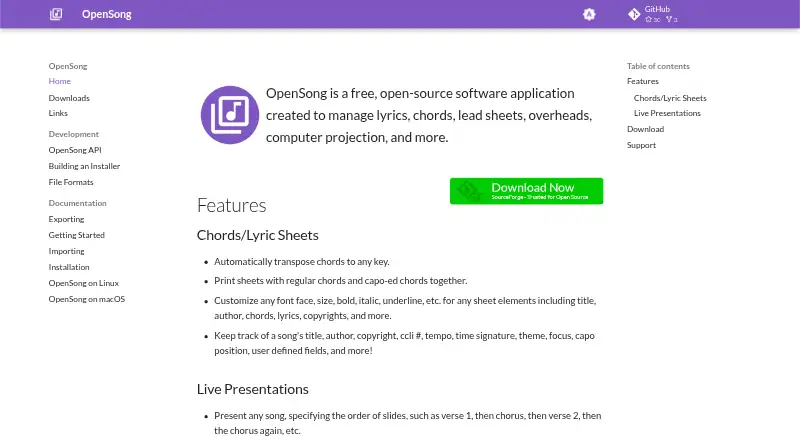
What OpenSong is
OpenSong is a free application for preparing and presenting songs and other material for worship and ministry. It manages lyrics, chords, scripture fragments, free text, images, and videos, with support for lyrics display, scripture display, media playback, and multi-screen output. For chord-based songs, it can transpose chords to another key and print sheets that show regular and capo chords together. Song records can store details including title, author, copyright, CCLI number, tempo, time signature, theme, focus, capo position, and user-defined fields.
Presenters can set the order of song slides, show Bible passages verse by verse, and assemble songs, scriptures, and timed slide loops into sets for consecutive presentation. Presentation text can use customized fonts, shadows, and outlines, with a color or image file as the background. OpenSong supports Windows, macOS, and Linux. Its API supports REST-style HTTP and WebSocket automation and remote control of core elements. It also works with Bitfocus Companion for Elgato Stream Deck.
Who it suits
OpenSong suits worship and ministry users who need to organize songs, scripture, and media for presentation. It is also relevant to users who need chord transposition, printable chord sheets, or automation through its API or Bitfocus Companion.
What it does well
- Free full application download.
- Handles songs, scripture, text, images, and videos.
- Automatically transposes song chords to another key.
- Combines songs, scripture, and timed loops in presentation sets.
- Offers multi-screen output and media playback.
- Supports Windows, macOS, and Linux.
What to know first
- Windows version is a 32-bit application.
- Windows support starts at Windows 7.
- The API uses a single authentication key.
Plans
| Plan | Billed and limits | Price |
|---|---|---|
| OpenSong | Full application download | Free |
As opensong.org lists them, read 8 Oct 2026. The maker's own page has the final word.
Getting started
- Visit the OpenSong website.
- Choose the release for Windows, macOS, or Linux.
- On Windows, use the installer, which includes a portable installation option.
- Prepare song records, scripture, or media for presentation.
Verdict
Choose OpenSong if you need a free tool to prepare songs, scripture, and media for worship presentations across Windows, macOS, or Linux. Its chord tools, presentation sets, and automation options cover several parts of that workflow. Look elsewhere if you need a Windows application that is not 32-bit.
Questions
Is OpenSong free?
Yes. The OpenSong plan is listed as free, with a full application download.
Which operating systems does it support?
OpenSong releases are listed for Windows, macOS, and Linux. Windows support is for Windows 7 and higher.
Can it display lyrics and scripture?
Yes. It supports lyrics and scripture display, as well as multi-screen output.
Can I transpose chords and print chord sheets?
Yes. OpenSong automatically transposes chords to any key and can print sheets with regular and capo chords together.
Does it integrate with other tools or offer an API?
It is supported by Bitfocus Companion for Elgato Stream Deck. Its API provides REST-style HTTP and WebSocket automation and remote control of core elements.
How does API authentication work?
The API uses one authentication key. Authentication is generally required for POST requests, while most GET requests do not require it.
Facts from OpenSong's own pages
- API
- The API provides REST-style HTTP and WebSocket automation and remote control for OpenSong core elements. · opensong.org, 8 Oct 2026
- API authentication
- The API uses a single authentication key; authentication is generally required for POST requests, while most GET requests do not require it. · opensong.org, 8 Oct 2026
- Chord sheets
- It can print sheets with regular chords and capo chords together. · opensong.org, 8 Oct 2026
- Chord transposition
- It automatically transposes chords to any key. · opensong.org, 8 Oct 2026
- Integrations
- OpenSong is supported by Bitfocus Companion for Elgato Stream Deck, and its module is part of the standard Companion distribution. · opensong.org, 8 Oct 2026
- Intended users
- The site describes the application as providing song and media presentation features for worship and ministry use. · opensong.org, 8 Oct 2026
- Operating systems
- The site lists releases for Windows, macOS, and Linux. · opensong.org, 8 Oct 2026
- Presentations
- Users can arrange song slides in a chosen order and present Bible passages verse by verse. · opensong.org, 8 Oct 2026
- Purpose
- OpenSong manages and presents songs, lyrics, chords, scripture fragments, free text, images, and videos. · opensong.org, 8 Oct 2026
- Sets and loops
- Sets can combine songs, scriptures, and timed slide loops for back-to-back presentation. · opensong.org, 8 Oct 2026
- Signing
- The Windows installer and application are digitally signed; the macOS application is signed and notarized. · opensong.org, 8 Oct 2026
- Song records
- Song records can include title, author, copyright, CCLI number, tempo, time signature, theme, focus, capo position, and user-defined fields. · opensong.org, 8 Oct 2026
- Support
- The site directs users to contact the development team through the OpenSong project on SourceForge. · opensong.org, 8 Oct 2026
- Visual styling
- Presentation text can use customized fonts, shadows, and outlines, with backgrounds set to a color or image file. · opensong.org, 8 Oct 2026
- Windows support
- OpenSong supports Windows 7 and higher, is a 32-bit application, and includes a portable installation with the installer. · opensong.org, 8 Oct 2026
Where OpenSong stands on Freedom251
- Church Presentation Software#9 of 35