Freedom251 › Church Presentation Software

DisplayWord
What DisplayWord is
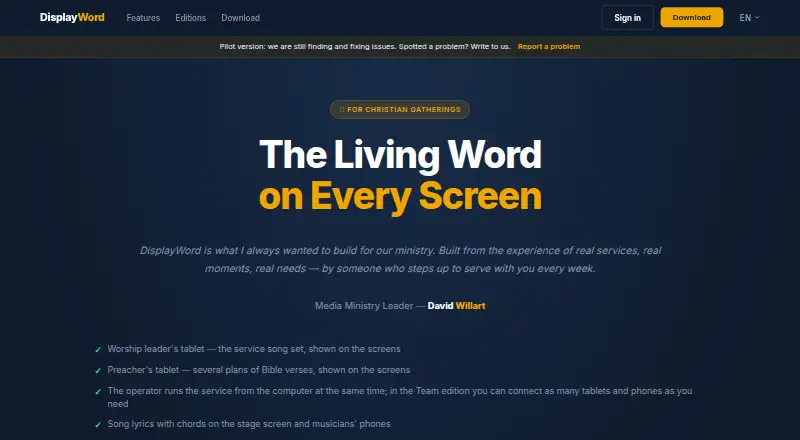
DisplayWord is worship presentation software for Christian churches, with editions for Bible, song, and multi-screen presentation. Its Church edition is free and includes a hall screen, Bible search by reference or text, sermon plans, a song library and editor, and PDF chord sheets. Bible presentation can show up to three translations. The editor supports chords within lyrics, vocalist-specific keys, and automatic transposition. Connect adds stage and preacher screens, live modulation, and customizable musician cues. Team adds browser-based musician screens, tablet preparation of setlists and sermon plans, multi-device screen control, and laptop sync. Musician screens run over the local network without internet or a separate app installation. The maker says the app works fully offline and requires no internet during services. Every edition includes Team features for 60 days after installation. Church is free; Connect is $24 per month and Team is $48 per month, with both paid plans listed as cancel anytime. DisplayWord describes itself as a pilot product and invites email reports about problems, prioritizing issues that disrupt services.
Who it suits
It suits churches looking for offline Bible, lyric, and worship-screen presentation, from house gatherings to congregations with worship teams and auditorium setups. Team is aimed at groups that want tablet-based preparation and browser screens for musicians.
What it does well
- Church edition is free.
- Works offline during services.
- Bible display supports up to three translations.
- Song editor supports automatic transposition.
- Team provides musician screens over the local network.
What to know first
- DisplayWord describes itself as a pilot product.
- Connect costs $24 per month.
- Team costs $48 per month.
- Output screen limit is four screens.
Limits
The free Church edition includes a hall screen, while stage and preacher screens are included in Connect. Output is limited to four screens; each edition includes Team features for 60 days after installation.
Plans
| Plan | Billed and limits | Price |
|---|---|---|
| DisplayWord Church | Hall screen and Bible · song library and editor · PDF chord sheets · offline · media and backgrounds | Free |
| DisplayWord Connect | per month · cancel anytime · Everything in Church · stage and preacher screens · live modulation · customizable musician cues | $24 a month |
| DisplayWord Team | per month · cancel anytime · Everything in Connect · web screens for musicians · tablet setlist and sermon preparation · multi-device screen control · laptop sync | $48 a month |
As displayword.com lists them, read 29 Sept 2026. The maker's own page has the final word.
Getting started
- Visit https://displayword.com/.
- Choose the Church, Connect, or Team edition.
- Install the app on macOS or Windows.
- Use the included 60-day Team features after installation.
- For musician browser screens, use Team on the local network.
Verdict
DisplayWord offers a free Church edition and paid tiers that add stage, preacher, and musician screens. The pilot status is worth weighing if service-disrupting issues would be a concern.
Questions
Is DisplayWord free?
Yes. DisplayWord Church is free. Connect costs $24 a month and Team costs $48 a month.
What platforms does it support?
The app supports macOS and Windows. Web screens can be viewed on phones and tablets.
Does it work without internet?
Yes. The maker says the app works fully offline and requires no internet during services. Team musician browser screens are served over the local network.
What does Team add?
Team adds web screens for musicians, tablet setlist and sermon preparation, multi-device screen control, and laptop sync to Connect features.
How long is the trial?
Every edition includes all Team features for 60 days after installation.
Facts from DisplayWord's own pages
- Bible presentation
- Church edition supports Bible search by reference or text, up to three translations on screen, and sermon plans. · displayword.com, 29 Sept 2026
- Headquarters
- Israel · displayword.com, 28 Sept 2026
- Integrations
- The maker's pricing page describes local-network browser screens and laptop sync but names no third-party integrations. · displayword.com, 29 Sept 2026
- Intended users
- The maker presents the product for churches ranging from house gatherings to congregations with worship teams and auditorium setups. · displayword.com, 29 Sept 2026
- Local network
- In Team, musicians' browser screens are served over the local network without requiring internet or app installation. · displayword.com, 29 Sept 2026
- Lyrics and chords
- The song editor supports chords placed in lyrics, vocalist-specific keys, automatic transposition, and printable PDF chord sheets. · displayword.com, 29 Sept 2026
- Offline use
- The app works fully offline, and the maker says no internet is required during services. · displayword.com, 29 Sept 2026
- Outputs
- Connect and Team include stage and preacher screens, while Church includes the hall screen. · displayword.com, 29 Sept 2026
- Pilot status and support
- DisplayWord describes itself as a pilot product, invites problem reports by email, and says it prioritizes issues that disrupt services. · displayword.com, 29 Sept 2026
- Platforms
- The pricing page says Windows 10 and 11 are supported, macOS is in development, and Linux is not planned. · displayword.com, 29 Sept 2026
- Product
- DisplayWord is worship presentation software for Christian churches. · displayword.com, 29 Sept 2026
- Security
- The maker says Team's web screens stay on the local network; the pages opened provide no security certification or compliance claim. · displayword.com, 29 Sept 2026
- Team collaboration
- Team lets leaders prepare setlists and sermon plans and control screens from tablets, while musicians view active song slides in a browser. · displayword.com, 29 Sept 2026
- Trial
- Every edition includes all Team features for 60 days after installation. · displayword.com, 29 Sept 2026
Where DisplayWord stands on Freedom251
- Church Presentation Software#4 of 35