Freedom251 › Time Clock Software

TimeClock Wizard
What TimeClock Wizard is
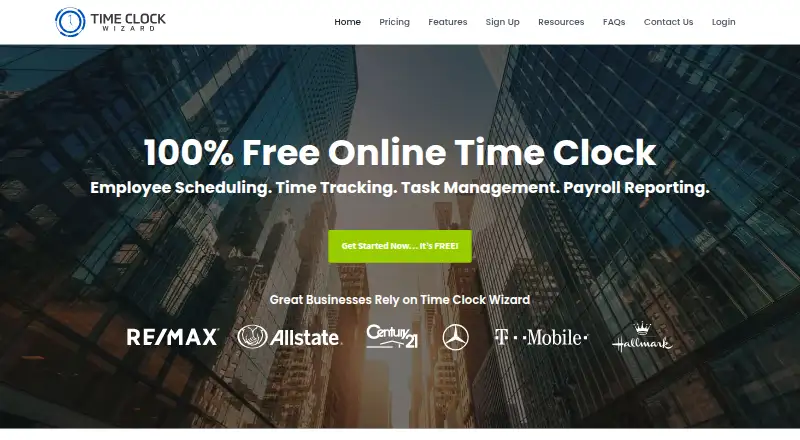
TimeClock Wizard is an online service for employee time tracking, scheduling, task management, and payroll reporting. Managers can adjust clock-in and clock-out records, round time, and receive text or email alerts about unscheduled punches. Employees can check schedules, request changes, and swap shifts from a dashboard. Managers can assign tasks to individuals or groups, set deadlines, and review progress and time spent. Location controls use smartphone GPS and IP recognition to report punch locations, and managers can limit where employees clock in. Timesheet and payroll data can sync with Intuit QuickBooks Online; schedules can connect with iCal, Outlook, or Google Calendar. The web service needs no installation, and iOS and Android apps support GPS clock-ins and clock-outs. The Free plan provides basic employee time tracking for unlimited users; Pro supports up to 50 users and adds scheduling and payroll reporting. Free plan; paid plans from $29.95/mo (annual). All plans include a 14-day trial of Pro features without requiring a credit card.
Who it suits
It suits employers that need employee time records alongside scheduling, task assignments, or payroll reporting. Mobile apps and location controls may be useful for teams clocking in at different places.
What it does well
- Free plan supports unlimited users for basic tracking
- Employees can request and swap shifts
- Managers can assign tasks and review time spent
- GPS and IP-based punch locations
- QuickBooks Online and calendar integrations
What to know first
- Free plan is limited to basic time tracking
- Pro supports up to 50 users
- Enterprise annual plan is $219.95 per month
Limits
The Free plan provides basic employee time tracking for unlimited users. Pro supports up to 50 users; its listed features include scheduling, time tracking, and payroll reporting.
Plans
| Plan | Billed and limits | Price |
|---|---|---|
| Free | Unlimited users · Basic employee time tracking | Free |
| Pro | Annual Payments: $49.95 (1–10 users), $79.95 (11–20), $89.95 (21–30), $109.95 (31–50); Monthly Payments: $54.95 (1–10 users), $84.95 (11–20), $99.95 (21–30), $119.95 (31–50) · Up to 50 users · Scheduling, time tracking, and payroll reporting | On request |
| Value | Annual Payments: $29.95 per month; Monthly Payments: $34.95 per month · Unlimited users · Time tracking, reporting, and support | On request |
| Enterprise | Annual Payments: $219.95 per month; Monthly Payments: $249.95 per month · Unlimited users · Pro features · Priority support · Dedicated account manager | On request |
As timeclockwizard.com lists them, read 5 Oct 2026. The maker's own page has the final word.
Getting started
- Visit the TimeClock Wizard website.
- Choose a plan; every plan includes a 14-day trial with Pro features and no credit card required.
- Access the service on the web without installing software, or use the Android or iOS app.
- Set up clock-in methods and permitted locations for employees.
- Connect QuickBooks Online for timesheet and payroll data, or connect a calendar for schedules.
TimeClock Wizard is a workforce service for recording hours, coordinating shifts, assigning tasks, and preparing payroll reports. It fits teams whose managers need attendance controls across web and mobile, particularly when punch locations matter. The free tier is useful for basic tracking, while scheduling and broader administration require a paid plan.
Overview
TimeClock Wizard puts employee time records, schedules, tasks, and payroll reporting in one system. Managers can correct punches and monitor work; employees can see schedules, request changes, and trade shifts. GPS and IP-based location reporting, permitted-clock-in restrictions, and QuickBooks Online synchronization make it more capable than a simple clock-in page.
Its central limitation is scope by plan. Free covers basic employee time tracking for unlimited users, but scheduling and payroll reporting begin in paid tiers. That makes the free edition suitable for straightforward attendance collection, not a complete workforce workflow.
Key features
Time tracking and attendance
Managers can edit clock-in and clock-out records, round time, and receive text or email alerts when an unscheduled punch occurs. Employees can clock in through a browser, Android or iOS app, a central computer or mobile device, or a desktop app using a four-digit PIN. Break tracking and attendance reports support routine payroll preparation, while multiple clock-in methods help mixed-device workplaces.
Scheduling and tasks
Employees view schedules in their dashboard, request shift changes, and swap shifts with coworkers. Managers assign tasks to individuals or groups, add due dates, and review status and time spent. These tools are most useful when supervisors need shift coordination and work follow-up alongside timesheets; they are unnecessary overhead for teams seeking only a basic clock.
Location, integrations, and security
Clockpoints report punch locations using smartphone GPS and IP recognition, and managers can limit clock-ins to approved locations. Mobile GPS punches therefore provide a practical attendance check for distributed or on-site teams, although location controls are less relevant to fully remote staff. Timesheet and payroll data sync with Intuit QuickBooks Online, while schedules can connect to iCal, Outlook, or Google Calendar. SSL encryption, regular backups, user-specific passwords, and two-factor authentication address routine account protection.
Pricing
Every plan includes a 14-day trial with Pro features, and no credit card is required. The service uses annual or monthly billing on paid tiers.
Free
Free costs nothing and allows unlimited users, but includes only basic employee time tracking. It is the sensible starting point for organizations that need no built-in scheduling or payroll reporting.
Pro
Pro supports up to 50 users and adds scheduling, time tracking, and payroll reporting. Annual payments are $49.95 for 1–10 users, $79.95 for 11–20, $89.95 for 21–30, and $109.95 for 31–50. Monthly payments are $54.95, $84.95, $99.95, and $119.95 for those same bands. The tier suits growing teams needing the core workforce set, but the 50-user ceiling can force a move to Enterprise.
Value
Value allows unlimited users and provides time tracking, reporting, and support. It costs $29.95 per month with annual payments or $34.95 per month with monthly payments. Choose it when unlimited headcount and reporting matter more than Pro scheduling features.
Enterprise
Enterprise supports unlimited users and includes Pro features, priority support, and a dedicated account manager. Annual payments cost $219.95 per month; monthly payments cost $249.95 per month. It is aimed at larger organizations that need unlimited capacity and named support rather than a low-cost deployment.
Platforms
The service is web-based, requires no installation, and works from an internet-connected device. Mobile apps are available for Android and iOS, including GPS clock-ins and clock-outs. Desktop PIN access, browser use, and central-device punching provide additional options for workplaces with shared equipment.
Who it's for
TimeClock Wizard is a good fit for small and midsize employers combining attendance, shift management, task assignments, and payroll preparation. It is especially appropriate where managers need location-aware punches and QuickBooks Online or calendar synchronization. Select another tool if you need only a minimalist clock, if your workforce exceeds Pro's 50-user limit without Enterprise pricing, or if scheduling and payroll reporting are not worth moving beyond Free.
Pros and cons
- Pros: Unlimited-user Free plan for basic tracking; broad clock-in choices; GPS/IP location controls; employee shift swaps; task due dates and time-spent tracking; QuickBooks Online and calendar integrations; two-factor authentication; phone, chat, and email support.
- Cons: Free omits scheduling and payroll reporting; Pro is capped at 50 users; Enterprise is expensive for smaller teams; the most complete feature set requires a paid subscription.
Alternatives
Compare the broader Time Clock Software directory when you want to review more products by category.
- ClockIt is a freemium alternative with an unlimited free tier and support across more platforms, including desktop and kiosk options.
- Fareclock suits buyers wanting GPS time tracking and shift scheduling with a paid model and a five-user Basic option.
- Jibble offers an unlimited free plan with two geofences and one work schedule.
- PunchFlow is aimed at very small teams, with a free tier for up to two employees.
- ClockOut provides a free plan for up to two people with GPS punches and basic scheduling.
- Punchly is a free early-access project for buyers comfortable with an independent product.
- PunchClock Pro offers web access with a free tier capped at 10 employees.
- Aladtec is a paid workforce option sold through a demo request.
Verdict
Choose TimeClock Wizard if you want location-aware time capture tied to scheduling, tasks, and payroll reporting, with an unlimited-user starting tier. Look elsewhere if basic clocking is all you need, if Pro's 50-user limit is restrictive, or if Enterprise support does not justify its higher monthly cost.
Verdict
TimeClock Wizard combines time records with scheduling, task oversight, and payroll reporting. Its free tier covers basic tracking for unlimited users, while more advanced plan features and user limits vary by tier.
Questions
Is there a free plan?
Yes. Free includes basic employee time tracking for unlimited users.
How much does TimeClock Wizard cost?
The listed starting price is $29.95/mo (annual). The Value plan is $29.95 per month with annual payments or $34.95 per month with monthly payments. Enterprise is $219.95 per month with annual payments or $249.95 per month with monthly payments.
Is there a free trial?
Yes. All plans include a 14-day trial with access to Pro features, and no credit card is required.
Which platforms can I use?
TimeClock Wizard is available on the web and offers Android and iOS mobile apps. The web service requires no software installation.
Which services does it integrate with?
Timesheet and payroll data sync with Intuit QuickBooks Online. Schedules can integrate with iCal, Outlook, or Google Calendar.
What support is available?
The company offers phone, chat, and email support. Enterprise lists priority support and a dedicated account manager.
Facts from TimeClock Wizard's own pages
- Integrations
- Time Clock Wizard syncs timesheet and payroll data with Intuit QuickBooks Online; schedules can also be integrated with iCal, Outlook, or Google Calendar. · timeclockwizard.com, 5 Oct 2026
- Limits
- The Free plan is described as basic employee time tracking for unlimited users, while Pro supports up to 50 users. · timeclockwizard.com, 5 Oct 2026
- Location controls
- Clockpoints use smartphone GPS and IP recognition to report punch locations, and managers can restrict permitted clock-in locations. · timeclockwizard.com, 5 Oct 2026
- Mobile apps
- The company offers mobile apps for iOS and Android, including GPS clock-ins and clock-outs. · timeclockwizard.com, 5 Oct 2026
- Product
- Time Clock Wizard provides online employee time tracking, scheduling, task management, and payroll reporting. · timeclockwizard.com, 5 Oct 2026
- Scheduling
- Employees can view schedules, request shift changes, and swap shifts with coworkers through their dashboard. · timeclockwizard.com, 5 Oct 2026
- Security
- The pricing page says the service uses SSL encryption and regular backups; its features page lists user-specific passwords and two-factor authentication. · timeclockwizard.com, 5 Oct 2026
- Support
- The company offers phone, chat, and email support, and the pricing page lists priority support and a dedicated account manager for Enterprise. · timeclockwizard.com, 5 Oct 2026
- Task management
- Managers can assign tasks to employees or groups, set due dates, and view task status and time spent. · timeclockwizard.com, 5 Oct 2026
- Time tracking
- Managers can edit clock-ins and clock-outs, round time, and receive text or email alerts about unscheduled punches. · timeclockwizard.com, 5 Oct 2026
- Trial
- All plans include a 14-day trial with access to Pro features and no credit card required. · timeclockwizard.com, 5 Oct 2026
- Web access
- The product is web-based and requires no software installation; the company says it can be accessed from an internet-connected device. · timeclockwizard.com, 5 Oct 2026
Where TimeClock Wizard stands on Freedom251
- Time Clock Software#6 of 28