Freedom251 › Construction Time Tracking Software

Fareclock
What Fareclock is
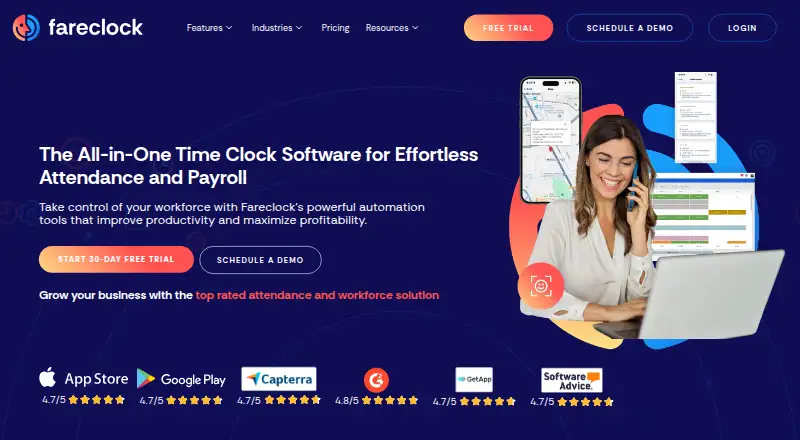
Fareclock is a workforce platform for time tracking, attendance monitoring, scheduling, multi-site coordination, and payroll calculations. Employees can clock in using smartphones or kiosks, with verification options including facial recognition, PIN, QR code, and NFC tags. GPS and geofencing let administrators set where clock-ins are allowed; Premium adds live GPS and breadcrumb history. Scheduling features cover shifts, pay-rate adjustments, and overtime rules. Its payroll calculator handles standard hours, overtime, pay rates, and job-based pay, while reports can show hours, job costing, labor costs, and overtime. Administrators can set up jobs and cost codes to track time by job, project, or phase. Fareclock lists API, Quickbooks, Xero, and custom payroll file export integrations. The mobile app can record clock-ins and outs offline, then sync after reconnecting. There is no free plan, but a 30-day trial is listed. Annual pricing starts at $1.38/user/mo; Pro and Premium add per-user charges and base fees.
Who it suits
Fareclock may suit teams in construction, engineering, manufacturing, warehousing, staffing, professional services, retail, or logistics that need attendance tracking and job costing. It is also relevant for employers coordinating staff across multiple sites or using location controls for clock-ins.
What it does well
- Supports smartphone and kiosk clock-ins.
- Offers facial, PIN, QR, and NFC verification.
- Geofencing controls permitted clock-in locations.
- Mobile app records time offline.
- Pro includes scheduling and job costing.
What to know first
- No free plan.
- 30-day trial only.
- Pro and Premium include base fees.
- Live GPS and breadcrumb history require Premium.
Limits
The Basic plan is listed for up to five users and is free for 30 days; Fareclock has no free plan. The lowest listed annual Pro rate is $1.38 per user per month plus a 9.17 USD monthly base fee.
Plans
| Plan | Billed and limits | Price |
|---|---|---|
| Basic | Up to 5 users | On request |
| Pro | $11.00 base + $1.65 per user · GPS time tracking · Shift scheduling · Job costing · Gross pay calculation · Time off · Integrations | $1.65 a month |
| Premium | $17.00 base + $2.50 per user · Everything in Pro · Live GPS and breadcrumb history · Forms · Real-time alerts · Attendance compliance · Credentialing | $2.50 a month |
| Enterprise | Custom pricing · Everything in Premium · Enterprise Account Manager · Priority Support · API Support Manager | On request |
| Basic plan | Up to 5 Users · Free for 30 Days | Free |
| Pro (yearly billing selector) | USD / MO; $ 9.17 base + $ 1.38 per user · GPS time tracking · Shift scheduling · Job Costing · Gross pay calculation · Time off · Integrations · Email & phone support | $16.25 a month |
| Pro (monthly) | USD / MO; $ 11.00 base + $ 1.65 per user · GPS time tracking · Shift scheduling · Job Costing · Gross pay calculation · Time off · Integrations · Email & phone support | $19.25 a month |
| Premium (yearly billing selector) | USD / MO; $ 14.17 base + $ 2.08 per user · Everything in Pro · Live GPS & breadcrumb history · Forms · Real-time alerts · Attendance compliance · Briefings · Credentialing · Personnel documents · Net pay calculation | $24.38 a month |
The first 8 of 9 plans, as fareclock.com lists them, read 22 Sept 2026. The maker's own page has the final word. Every plan
Getting started
- Visit https://www.fareclock.com/.
- Use the listed 30-day trial; Basic is listed for up to five users and free for 30 days.
- Choose a platform: Android, iOS, Linux, macOS, web, or Windows.
- Select a plan and billing term; annual Pro is listed at 9.17 USD base plus $1.38 per user per month.
- Set up clock-ins using smartphones, kiosks, facial recognition, PIN, QR code, or NFC tag.
Fareclock is a workforce timekeeping and coordination platform for employers managing hourly staff across sites and jobs. It is strongest for field and multi-location teams that need verified clock-ins alongside scheduling and job-cost reporting. Its layered controls can simplify workforce administration, but base fees and per-user charges make the total cost worth checking against team size.
Overview
Fareclock brings attendance monitoring, shift planning, time capture and payroll calculations together. Staff can clock in through smartphones or kiosks, with facial recognition, PIN, QR code and NFC verification as other options. GPS tracking and geofencing can limit clock-ins by location, while facial recognition is designed to reduce buddy punching. These controls suit employers who need confidence in where and by whom time is recorded, though teams with simple punch-clock needs may not need the added breadth.
Mobile clock-ins and clock-outs work offline and sync after a device reconnects, a practical advantage at sites with unreliable service. Administrators can assign jobs and cost codes to track labor by project or phase, then review job costs and labor reports. Payroll calculations account for standard hours, overtime, pay rates and job-based pay, but the product is a calculator and reporting tool rather than a stated replacement for a payroll provider.
Key features
Scheduling supports shifts, pay-rate adjustments and overtime rules. Combined with time-off tracking, break tracking and timesheet approvals, it gives managers a way to connect planned work with recorded attendance. Reports cover employee hours, overtime, job costing and labor costs, making the job and cost-code structure useful for organizations that need to understand labor by project rather than only by employee.
GPS time tracking and geofencing are available in Pro, while Premium adds live GPS and breadcrumb history. That distinction matters: employers who only need location-controlled punches can use the lower tier, but those who need a live view and movement history must pay for Premium. Premium also adds forms, real-time alerts, attendance compliance tools, briefings, credentialing, personnel documents and net-pay calculation.
Fareclock supports QuickBooks, Xero, API access and custom payroll file export as integrations. It says it maintains GDPR and Data Privacy Framework compliance, is self-certified under the EU-U.S. framework, and undergoes external penetration tests and security audits. Its About page also states that it provides 24-hour support; Pro includes email and phone support.
Pricing
Fareclock offers a 30-day trial and no permanent free plan. The Basic plan is free for 30 days and capped at five users, making it a short evaluation option rather than a lasting free tier.
- Pro: Annual billing is $ 9.17 base + $ 1.38 per user, billed USD / MO; the listed total is $16.25 a month. Monthly billing is $ 11.00 base + $ 1.65 per user, billed USD / MO; the listed total is $19.25 a month. Both include GPS time tracking, shift scheduling, job costing, gross-pay calculation, time off and integrations; the yearly-billing selector also lists email and phone support. Pro is the practical fit for teams needing core scheduling and job-cost tools without live GPS history.
- Premium: Annual billing is $ 14.17 base + $ 2.08 per user, billed USD / MO; the listed total is $24.38 a month. Monthly billing is $ 17.00 base + $ 2.50 per user, billed USD / MO; the listed total is $29.50 a month. It includes everything in Pro plus live GPS and breadcrumb history, forms, real-time alerts, attendance compliance, briefings, credentialing, personnel documents and net-pay calculation. This tier fits employers who need those oversight and personnel tools; its higher base and per-user fees are harder to justify for teams that only need clock-ins and payroll calculations.
- Enterprise: Custom pricing for everything in Premium, plus an enterprise account manager, priority support and an API support manager. It is aimed at organizations that need that added account and API support rather than a standard self-serve plan.
The annual selector's advertised starting rate is $1.38/user/mo, but the base charge means the actual monthly bill rises with both the base fee and headcount. Annual billing is cheaper than monthly billing at the displayed base and per-user rates. Basic's five-user limit and 30-day duration are the only stated free-use terms.
Platforms
Fareclock supports Android, iOS, Linux, macOS, web and Windows. Its mobile apps support offline clocking; the range of desktop and web platforms can also suit administrators working from different systems.
Who it's for
Fareclock is aimed at construction, engineering, manufacturing and warehousing, staffing and professional services, retail, and logistics and transport. It is especially relevant where employees work across sites or projects and managers need location checks, job-based labor reporting, or scheduling tied to overtime rules. Small teams should compare the base charge with the value of those controls; employers looking only for basic time capture may find the paid, feature-rich structure unnecessary.
Pros and cons
- Pros: Multiple verification methods, GPS and geofencing give employers flexibility in controlling clock-ins.
- Pros: Offline mobile punches sync on reconnection, helping preserve time records at poorly connected sites.
- Pros: Job and cost codes connect recorded hours with labor costs by project or phase.
- Pros: Scheduling, overtime rules and payroll calculations bring several workforce tasks into one platform.
- Cons: Both paid plans have base fees as well as per-user charges, which can weigh on smaller teams.
- Cons: Live GPS history and the broader compliance and personnel tools require Premium.
- Cons: Basic is a five-user, 30-day free option, not an ongoing free plan.
Alternatives
BusyBusy is worth considering for teams prioritizing a free plan with unlimited users; its Pro features include GPS breadcrumbing, supervisor tools, daily sign-offs, photos and notes, and scheduling. Miter Job Costing uses custom quotes based on company size, headcount and products, so it may suit buyers seeking a tailored quote and demo. CausewayOne Attendance, eBacon, Hammr Time and Assignar are other paid options for Android, iOS and web. mJob is a paid alternative with a free trial; its Essentials plan includes flexible field time entry, GPS geofencing, labor-law compliance, time automation, ERP integrations and offline mode. QuickBooks Time is another paid option for web, iOS and Android, with Premium and Elite plans each including one admin.
For broader category browsing, see Construction Time Tracking Software and Time Clock Software.
Verdict
Fareclock is a strong fit for multi-site or field employers who need location-controlled attendance, scheduling and labor costs tied to jobs. Its offline punches and range of verification methods address practical timekeeping challenges, while Premium adds meaningful live oversight. Choose Pro if core scheduling, GPS punches and job costing are enough; look elsewhere if a free ongoing plan or basic time capture matters more than Fareclock's added controls and base-plus-user pricing.
Verdict
Fareclock combines attendance tools with scheduling, job costing, payroll calculations, and location controls. Review the base-plus-per-user pricing and plan tier needed for features such as live GPS history.
Questions
Does Fareclock have a free plan?
No free plan is listed. Basic is listed as free for 30 days for up to five users, and the product has a 30-day trial.
What is the lowest listed Pro price?
With annual billing, Pro is listed at $1.38 per user per month plus a 9.17 USD monthly base fee.
Which platforms does Fareclock support?
The listed platforms are Android, iOS, Linux, macOS, web, and Windows.
What clock-in methods are available?
The listed methods are smartphones, kiosks, facial recognition, PIN verification, QR code verification, and NFC tag verification.
Which integrations are listed?
The pricing page lists API, Quickbooks, Xero, and custom payroll file export under Integrations.
What support does Fareclock provide?
Its About page states that it provides 24-hour support, guides, and videos. Pro lists email and phone support.
Facts from Fareclock's own pages
- Facial recognition
- Its facial recognition feature is designed to prevent buddy punching and ensure the right employee clocks in. · fareclock.com, 5 Oct 2026
- Headquarters
- Baltimore, Maryland, United States · fareclock.com, 28 Sept 2026
- Industries
- Fareclock highlights construction, engineering, manufacturing and warehousing, staffing and professional services, retail, and logistics and transport as industries it serves. · fareclock.com, 5 Oct 2026
- Integrations
- The pricing page lists API, Quickbooks, Xero, and custom payroll file export under Integrations. · fareclock.com, 5 Oct 2026
- Job costing
- Administrators can create jobs and cost codes to track time against jobs, projects, or phases and review costs in reports. · fareclock.com, 5 Oct 2026
- Location tracking
- GPS tracking and geofencing let administrators control where employees clock in, and Premium includes live GPS and breadcrumb history. · fareclock.com, 5 Oct 2026
- Offline use
- The mobile app can record clock-ins and clock-outs offline and automatically sync data after the device reconnects. · support.fareclock.com, 5 Oct 2026
- Payroll and reports
- The payroll calculator handles standard hours, overtime, pay rates, and job-based pay, and reports can cover employee hours, job costing, labor costs, and overtime. · fareclock.com, 5 Oct 2026
- Platforms
- Fareclock's system requirements name iOS and Android for the time clock app and Windows 10, Mac OS, iOS, and Android for desktop administration; Linux may work but is untested. · support.fareclock.com, 5 Oct 2026
- Product
- Fareclock describes itself as a SaaS platform for time tracking, attendance monitoring, adaptive scheduling, multi-site workforce coordination, and automated payroll. · fareclock.com, 5 Oct 2026
- Scheduling
- Fareclock offers shift scheduling, pay rate adjustments, and overtime rule support. · fareclock.com, 5 Oct 2026
- Security and privacy
- Fareclock says it is self-certified under the EU-U.S. Data Privacy Framework, maintains GDPR and DPF compliance, and undergoes regular external penetration tests and security audits. · fareclock.com, 5 Oct 2026
- Support
- Fareclock's About page states that it provides 24-hour support along with guides and videos; the Pro plan lists email and phone support. · fareclock.com, 5 Oct 2026
Where Fareclock stands on Freedom251
- Construction Time Tracking Software#3 of 19
- Attendance Management Software#7 of 20
- Time Clock Software#11 of 28