The Mock House
What The Mock House is
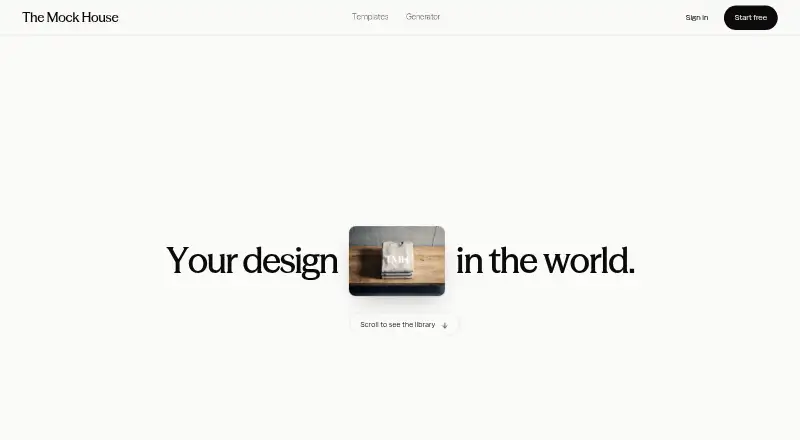
The Mock House creates mockups by placing uploaded artwork into scenes for posters, billboards, magazines, packaging, apparel, and signage. Users upload a PNG, JPG, or WEBP file, choose a scene, generate a mockup, and download it; the service says the process takes about ten seconds. Uploads can be any size. Exports include 4K JPEG, transparent PNG where supported, or 2K. On most templates, artwork is placed pixel for pixel with a perspective warp, while some curled paper and fabric scenes may appear softer. The service can be used from a phone, and each saved mockup gets a public link displaying a “Made with The Mock House” credit. The Free plan includes three mockups per month, 2K downloads, five saves, a watermark, and personal use. Creator costs $29 a month and includes 15 mockups monthly, 4K downloads, no watermark, and personal use. Studio costs $99 a month and includes a commercial license. Enterprise pricing is tailored to volume and includes dedicated support.
Who it suits
The Mock House suits people who need to place designs into product, advertising, or apparel scenes. Free and Creator are for personal use; Studio includes a commercial license, while Enterprise is described for brands and high-volume teams.
What it does well
- Accepts PNG, JPG, or WEBP uploads at any size.
- Exports include 4K JPEG and supported transparent PNG.
- Can generate and download mockups from a phone.
- Saved mockups receive a public link.
What to know first
- Free is limited to three mockups monthly.
- Free downloads are 2K and watermarked.
- Free and Creator are for personal use.
- Some curled paper and fabric scenes render softer.
Limits
Free allows three mockups per month, five saves, watermarked 2K downloads, and personal use only. The least expensive paid plan, Creator, allows 15 mockups per month and unlimited saves, but is still for personal use only; each mockup generated in bulk counts toward the monthly quota.
Plans
| Plan | Billed and limits | Price |
|---|---|---|
| Free | 3 mockups/month · every template · 2K downloads · 5 saves · watermark · personal use only | Free |
| Creator | Billed monthly · Cancel anytime · 15 mockups/month · 4K downloads · no watermark · unlimited saves · personal use only | $29 a month |
| Studio | Billed monthly · Cancel anytime · 15 mockups/month · 4K downloads · no watermark · unlimited saves · commercial license | $99 a month |
| Enterprise | Custom monthly volume · 4K downloads · no watermark · unlimited saves · commercial license · dedicated support | On request |
As themockhouse.com lists them, read 14 Oct 2026. The maker's own page has the final word.
Getting started
- Open the website or use the service on Android or iOS.
- Choose Free, Creator, Studio, or Enterprise according to the required allowance and license.
- Upload artwork as a PNG, JPG, or WEBP file.
- Choose a scene and generate the mockup.
- Download the result as an available JPEG, transparent PNG, or 2K file.
Overview
The Mock House turns uploaded artwork into scene-based mockups for formats from posters and packaging to apparel and storefronts. It is best suited to designers and small businesses that need presentation images quickly, including when working from a phone. Its broad scene range and high-resolution exports are appealing, but small monthly quotas and personal-use restrictions make plan choice consequential.
Key features
The workflow is straightforward: upload a PNG, JPG, or WEBP, select a scene, generate a mockup, then download it in about ten seconds. Files of any size are accepted. Scenes span billboards, magazine spreads, screens, totes, social posts, subway ads, and more, giving users a way to present a design in varied contexts without limiting the tool to one kind of product.
Downloads are available as 4K JPEG, 2K, or transparent PNG where supported. On most templates, artwork is placed pixel for pixel with a perspective warp, which should preserve detail well; curled-paper and fabric scenes can render a little softer. That distinction matters for designs with fine lines or small type, so those scenes deserve a closer look before choosing an export.
Paid users can generate multiple templates in bulk, but each result consumes one mockup from the monthly quota. Batching saves steps, not allowance: a 15-mockup plan can be used up quickly if a project needs many scene variations. The site also supports choosing templates, uploading, generating, and downloading on a phone, a useful option for mobile workflows.
Every saved mockup gets a public link that displays the image with a “Made with The Mock House” credit. That works for credited sharing, but is less suitable when the mockup needs to appear unbranded. Free and Creator are for personal use; Studio and Enterprise include a commercial license. On every plan, generated mockups cannot be resold, relicensed, redistributed, or repackaged as products in their own right.
The company says it does not sell personal data or use uploaded artwork to train models. Its policy names Supabase for accounts, database, and file storage; Stripe for billing; Google for image generation on some templates; Vercel for hosting and analytics; and Resend for service email.
Pricing
The Mock House is freemium, with paid plans from $29 per month. The free plan costs nothing and includes three mockups per month, every template, 2K downloads, five saves, a watermark, and personal use only. It is enough to try different scenes, but the low cap and watermark make it a poor fit for recurring client or business work.
Creator costs $29 a month, billed monthly, and can be canceled anytime. It raises the allowance to 15 mockups per month, adds 4K downloads and unlimited saves, and removes the watermark. It remains personal-use-only, so the higher resolution and cleaner output do not make it suitable for commercial projects.
Studio costs $99 a month, also billed monthly with cancellation anytime. It provides the same 15 monthly mockups, 4K downloads, no watermark, and unlimited saves as Creator, while adding a commercial license. That license is the key reason to choose Studio over Creator; the unchanged quota means it is not a higher-volume tier.
Enterprise has custom pricing tailored to volume. It includes custom monthly volume, 4K downloads, no watermark, unlimited saves, a commercial license, and dedicated support. The pricing page positions it for brands and teams running high volume, where the custom allowance and support matter more than a fixed monthly cap.
Platforms
The Mock House is available on the web, Android, and iOS. Its stated phone workflow covers template selection through download, making it more than a desktop-only option.
Who it's for
Choose The Mock House if you need fast, scene-based visuals across several formats and can work within a 15-mockup monthly ceiling or use Enterprise's custom volume. Free and Creator suit personal projects; businesses needing commercial use should consider Studio or Enterprise. Look elsewhere if you need to redistribute generated mockups as products, require higher fixed monthly volume, or need every shared preview free of a credit.
Pros and cons
Pros
- Scenes cover posters, packaging, apparel, signage, and other formats, useful for presenting one design in multiple settings.
- 4K JPEG and supported transparent PNG exports provide options for higher-resolution or background-free output.
- Phone use and a roughly ten-second generation workflow support quick work away from a desktop.
Cons
- Free is limited to three mockups monthly, while Creator and Studio allow 15; bulk generation still uses one quota slot per result.
- Commercial rights start at Studio, while generated work cannot be resold or redistributed as a product on any plan.
- Saved public links carry a The Mock House credit, and some curled-paper or fabric scenes may be softer.
Alternatives
Mediamodifier Mockup Generator is worth considering if its free templates, 100+ free design templates, 1300+ free fonts, and Unsplash and GIPHY integration better suit a design workflow; it also offers download or embed options.
Mockuuups Studio may suit users who want a large mockup collection and can use its Professional plan at $12 a month; its free collection is limited and requires attribution. Artboard Studio is another option, with a free starting tier and a Lite Plan at $108 a year, billed annually at $9.00 per month.
Cleanmock is a lower-cost web alternative at $4 a month for Premium, while its free tier has a watermark, standard 1x resolution, and limited downloads. Dynamic Mockups is worth a look when API access or batch exports are central: its free plan starts with 50 credits and includes watermarked API access.
Mockup Wish may fit users needing a stated five design mockups per month on its free plan or 50 per month on Starter at $12 a month. Mockupgenerator.ai offers unlimited free mockup downloads and high-resolution exports on its free account, a different trade-off for users who prioritize download volume.
MockUPhone is a free, open-source web tool for wrapping app screenshots in device mockups.
Browse more options in Mockup Generator Software or Mockup Libraries.
Verdict
The Mock House is a good fit for individuals who want varied scene mockups quickly, especially for personal work or phone-based creation. Its strongest case is the combination of broad scenes and high-resolution export options; its main weakness is the tight monthly allowance, with commercial use requiring the much more expensive Studio tier. Choose it when those limits match your work, and look elsewhere if you need generous volume or redistribution rights.
Verdict
The Mock House offers scene-based mockups with several export options and use from a phone. Check monthly quotas and license terms, especially if you need commercial use or plan to redistribute generated work.
Questions
Is The Mock House free?
Yes. The Free plan costs 0.00 USD and includes three mockups per month, every template, 2K downloads, five saves, a watermark, and personal use.
What do the paid plans cost?
Creator is $29 a month and Studio is $99 a month, both billed monthly and cancellable anytime. Enterprise pricing is tailored to volume.
Can I use mockups commercially?
Studio and Enterprise include a commercial license. Free and Creator are for personal use, and mockups cannot be resold, relicensed, redistributed, or repackaged as products in their own right on any plan.
Which platforms can I use?
The Mock House is available on Android, iOS, and web. The site says users can select templates, upload artwork, generate mockups, and download them from a phone.
What files can I upload and download?
Uploads can be PNG, JPG, or WEBP at any size. Downloads are available as 4K JPEG, 2K, or transparent PNG where supported.
Does it offer bulk generation?
Paid users can generate sets of templates in bulk. Each generated mockup counts against the monthly quota.
Facts from The Mock House's own pages
- API and SDKs
- The maker's public navigation lists Generator, Templates, Pricing, Guides and FAQ, with no API or SDK documentation link shown. · themockhouse.com, 14 Oct 2026
- Aspect-ratio guidance
- Templates show recommended aspect ratios and the editor includes a crop tool locked to the selected ratio. · themockhouse.com, 14 Oct 2026
- Availability limitation
- The terms do not guarantee uninterrupted service and allow features or templates to change or be removed. · themockhouse.com, 14 Oct 2026
- Bulk generation
- Paid users can generate a set of templates in one bulk operation, with every generated mockup counting toward the monthly quota. · themockhouse.com, 14 Oct 2026
- Commercial license
- Studio and Enterprise plans include a commercial license; Free and Creator are for personal use. · themockhouse.com, 2 Oct 2026
- Commercial rights
- Studio and Enterprise plans permit use in paid client work, campaigns, products and packaging. · themockhouse.com, 14 Oct 2026
- Company identity
- The website footer identifies the maker as The Mock House and shows a 2026 copyright notice. · themockhouse.com, 14 Oct 2026
- Data rights
- Users can request access, correction, export or deletion of personal data. · themockhouse.com, 14 Oct 2026
- Documentation depth
- The public site exposes guides and an FAQ covering workflow, formats, licensing, exports, bulk generation and sharing. · themockhouse.com, 14 Oct 2026
- Export formats
- Downloads can be 4K JPEG, transparent PNG where supported, or 2K output. · themockhouse.com, 14 Oct 2026
- Exports
- Downloads are available as 4K JPEG, transparent PNG where supported, or 2K. · themockhouse.com, 2 Oct 2026
- Founded
- No founding year is stated on the official pages opened. · themockhouse.com, 14 Oct 2026
- Headquarters
- No headquarters location is stated on the official pages opened. · themockhouse.com, 14 Oct 2026
- Independent documentation assessment
- EZToolset marked the product as fully documented in its ranking methodology. · eztoolset.com, 14 Oct 2026
- Independent ease-of-access assessment
- EZToolset noted that the product opens in a browser and requires no installation. · eztoolset.com, 14 Oct 2026
- Independent platform listing
- EZToolset described the product as browser-based and also listed Android and iPhone availability. · eztoolset.com, 14 Oct 2026
- Independent price assessment
- EZToolset listed a free plan and a first paid tier of $29 per month, describing that price as relatively expensive in its comparison. · eztoolset.com, 14 Oct 2026
- Independent ranking
- EZToolset listed The Mock House at number 13 in its 2026 mockup-library ranking with a 7.2 score. · eztoolset.com, 14 Oct 2026
- Licence status
- The terms assign the templates, scenes, brand, software and service to The Mock House and prohibit copying, scraping and reverse engineering. · themockhouse.com, 14 Oct 2026
- Limit: commercial tier
- Commercial licensing begins at the Studio plan, leaving Free and Creator unsuitable for paid client work. · themockhouse.com, 14 Oct 2026
- Limit: free watermark
- Free-plan downloads carry a small watermark. · themockhouse.com, 14 Oct 2026
- Limit: no standalone resale
- Users cannot sell generated mockups as stock, templates, downloads or bundled asset packs. · themockhouse.com, 14 Oct 2026
- Limit: scene softness
- Organic scenes involving curled paper or fabric may render less sharply than flat surfaces. · themockhouse.com, 14 Oct 2026
- Mobile browser use
- The maker says users can select templates, upload, generate and download from a phone. · themockhouse.com, 14 Oct 2026
Where The Mock House stands on Freedom251
- Mockup Libraries#17 of 27
- Mockup Generator Software#17 of 24