Freedom251 › Mockup Generator Software

Mediamodifier Mockup Generator
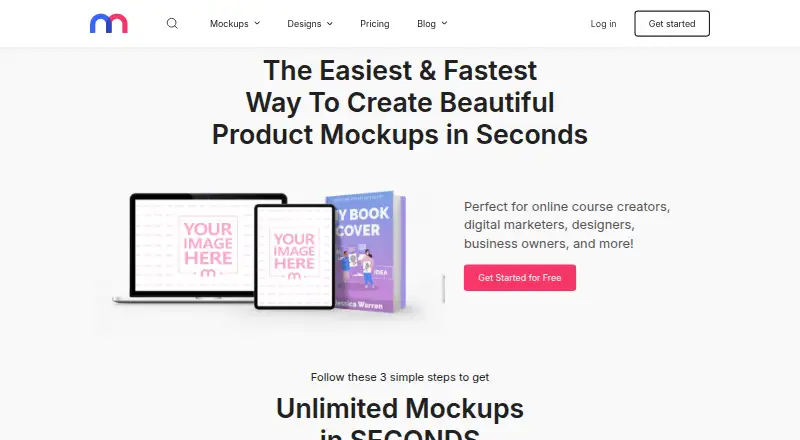
What Mediamodifier Mockup Generator is
Mediamodifier Mockup Generator is a browser-based editor for creating product mockups and marketing visuals from online templates. Its library contains more than 4,000 mockup templates across technology, logo, marketing, print, product, apparel, image effects and social media categories. Users upload an image and customize a design by changing text, adding graphics or adjusting colors. Finished work can be downloaded as JPG, PNG or PSD files, or published directly to social media. The Starter plan is free and lists free mockup and design templates, more than 1,300 free fonts, Unsplash and GIPHY integrations, downloads or embeds, and social publishing. Professional costs $15.83 a month billed yearly and includes unlimited downloads, storage and a commercial licence. The Team plan costs $37.50 a month billed yearly, includes five team members and Mockup API access. The API supports template lookup, mockup details, layer customization and high-resolution rendering; its demo package is limited to selected mockups and 100 renders per month. The editor works in modern web browsers without software installation.
Who it suits
The generator suits designers, digital marketers, online course creators and business owners who need mockups or marketing visuals. The API may suit services that want to render mockups in e-commerce catalogs, print previews or design software.
What it does well
- Library includes more than 4,000 mockup templates.
- Editor supports text, graphics and color changes.
- Exports JPG, PNG and PSD files.
- Supports direct social media publishing.
- Browser access requires no software installation.
What to know first
- No free trial is listed.
- API demo is limited to selected mockups.
- API demo allows 100 renders monthly.
- Professional price is billed yearly.
Limits
The free Starter plan provides free mockup and design templates. Professional is the lowest priced paid plan at $15.83 a month when billed yearly and includes unlimited downloads, unlimited storage, all mockups and designs, and a commercial licence.
Plans
| Plan | Billed and limits | Price |
|---|---|---|
| Starter | free account · no credit card required · selected free mockups | Free |
| Professional | billed yearly, excl. VAT · unlimited downloads · all mockups and designs · unlimited storage · commercial licence · cancel anytime | $15.83 a month |
| Team | billed yearly, excl. VAT · Professional features · Mockup API · 5 team members · shared brand assets · centralized account access | $37.50 a month |
| Mockup API | monthly · up to 5,000 render calls · custom enterprise plans available | $499 a month |
As mediamodifier.com lists them, read 15 Oct 2026. The maker's own page has the final word.
Getting started
- Open https://mediamodifier.com/mockup-generator in a modern web browser.
- Choose the free Starter plan or a paid plan.
- Select a mockup or design template from the library.
- Upload an image and customize text, graphics, or colors.
- Download the finished design, embed it, or publish it to social media.
Mediamodifier Mockup Generator is a browser-based editor for creating product mockups and marketing visuals from online templates. It suits creators and businesses that want a broad choice of ready-made scenes and several export formats without installing software. Its main trade-off is a free tier with limited mockup access against paid plans that unlock unlimited downloads or API workflows.
Overview
The library spans more than 4,000 mockup templates across technology, logos, marketing, print, products, apparel, image effects and social media. Upload an image, then adjust text, graphics and colors in the browser. That range makes the service useful for producing varied promotional visuals from one editor, though template-led work is a better fit than projects requiring a different kind of design tool.
Finished designs can be downloaded as JPG, PNG or PSD, embedded, or published directly to social media. The browser-based setup works on modern browsers without an installation, which lowers the barrier for occasional users and distributed teams. Users retain control of their created content, which is private by default; the company also describes security measures for personal information and site data.
Key features
Template editing and exports
More than 4,000 templates offer breadth across product imagery and marketing use cases. Image uploads, text and graphic additions, and color changes provide practical customization without requiring a separate installed editor. JPG and PNG suit common image sharing, while PSD gives users an editable file format; browser editing also means the workflow starts online.
Publishing and API
Direct social publishing and design embedding make the tool useful beyond downloading static files. Starter includes Unsplash and GIPHY integrations, adding access to those services within the free tier.
The Mockup API supports template listing, mockup detail retrieval, layer customization and high-resolution rendering. Its described applications include print-shop previews, e-commerce catalog imagery, packaging visualization and embedding mockups in design software. The demo package is limited to selected mockups and 100 renders per month, so it is best treated as a way to explore API workflows rather than a high-volume production allowance.
Pricing
Mediamodifier is freemium, with no free trial. Starter costs nothing and includes free mockup templates, 100+ free design templates, 1300+ free fonts, Unsplash and GIPHY integration, downloads or embedding, social publishing and free image tools. It gives casual users a way to make and share designs, but does not include the unlimited downloads or commercial licence offered by Professional.
Professional costs $15.83 a month, billed yearly. It includes unlimited downloads, all mockups and designs, unlimited storage, a commercial licence and cancellation anytime. This is the clearest fit for individual creators and businesses producing mockups regularly or using them commercially; the annual billing is the important commitment despite the monthly price presentation.
Team costs $37.50 a month, billed yearly, and includes Mockup API access, five team members, shared brand team assets and centralized account access. Extra members cost 90 USD/year. It suits teams that need shared assets and API access, but the added-seat charge matters as the group grows.
Mockup API costs $499 a month for up to 5000 API render calls per month, with custom enterprise plans available. That tier is aimed at businesses integrating rendering into a product or workflow; it is a substantial step up from the 100-render monthly demo. The 100-asset count associated with the product is also worth weighing alongside the broader template-library description.
Platforms
The editor is browser based and runs on modern web browsers without installation. The product is categorized for web, Android and iOS, and its API provides a separate route for software integrations. The browser workflow is convenient for users who do not want to install an editor, while API-oriented work belongs on the Team or Mockup API plans.
Who it's for
The service is suited to online course creators, digital marketers, designers and business owners who need product mockups or marketing visuals. Starter can serve occasional, non-commercial work; Professional is more appropriate for recurring downloads and commercial use. Teams needing shared brand assets or programmatic rendering have a reason to consider the Team tier, while the standalone API plan is for higher-volume integration needs.
Pros and cons
- Broad template range: More than 4,000 mockup templates span product, apparel, print and social categories, giving creators options for varied campaigns.
- Useful output paths: JPG, PNG and PSD downloads, embedding and direct social publishing cover several ways to use completed designs.
- Free entry point: Starter combines free templates, fonts, integrations and publishing, making it useful for exploring the workflow without a subscription.
- Commercial use requires payment: The commercial licence is included with Professional, so Starter is not the right choice for users who need that licence.
- Annual billing on core paid plans: Professional and Team are billed yearly, which may be a poor fit for users seeking a short commitment despite cancellation being allowed on Professional.
- API pricing scales sharply: Team provides API access, but the dedicated API plan costs $499 a month for up to 5000 calls; high-volume integration has a much higher entry cost.
Alternatives
Consider the Mockuuups Studio if a desktop option matters: it supports Linux, macOS, web and Windows, offers a free collection with attribution required, and has a Professional plan at $12 a month billed monthly with 5300+ mockups.
The Mock House is an alternative for users wanting Android, iOS and web access; its free tier allows three mockups per month, 2K downloads and five saves, but adds a watermark and limits use to personal purposes.
Choose Artboard Studio if its web and extension platforms and annual Lite and Pro plans better suit your workflow. Cleanmock is another web option, with a free tier that imposes a watermark, standard 1x resolution and limited downloads.
Dynamic Mockups may suit API-focused users looking for a web and API service with a free one-time balance of 50 credits, one catalog, three saved templates and watermarked API access. Mockup Wish offers a free web plan with five design mockups per month, three alpha and clipart mockups, one brand kit, and logo and watermark.
MockUPhone is a free, open-source web tool for wrapping app screenshots in device mockups. MockupKit is worth considering for a free API-enabled web option, with 25 mockups per month, 1,000+ templates, standard resolution, community support, basic API access and 1 GB of storage.
Browse more options in Mockup Generator Software or Mockup Libraries.
Verdict
Mediamodifier is a strong choice for creators and businesses that want extensive mockup templates, browser editing and flexible publishing and export options in one service. Professional makes the most sense for recurring commercial work, while Starter is a useful entry point for limited needs. Look elsewhere if you need a lighter monthly commitment, or if you need substantial API rendering without moving to a high-cost plan.
Verdict
Mediamodifier combines a large template library with browser editing, several download formats and direct social publishing. The free Starter tier is available, while unlimited downloads and a commercial licence are listed with the yearly-billed Professional plan.
Questions
Is Mediamodifier Mockup Generator free?
Yes. Its Starter plan is free and includes free mockup and design templates, fonts, Unsplash and GIPHY integration, social publishing, and free image tools.
How much do the paid plans cost?
Professional costs $15.83 a month when billed yearly. Team costs $37.50 a month when billed yearly, and Mockup API costs $499 a month for up to 5,000 API render calls.
Which file formats can I download?
Mockups can be downloaded as JPG, PNG, or PSD files.
Can I use it without installing software?
Yes. The editor is browser based and works on modern web browsers without software installation.
What does the Mockup API do?
It supports template listings, mockup details, layer customization, and high-resolution image rendering. Its demo package includes selected mockups and 100 renders per month.
Who operates Mediamodifier?
MEDIAMODIFIER OÜ operates the site and is based in Tallinn, Estonia.
Facts from Mediamodifier Mockup Generator's own pages
- API
- The Mockup API supports listing templates, retrieving mockup details, customizing layers, and rendering high resolution images. · mockup-api.mediamodifier.com, 3 Oct 2026
- API demo
- The provider offers a free API demo account allowing 100 renders. · mockup-api.mediamodifier.com, 15 Oct 2026
- API documentation
- The API page links to a getting-started documentation guide, but that linked guide currently returns a 404 error. · docs.mediamodifier.com, 15 Oct 2026
- API inputs
- API users can select existing templates, upload PSD files or commission custom mockups. · mockup-api.mediamodifier.com, 15 Oct 2026
- API purpose
- The Mockup API renders mockups programmatically inside another application's backend. · mockup-api.mediamodifier.com, 15 Oct 2026
- API scalability
- The API is described as AWS-scalable with no technical call ceiling and supports caching rendered images when permitted. · mockup-api.mediamodifier.com, 15 Oct 2026
- API trial limit
- The API demo package provides selected mockups and a monthly limit of 100 renders. · mockup-api.mediamodifier.com, 3 Oct 2026
- API use cases
- The API page describes use cases including print shop previews, e-commerce catalog images, packaging visualization, and embedding in design software. · mockup-api.mediamodifier.com, 3 Oct 2026
- Apple app requirements
- The iOS app requires iOS 13 or later; its Mac version requires macOS 11 or later on an Apple M1-or-newer Mac. · apps.apple.com, 15 Oct 2026
- Browser access
- The product is browser based and works on modern web browsers without software installation. · mediamodifier.com, 3 Oct 2026
- Browser requirement
- The main product is cloud-based and intended to work in modern web browsers with an internet connection. · mediamodifier.com, 15 Oct 2026
- Company
- The Terms of Use identify the site owner and operator as MEDIAMODIFIER OÜ and give an address in Tallinn, Estonia. · mediamodifier.com, 3 Oct 2026
- Company founding
- LinkedIn lists Mediamodifier as founded in 2016. · linkedin.com, 15 Oct 2026
- Company legal entity
- The legal entity is listed as Mediamodifier OÜ. · crunchbase.com, 15 Oct 2026
- Company location
- Crunchbase lists headquarters in Tallinn, Harjumaa, Estonia. · crunchbase.com, 15 Oct 2026
- Company size
- LinkedIn lists a company size of 2–10 employees. · linkedin.com, 15 Oct 2026
- Content licence
- Terms allow electronic or print use and derivative works but prohibit reselling or redistributing the underlying templates and images. · mediamodifier.com, 15 Oct 2026
- Drag-and-drop editor
- Users arrange and customize visual elements through a drag-and-drop interface. · mediamodifier.com, 15 Oct 2026
- Editing
- Users can upload an image and customize mockups by changing text, adding graphics, and changing colors. · mediamodifier.com, 3 Oct 2026
- European development grant
- A Mediamodifier OÜ notice says it received a EUR 177,309 European Regional Development Fund grant for a mobile video-processing application. · mediamodifier.com, 15 Oct 2026
- Export formats
- The mockup generator supports JPG, PNG and Photoshop PSD downloads. · mediamodifier.com, 15 Oct 2026
- Exports
- The product page says mockups can be downloaded as JPG, PNG, or PSD files. · mediamodifier.com, 3 Oct 2026
- Headquarters
- Tallinn, Estonia · mediamodifier.com, 28 Sept 2026
- Integrations
- The Starter plan lists Unsplash and GIPHY integrations, and the pricing page also offers social media publishing. · mediamodifier.com, 3 Oct 2026
Where Mediamodifier Mockup Generator stands on Freedom251
- Mockup Generator Software#1 of 24
- Mockup Libraries#2 of 27