Freedom251 › On-Call Scheduling Software

TaskCall
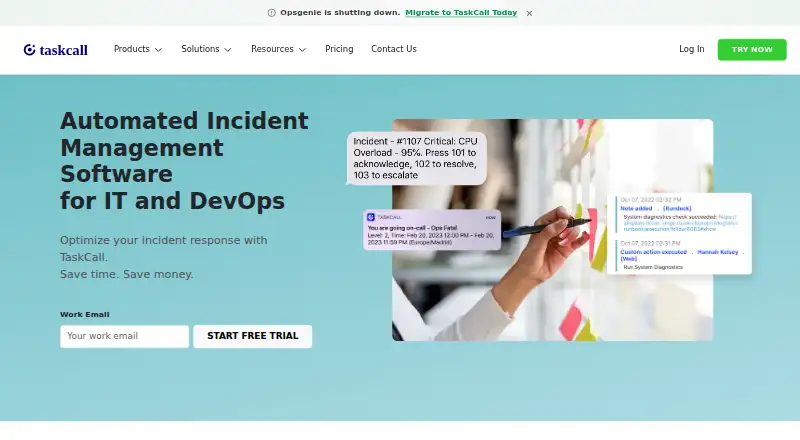
What TaskCall is
TaskCall is automated incident management software for IT and DevOps. It provides rotational on-call schedules with multiple support levels and automatic escalation, plus custom incident rules, diagnostics, health checks, content-based alert suppression, and AI-enabled alert grouping. Teams can collaborate through Microsoft Teams, Slack, and Google Chat. Connections to ITSM tools such as Jira and Monday, and ticketing tools such as Zendesk and Freshdesk, add incident context. Email and API integrations are also available, as are mobile apps for iOS and Android. TaskCall says its security program includes encryption in transit and at rest, role-based access, continuous monitoring, vulnerability management, and annual third-party audits. The company states that it has SOC 2 Type II certification and operates in compliance with HIPAA. A free plan supports up to five users, with unlimited API calls, email triggers, push notifications, email alerts, escalation policies, and on-call scheduling. Paid plans start at $9 a month. The 14-day trial promotes an account to Business before reverting to the initially selected plan; paid billing starts after the trial. Live Call Routing has separate per-number and per-minute fees.
Who it suits
TaskCall suits IT and DevOps teams that need on-call scheduling, escalation, and incident coordination. Its integrations may also suit support teams that need incident context alongside ticketing tools.
What it does well
- Free plan supports up to five users.
- Includes unlimited escalation policies and on-call scheduling.
- Offers mobile apps for iOS and Android.
- 24x7 customer support is included on every plan.
- SOC 2 Type II certification is stated.
What to know first
- Live Call Routing has separate usage fees.
- The trial starts on Business before reverting to the chosen plan.
- Paid billing starts after the trial.
Limits
The Free plan allows up to five users. The 14-day trial promotes an account to Business, then reverts to the initially chosen plan; paid billing starts after the trial.
Plans
| Plan | Billed and limits | Price |
|---|---|---|
| Business | /month · Everything from the Starter plan · automated incident response · business manager communications · team controls · advanced user roles · unlimited data access · incident workflows | $19 a month |
| Digital Operations | /month · Everything from the Business plan · real time data analysis · advanced analytics for vulnerability management · customizable dashboards · stakeholder users · automated reports · AIOps · intelligent noise reduction · AI enabled resolution · AI generated postmortem | $29 a month |
| Starter | /month · Everything from the Free plan · unlimited global SMS and voice call notifications · enhanced data control and redaction · conditional routing · heartbeat monitoring | $9 a month |
| Free | /month · Up to 5 users · unlimited API calls and email triggers · unlimited push notifications and email alerts · unlimited escalation policies and on-call scheduling | On request |
As taskcallapp.com lists them, read 1 Oct 2026. The maker's own page has the final word.
Getting started
- Visit https://taskcallapp.com/.
- Choose a plan, including the Free plan, or start the 14-day free trial.
- Use the trial as it promotes the account to Business, then returns it to the initially selected plan.
- Connect collaboration, ITSM, ticketing, email, or API integrations as needed.
- Install the mobile app for iOS or Android if you want mobile access.
TaskCall is incident-management software for IT and DevOps teams that need to coordinate on-call coverage and incident response. It suits teams looking to bring scheduling, alert handling, and collaboration together; its appeal is strongest when those workflows matter more than keeping every cost within a simple per-user subscription.
Overview
TaskCall combines rotational schedules, escalation, alert automation, and incident collaboration. Multiple support levels and handoff tools help structure who responds and when, while alert suppression, grouping, and custom rules can help teams manage incoming noise. Integrations with chat, ITSM, and customer-support tools carry incident work into systems teams may already use.
The free plan supports up to five users and includes unlimited API calls, email triggers, push notifications, email alerts, escalation policies, and on-call scheduling. That is a useful starting point for a small team, though broader response and control features sit in paid plans. Live Call Routing is billed separately, and the trial changes the account to Business temporarily before returning it to the initially selected plan.
Key features
On-call schedules and alert handling
Dynamic rotational schedules, multiple support levels, escalation policies, and handoffs give teams a way to organize coverage rather than rely on ad hoc paging. Content-based alert suppression and AI-enabled grouping address alert volume, while custom incident rules, diagnostics, and health checks support incident triage. This range is useful for teams that want scheduling and alert processing in the same service; it may be more than a small operation needs if its only requirement is basic paging.
Collaboration and integrations
TaskCall connects incident collaboration to Microsoft Teams, Slack, and Google Chat. It also integrates with ITSM tools such as Jira and Monday, and ticketing tools including Zendesk and Freshdesk, giving support agents incident context. Email and API integrations sit alongside external integrations across monitoring, chat operations, ITSM, and ticketing. The breadth can help keep response connected across functions, but the value depends on whether a team's systems are represented in those integration categories.
Security and support
TaskCall states that it uses encryption in transit and at rest, role-based access controls, continuous monitoring, vulnerability management, and annual third-party audits. It states that it has SOC 2 Type II certification and operates in compliance with HIPAA. The company advertises 24x7 customer support on every plan, including Free, a notable provision for a small team starting without a paid subscription.
Pricing
TaskCall is freemium, with paid plans billed monthly per user and a 14-day free trial. The trial promotes the account to Business; afterward it reverts to the initially chosen plan, and paid billing starts after the trial. Teams should confirm their intended plan before starting, rather than assume the trial remains on the selected tier.
| Plan | Price | What it adds |
|---|---|---|
| Free | Price not listed | Up to 5 users; unlimited API calls, email triggers, push notifications, email alerts, escalation policies, and on-call scheduling. |
| Starter | $9 a month | Everything in Free, plus unlimited global SMS and voice call notifications, enhanced data control and redaction, conditional routing, and heartbeat monitoring. |
| Business | $19 a month | Everything in Starter, plus automated incident response, business manager communications, team controls, advanced user roles, unlimited data access, and incident workflows. |
| Digital Operations | $29 a month | Everything in Business, plus real-time data analysis, vulnerability-management analytics, customizable dashboards, stakeholder users, automated reports, AIOps, intelligent noise reduction, AI-enabled resolution, and AI-generated postmortems. |
Starter is the paid entry point for teams needing SMS and voice notifications, conditional routing, or heartbeat monitoring beyond the free tier. Business is the step up for teams that need automated response, workflows, and stronger team controls. Digital Operations targets organizations seeking analytics, reporting, and AI-assisted incident work; its additional capabilities are difficult to justify for teams that do not need those functions. The Free plan's five-user ceiling is the key constraint for growing teams.
Live Call Routing costs $5 per registered number, plus $0.10 per minute in the United States and Canada or $0.35 per minute elsewhere. Those usage charges should be added to a plan comparison if call routing is central to the response process.
Platforms
TaskCall is available on Android, iOS, and the web, with an API for integrations. Its mobile apps let responders access the service beyond a desktop workflow.
Who it's for
TaskCall is a good fit for IT and DevOps teams that need formal rotations, escalation, alert management, and collaboration across chat, ITSM, or support systems. Small teams can start with the free plan's scheduling and notification allowances, while larger or more process-heavy teams can move into response automation and analytics. It is less compelling for teams seeking only a basic pager, or for organizations that want call routing without additional usage costs.
Pros and cons
- Pros: Free includes up to five users and unlimited scheduling, escalation, API calls, and several notification types, giving small teams a substantial base workflow.
- Pros: The feature set spans dynamic rotations, alert suppression and grouping, incident rules, diagnostics, and health checks, covering several stages of response.
- Pros: Collaboration integrations connect with Microsoft Teams, Slack, and Google Chat, while ITSM and ticketing integrations can bring incident context to other teams.
- Pros: The vendor advertises 24x7 support on every plan, including Free.
- Cons: Free is limited to five users, so a team that grows beyond that needs a paid plan.
- Cons: Live Call Routing adds per-number and per-minute charges, with higher per-minute pricing outside the United States and Canada.
- Cons: The 14-day trial temporarily promotes accounts to Business, then returns them to the initially selected plan; paid billing starts after the trial, so the transition requires attention.
Alternatives
- On-Call Scheduling Software and On-Call Management Software are useful directories for comparing products across those categories.
- incident.io is worth considering for teams that want native Slack or Microsoft Teams incident response, a single-team on-call setup, and a status page on its free Basic plan.
- OpsKnight may suit teams seeking a free, self-hosted, AGPL-3.0-only community option with one status page per installation.
- PagerDuty offers a free Incident Management plan for five users, one on-call schedule, and one escalation policy, making it an option for teams whose needs fit those limits.
- PagerTree has a free Basic plan for up to five users and two teams, with three months of data retention and community support; consider it if those limits fit your team.
- IncidentRelay is a free, open-source, self-hosted alternative.
- MonoDuty has a free plan limited to one user, one team, one on-call schedule, and 50 incidents per month, so it may fit an individual-scale setup.
- Opsgenie has a free plan for five users; its Essentials plan is priced at $9.45 a month and includes 100 incidents per month and six months of data retention.
- LinkedIn Databus is a free Apache 2.0 open-source option for teams looking for that licensing model.
Verdict
Choose TaskCall if your team wants on-call schedules, escalation, alert management, and incident collaboration together, with a free tier that gives a small group meaningful scheduling and notification capacity. Its broad response workflow is the main reason to choose it; the trial transition and Live Call Routing charges are the main reasons to look elsewhere if you need predictable costs or only basic paging.
Verdict
TaskCall brings on-call scheduling, alert handling, and incident collaboration into one service, with a free plan and mobile apps. Teams should account for the trial’s plan change and Live Call Routing’s additional fees.
Questions
Is TaskCall free?
Yes. TaskCall offers a Free plan for up to five users.
How much do paid plans cost?
Paid plans start at $9/user/mo. Listed plan prices are $9.00 per month for Starter, $19.00 per month for Business, and $29.00 per month for Digital Operations.
Does TaskCall offer a free trial?
Yes. The trial lasts 14 days, promotes the account to Business, then reverts to the initially chosen plan. Paid billing begins after the trial.
Which platforms does TaskCall support?
The listed platforms are Android, API, iOS, and web. TaskCall also offers mobile applications for iOS and Android.
What does the Free plan include?
It includes up to five users, unlimited API calls and email triggers, unlimited push notifications and email alerts, and unlimited escalation policies and on-call scheduling.
Are there extra fees for Live Call Routing?
Yes. It costs $5 per registered number, $0.10 per minute in the United States and Canada, and $0.35 per minute elsewhere.
Facts from TaskCall's own pages
- Automation
- TaskCall supports content-based alert suppression, AI-enabled alert grouping, custom incident rules, diagnostics and health checks. · taskcallapp.com, 1 Oct 2026
- Collaboration
- TaskCall integrates with Microsoft Teams, Slack and Google Chat for incident collaboration. · taskcallapp.com, 1 Oct 2026
- Compliance
- TaskCall states that it has SOC 2 Type II certification and operates in compliance with HIPAA. · taskcallapp.com, 1 Oct 2026
- Customer support
- TaskCall integrates with ticketing tools including Zendesk and Freshdesk to give support agents incident context. · taskcallapp.com, 1 Oct 2026
- Integrations
- TaskCall offers email and API integrations, plus external integrations across monitoring, chat-ops, ITSM, ticketing and other categories. · taskcallapp.com, 1 Oct 2026
- ITSM
- TaskCall connects with ITSM tools such as Jira and Monday. · taskcallapp.com, 1 Oct 2026
- Maker identity
- TaskCall is listed as a privately held software development company founded in 2020 and headquartered in Dover, Delaware. · linkedin.com, 1 Oct 2026
- Mobile apps
- TaskCall offers mobile applications for both iOS and Android. · taskcallapp.com, 1 Oct 2026
- Notable fees
- Live Call Routing costs $5 per registered number, $0.10 per minute in the United States and Canada, and $0.35 per minute elsewhere. · taskcallapp.com, 1 Oct 2026
- On-call
- The platform provides dynamic rotational on-call schedules with multiple support levels and automatic escalation. · taskcallapp.com, 1 Oct 2026
- Purpose
- TaskCall is automated incident management software for IT and DevOps. · taskcallapp.com, 1 Oct 2026
- Security
- TaskCall states that its security program includes encryption in transit and at rest, role-based access controls, continuous monitoring, vulnerability management and annual third-party audits. · taskcallapp.com, 1 Oct 2026
- Support
- TaskCall advertises 24x7 customer support on every plan, including the free plan. · taskcallapp.com, 1 Oct 2026
- Trial behavior
- The 14-day free trial promotes the account to the Business plan, then reverts to the initially chosen plan; paid billing starts after the trial. · taskcallapp.com, 1 Oct 2026
Where TaskCall stands on Freedom251
- On-Call Scheduling Software#8 of 25
- On-Call Management Software#13 of 30