Freedom251 › On-Call Scheduling Software
MonoDuty
What MonoDuty is
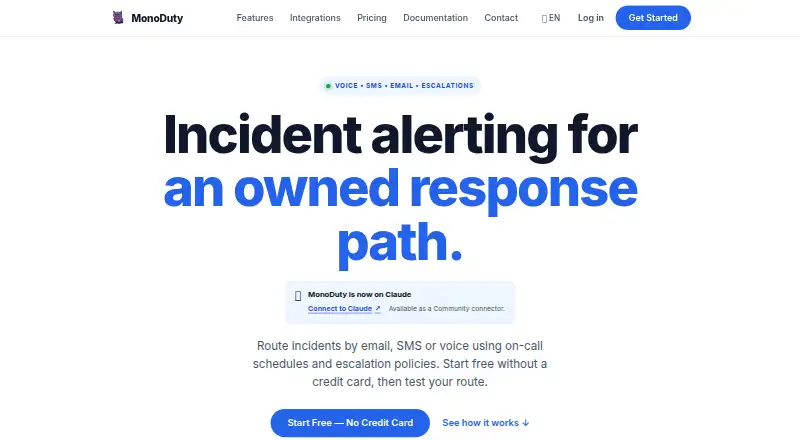
MonoDuty is an incident management service for teams that need to organize response when production breaks. It brings together team-owned services, on-call schedules, escalation policies, Heartbeats, uptime Monitors, and notifications by email, SMS, and voice. On-call scheduling is included in every published Free, Pro, and Business plan. HTTP-capable systems can send incidents through a Universal HTTP Webhook using MonoDuty’s documented JSON payload; Pro and Business can send incident lifecycle updates to Slack, Discord, and Microsoft Teams. Monitors check websites and APIs from Helsinki, tracking response times, validating responses, checking HTTPS certificates, and alerting on recovery. The documented REST API uses scoped, short-lived customer tokens for incidents, services, and Monitors. Listed security controls include TLS 1.2/1.3, workspace roles, rate limits, and optional time-based one-time-password MFA. MonoDuty does not currently publish security certifications, and its production service runs on a single European virtual server without promised geographic failover or provider redundancy. A free plan is available; paid plans start at €9/user/mo, with a 14-day trial.
Who it suits
MonoDuty suits people responsible for production incidents who need explicit alert routes and on-call scheduling. It also fits teams that use HTTP-capable systems or, on Pro and Business, Slack, Discord, or Microsoft Teams for incident updates.
What it does well
- On-call scheduling is included in every published plan.
- Universal HTTP Webhook accepts documented MonoDuty JSON payloads.
- Monitors check websites and APIs from Helsinki.
- Optional time-based one-time-password MFA is available.
What to know first
- No security certifications are currently published.
- Production runs on a single European virtual server.
- Geographic failover and provider redundancy are not promised.
- Free incident history is retained for 7 days.
Limits
Free includes one user, three services, five Monitors, five Heartbeats, one team and schedule, five webhooks, and 50 incidents per month, with email alerts and seven-day incident retention. Pro and Business increase the listed capacities and retention to 30 and 90 days respectively; notification quotas also apply to SMS and voice.
Plans
| Plan | Billed and limits | Price |
|---|---|---|
| Free | forever · 1 user · 3 services · 5 Monitors · 5 Heartbeats · 1 team · 1 on-call schedule · 5 webhooks · 50 incidents/month · Email alerts · 7-day retention | Free |
| Business | per user monthly; annual billing €190/user/year charged once a year · Unlimited users & webhooks · 10 Account Admins · 500 services · 250 Monitors · 500 Heartbeats · 50 teams · 50 schedules · Unlimited incidents · Email + SMS (2,000/mo) + voice calls (500/mo) · 50 custom escalation policies · API access + audit logs · Priority support · 90-day retention | €19 a month |
| Pro | per user monthly; annual billing €90/user/year charged once a year · Up to 25 users · 3 Account Admins · 50 services · 50 Monitors · 100 Heartbeats · 10 teams · 10 schedules · 50 webhooks · 5,000 incidents/month · Email + SMS (500/mo) + voice calls (200/mo) · 10 custom escalation policies · API access + audit logs · 30-day retention | €9 a month |
As monoduty.com lists them, read 1 Oct 2026. The maker's own page has the final word.
Getting started
- Open the MonoDuty website.
- Choose the Free plan or review the paid plans, which include a 14-day trial.
- Set up team-owned services and an on-call schedule.
- Send incidents through the Universal HTTP Webhook from an HTTP-capable system.
- Connect Slack, Discord, or Microsoft Teams for lifecycle updates on Pro or Business.
MonoDuty is a workspace-based incident response and monitoring service for teams that need on-call rotations, escalation paths, and operational checks in one place. It suits small operations starting free and growing into per-user plans; organizations requiring certified security or redundant infrastructure should be cautious.
Overview
MonoDuty connects incidents with team-owned services, schedules, monitors, and Heartbeats. A universal HTTP Webhook accepts MonoDuty’s documented JSON payload from any system able to send HTTP requests, giving teams a straightforward inbound route without requiring a catalog of native connectors.
Every published plan includes on-call scheduling, including rotation and handoff workflows. Monitoring checks websites and APIs from Helsinki, measuring response time, validating responses, checking HTTPS certificates, and issuing recovery alerts. That combination is useful for a compact operations stack, although checks from one location cannot represent worldwide user experience.
Key features
Incident routing and team coordination
Schedules, escalation policies, and handoffs support explicit ownership when production fails. Free sends email alerts; Pro and Business add SMS and voice allowances. Those paid tiers also publish incident lifecycle updates to Slack, Discord, and Microsoft Teams, making them better suited to teams that coordinate response in chat.
API and access controls
The REST API uses scoped, short-lived customer tokens and an explicit v1 allowlist covering incidents, services, and Monitors. Workspace roles, TLS 1.2/1.3, one-way credential hashing where applicable, CSRF protection, rate limits, and optional time-based one-time-password MFA provide sensible controls for a small service. MonoDuty does not publish ISO, SOC, payment-card, health-data, or comparable certifications, so regulated buyers may need a different vendor.
Infrastructure and support
Production runs on a single European virtual server. There is no promise of geographic failover, load-balanced application replicas, or provider redundancy, which is a material concern when the incident tool itself must remain available during an outage. Support comes through a help center, tickets, a contact form, and email; contact messages are reviewed on business days.
Pricing
Free
Free costs nothing, billed forever. It allows 1 user, 3 services, 5 Monitors, 5 Heartbeats, 1 team, 1 on-call schedule, 5 webhooks, and 50 incidents per month, with email alerts and 7-day incident retention. This is a credible starter for one small rotation, but the single-user and low quotas quickly constrain a larger team.
Pro
Pro costs €9 per user per month, or €90/user/year billed once a year, and includes a 14-day trial. Up to 25 users, 3 Account Admins, 50 services, 50 Monitors, 100 Heartbeats, 10 teams, 10 schedules, 50 webhooks, and 5,000 incidents per month suit a growing operations group. Email, SMS (500 per month), and voice calls (200 per month), plus chat integrations, make it the practical upgrade from Free. Retention rises to 30 days.
Business
Business costs €19 per user per month, or €190/user/year billed once a year, with a 14-day trial. Unlimited users and webhooks, 10 Account Admins, 500 services, 250 Monitors, 500 Heartbeats, 50 teams, 50 schedules, and unlimited incidents target larger organizations. Its allowances reach 2,000 SMS and 500 voice calls per month, with 90-day retention. Choose it for scale rather than merely for extra notification volume.
Platforms
MonoDuty provides web, iOS, Android, and API access. A mobile app supports responders away from a desk, while the API accommodates automated workflows.
Who it's for
MonoDuty fits teams responsible for production incidents that want scheduling, escalation, monitoring, and webhook-based intake in one service. Free is best for a single small team proving the workflow; Pro fits multi-team operations needing chat delivery and richer notification channels; Business fits organizations with high service and incident volumes. Buyers with formal certification requirements or a need for geographically redundant service should look elsewhere.
Pros and cons
- Pro: On-call scheduling is included even on Free, so a basic rotation does not require an upgrade.
- Pro: Helsinki monitors combine response-time tracking, validation, certificate checks, and recovery alerts.
- Pro: Scoped short-lived API tokens and optional MFA provide useful access safeguards.
- Con: Free is limited to one user, three services, and 50 incidents monthly, making expansion an immediate paid decision.
- Con: Free has email only; SMS, voice, and chat lifecycle delivery require paid plans and have monthly allowances.
- Con: A single European virtual server and absent published certifications weaken the case for high-resilience or regulated workloads.
Alternatives
For a broader directory of scheduling tools, see On-Call Scheduling Software and On-Call Management Software.
- incident.io is a freemium option with native Slack or Microsoft Teams incident response, single-team on-call, and a status page on its Basic plan; choose it when chat-native response is the priority.
- OpsKnight offers a free, self-hosted AGPL-3.0-only Community plan with one status page per install; choose it when self-hosting matters.
- PagerDuty has a free five-user plan with one schedule and one escalation policy; choose it for that narrower starter scope.
- PagerTree provides a free plan for up to five users and two teams with three months’ retention; choose it when those caps fit.
- TaskCall offers a $9 monthly Starter plan with unlimited global SMS and voice notifications; choose it when those channels are central.
- IncidentRelay is free, open-source, and self-hosted; choose it for that deployment model.
- Opsgenie has a free five-user tier and paid tiers with stated incident and retention quotas; choose it when those terms suit your team.
- LinkedIn Databus is Apache 2.0 open source; choose it when an open-source data-bus project, rather than incident response, is what you need.
Verdict
Choose MonoDuty if you want affordable, explicit on-call and escalation workflows bundled with webhook intake and website/API monitoring, especially when Free or Pro covers your team size. Look elsewhere when certified compliance, geographic failover, or a redundant incident-service infrastructure is a hard requirement.
Verdict
MonoDuty combines incident response, on-call scheduling, alerting, and monitoring, with a free plan and paid plans from €9/user/mo. Buyers should weigh its stated security and infrastructure limitations, along with plan-specific retention periods.
Questions
Is there a free plan?
Yes. Free is billed forever at 0.00 EUR and includes one user, three services, five Monitors, five Heartbeats, one team, one schedule, five webhooks, and 50 incidents per month.
How much do paid plans cost?
Pro is €9/user/mo, or €90/user/year charged annually. Business is €19/user/mo, or €190/user/year charged annually.
Is a trial available?
A 14-day trial is listed.
Which platforms does MonoDuty support?
The listed platforms are Android, iOS, web, and API.
Can it send alerts to chat tools?
Pro and Business can send incident lifecycle updates to Slack, Discord, and Microsoft Teams.
What security certifications does MonoDuty publish?
MonoDuty states that it does not currently publish ISO, SOC, payment-card, health-data, or similar security certifications.
Facts from MonoDuty's own pages
- API
- MonoDuty documents a REST API with scoped, short-lived customer API tokens and an explicit v1 allowlist for incidents, services, and Monitors. · monoduty.com, 1 Oct 2026
- Chat integrations
- Pro and Business can deliver incident lifecycle updates outward to Slack, Discord, and Microsoft Teams. · monoduty.com, 1 Oct 2026
- Compliance status
- MonoDuty states that it does not currently publish ISO, SOC, payment-card, health-data, or similar security certifications. · monoduty.com, 1 Oct 2026
- Core product
- MonoDuty provides workspace-based incident management, team-owned services, universal HTTP Webhook ingestion, on-call schedules, escalation policies, Heartbeats, uptime Monitors, and email, SMS, and voice notifications. · monoduty.com, 1 Oct 2026
- Headquarters
- Tallinn, Harju County, Estonia · monoduty.com, 28 Sept 2026
- Inbound integration
- The generally available inbound integration is a Universal HTTP Webhook that accepts the documented MonoDuty JSON payload from HTTP-capable systems. · monoduty.com, 1 Oct 2026
- Infrastructure limitation
- The production service runs on a single European virtual server and does not promise geographic failover, load-balanced application replicas, or provider redundancy. · monoduty.com, 1 Oct 2026
- Monitoring
- Monitors check websites and APIs from Helsinki with response-time tracking, response validation, HTTPS certificate verification, and recovery alerts. · monoduty.com, 1 Oct 2026
- On-call workflow
- Every published Free, Pro, and Business plan includes on-call scheduling. · monoduty.com, 1 Oct 2026
- Retention
- Incident history retention is 7 days on Free, 30 days on Pro, and 90 days on Business. · monoduty.com, 1 Oct 2026
- Security controls
- The service uses TLS 1.2/1.3, one-way password and credential hashing where applicable, scoped API tokens, workspace roles, CSRF protection, rate limits, and optional time-based one-time-password MFA. · monoduty.com, 1 Oct 2026
- Support
- Support is available through a help center, support tickets, contact form, and email, with contact messages reviewed on business days. · monoduty.com, 1 Oct 2026
- Target users
- MonoDuty says it is built for people responsible when production breaks and focuses on explicit, testable alert routes. · monoduty.com, 1 Oct 2026
Where MonoDuty stands on Freedom251
- On-Call Scheduling Software#4 of 25
- On-Call Management Software#7 of 30