Freedom251 › Tab Management Software

Tabox
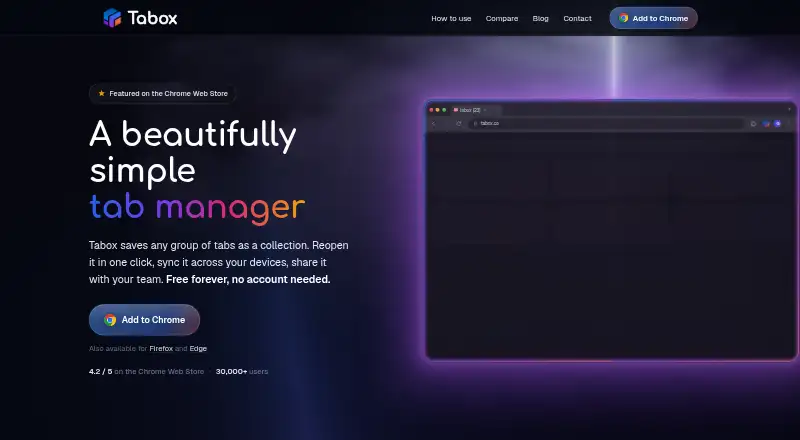
What Tabox is
Tabox is a browser extension for capturing open tabs and tab groups as named collections, then organizing and restoring them later. A saved collection can reopen the tabs from its browser window. Collections can be placed in folders, reordered, color-coded, and displayed as a list or grid. For tab groups, Tabox preserves group names and colors along with tab titles, URLs, and order. It is available for Chrome, Firefox, and Edge. Collections are stored locally by default, and users can export collections and folders as text files, including full backups. Optional Google Drive sync keeps collections in a hidden application data folder in the user's own Drive. Optional AI actions can group tabs, remove duplicates, rename collections, and arrange folders. When an AI action is triggered, related tab or collection titles and URLs are sent to Tabox's API and forwarded to OpenRouter; Tabox says prompts and responses are not stored. Shared folders support collaboration, and collection links let recipients access shared material. Tabox says network communication uses HTTPS and server-side data is encrypted at rest. The Free plan includes core collections, restore, folders, and Google Drive sync. Pro lists AI tools, live shared folders, collection links, an AI assistant, and a 7-day free trial.
Who it suits
Tabox suits people who manage many browser tabs and want to save, sort, and reopen sets of pages. Its shared folders and collection links can also suit teams organizing project or research material together.
What it does well
- Saves and restores all tabs in a browser window as a collection.
- Keeps tab group names, colors, titles, URLs, and order.
- Collections can be organized in folders with list or grid views.
- Optional Google Drive sync uses the user's own Drive.
- Imports and exports collections and folders as text files.
What to know first
- The Pro price is not shown on the page.
- AI actions send related tab titles and URLs to Tabox's API and OpenRouter.
- Tabox is offered as a browser extension.
Limits
The Free plan costs nothing and includes core tab collections, restore, folders, and Google Drive sync. Pro includes a 7-day free trial, but its price is not shown on the page.
Plans
| Plan | Billed and limits | Price |
|---|---|---|
| Free | Core tab collections · restore · folders · Google Drive sync | Free |
| Pro | Monthly option; price loads locally and is not shown on the page · AI tools · live shared folders · collection links · AI assistant · 7-day free trial | On request |
| Pro | Billed yearly; price loads locally and is not shown on the page · AI tools · live shared folders · collection links · AI assistant · 7-day free trial | On request |
As tabox.co lists them, read 4 Oct 2026. The maker's own page has the final word.
Getting started
- Install the Tabox extension in Chrome, Firefox, or Edge.
- Save the tabs in a browser window as a collection.
- Organize collections into folders and choose a list or grid view.
- Enable Google Drive sync if you want collections stored in your Drive.
- Use the guide, GitHub issues, or contact form for help.
Tabox is a browser extension that turns open browser windows into named, restorable collections and keeps those collections organized in folders. It fits people managing recurring research or project sessions, including teams that share browser-based work. The free tier handles core saving and Google Drive synchronization; collaboration and AI capabilities require Pro, whose price is custom.
Overview
Tabox saves every tab in a browser window as a collection that can be reopened later. That session-based approach suits anyone who needs to pause and resume a project, course of research, or multi-step task without rebuilding a window from individual bookmarks. Collections can be placed in folders, reordered, color-coded, and viewed as lists or grids, so a large archive remains navigable.
Saved tab groups retain their names and colors as well as each tab's title, URL, and order. This preserves the structure of a working window instead of reducing it to an unlabelled link dump. Tab search, session restore, workspaces, multi-browser support, and cross-device synchronization are also provided.
Key features
Sync and data control
Local collections stay on the device by default. Optional Google Drive sync stores synchronized data in a hidden application-data folder in your own Drive and uses narrow Drive permissions, making it a practical way to move collections between devices. You can disable synchronization, export collections and folders as text files—including complete backups—or remove local data by uninstalling the extension.
Sharing and AI
Shared folders support collaboration, while collection links let recipients open shared content. These are meaningful upgrades for project groups, but they are Pro features rather than part of the free core. Optional AI actions can group tabs, remove duplicates, rename collections, and arrange folders when you invoke them. For an AI action, relevant tab or collection titles and URLs are sent to Tabox's API and forwarded to OpenRouter; Tabox says prompts and responses are not stored. That workflow is useful for tidying large collections, but privacy-conscious users should avoid AI actions for sensitive browsing data.
Security and privacy
Tabox says network traffic uses HTTPS and server-side data is encrypted at rest on Cloudflare. The extension has no advertising, behavioral tracking, or analytics telemetry. Its website may load Google Analytics after consent, so the extension's privacy posture is stronger than the site's optional analytics setup.
Pricing
| Plan | Price | Includes |
|---|---|---|
| Free | free | Core tab collections, restore, folders, and Google Drive sync |
| Pro | Custom pricing; billed monthly option | AI tools, live shared folders, collection links, AI assistant, and a 7-day free trial |
Free is the sensible choice for individuals who mainly need session capture, restoration, folder organization, and Drive-based syncing. It does not include live collaboration, share links, or AI assistance. Pro is aimed at teams and heavy users who will use those capabilities, but the monthly price loads locally rather than appearing on the page, so you must confirm the amount before committing.
Platforms
Tabox is a browser extension for Chrome, Firefox, and Edge. Its multi-browser support and cross-device sync suit users who move among supported browsers or computers, while the extension format makes it less suitable if you need a standalone desktop or mobile application.
Who it's for
Choose Tabox if you routinely juggle many tabs and want to preserve complete working sessions, not just individual links. Researchers, students, developers, and project teams can benefit from named collections, retained tab-group structure, folders, and optional shared folders. It is less compelling for light bookmark use, for organizations that require a clearly published Pro price, or for users unwilling to send tab titles and URLs to an external AI service when invoking AI actions.
Pros and cons
- Pros: Saves and restores whole windows while retaining tab-group names, colors, titles, URLs, and order.
- Pros: Free includes folders and Google Drive sync, with local-first storage and exportable text backups.
- Pros: Sharing, live folders, and AI cleanup can reduce coordination and organization work for teams.
- Pros: No ads, behavioral tracking, or extension telemetry; HTTPS and encrypted server storage are used.
- Cons: Pro pricing is custom and not displayed, making cost comparison difficult before a trial.
- Cons: Collaboration and AI are excluded from Free, limiting the no-cost tier to personal organization.
- Cons: AI actions transmit relevant tab titles and URLs through Tabox's API to OpenRouter.
Alternatives
Tabblar is a better fit if you need Android and iOS apps, desktop coverage, unlimited tabs, five workspaces, and tab search in its free Basic plan; Plus costs $5 a month.
Workona suits users who want spaces across extension, web, mobile, and desktop platforms, with a free individual tier and a 12.00 USD-per-month Team plan.
Pinako is worth choosing for a free extension with local backups, rich-text notes, and tab/bookmark trees; Pro is $5 a month.
tabExtend fits users who prefer mobile and web access, no account requirement, and a free allowance of up to 30 saves; its Pro plan is $8 a month.
Toby offers a free plan with up to 60 saved tabs and unlimited members, while Productivity costs $6 per member per month.
OneTab is a free, no-signup extension for straightforward tab saving; its optional Backup & Sync license has custom pricing.
Raft is a free, open-source extension with every feature included and no paid tier.
Session Buddy is a free extension with no account requirement; its opt-in Cloud collections feature adds cross-device and profile access at custom pricing.
For a broader comparison, see Tab Management Software.
Verdict
Pick Tabox if your priority is preserving organized browser sessions, syncing them through your own Google Drive, and optionally sharing folders with collaborators. Its free plan is unusually capable for personal session management, while Pro adds useful team and cleanup tools. Look elsewhere if an upfront subscription price is essential or if sending tab metadata through an AI service conflicts with your privacy requirements.
Verdict
Pick Tabox if you want to save browser sessions as organized collections, keep them synced through Google Drive, or share folders and links. Look elsewhere if you need a displayed Pro price before deciding, or do not want tab titles and URLs sent to an external AI service when using AI actions.
Questions
Is Tabox free?
Yes. The Free plan costs nothing and includes core tab collections, restore, folders, and Google Drive sync.
What does Pro cost?
The Pro price is not shown on the page. The plan lists a 7-day free trial.
Which browsers support Tabox?
Tabox says it is available for Chrome, Firefox, and Edge.
Does Tabox use AI?
Optional AI actions can group tabs, clean duplicates, rename collections, and arrange folders. When triggered, related titles and URLs are sent to Tabox's API and forwarded to OpenRouter.
Can I share collections with others?
Yes. Shared folders support collaboration, and collection share links let recipients access shared content.
Where does Tabox store my collections?
Local collections stay on-device by default. Optional Google Drive sync stores them in a hidden application data folder in the user's own Drive.
Facts from Tabox's own pages
- AI data handling
- For an AI action, relevant tab or collection titles and URLs are sent to Tabox's API and forwarded to OpenRouter; Tabox says it does not store prompts or responses. · tabox.co, 4 Oct 2026
- AI features
- Optional AI can group tabs, clean duplicates, rename collections, and arrange folders when the user triggers an action. · tabox.co, 4 Oct 2026
- Availability
- Tabox says it is available for Chrome, Firefox, and Edge. · tabox.co, 4 Oct 2026
- Data control
- Users can export local collections, disable sync, and remove local data by uninstalling the extension. · tabox.co, 4 Oct 2026
- Founded
- 2020 · tabox.co, 28 Sept 2026
- Google Drive sync
- Optional sync stores collections in a hidden application data folder in the user's own Google Drive and uses narrow Drive scopes. · tabox.co, 4 Oct 2026
- Headquarters
- Austin, Texas, United States · tabox.co, 28 Sept 2026
- Import and export
- Tabox imports and exports collection and folder data using text files, including complete backups. · tabox.co, 4 Oct 2026
- Intended users
- Tabox describes itself as a tool for people managing many browser tabs and supports sharing project or research collections with a team. · tabox.co, 4 Oct 2026
- Organization
- Collections can be grouped in folders, reordered, color-coded, and viewed in list or grid layouts. · tabox.co, 4 Oct 2026
- Privacy
- The extension has no ads, behavioral tracking, or analytics telemetry, though its website may load optional Google Analytics after consent. · tabox.co, 4 Oct 2026
- Product
- Tabox is a browser extension for saving open tabs and tab groups into named collections, organizing collections into folders, syncing them, sharing them, and using optional AI tools. · tabox.co, 4 Oct 2026
- Save and restore
- Users can save the tabs in a browser window as a collection and reopen all of its tabs later. · tabox.co, 4 Oct 2026
- Security
- Tabox says local collections stay on-device by default, network communication uses HTTPS, and server-side data is stored on Cloudflare with encryption at rest. · tabox.co, 4 Oct 2026
- Sharing
- Shared folders support collaboration, and collection share links let recipients access shared content. · tabox.co, 4 Oct 2026
- Support
- Users can get help through the guide, GitHub issues, or the contact form; the site says GitHub issues get the fastest turnaround. · tabox.co, 4 Oct 2026
- Tab groups
- Tabox saves tab group names and colors along with tab titles, URLs, and order. · tabox.co, 4 Oct 2026
Where Tabox stands on Freedom251
- Tab Management Software#17 of 27