Freedom251 › Tab Management Software

Pinako
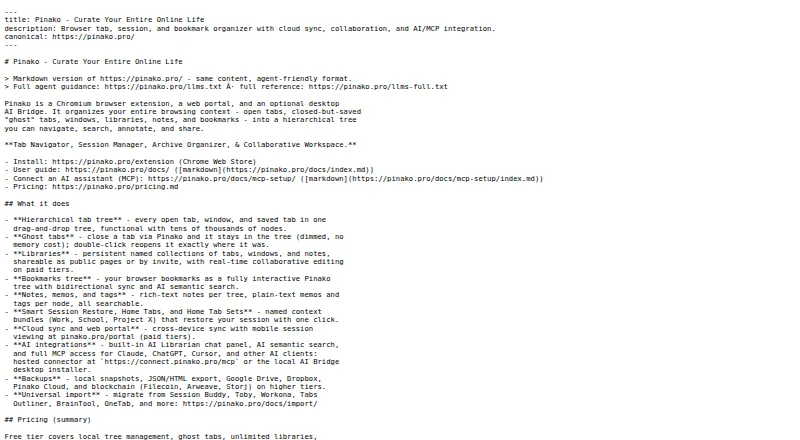
What Pinako is
Pinako is a browser extension for organizing tabs and sessions in nested trees and restoring closed tabs and windows to their earlier positions. Its Libraries group tabs, windows and notes into collections that can also be shared as workspaces. Notes support rich text; Pro+ adds resizable image, video and audio embeds stored in Pinako cloud. Search options include natural-language queries and an AI Librarian chat panel, and an MCP bridge connects desktop AI clients while running locally. AI Search sends the query and relevant context to xAI’s Grok API. Free-extension data is stored locally; the privacy policy says Pinako does not sell data, read page contents or train AI models on stored data. Backups can use local snapshots or optional services including Google Drive, Dropbox, Filecoin, Arweave and Storj. A free plan is available; Pro and Pro+ monthly plans offer a 14-day trial without requiring a payment method. The extension works in Chromium-based browsers, but WebKit-based browsers such as Orion are not supported yet.
Who it suits
Pinako suits people who want to organize browser sessions, restore tabs and keep notes alongside tab collections. Its sharing and collaboration options may also suit teams, while the AI Bridge is for users of supported desktop AI clients.
What it does well
- Restores closed tabs and windows to previous positions.
- Libraries can be shared as collaborative workspaces.
- Supports natural-language search and an AI Librarian.
- Free extension stores data locally.
- Offers local snapshots and optional external backups.
What to know first
- WebKit-based browsers such as Orion are not supported yet.
- AI Search sends query and context to xAI’s Grok API.
- AI Bridge requires the Pinako Chrome extension.
Limits
The Free plan provides local backups and rich-text notes, while sync, sharing, AI search, and snapshot search are listed with Pro. Pro+ adds multimedia storage; its monthly plan includes 400 AI credits.
Plans
| Plan | Billed and limits | Price |
|---|---|---|
| Free | Free extension; local backups; rich-text notes; tab and bookmark trees | Free |
| Pro+ | $10/month billed monthly; $8.33/month billed annually · 400 AI credits/month; collaboration, multimedia storage, blockchain backups | $10 a month |
| Premium | $25/month billed monthly; $20.83/month billed annually · 1,000 AI credits/month; expanded collaboration, AI and media storage limits | $25 a month |
| Pro | $5/month billed monthly; $4.16/month billed annually · 200 AI credits/month; sync, sharing, AI search, snapshot search | $5 a month |
| Enterprise | $60/month billed monthly; $50.00/month billed annually · 2,400 AI credits/month; large collaboration teams, bulk packages, SLA-backed support | $60 a month |
As pinako.pro lists them, read 29 Sept 2026. The maker's own page has the final word.
Getting started
- Install the Pinako extension in a Chromium-based browser.
- Choose the Free plan or review the paid plans; Pro and Pro+ monthly plans include a 14-day trial without a payment method.
- Organize tabs and sessions into nested trees and create Libraries for tabs, windows, and notes.
- Use local snapshots or configure an optional backup service.
- For the AI Bridge, install the Pinako Chrome extension and download the Windows 10/11 or Linux x64 or ARM64 version.
Overview
Pinako is a browser tab and session organizer for people who want to keep related windows, saved material and notes together. It is best suited to Chromium users who need structured collections or shared workspaces; people who only want a simple tab saver may find its broader feature set unnecessary.
Its appeal is the combination of nested organization, session recovery and Libraries, with AI tools for searching and working across that material. The main trade-offs are browser compatibility and the fact that AI Search sends relevant context and the query to xAI’s Grok API.
Key features
Tab trees, sessions and Libraries
Pinako groups tabs and sessions in nested trees and can reopen closed tabs and windows in their previous positions. Search, suspension and workspaces address different parts of tab overload: finding material, reducing active tabs and separating tasks. The structure is useful for people managing several ongoing projects, though it may be more organization than a casual user needs.
Libraries collect tabs, windows and notes, and can be shared as collaborative workspaces. This gives teams a way to keep project context together, rather than passing around isolated links. Pinako also lists imports from Session Buddy, Toby, Workona, Tabs Outliner, BrainTool, Link Map, TabXpert and OneTab, a practical advantage for users moving from those organizers.
Notes, AI and backups
Rich-text notes are included. Pro+ adds resizable image, video and audio embeds stored in Pinako cloud, making that tier more relevant to users who want notes to hold media as well as text. AI features include natural-language search, an AI Librarian chat panel and an MCP bridge for desktop AI clients. Named examples include Claude, Codex, Cursor, Antigravity, Notion, Google Sheets, Slack and Obsidian.
AI Search sends the query and relevant context to xAI’s Grok API, while the AI Bridge runs locally on the user’s computer. That distinction matters: users comfortable with cloud-assisted search may value the natural-language interface, while those who do not want relevant context sent to an external AI service should be cautious. The free extension stores data locally; optional backups include Google Drive, Dropbox, Filecoin, Arweave and Storj. Pinako says its cloud data uses row-level security and HTTPS transmission, and that it does not sell data, read page contents or use stored data to train AI models.
Pricing
Pinako is freemium, with a free extension and paid monthly plans. New subscribers can try the Pro and Pro+ monthly plans for 14 days without providing a payment method.
| Plan | Price | What it includes |
|---|---|---|
| Free | free | Local backups, rich-text notes, tab and bookmark trees |
| Pro | $5 a month billed monthly; $4.16/month billed annually | 200 AI credits/month, sync, sharing, AI search and snapshot search |
| Pro+ | $10 a month billed monthly; $8.33/month billed annually | 400 AI credits/month, collaboration, multimedia storage and blockchain backups |
| Premium | $25 a month billed monthly; $20.83/month billed annually | 1,000 AI credits/month, expanded collaboration, AI and media storage limits |
| Enterprise | $60 a month billed monthly; $50.00/month billed annually | 2,400 AI credits/month, large collaboration teams, bulk packages and SLA-backed support |
Free is the sensible starting point for local tab trees, notes and backups, but it does not include the paid-plan sync, sharing or AI search. Pro targets individuals who want those connected features and a 200-credit monthly allowance. Pro+ is the step up for collaborative use, media-rich notes and blockchain backups. Premium raises collaboration, AI and media limits; Enterprise is aimed at large teams needing bulk packages and SLA-backed support. The 14-day trial applies to monthly Pro and Pro+ subscriptions, not the other tiers.
Platforms
Pinako supports Linux, web and Windows, with cross-device sync on paid plans. Its extension works in Chromium-based browsers; WebKit-based browsers such as Orion are not supported yet. The AI Bridge requires the Pinako Chrome extension and is offered for Windows 10/11 and Linux x64 or ARM64, so users should check both browser and device fit before relying on the desktop connection.
Who it's for
Pinako is a strong fit for people who keep many tabs open across projects and want sessions, notes and shared collections arranged together. It is particularly suited to Chromium users who expect to use search, sync or collaboration, and to teams that can make use of Libraries. A user who wants only local tab storage can start free; someone who requires a non-Chromium browser or does not want AI Search to transmit relevant context should look elsewhere.
Pros and cons
- Pros: Nested trees, session restoration, search and suspension cover both organizing and recovering active work.
- Pros: Libraries combine tabs, windows and notes, with sharing and collaborative workspaces for project use.
- Pros: Free local storage and backups let users begin without a subscription; imports from several established organizers can ease migration.
- Cons: WebKit-based browsers such as Orion are unsupported, limiting browser choice.
- Cons: AI Search sends relevant context and the query to Grok, a meaningful privacy trade-off for sensitive work.
- Cons: Sync, sharing and AI search require a paid plan, while richer media notes are reserved for Pro+.
Alternatives
Tabblar is worth considering for users who want a free tier with unlimited tabs, five workspaces and one group, or broad mobile and desktop platform coverage.
Workona may suit readers prioritizing team and organization accounts; its free tier is individual-only, with limited spaces and sections and no free team or organization accounts.
tabExtend offers a free option with up to 30 saves, unlimited time and no account requirement, making it a simpler place to start for modest collections.
Toby is an alternative for users whose needs fit a free Starter tier capped at 60 saved tabs, with basic features and unlimited members.
Tabox may fit someone seeking core collections, restore, folders and Google Drive sync in its free tier.
Raft is a free, open-source extension under the MIT License for readers who want every feature without a paid tier.
Sidebery is a free Firefox extension with donations accepted.
Tab Manager v2 is a free, open-source extension whose core functionality runs locally in the browser.
Browse more options in Tab Management Software.
Verdict
Choose Pinako if you want a structured home for browser sessions, notes and shared project collections, and can use a Chromium-based browser. Its combination of trees, Libraries and recovery tools is the clearest reason to choose it; the strongest reasons to look elsewhere are unsupported browser engines and the context sent to Grok by AI Search.
Verdict
Pinako combines tab organization, session restoration, notes and shared Libraries, with AI search and optional backups. Check browser compatibility and AI data handling before choosing it.
Questions
Is Pinako free?
Yes. The Free plan costs nothing and includes local backups, rich-text notes, and tab and bookmark trees.
What do the paid plans cost?
Pro is $5 per month, Pro+ is $10 per month, Premium is $25 per month, and Enterprise is $60 per month. Annual billing is listed at $4.16, $8.33, $20.83, and $50.00 per month respectively.
Is there a trial?
New subscribers can try the Pro and Pro+ monthly plans for 14 days without providing a payment method.
Which browsers and platforms are supported?
Pinako works in Chromium-based browsers; WebKit-based browsers such as Orion are not supported yet. The AI Bridge is offered for Windows 10/11 and Linux x64 or ARM64 and requires the Pinako Chrome extension.
How does Pinako handle data and AI?
The privacy policy says Pinako does not sell data, read page contents, or use stored data to train AI models. AI Search sends relevant context and the query to xAI's Grok API, while the AI Bridge runs locally.
Can I import from another tab manager?
Pinako lists imports from Session Buddy, Toby, Workona, Tabs Outliner, BrainTool, Link Map, TabXpert, and OneTab.
Facts from Pinako's own pages
- AI
- AI features include natural-language search, an AI Librarian chat panel, and an MCP bridge for desktop AI clients. · pinako.pro, 29 Sept 2026
- AI data handling
- AI Search sends relevant context and the query to xAI's Grok API, while the AI Bridge runs locally on the user's computer. · pinako.pro, 29 Sept 2026
- Backups
- The extension supports local snapshots and optional Google Drive, Dropbox, Filecoin, Arweave and Storj backups. · pinako.pro, 29 Sept 2026
- Browser compatibility
- The Chrome Web Store listing says Pinako works in Chromium-based browsers and that WebKit-based browsers such as Orion are not supported yet. · chromewebstore.google.com, 29 Sept 2026
- Cloud security
- The privacy policy says cloud data is stored with row-level security and transmitted over HTTPS. · pinako.pro, 29 Sept 2026
- Company
- The Chrome Web Store listing identifies the developer as Evan Robert Martin and gives a Grass Valley, California address. · chromewebstore.google.com, 29 Sept 2026
- Imports
- Pinako lists imports from Session Buddy, Toby, Workona, Tabs Outliner, BrainTool, Link Map, TabXpert and OneTab. · pinako.pro, 29 Sept 2026
- Integrations
- The site names Claude, Codex, Cursor, Antigravity, Notion, Google Sheets, Slack and Obsidian among supported AI-client or connected-app examples. · pinako.pro, 29 Sept 2026
- Libraries
- Libraries store and share collections of tabs, windows and notes, including as collaborative workspaces. · pinako.pro, 29 Sept 2026
- Notes
- Notes support rich text, and Pro+ adds resizable image, video and audio embeds stored in Pinako cloud. · pinako.pro, 29 Sept 2026
- Platform support
- The downloads page offers the AI Bridge for Windows 10/11 and Linux x64 or ARM64, and requires the Pinako Chrome extension. · pinako.pro, 29 Sept 2026
- Privacy
- The free extension stores data locally; the privacy policy says Pinako does not sell data, read page contents or use stored data to train AI models. · pinako.pro, 29 Sept 2026
- Product
- Pinako organizes browser tabs and sessions in a nested tree and can reopen closed tabs and windows in their previous positions. · pinako.pro, 29 Sept 2026
- Trial
- New subscribers can try Pro and Pro+ monthly plans for 14 days without providing a payment method. · pinako.pro, 29 Sept 2026
Where Pinako stands on Freedom251
- Tab Management Software#2 of 27