Freedom251 › Tab Management Software
Tab Manager Plus
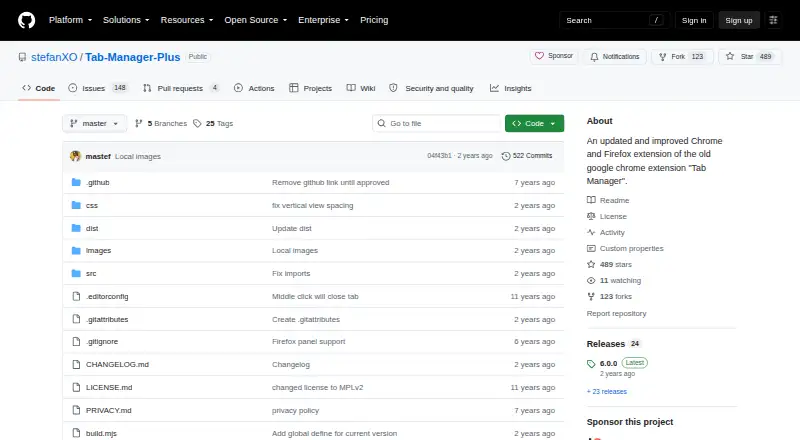
What Tab Manager Plus is
Tab Manager Plus is a free browser extension for finding and organizing open tabs and windows. Its search filters tabs by title and URL as you type, and it highlights duplicate tabs so you can locate them. The extension lets you create, move, close, pin, and unpin tabs and windows. You can set a tab limit for each window; when that limit is reached, the extension opens another tab in a new window. It can also save windows for later, storing session data in the local browser. Tab history is not preserved when saved windows are restored. The project describes support for Chrome and Firefox and links to both browsers’ extension stores. Incognito or private mode support is available when enabled in the extension settings. Tab Manager Plus is open source under the Mozilla Public License version 2.0, and its Free plan costs nothing. The maker says it does not track extension usage or visited websites, transfer data to third-party servers, or store settings outside the browser. Users can leave suggestions in the support box or contact the maker with privacy questions or concerns.
Who it suits
Tab Manager Plus suits people who work with many browser tabs or windows and want to search, arrange, or switch between them. It also fits users who want a free, open-source extension for Chrome or Firefox with settings and session data stored in the browser.
What it does well
- Searches tabs by title and URL as you type.
- Highlights duplicate tabs for easier management.
- Can save windows for later in the local browser.
- Supports Chrome and Firefox.
- Open source under the Mozilla Public License version 2.0.
- Private mode support can be enabled in settings.
What to know first
- Saved and restored windows do not preserve tab history.
- Private mode support must be enabled in settings.
Limits
Saved windows store session data locally, but tab history is not preserved when saving and restoring them.
Plans
| Plan | Billed and limits | Price |
|---|---|---|
| Free | Free and open source | Free |
As github.com lists them, read 8 Oct 2026. The maker's own page has the final word.
Getting started
- Open the Tab Manager Plus project website.
- Choose the Chrome or Firefox extension store link.
- Install the extension in your browser.
- Enable incognito or private mode support in settings if needed.
Verdict
Choose Tab Manager Plus if you want a free extension to search, organize, and switch among tabs and windows in Chrome or Firefox. Look elsewhere if preserving tab history when restoring saved windows is essential.
Questions
Is Tab Manager Plus free?
Yes. Its Free plan is priced at $0.
Which browsers does it support?
The project describes the extension as working with Chrome and Firefox and links to both browser extension stores.
Is Tab Manager Plus open source?
Yes. It is licensed under the Mozilla Public License version 2.0.
Does it save windows for later?
Yes. Saved session data is stored in the local browser, but tab history is not preserved when windows are saved and restored.
Does it support private browsing?
Incognito or private mode support is available when enabled in the extension settings.
What does the maker say about privacy?
The maker says the extension does not track usage or websites, transfer data to third-party servers, or store settings outside the browser.
Facts from Tab Manager Plus's own pages
- Browser support
- The project describes the extension as working with Chrome and Firefox and links to both browser extension stores. · github.com, 8 Oct 2026
- Duplicate tabs
- It highlights duplicate tabs so users can find and manage them. · chromewebstore.google.com, 8 Oct 2026
- Incognito and private mode
- Incognito or private mode support is available when enabled in the extension settings. · chromewebstore.google.com, 8 Oct 2026
- License
- The project is open source under the Mozilla Public License version 2.0. · github.com, 8 Oct 2026
- Privacy
- The maker says it does not track extension usage or websites, transfer data to third-party servers, or store settings outside the browser. · github.com, 8 Oct 2026
- Purpose
- Tab Manager Plus helps users find, organize, move, and switch between open browser tabs and windows. · github.com, 8 Oct 2026
- Saved windows
- The extension can save windows for later, with saved session data stored in the local browser; tab history is not preserved when saving and restoring windows. · github.com, 8 Oct 2026
- Search
- It filters tabs by title and URL as the user types. · chromewebstore.google.com, 8 Oct 2026
- Support
- The maker invites users to leave suggestions in the support box and to contact them with privacy questions or concerns. · github.com, 8 Oct 2026
- Tab limits
- Users can set a per-window tab limit, after which the extension opens a new tab in a new window. · chromewebstore.google.com, 8 Oct 2026
- Window and tab actions
- Users can create, move, close, pin, and unpin tabs and windows. · chromewebstore.google.com, 8 Oct 2026
Where Tab Manager Plus stands on Freedom251
- Tab Management Software#14 of 27