Freedom251 › Game Texture Software

Surface Labs
What Surface Labs is
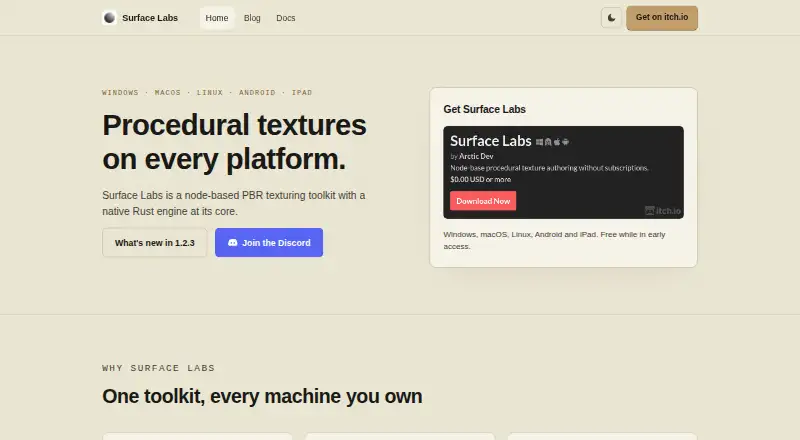
Surface Labs is a node-based application for authoring procedural textures and materials. Users build textures by connecting operations in a graph. Its node library covers generators, filters, blends, transforms, normals, channel operations, and math. A GLSL editor supports custom nodes, with code compiled to the native Rust engine; the maker says most nodes render in under 2 ms. Desktop authoring supports resolutions up to 8192 × 8192 in 32-bit float, while iPadOS and Android are limited to 4096 × 4096. A headless command-line tool can evaluate graphs and export textures for batch work and CI. The built-in MCP server lets compatible assistants inspect and edit projects, render nodes, and export textures. It is opt-in, binds to loopback, requires a generated token, and rejects non-local Origins, but its file arguments can access files available to the user account beyond a project directory. Portable .surfacelabs files bundle materials, subgraphs, embedded images, fonts, a preview model, and export settings. The application is free during early access; the iPad build is distributed through TestFlight, whose builds expire on a 90-day cycle.
Who it suits
Surface Labs is described for indie developers and can fit workflows using Unity, Unreal Engine, Godot, VFX, or other PBR texture pipelines. It may suit users who want graph-based authoring and command-line export.
What it does well
- Node library spans generators, filters, and math operations.
- Custom GLSL nodes compile to the native engine.
- CLI supports graph evaluation and batch export.
- Portable projects bundle assets and export settings.
- Free while in early access.
What to know first
- Mobile authoring is capped at 4096 × 4096.
- MCP file arguments can access user-accessible files beyond a project.
- iPad TestFlight builds expire on a 90-day cycle.
Limits
The Early access plan costs nothing and is free while in early access. Mobile authoring is capped at 4096 × 4096, compared with 8192 × 8192 in 32-bit float on desktop; iPad TestFlight builds expire on their usual 90-day cycle.
Plans
| Plan | Billed and limits | Price |
|---|---|---|
| Early access | Free while in early access | Free |
| Early-access download | $0.00 USD or more; free while in early access · Windows · macOS · Linux · Android · iPad TestFlight | Free |
As surfacelabs.app lists them, read 3 Oct 2026. The maker's own page has the final word.
Getting started
- Visit the Surface Labs website.
- Choose a supported platform: Windows, macOS, Linux, Android, or iPad.
- Install the app for your platform; the iPad build is distributed through TestFlight.
- Start authoring a material by connecting nodes in a project graph.
- Use the command-line tool to evaluate graphs and export textures for batch work or CI.
Overview
Surface Labs is a procedural texture and material authoring app built around connected node graphs. It is a strong fit for indie developers and artists who want to shape PBR materials in a graph and carry them into a production pipeline. Its mix of custom GLSL nodes and batch export is compelling, but mobile users face a lower resolution ceiling, and the MCP server’s file access deserves care.
Key features
Graph-based authoring
The built-in nodes cover generators, filters, blends, transforms, normals, channel operations, and math. That range supports both creating source patterns and transforming material data; users who need a specialized operation can write a custom node in the GLSL editor, with code compiled to the native engine. Texture baking and PBR workflow support make Surface Labs useful for production materials, not only procedural pattern experiments.
Rendering and portable projects
The native Rust engine is a practical foundation for rendering, and the maker says most nodes render in under 2 ms. That figure is maker-reported, not a promise for every graph or device. A single .surfacelabs file bundles materials, subgraphs, embedded images, fonts, the preview model, and export settings, which makes it easier to move a project without separating its supporting assets.
Automation and assistant access
A headless command-line tool evaluates project graphs and exports textures, making batch work and CI workflows possible without manually exporting each result. The built-in MCP server lets compatible assistants inspect and edit projects, render nodes, and export textures. It is opt-in, binds to loopback, uses a generated token, and rejects requests with a non-local Origin. Those safeguards matter, but they do not confine its file arguments to the project directory: requests can reach files available to the user account. Use the integration only with that scope in mind.
Pricing
Early access is free: free, free while in early access. The plan includes procedural materials, texture baking, PBR workflow, and node-based authoring. That removes a price barrier for an indie developer evaluating the workflow, though the early-access term means the free offer is tied to that period rather than a stated permanent entitlement.
Platforms
Surface Labs supports Windows, macOS, Linux, Android, and iPad. Desktop authoring supports up to 8192 × 8192 in 32-bit float; iPadOS and Android are capped at 4096 × 4096, so mobile is less suitable when a project needs the desktop maximum. The iPad build is distributed through TestFlight, whose builds expire on the usual 90-day cycle, adding upkeep for users who rely on that version. Support is available by email at [email protected], with Discord for questions, feedback, and feature requests.
Who it's for
Surface Labs is aimed at indie developers and can fit texture workflows for Unity, Unreal Engine, Godot, VFX, or other PBR work. It makes most sense for people who value editable procedural graphs, custom shader nodes, or repeatable command-line exports. It is a less natural choice for mobile-first work that depends on resolutions above 4096 × 4096, or for users unwilling to grant an assistant integration access to user-account files.
Pros and cons
- Pros: A broad node library plus custom GLSL nodes supports workflows beyond fixed procedural building blocks.
- Pros: Headless graph evaluation and texture export suit batch jobs and CI pipelines.
- Pros: Portable project files keep materials and supporting assets together.
- Cons: Android and iPad resolution tops out at 4096 × 4096, half the desktop maximum per dimension.
- Cons: MCP file arguments can access user-account files beyond the project directory despite the server’s other safeguards.
- Cons: TestFlight’s 90-day build cycle means iPad users need to account for recurring build expiry.
Alternatives
For other options, browse 3D Texturing Software or Game Texture Software. Consider Mixos Paint if you want a free plan with a 2D texture view, while accepting its 512px view cap and 100 MB cloud storage. InstaMAT is worth considering for a free Pioneer License if you meet its revenue or funding threshold and can work with attribution requirements. Choose Material Maker if a name-your-own-price desktop download with MIT-licensed code and CC0 assets better fits your priorities. Forge Material Studio is an alternative for users who prefer a free, MIT-licensed option on web or Windows. Marmoset Viewer, Trumble, Mari, and Wafer are other alternatives.
Verdict
Choose Surface Labs if you are an indie developer or material artist who wants procedural graph authoring, custom GLSL operations, and automated exports in one workflow. The main reason to look elsewhere is a mismatch in operating constraints: mobile’s lower resolution cap, the iPad build’s TestFlight expiry cycle, or MCP access broader than a project folder may outweigh the flexibility it offers.
Verdict
Surface Labs pairs procedural material authoring with custom nodes and batch export. Consider the MCP file-access scope and the mobile resolution cap before choosing a workflow.
Questions
How much does Surface Labs cost?
The Early access plan is free and is free while in early access.
Which platforms does it support?
The supported platform list includes Windows, macOS, Linux, Android, and iPad.
What can I create with it?
It is for authoring procedural textures and materials with a node graph, and it supports texture baking and PBR workflows.
Can I create custom nodes?
Yes. Its GLSL editor lets users create custom nodes that compile to the native engine.
Can projects be used for batch exports?
Yes. A headless command-line tool evaluates project graphs and exports textures for batch work and CI.
How can I contact the maker?
The maker provides email support at [email protected] and uses Discord for questions, feedback, and feature requests.
Facts from Surface Labs's own pages
- AI integration
- A built-in MCP server lets compatible assistants inspect and edit projects, render nodes, and export textures. · surfacelabs.app, 3 Oct 2026
- Automation
- A headless command-line tool can evaluate project graphs and export textures for batch work and CI. · surfacelabs.app, 3 Oct 2026
- Automation API
- A built-in Model Context Protocol server exposes tools for inspecting and editing graphs, rendering nodes and exporting textures. · surfacelabs.app, 14 Oct 2026
- Bit depth
- Projects and nodes support 8-bit, 16-bit and 32-bit floating-point depth. · surfacelabs.app, 14 Oct 2026
- CLI
- The surface_lab_headless command evaluates projects and exports textures for batch or CI workflows. · surfacelabs.app, 14 Oct 2026
- CLI packaging limit
- The headless CLI and standalone MCP server are documented but not distributed as packaged binaries; running them requires a source checkout and Dart SDK. · surfacelabs.app, 14 Oct 2026
- Custom shaders
- A full GLSL editor allows custom shader nodes whose code becomes ports and controls. · surfacelabs.app, 14 Oct 2026
- Documentation
- The documentation covers installation, concepts, editor operation, node references, shaders, export, automation, troubleshooting and support. · surfacelabs.app, 14 Oct 2026
- Draw node
- A Draw node lets users paint masks and details directly into the graph. · surfacelabs.app, 14 Oct 2026
- Engine export
- Export presets target Unreal Engine, Unity URP/HDRP, Godot and glTF/three.js with engine-specific channel packing and normal orientation. · arcticraven.itch.io, 14 Oct 2026
- Graph workflow
- Materials are built by connecting nodes in a non-destructive graph. · surfacelabs.app, 14 Oct 2026
- Identity caution
- A LinkedIn company named Surface Labs describes a different San Francisco lead-operations AI business at withsurface.com, so it should not be treated as the maker of surfacelabs.app. · linkedin.com, 14 Oct 2026
- Identity caution: Crunchbase
- Crunchbase likewise profiles Surface Labs as a San Francisco AI lead-conversion company with Saharsh Agrawal and Arjun Sahai, distinct from the Arctic Dev texturing product. · crunchbase.com, 14 Oct 2026
- Independent repository evidence
- The public repository describes the product as GPU-accelerated procedural texturing software for game developers, 3D artists and hobbyists. · github.com, 14 Oct 2026
- Licence
- The FAQ explicitly describes Surface Labs as closed source; the public GitHub repository is for website, documentation and issue tracking rather than the application source. · surfacelabs.app, 14 Oct 2026
- Limit: early access
- The itch.io listing says the product is early access, built by one person, and may still have rough edges and missing polish. · arcticraven.itch.io, 14 Oct 2026
- Limit: planned integrations
- Engine integrations are listed as a future version 1.4 goal on the itch.io roadmap. · arcticraven.itch.io, 14 Oct 2026
- Limit: planned painting
- Model Painting is listed as planned for version 1.3 rather than as a current feature. · arcticraven.itch.io, 14 Oct 2026
- Linux install
- Linux downloads are provided as Debian .deb and Arch .pkg.tar.zst packages and require a working Vulkan driver. · surfacelabs.app, 14 Oct 2026
- macOS install
- The macOS build is a universal signed and notarized application for Intel and Apple Silicon. · surfacelabs.app, 14 Oct 2026
- MCP limitation
- The in-app MCP server's file arguments are not confined to a project directory and can access files available to the user account. · surfacelabs.app, 3 Oct 2026
- MCP security
- The MCP server is opt-in, binds to loopback, requires a generated token, and refuses requests with a non-local Origin. · surfacelabs.app, 3 Oct 2026
- MCP transport
- The local MCP server uses streamable HTTP on loopback with bearer-token authentication, or stdio in headless mode. · surfacelabs.app, 14 Oct 2026
- Mobile distribution
- Android is distributed as arm64 or x64 APKs, while iPad builds are delivered through an open TestFlight beta rather than the App Store. · surfacelabs.app, 14 Oct 2026
Where Surface Labs stands on Freedom251
- Game Texture Software#8 of 34
- 3D Texturing Software#11 of 29