Freedom251 › 3D Texturing Software
AwesomeBump
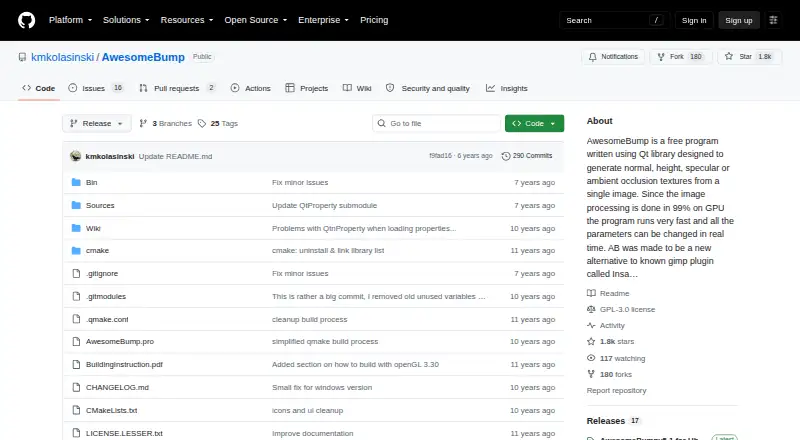
What AwesomeBump is
AwesomeBump creates material textures from a single image, including normal, height, specular, ambient occlusion, metallic, and roughness maps. It can also convert between normal and height maps and extract bump information. For further texture work, it supports seamless creation, perspective transformation, real-time tessellation, grunge maps, material textures, and bump-map mixing. The maker says 99% of image processing runs on the GPU, with parameters adjustable in real time. Saved images can be PNG, JPG, BMP, or TGA. The software is free and available for Windows, Linux, and macOS. The README links a Windows 5.1 package for Windows 7, 8, and 10, and Linux versions 5.1 for Ubuntu 18 and 5.0 for Ubuntu 14. Source builds are intended for Qt-supported platforms, with a Unix build script. The build instructions call for OpenGL 4.0; an OpenGL 3.3 build is available without tessellation. The project is LGPL version 3 or later, and its README warns that the current CMake script does not work.
Who it suits
AwesomeBump suits artists and developers who need to generate or convert material textures from images, particularly for a PBR workflow. It is available across desktop Linux, macOS, and Windows.
What it does well
- Generates six types of material textures from one image
- GPU-based processing with real-time parameter changes
- Supports seamless textures and bump-map mixing
- Saves images as PNG, JPG, BMP, or TGA
What to know first
- Build instructions require OpenGL 4.0 for full graphics support
- OpenGL 3.3 builds omit tessellation
- The current CMake script does not work
Plans
| Plan | Billed and limits | Price |
|---|---|---|
| AwesomeBump | Free and open source; no paid plans or usage limits stated | Free |
As github.com lists them, read 8 Oct 2026. The maker's own page has the final word.
Getting started
- Open the project page at https://github.com/kmkolasinski/awesomebump.
- Choose a linked Windows package or Linux build if it matches your system.
- For a source build, use a platform supported by Qt and the provided Unix build script.
- Check that your graphics card supports OpenGL 4.0 for the full graphics requirements; the OpenGL 3.3 build lacks tessellation.
- Load an image and generate or convert the material textures you need.
- Save the output as PNG, JPG, BMP, or TGA.
AwesomeBump is a free, open-source desktop tool for turning a single image into a set of PBR material maps. It suits artists and developers who need GPU-assisted texture preparation across Windows, Linux, or macOS without a subscription. Its broad map-generation and conversion toolkit is compelling, but graphics compatibility and an unreliable CMake build make the delivery route important.
Overview
The application generates normal, height, specular, ambient-occlusion, metallic, and roughness textures from one source image. It also works in the other direction: normal maps can become height maps, height maps can become normal maps, and bump information can be extracted from an image. That makes it useful for turning ordinary reference imagery into a workable material set, or for repairing an existing map pipeline.
AwesomeBump is designed around interactive adjustment. Its maker says 99% of image processing runs on the GPU, so parameters can be changed in real time when the graphics hardware meets the requirement. The trade-off is clear: this is a graphics-dependent desktop utility rather than a lightweight, universally compatible converter.
Key features
- Map generation: Creates six common material maps from a single image, giving a practical starting point for PBR workflows.
- Map conversion: Converts normal and height maps in either direction and extracts bump detail, useful when an asset arrives in an inconvenient format.
- Texture tools: Seamless texture creation, perspective transformation, real-time tessellation, material textures, grunge maps, and bump-map mixing cover preparation tasks beyond a single filter.
- GPU editing: Real-time parameter changes can speed iteration, provided the GPU supports the required OpenGL level.
- Saving: PNG, JPG, BMP, and TGA are supported export image formats.
Pricing
The AwesomeBump plan costs free. It is free and open source under the GNU Lesser General Public License version 3 or later, with no paid plans or stated usage limits. That fits hobbyists, students, independent creators, and studios that want a map-generation utility without recurring software cost. There are no paid tiers to unlock additional capacity, so buyers seeking commercial support terms or a tiered service model should look elsewhere.
Platforms
AwesomeBump supports Windows, Linux, and macOS. The README links a version 5.1 Windows package for Windows 7, 8, and 10, version 5.1 for Ubuntu 18, and version 5.0 for Ubuntu 14. Source builds are intended for platforms supported by Qt and include a Unix build script, but the README warns that the current CMake script does not work. Build instructions require a graphics card supporting at least OpenGL 4.0; an OpenGL 3.3 build exists, though tessellation is unavailable there.
Who it's for
Choose AwesomeBump when you need desktop-based material-map generation, conversion, and texture cleanup in one free tool, especially for a PBR pipeline where interactive GPU adjustment matters. It is less suitable when your hardware cannot meet OpenGL 4.0, when tessellation is central to the workflow, or when you need a polished installer and dependable source-build process.
Pros and cons
Pros
- Generates a complete set of widely used PBR maps from one image.
- GPU-heavy processing and real-time controls support fast visual iteration.
- Includes conversion, seamless-texture, grunge, tessellation, and bump-mixing tools rather than only map baking.
- Free, open-source licensing removes subscription and usage-limit concerns.
- Runs on Windows, Linux, and macOS, with common PNG, JPG, BMP, and TGA exports.
Cons
- OpenGL 4.0 is required for the main build, and the OpenGL 3.3 option loses tessellation.
- The current CMake script does not work, complicating source compilation.
- Published download targets are older Windows and Ubuntu versions, so newer systems may require a source-build route.
Alternatives
For a broader starting point, browse 3D Texturing Software or Game Texture Software.
- Mixos Paint is the better fit for a cross-platform, browser-inclusive workflow, but its free plan has 100 MB of cloud storage, 10 trial AI credits, a 512px 2D texture view cap, and export restrictions.
- Surface Labs suits users wanting a free early-access product across mobile, desktop, and API environments.
- InstaMAT is an alternative for users who qualify for its free Pioneer License, which covers Windows, macOS, and Linux with attribution required.
- Marmoset Viewer is appropriate when the need is viewing rather than generating maps; its free standalone Viewer is included with Toolbag versions 2.07 and newer.
- Trumble offers browser-based access and a free tier with current and future tools, but includes workspace ads.
- LigidPainter is another completely free Windows, Linux, and macOS option, listed as name-your-own-price.
- Mari has a free non-commercial plan, with exports limited to 4K and 16-bit per channel and Python scripting disabled.
- Material Maker provides a name-your-own-price desktop download under MIT code and CC0 asset licensing; its Steam edition costs 14.99 USD once.
Verdict
AwesomeBump is a strong choice for anyone who wants a no-cost, open-source way to generate and reshape PBR maps on the desktop. Its main reason to choose it is the unusually broad texture toolkit paired with GPU-driven, real-time adjustment. Look elsewhere if your machine misses the OpenGL requirement, you depend on tessellation with older hardware, or you need a smoother, currently maintained build-and-install experience.
Verdict
AwesomeBump brings image-based material map generation and several texture-editing tools into a free desktop application. Check the graphics requirement and build caveat if you plan to compile it yourself.
Questions
Is AwesomeBump free?
Yes. The plan is free, and the project says it is free and open-source software under the GNU Lesser General Public License version 3 or later.
Which platforms does it support?
The project supports Windows, Linux, and macOS. The README links Windows packages and Linux builds; source builds are intended for platforms supported by Qt.
What textures can it generate?
From a single image, it can generate normal, height, specular, ambient occlusion, metallic, and roughness textures.
Which image formats can it save?
Supported save formats are PNG, JPG, BMP, and TGA.
What graphics requirement do the build instructions give?
They call for a graphics card supporting OpenGL 4.0. An OpenGL 3.3 build is available, but tessellation is unavailable in that build.
Does the current CMake script work?
The project README warns that the current CMake script does not work.
Facts from AwesomeBump's own pages
- Additional features
- It supports seamless texture creation, perspective transformation, real-time tessellation, material textures, grunge maps, and mixing bump maps. · github.com, 8 Oct 2026
- Build caveat
- The README warns that the current CMake script does not work. · github.com, 8 Oct 2026
- Build platform
- The maker says source builds should work on platforms supported by Qt and provides a Unix build script. · github.com, 8 Oct 2026
- Export formats
- The project README lists PNG, JPG, BMP, and TGA as supported image formats for saving. · github.com, 8 Oct 2026
- GPU processing
- The maker says 99% of image processing is done on the GPU and parameters can be changed in real time. · github.com, 8 Oct 2026
- Graphics requirement
- The build instructions say the graphics card must support at least OpenGL 4.0; an OpenGL 3.3 build is available with tessellation unavailable. · github.com, 8 Oct 2026
- Integrations and libraries
- The README names Qt, tinyobjloader for OBJ files, and QtnProperty for most GUI controls. · github.com, 8 Oct 2026
- License
- The project states it is free software under the GNU Lesser General Public License version 3 or later. · github.com, 8 Oct 2026
- Linux download
- The README links version 5.1 for Ubuntu 18 and version 5.0 for Ubuntu 14. · github.com, 8 Oct 2026
- Purpose
- AwesomeBump generates normal, height, specular, ambient occlusion, metallic, and roughness textures from a single image. · github.com, 8 Oct 2026
- Support
- The maker invites bug reports and problems by email at [email protected] and accepts pull requests for fixes or improvements. · github.com, 8 Oct 2026
- Texture conversion
- It can convert normal maps to height maps and height maps to normal maps, and extract bump information from an image. · github.com, 8 Oct 2026
- Windows download
- The README links a version 5.1 binary package for Windows 7, 8, and 10. · github.com, 8 Oct 2026
Where AwesomeBump stands on Freedom251
- 3D Texturing Software#1 of 29
- Game Texture Software#5 of 34