Freedom251 › 3D Texturing Software
Forge Material Studio
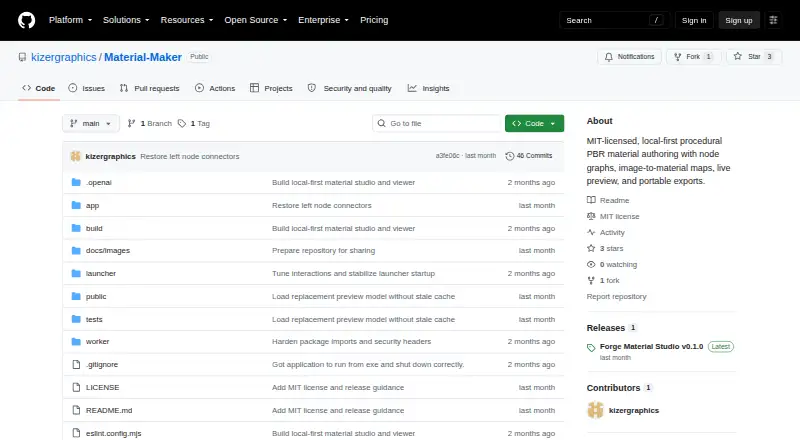
What Forge Material Studio is
Forge Material Studio is a local-first tool for building procedural PBR materials on the web or Windows. Its node graph includes cloud noise, Voronoi, gradient, brick, math, blend, and normal nodes for creating tileable materials. It can also turn PNG, JPEG, or WebP albedo images into editable base-color, height, normal, roughness, metallic, and ambient-occlusion maps. A live Babylon.js preview displays materials on a sphere, cube, plane, or production-style model, with full-result and individual-channel views. Work can be done at 512, 1024, or 2048 pixels while keeping the source aspect ratio. Projects are saved in IndexedDB with recovery, generated-map caching, undo and redo, and keyboard save shortcuts. Exports include PNG maps or validated .mmpack packages containing baked maps, the source graph, a manifest, and an export report. The application runs on the user's computer without an account system, telemetry, or material upload service. It is free under the MIT License, which allows commercial use when the copyright and license notice remain with the software.
Who it suits
It suits artists and other users who need to create or edit tileable PBR materials locally. The node workflow and image-map conversion offer different starting points for material work.
What it does well
- Creates tileable materials with a node graph.
- Converts PNG, JPEG, and WebP images into editable maps.
- Previews materials on several shapes and production-style models.
- Exports PNG maps or validated .mmpack packages.
What to know first
- Windows launcher requires Node.js 22.13 or newer.
- Windows launcher also requires .NET 8 Desktop Runtime.
- Image-derived metallic maps default to a dielectric value.
Limits
The maximum texture resolution is 2048 pixels. When maps are generated from an image, metallic defaults to a dielectric value because metal cannot be identified reliably from color alone.
Plans
| Plan | Billed and limits | Price |
|---|---|---|
| Free and open-source | MIT licensed · use, copy, modify, and distribute, including commercially, with copyright and license notice | Free |
As github.com lists them, read 3 Oct 2026. The maker's own page has the final word.
Getting started
- Open the Forge Material Studio website for browser use, or get the Windows release from its project site.
- For the Windows launcher, install Node.js 22.13 or newer and .NET 8 Desktop Runtime.
- Use Microsoft Edge or Google Chrome with the Windows launcher.
- Create a material with the node graph or start from a PNG, JPEG or WebP albedo image.
- Preview the material and export PNG maps or a .mmpack package.
Verdict
Forge Material Studio combines procedural authoring, image-derived maps, previews, and package exports in a free local-first tool. Users working from images should note that metallic values are not identified reliably from color alone.
Questions
Is Forge Material Studio free?
Yes. The Free and open-source plan costs nothing.
What platforms does it support?
It supports web and Windows.
Can I use it commercially?
Yes. The project uses the MIT License, which permits commercial use provided the copyright and license notice remain with the software.
Does it require an account?
No. The application has no account system and runs on the user's computer.
What does the Windows release require?
The Windows launcher requires Node.js 22.13 or newer, .NET 8 Desktop Runtime, and Microsoft Edge or Google Chrome.
What is the maximum texture resolution?
It supports work at 512, 1024 or 2048 pixels, preserving the source aspect ratio.
Facts from Forge Material Studio's own pages
- Exports
- It exports individual PNG maps or validated .mmpack packages containing baked maps, the source graph, a manifest, and an export report. · github.com, 3 Oct 2026
- Image maps
- It can turn PNG, JPEG, or WebP albedo images into editable base-color, height, normal, roughness, metallic, and ambient-occlusion maps. · github.com, 3 Oct 2026
- Image workflow limit
- When generating maps from an image, metallic defaults to a dielectric value because metal cannot be identified reliably from color alone. · github.com, 3 Oct 2026
- License
- The project is released under the MIT License, which permits commercial use provided the copyright and license notice remain with the software. · github.com, 3 Oct 2026
- Node graph
- It builds tileable materials from nodes including cloud noise, Voronoi, gradient, brick, math, blend, and normal nodes. · github.com, 3 Oct 2026
- Preview
- Materials can be inspected in a live Babylon.js preview on a sphere, cube, plane, or production-style model, with beauty and individual-channel views. · github.com, 3 Oct 2026
- Privacy
- The application runs on the user's computer and has no account system, telemetry, material upload service, D1 database, or R2 bucket. · github.com, 3 Oct 2026
- Projects
- Projects are saved in IndexedDB with recovery, generated-map caching, undo and redo, and keyboard save shortcuts. · github.com, 3 Oct 2026
- Purpose
- Forge Material Studio is a local-first tool for authoring procedural PBR materials. · github.com, 3 Oct 2026
- Requirements
- The Windows launcher requires Node.js 22.13 or newer, .NET 8 Desktop Runtime, and Microsoft Edge or Google Chrome. · github.com, 3 Oct 2026
- Resolution
- The tool supports 512, 1024, or 2048 pixel work while preserving the source aspect ratio. · github.com, 3 Oct 2026
- Viewer
- The standalone viewer opens .mmpack files entirely in browser memory. · github.com, 3 Oct 2026
- Windows launcher
- The Windows release includes an unsigned open-source launcher; the maker says it does not upload projects or textures, install a background service, or continue running after its window closes. · github.com, 3 Oct 2026
Where Forge Material Studio stands on Freedom251
- 3D Texturing Software#6 of 29