Freedom251 › Volunteer Scheduling Software
SignUp.com
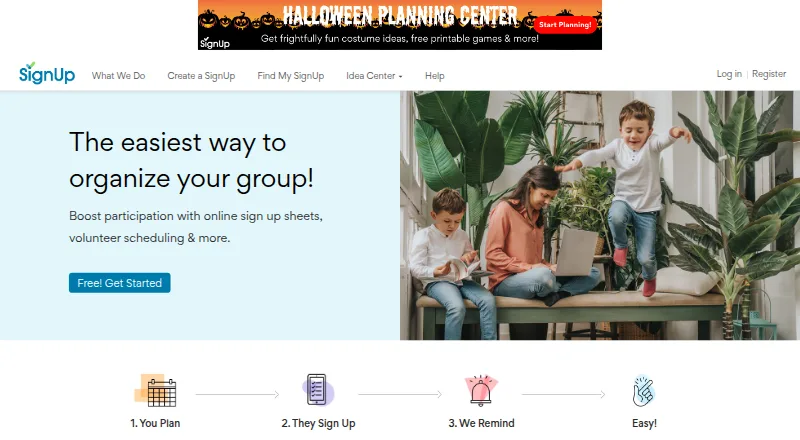
What SignUp.com is
SignUp.com provides digital sign-up sheets and automated reminders for coordinating volunteers, events, and group activities. Organizers can schedule shifts, copy them across multiple days, allow participant shift swaps, sync calendars, and embed calendars. Participants can sign up without passwords, and plans include unlimited participants and SignUps. Organizers can add links to Dropbox, Zoom, and Drive or share through social media. Plans include collecting payments and contributions, though payment collection is unavailable to users outside the U.S. or Canada. Participants can use a mobile browser without downloading an app; optional organizer apps are available for iPhone and Android. The Basic plan is free and includes one primary organizer, one custom participant question, one group page, and email support. Paid plans list priority email support, and some include coaching calls. SignUp.com says it regularly backs up its servers, uses security systems, and applies SSL encryption to data transmissions. The service was founded in Austin in 2009 as VolunteerSpot and renamed SignUp in 2016; its headquarters are in Austin, Texas.
Who it suits
SignUp.com suits parents, teachers, community organizers, and team leaders coordinating events and volunteers. It can also fit groups that need shift scheduling, participant reminders, or calendar sharing.
What it does well
- Participants can sign up without passwords.
- Schedules can be copied across multiple days.
- Optional organizer apps are available for iPhone and Android.
- Basic plan includes email support.
What to know first
- Payment collection is unavailable outside the U.S. and Canada.
- Basic plan has one primary organizer.
- Basic plan allows one custom participant question.
Limits
Basic includes one primary organizer, one custom participant question, and one group page. Payment collection is unavailable to users outside the U.S. or Canada.
Plans
| Plan | Billed and limits | Price |
|---|---|---|
| Basic | 1 primary organizer · 1 custom participant question · 1 group page · email support | Free |
| Plus | Billed $249.99 annually · 5 assistant organizers · 3 custom participant questions · waivers · participant check-in · priority email / coaching calls | $249.99 a year |
| Max | Billed $499.99 annually · 15 assistant organizers per SignUp · 15 custom participant questions · advanced hours tracking and reporting · custom SignUp URLs | $499.99 a year |
| Campus | K-12 schools · 150 organizer upgrades · 15 assistant organizers per SignUp · priority email / coaching calls | $99 a year |
| Starter | Billed $99.99 annually · 1 assistant organizer per SignUp · 2 custom participant questions · unlimited group pages · priority email support | $99.99 a year |
| Ad-Free | Optional ad-free upgrade available with any account type | On request |
As signup.com lists them, read 29 Sept 2026. The maker's own page has the final word.
Getting started
- Open https://signup.com/.
- Choose the free Basic plan or a listed paid plan.
- Create a SignUp and configure its shifts and participant questions.
- Share the SignUp with participants, including through social media if useful.
- Participants can sign up in a mobile browser; organizers can optionally use the iPhone or Android app.
Overview
SignUp.com is an online service for coordinating volunteer shifts, events and group activities. It is best suited to parents, teachers, community organizers and team leaders who want participants to choose their own slots without creating passwords. Its broad scheduling tools and unlimited participant capacity are balanced by tight organizer and custom-question limits on the free plan.
Key features
Scheduling and participation
Recurring assignments, multi-day schedule copying and participant shift swaps help organizers manage repeating events and changing availability without assigning every slot themselves. Automated reminders can reduce the need to chase participants. Plans include unlimited participants and SignUps, so group size is not the stated constraint; organizer capacity and custom questions are more likely to shape a plan choice.
Calendar sync and embedding connect SignUps with calendars, while links to Dropbox, Zoom and Drive and social sharing provide ways to circulate event information. Participants can sign up in a mobile browser without installing an app. Optional organizer apps are available for iPhone and Android.
Payments and support
Plans include payment and contribution collection, but the feature is unavailable outside the U.S. and Canada. Organizers elsewhere who need to collect money through the service should look elsewhere. Basic includes email support; paid plans list priority email support, and some also include coaching calls.
Security and privacy
SignUp says it regularly backs up its servers, protects them with security systems and uses industry-standard SSL encryption for data transmissions. It also says it does not knowingly collect personal information from children under 13 and that its services are not directed to that age group.
Pricing
SignUp.com uses a freemium model. Basic costs nothing and includes one primary organizer, one custom participant question, one group page and email support. It suits a small group with straightforward signup needs, but the one-organizer and one-question ceilings leave little room for shared administration or tailored participant details.
Starter costs $99.99 a year, billed $99.99 annually. It allows one assistant organizer per SignUp, two custom participant questions, unlimited group pages and priority email support. It is a modest step up for an organizer who needs multiple group pages, though its assistant and question allowances remain limited.
Plus costs $20.83 a year, billed $249.99 annually. It provides five assistant organizers, three custom participant questions, waivers, participant check-in, priority email and coaching calls. This fits groups that need more shared administration or check-in and waiver workflows. Max costs $41.66 a year, billed $499.99 annually; it raises the allowance to 15 assistant organizers per SignUp and 15 custom questions, and adds advanced hours tracking and reporting plus custom SignUp URLs. It is the more suitable tier for larger coordination teams that need those reporting and identity options.
Campus costs $99 a year and is aimed at K-12 schools. It includes 150 organizer upgrades, 15 assistant organizers per SignUp and priority email or coaching calls, making it the school-focused choice for broader organizer access. An optional ad-free upgrade is available with any account type at custom pricing.
Platforms
SignUp.com is available on the web, Android and iOS. Participants can use the mobile browser without a download, while the optional apps are for organizers.
Who it's for
Choose SignUp.com for school, parent, community or team activities where participants need to self-select shifts and organizers value recurring schedules, reminders and swaps. It is less suitable for groups outside the U.S. and Canada that rely on built-in payment collection, or for organizations whose free-plan needs exceed one primary organizer and one custom question.
Pros and cons
- Pros: Unlimited participants and SignUps avoid a stated attendance cap, while password-free signup and mobile-browser access lower the barrier for volunteers.
- Pros: Recurring assignments, shift swaps, calendar tools and automated reminders cover several common coordination tasks in one service.
- Cons: Basic is capped at one primary organizer, one custom question and one group page, restricting collaboration and customization.
- Cons: Payment collection is unavailable outside the U.S. and Canada, limiting its usefulness for organizers elsewhere who collect contributions.
Alternatives
For a broader comparison, browse Volunteer Scheduling Software.
- POINT is worth considering if you want a free plan with unlimited volunteers and admins, plus event, contact and group management, messaging, reminders and time tracking.
- VolunteerMark offers a free tier for up to 50 volunteers and one administrator, making it an option for smaller programs comfortable with a volunteer cap.
- Vome has a free Recruit plan with one application form, one onboarding sequence and unlimited volunteers and admin seats; consider it when those recruitment and onboarding provisions matter.
- Church Volunteering has a free web plan for one team and up to 10 volunteers with manual reminders, making it a narrower option for small church teams.
- Timecounts offers a free web plan with one organizer, unlimited volunteers, a brandable volunteer hub, a volunteer database and time logs; consider it if those volunteer-management tools are the priority.
- Volunteer Shift Manager has a free web Starter plan capped at 50 volunteers and 30 upcoming shifts, with monthly email and SMS reminder limits; it may suit groups that can work within those quotas.
- Better Impact Volunteer Impact is a paid alternative with web, iOS, Android and API platforms; its Foundation plan includes three administrators, basic profiles, a document library, online applications and branded forms.
- Charity Republic is a paid web alternative with a listed monthly plan for fewer than 250 volunteers, including setup and training.
Verdict
SignUp.com is a strong fit for schools, parent groups and community organizers who need flexible volunteer signups, recurring shifts and reminders without limiting participant numbers. Its free plan makes a simple group easy to start, but shared administration and custom questions quickly point toward paid tiers. Choose another service if your organization is outside the U.S. and Canada and needs built-in payment collection.
Verdict
SignUp.com centers on group sign-ups, scheduling, reminders, and participant coordination. Consider the Basic plan's organizer and question limits, along with the regional restriction on collecting payments.
Questions
Is SignUp.com free?
Yes. The Basic plan costs nothing.
What does Basic include?
It includes one primary organizer, one custom participant question, one group page, and email support.
What platforms can I use?
SignUp.com lists Android, iOS, and web. Participants can also use a mobile browser without downloading an app.
Can participants sign up without an account password?
Yes. Participants can sign up without passwords.
Can SignUp.com collect payments?
Plans include payment and contribution collection, but the feature is unavailable to users outside the U.S. or Canada.
Who founded SignUp.com?
Karen Bantuveris founded VolunteerSpot in Austin in 2009. The company renamed it SignUp in 2016.
Facts from SignUp.com's own pages
- Company history
- Karen Bantuveris founded VolunteerSpot in Austin in 2009, and the company renamed it SignUp in 2016. · support.signup.com, 29 Sept 2026
- Founded
- 2009 · signup.com, 28 Sept 2026
- Headquarters
- The company lists its address as P.O. Box 161622, Austin, TX 78716. · support.signup.com, 29 Sept 2026
- Integrations
- SignUps can include links to Dropbox, Zoom, and Drive, and the service supports sharing through social media. · support.signup.com, 29 Sept 2026
- Mobile access
- Participants can use SignUp in a mobile browser without downloading an app, and optional organizer apps are available for iPhone and Android. · signuphelp.zendesk.com, 29 Sept 2026
- Participants
- Participants can sign up without passwords, and plans include unlimited participants and SignUps. · support.signup.com, 29 Sept 2026
- Payments
- Plans include collecting payments and contributions, and SignUp says payment collection is unavailable to users outside the U.S. or Canada. · signup.com, 29 Sept 2026
- Privacy
- SignUp says it does not knowingly collect personal information from children under 13 and that its services are not directed to children under 13. · support.signup.com, 29 Sept 2026
- Purpose
- SignUp provides online tools to coordinate volunteers, plan events, and manage group activities with digital sign-up sheets and automated reminders. · support.signup.com, 29 Sept 2026
- Scheduling
- Its plans include shift scheduling, multi-day copying, participant shift swaps, calendar sync, and calendar embedding. · support.signup.com, 29 Sept 2026
- Security
- SignUp says it regularly backs up its servers, protects them with security systems, and uses industry-standard SSL encryption for data transmissions. · support.signup.com, 29 Sept 2026
- Support
- The Basic plan includes email support, while paid plans list priority email support and some include coaching calls. · support.signup.com, 29 Sept 2026
- Who it serves
- SignUp describes its audience as parents, teachers, community organizers, and team leaders coordinating events and volunteers. · support.signup.com, 29 Sept 2026
Where SignUp.com stands on Freedom251
- Volunteer Scheduling Software#7 of 26