Freedom251 › Cloud Live Streaming Studios

Riverside Magic Audio
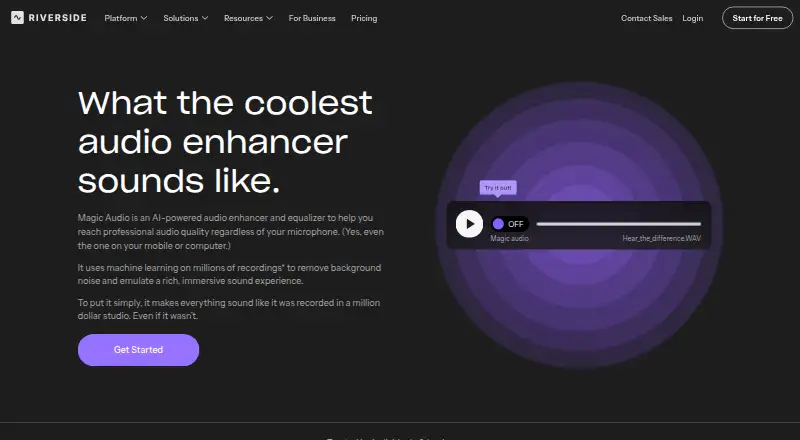
What Riverside Magic Audio is
Riverside Magic Audio is an AI-powered enhancer and equalizer for recordings. It reduces background noise, echo, and reverb, and adjusts frequency bands, voice clarity, loudness, and volume. Riverside describes it for podcasts, social media clips, company meetings, interviews, voice recordings, and tutorials. It accepts audio and video uploads in formats including MP3, WAV, OGG, MP4, MPEG, and WEBM. The product is listed for Android, iOS, macOS, and web, and uses batch processing. Riverside says it does not use customer data to train the model, and its pricing FAQ says Magic Audio does not require AI credits. A free plan is listed as free, with a one-off two hours of multi-track recordings, video up to 720p, a Riverside watermark, and 44.1 kHz audio. The Pro plan includes Magic Audio and is listed at $24 a month, billed annually at $288 annually. The pricing note lists paid plans from $24/mo (annual) and a 14-day trial.
Who it suits
Magic Audio suits people improving podcast, interview, meeting, tutorial, or social-media recordings. It accepts audio and video uploads and is available on Android, iOS, macOS, and web.
What it does well
- Reduces background noise, echo, and reverb.
- Adjusts voice clarity, frequency bands, and loudness.
- Accepts listed audio and video formats.
- Riverside says it does not train on customer data.
- No AI credits are required for Magic Audio.
What to know first
- Free plan includes a one-off two hours of multi-track recordings.
- Free plan video is limited to 720p.
- Pro is $24 a month, billed annually.
Limits
The free plan includes a one-off two hours of multi-track recordings, up to 720p video, a Riverside watermark, and 44.1 kHz audio. Separate track download hours are capped by plan; recording is unlimited on Pro, Grow, and Webinar.
Plans
| Plan | Billed and limits | Price |
|---|---|---|
| Free | $0/month · 2 hours of multi-track recordings (one-off) · up to 720p video · Riverside watermark · 44.1 kHz audio | Free |
| Pro | $288 annually; $24/month annual rate · 1 studio · 15 hrs of separate track downloads · Magic Audio included | $24 a month |
| Grow | $408 annually; $34/month annual rate · 2 studios · 20 hrs of separate track downloads · everything in Pro plus live streaming | $34 a month |
| Webinar | $408 annually; $79/month annual rate shown · 3 studios · 25 hrs of separate track downloads · up to 100 webinar registrants | $79 a month |
| Business | Contact Sales for pricing · Unlimited studios · unlimited separate track downloads · up to 10,000 webinar registrants · SOC2 and ISO27001 compliance | On request |
As riverside.com lists them, read 30 Sept 2026. The maker's own page has the final word.
Getting started
- Open the Riverside Magic Audio website.
- Choose a Riverside plan; the Free plan is available, and the pricing note lists a 14-day trial.
- Use Riverside on Android, iOS, macOS, or the web.
- Upload an audio or video file in a supported format.
- Adjust the audio with Magic Audio.
Riverside Magic Audio is a batch audio enhancer for recordings that need clearer speech and more controlled levels. It is best suited to podcasters and teams handling interviews, meetings or other spoken-word material. Its broad cleanup tools are useful, but the free plan is a short one-off sample and paid access sits inside plans with separate-track download limits.
Overview
Magic Audio combines background-noise removal and echo and reverb reduction with adjustments to frequency bands, voice clarity, loudness and volume. That breadth suits speech recordings with several common problems; it is less compelling for anyone seeking detailed manual mixing or real-time processing, since the mode is batch.
It accepts audio and video uploads, including MP3, WAV, OGG, MP4, MPEG and WEBM. Riverside says it does not use your data to train the model, and the tool does not require AI credits. Riverside was founded in 2020 by brothers Gideon and Nadav.
Key features
- Noise, echo and reverb reduction: These address distracting room sound and background noise, while voice isolation adds another option for spoken-word clarity.
- Voice and level adjustments: Frequency bands, voice clarity, loudness and volume controls make Magic Audio more than a basic denoiser, though the stated feature set does not make it a full mixing suite.
- Broad speech use cases: Riverside describes the tool for podcasts, social clips, company meetings, interviews, voice recordings and tutorials. That range makes it relevant to both creators and workplace teams.
Pricing
The Free plan costs $0/month and includes a one-off two hours of multi-track recordings, video up to 720p, a Riverside watermark and 44.1 kHz audio. It offers a way to start without paying, but its one-off recording allowance and watermark make it a limited choice for ongoing production.
Pro costs $24/month on annual billing ($288 annually). It includes one studio, 15 hours of separate-track downloads and Magic Audio. Recording is unlimited on Pro, but separate-track downloads are not: the 15-hour cap matters to anyone who regularly needs individual tracks for editing.
Grow costs $34/month on annual billing ($408 annually), with two studios and 20 hours of separate-track downloads. It adds live streaming to Pro’s features, making the higher rate most relevant to users who need that capability or an additional studio; the download allowance still applies.
Webinar is $79/month, with a listed annual-billing total of $408. It includes three studios, 25 hours of separate-track downloads and up to 100 webinar registrants. Recording is unlimited on Webinar, but the separate-track cap remains; the listed annual total is lower than twelve times the monthly rate, so confirm the billing terms before purchase.
Business has custom pricing. It includes unlimited studios and separate-track downloads, up to 10,000 webinar registrants, and SOC2 and ISO27001 compliance. It is the fit for organizations that need those scale and compliance provisions; it also includes 24/7 live priority chat support and a dedicated customer success manager. HubSpot integration is listed for webinar leads, while Salesforce and Marketo integrations are listed on Business.
Riverside offers a 14-day trial. Separate-track download hours vary by plan, even though recording itself is unlimited on Pro, Grow and Webinar.
Platforms
Magic Audio supports Android, iOS, macOS and web. That spread accommodates mobile and desktop users, although the batch workflow is oriented toward uploaded files rather than live cleanup.
Who it's for
Choose Magic Audio if you need to improve speech recordings across audio and video formats and value noise and room-sound reduction alongside voice and level adjustments. Pro is the direct fit when Magic Audio is the priority and one studio with 15 download hours is enough. Grow and Webinar make more sense when their added studios, live streaming or webinar capacity justify the higher price. If you need unlimited separate-track downloads or the Business compliance and support provisions, consider Business rather than assuming a lower tier will suffice.
Pros and cons
- Pro: Noise, echo and reverb reduction plus voice isolation and level adjustments cover several spoken-word cleanup needs in one batch workflow.
- Pro: Audio and video input across six named formats suits mixed recording libraries.
- Pro: No AI credits are required, and Riverside says customer data is not used to train the model.
- Con: The free recording allowance is one-off, and includes a watermark with video capped at 720p.
- Con: Separate-track downloads are capped on Pro, Grow and Webinar, which may constrain users with substantial editing workflows.
- Con: Magic Audio is included in Pro and above, so users seeking only occasional cleanup may be paying for a broader studio plan.
Alternatives
For a different enhancement focus, LALAL.AI has a free Starter option with 10 minutes in the Relaxed Queue, a 200 MB per-file upload limit and previews, but full downloads are unavailable on that tier. Choose it if those queue and preview limits suit your needs.
Auphonic offers a free tier with two hours per month and AI-based audio algorithms; its free productions include a jingle and credits do not stack. It may suit users who prefer a monthly free production allowance.
CrystalSound has a free Starter plan, with no features or limits specified for that tier. DeepFilterNet is free and open source under MIT or Apache-2.0 licensing, a distinct option for readers prioritizing an open-source license.
Denoise is a mobile option for Android and iOS: its free tier lets users import and denoise and hear a full before-and-after, while saving or exporting requires Pro. Adobe Enhance Speech is web-based and offers a free audio-only tier limited to one file at a time, without strength adjustment, with a 30-minute and 500 MB per-file maximum and one hour of enhancement per day.
Chatterbox TTS offers open-source models for research and development under the MIT license. NVIDIA Background Noise Removal (BNR) offers free APIs for development, though requests may be rate limited.
For broader category comparisons, browse AI Speech Enhancement Software, Video Podcast Software or AI Podcast Editing Software.
Verdict
Riverside Magic Audio is a sensible choice for podcasters and teams who want batch cleanup of speech recordings, with room-sound reduction and voice and volume adjustments in one tool. Pro is the clearest starting point if its one-studio setup and 15 separate-track download hours fit your workflow. Look elsewhere if you need a standalone cleanup tool, real-time processing or more download capacity without moving to Business.
Verdict
Magic Audio covers noise and reverb reduction alongside voice and volume adjustments, and supports several upload formats. The free plan is limited, while Pro includes the tool at the listed annual-billing rate.
Questions
Is Riverside Magic Audio free?
Riverside lists a free plan. Magic Audio is included with Pro, which costs $24.00 per month on annual billing.
Is there a free trial?
The pricing note lists a 14-day trial.
Which platforms support Riverside Magic Audio?
It is listed for Android, iOS, macOS, and web.
Does Riverside use my data to train its model?
Riverside says it does not use your data to train the model.
Does Magic Audio use AI credits?
Riverside’s pricing FAQ says Magic Audio does not require AI credits.
Which integrations are listed?
Riverside lists HubSpot integration for webinar leads, and Salesforce and Marketo integrations on Business.
Facts from Riverside Magic Audio's own pages
- AI credits
- The pricing FAQ says Magic Audio does not require AI credits. · riverside.com, 30 Sept 2026
- Audio adjustments
- It adjusts frequency bands, voice clarity, loudness, and volume levels. · riverside.com, 30 Sept 2026
- Company
- Riverside says it was founded in 2020 by brothers Gideon and Nadav. · riverside.com, 30 Sept 2026
- Data use
- The Magic Audio page says Riverside does not use your data to train the model. · riverside.com, 30 Sept 2026
- Founded
- 2020 · riverside.com, 28 Sept 2026
- Integrations
- Riverside lists HubSpot integration for webinar leads and Salesforce and Marketo integrations on Business. · riverside.com, 30 Sept 2026
- Noise and reverb
- It removes background noise and reduces echo and reverb. · riverside.com, 30 Sept 2026
- Plan limit
- Separate track download hours are capped by plan, while recording itself is unlimited on Pro, Grow, and Webinar. · riverside.com, 30 Sept 2026
- Purpose
- Magic Audio is Riverside’s AI-powered audio enhancer and equalizer for improving recordings with one click. · riverside.com, 30 Sept 2026
- Support
- The Business plan includes 24/7 live priority chat support and a dedicated customer success manager. · riverside.com, 30 Sept 2026
- Upload formats
- The product page says uploaded audio and video formats include MP3, WAV, OGG, MP4, MPEG, and WEBM. · riverside.com, 30 Sept 2026
- Use cases
- Riverside describes Magic Audio for podcasts, social media clips, company meetings, interviews, voice recordings, and tutorials. · riverside.com, 30 Sept 2026
Where Riverside Magic Audio stands on Freedom251
- Cloud Live Streaming Studios#6 of 22
- Twitch Streaming Software#8 of 26
- Video Podcast Software#13 of 39
- AI Speech Enhancement Software#12 of 35
- AI Podcast Editing Software#10 of 26