Freedom251 › AI Audio Restoration Software

Denoise
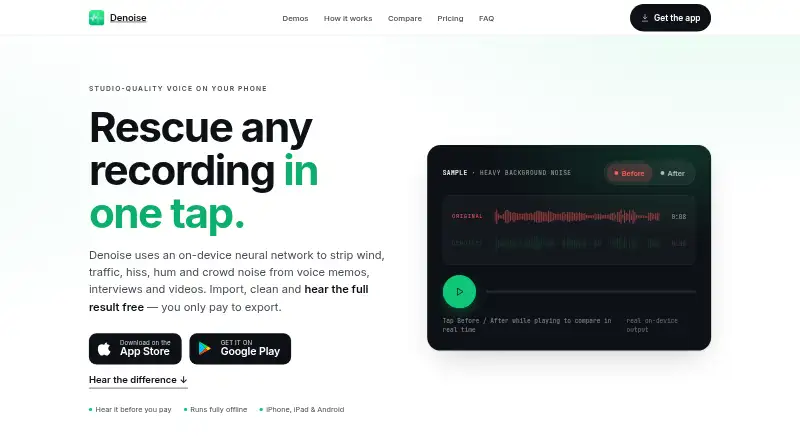
What Denoise is
Denoise is an Android and iOS app for cleaning up audio in voice memos, interviews and videos. Its on-device neural network reduces wind, traffic, hiss, hum and crowd noise, and runs offline, including in airplane mode. Recordings can be imported from Voice Memos, Photos, Files or an app share sheet; supported inputs include MP4, M4A, MP3 and WAV. Pro can export M4A, MP3 or WAV and replace a video's audio. Its VoiceFixer engine rebuilds detail in clipped, muffled or distant recordings, while version 4.0 separates vocals and instrumentals on-device. A five-band EQ offers Voice, Phone Call, Lecture and Music presets, with automatic loudness normalization at −16, −14, −19 or −23 LUFS. There is no file-length limit, including for recordings up to a three-hour lecture. Processing stays on the device, and Routes Software says recordings are not uploaded or stored; the app has no user accounts. Google Firebase collects anonymous usage analytics and diagnostics. Free users can denoise and preview, but saving and export require Pro. Pro costs $2.99 a month or 14.99 USD once for lifetime access.
Who it suits
It suits podcasters, creators, journalists, students and others who want to improve recordings on Android or iOS. It is also relevant to users who need offline processing or work with longer recordings.
What it does well
- Processes recordings on-device, including offline.
- Imports audio and video from several sources.
- No file-length limit, even for long recordings.
- Pro separates vocals and instruments on-device.
What to know first
- Free users cannot save or export recordings.
- No free trial is listed.
- Firebase collects anonymous usage and diagnostic information.
Limits
The free plan allows importing, denoising and hearing the full before-and-after, but saving and exporting require Pro. Pro is available for $2.99 a month or $14.99, paid once.
Plans
| Plan | Billed and limits | Price |
|---|---|---|
| Free to try | Import recordings · on-device denoise · full before/after listening · no account · no length limit · saving/exporting requires Pro | Free |
| Pro Lifetime | one payment; yours forever · Same Pro features as monthly plan · no annual plan | $14.99, paid once |
| Pro Monthly | monthly auto-renewing subscription · Unlimited saving and exporting · M4A/MP3/WAV export · video-audio replacement · VoiceFixer Restore · vocal/music separation · AI Shorten · LUFS normalization | $2.99 a month |
As denoise.app lists them, read 15 Oct 2026. The maker's own page has the final word.
Getting started
- Visit https://denoise.app/.
- Install Denoise on Android or iOS.
- Import a recording from Voice Memos, Photos, Files or an app share sheet.
- Use the free plan to denoise and hear the before-and-after preview.
- Choose Pro monthly at $2.99 a month or Pro lifetime at $14.99, paid once to save, share and export.
Denoise is a mobile app for reducing noise and improving recordings on Android and iOS. It is best for people who want private, offline cleanup on a phone; its free tier lets you preview the result, but saving it requires Pro.
Its appeal is breadth: noise reduction sits alongside audio restoration, vocal separation and controls for shaping and leveling sound. The trade-off is that finished exports and most of those extras are paid.
Overview
Denoise uses an on-device neural network to remove wind, traffic, hiss, hum and crowd noise from voice memos, interviews and videos. It also supports echo and reverb removal and voice isolation. Processing works in airplane mode, and a one-minute clip typically takes 5–10 seconds. That makes it a practical option for private material or work without a connection, though its Android and iOS focus will not suit a desktop editing workflow.
Recordings can come from Voice Memos, Photos, Files or an app’s share sheet. Supported inputs include MP4, M4A, MP3 and WAV, and there is no file-length limit—even a three-hour lecture can be processed. Free users can hear the full before-and-after result, but cannot save or export it. That restriction makes the free plan a preview rather than a usable end-to-end workflow.
Key features
Pro’s VoiceFixer restoration engine is designed for audio that is damaged or lacks clarity, not just audio with background noise. It can rebuild detail in clipped, muffled or distant recordings and add high frequencies that were not captured. This is useful for imperfect interviews, lectures or voice memos, though it cannot recover detail that was never recorded beyond what the engine can reconstruct.
Version 4.0 adds on-device separation of vocals and instrumentals from songs or video soundtracks, with acapella, instrumental and karaoke results. That makes Denoise more versatile for music-related tasks than a basic cleanup tool. A five-band EQ offers Voice, Phone Call, Lecture and Music presets, while automatic LUFS normalization can target −16, −14, −19 or −23. These controls help tailor and level a result without changing the app’s mobile-first scope.
Pro can export M4A, MP3 or WAV files and replace audio inside a video. Batch processing and the lack of a file-length cap are useful for longer or multiple recordings, while the free tier’s inability to save remains the main obstacle to adopting it as a regular tool.
Pricing
Free to try costs nothing. It includes importing and denoising, plus a full before-and-after preview; saving and export require Pro. It is a sensible way to judge whether the cleanup helps, but not a lasting option for anyone who needs finished files.
Pro monthly costs $2.99 a month and adds saving, sharing and export in M4A, MP3 and WAV, video-audio replacement, VoiceFixer restoration, vocal/music separation and LUFS loudness controls. It suits people who need the full toolset but prefer a monthly commitment.
Pro lifetime costs $14.99, paid once and includes the same features as Pro monthly, with access described as yours forever. For someone expecting to use Denoise beyond a short-term project, this is the lower-cost paid option compared with continuing monthly billing. There is no free trial; Free serves as the preview tier instead. Neither paid plan has a file-length limit.
Platforms
Denoise is available on Android and iOS. On-device processing and offline operation are strengths for phone-based work, but readers who need a computer-based editor should look elsewhere.
Who it's for
Denoise suits podcasters, creators, journalists and students who want to clean up recordings on a mobile device, especially when privacy or offline use matters. Its restoration and separation tools broaden its appeal to people working with muffled speech or music tracks. It is a poor fit for anyone who needs to export without paying, or whose workflow depends on desktop software.
Pros and cons
- Pro: Processing stays on the device and works offline, which suits private recordings and disconnected work.
- Pro: No file-length cap accommodates long recordings, including three-hour lectures.
- Pro: Restoration, vocal separation, EQ and loudness normalization give Pro more range than noise reduction alone.
- Con: Free access stops at preview; saving and export require a paid plan.
- Con: Android and iOS support leaves desktop workflows out.
- Con: Anonymous usage analytics, crash and diagnostic reports, a random app identifier and an optional push-notification token are collected through Google Firebase, despite recordings themselves never being uploaded or stored by Routes Software.
Alternatives
For a different platform or workflow, consider Neural Analog, which has a free plan, a free trial and support for API, Linux, macOS, web and Windows; its free tier is capped at two online or AI-platform imports a month, playlists of five items, 50 MB uploads, six processing minutes a month and 30-second inputs.
Decrackle Audio AI is worth considering for web, API or self-hosted access. Its free plan provides 10 MB of storage, 30 processing minutes a month, basic denoising, EnhanceNet v2 and MP3 output only.
For a web-based alternative, MusiCraft AI Audio Enhancer has a free tier with 50 credits per month and two editing runs per month.
Selekt Audio Restoration offers a web free trial of seven days, then $5/month or $50/year unless canceled; it requires a payment method and includes three tool credits and three total catalog/quote downloads.
PD Cleaner is a free, open-source Windows 64-bit option with no account or trial. Cathar is a free option for Linux and macOS.
CEDAR Cambridge is a paid macOS and Windows alternative built around a modular hardware and software system, with custom pricing. For a plugin and standalone desktop workflow, CrumplePop offers a multi-host monthly subscription at $25 a month.
Verdict
Choose Denoise if you want fast, offline mobile cleanup with restoration and vocal separation in the same app, and are willing to pay to keep the results. Its strongest case is the combination of on-device privacy, unlimited clip length and a broader Pro toolset. Look elsewhere if you need free exports or a desktop workflow.
Verdict
Denoise offers local noise reduction with added restoration, vocal separation and audio controls in Pro. Free access is limited to processing and previewing; saving and export require a paid plan.
Questions
Is Denoise free?
Yes. The free plan lets you import and denoise recordings and hear the full before-and-after. Saving and exporting require Pro.
How much does Pro cost?
Pro monthly is $2.99 a month. Pro lifetime is $14.99, paid once.
Which platforms does Denoise support?
Denoise is available on Android and iOS.
Can Denoise process recordings offline?
Yes. Its model runs on the device, including in airplane mode.
Does Denoise upload recordings?
Routes Software says recordings are processed entirely on the device and are never uploaded or stored by the company.
What can Pro export?
Pro exports M4A, MP3 or WAV files and can replace the audio inside a video.
Facts from Denoise's own pages
- AI Shorten
- AI Shorten removes long pauses and speeds speech up to 1.5x without changing pitch. · denoise.app, 15 Oct 2026
- Analytics control
- The policy says there is currently no in-app switch to disable analytics and diagnostics; deleting the app stops collection. · denoise.app, 15 Oct 2026
- Audio controls
- Denoise includes a 5-band EQ with Voice, Phone Call, Lecture and Music presets plus automatic LUFS normalization at −16, −14, −19 or −23. · denoise.app, 1 Oct 2026
- Audio export
- Pro exports M4A, MP3 or WAV files and can replace the audio inside a video. · denoise.app, 1 Oct 2026
- Audio import
- Recordings can be imported from Voice Memos, Photos, Files or any app’s share sheet, including MP4, M4A, MP3 and WAV files. · denoise.app, 1 Oct 2026
- Automation
- The iOS release history adds a Shortcuts action named Clean Audio or Video. · apps.apple.com, 15 Oct 2026
- Before-after preview
- Users can toggle original and cleaned audio and hear the full result before paying. · denoise.app, 15 Oct 2026
- Company founded
- An Italian government startup report records Routes Software SRL as established on March 12, 2015 in Lomazzo. · i2.res.24o.it, 15 Oct 2026
- Company headquarters
- Google Play gives the developer address as Via Cavour 2, 22074 Lomazzo, Italy. · play.google.com, 15 Oct 2026
- Company legal name
- The app privacy policy identifies the maker as Routes Software SRL. · denoise.app, 15 Oct 2026
- Data collected
- The privacy policy says Firebase receives anonymous usage events, crash diagnostics, device and OS details, a random app identifier and optional push token. · denoise.app, 15 Oct 2026
- Data not collected
- The policy says the app does not collect recordings, names or accounts, contacts, precise location or advertising identifiers. · denoise.app, 15 Oct 2026
- Diagnostics
- Google Firebase collects anonymous usage analytics, crash and diagnostic reports, a random app identifier and an optional push-notification token. · denoise.app, 1 Oct 2026
- Equalizer
- A manual five-band EQ includes Voice, Phone Call, Lecture and Music presets plus profile suggestions from a quiet region. · denoise.app, 15 Oct 2026
- Export formats
- Pro can export M4A by default and optionally MP3 or WAV, or create a video with cleaned audio replacing the original. · denoise.app, 15 Oct 2026
- File length
- The FAQ says there is no file-length limit and gives examples up to a three-hour lecture. · denoise.app, 15 Oct 2026
- Founder
- A Ministry of Economic Development forum program identifies Denis Bulichenko as founder and CEO of Routes Software SRL. · mimit.gov.it, 15 Oct 2026
- Google Play availability
- Google Play lists Denoise: AI Voice Cleanup from Routes Software SRL with 1K+ downloads. · play.google.com, 15 Oct 2026
- Google Play data-safety declaration
- Google Play displays the developer declaration that no data is shared with third parties and no data is collected. · play.google.com, 15 Oct 2026
- Google Play update
- The Android listing says the app was updated on October 7, 2026 and added AI Shorten, tablet layout and accessibility improvements. · play.google.com, 15 Oct 2026
- Headquarters
- Lomazzo, Italy · denoise.app, 28 Sept 2026
- Import sources
- Files can come from Voice Memos, Photos, Files or an operating-system share sheet. · denoise.app, 15 Oct 2026
- Integrations
- The documented workflow uses Voice Memos, Photos, Files, iOS or Android share sheets and Android gallery apps. · denoise.app, 15 Oct 2026
- Limit: control and integrations
- Older reviews request more noise-reduction control, direct audio import and Dropbox integration. · apps.apple.com, 15 Oct 2026
Where Denoise stands on Freedom251
- AI Audio Restoration Software#4 of 22
- AI Voice Isolators#6 of 23
- AI Speech Enhancement Software#10 of 35