Freedom251 › AI Audio Restoration Software

Decrackle Audio AI
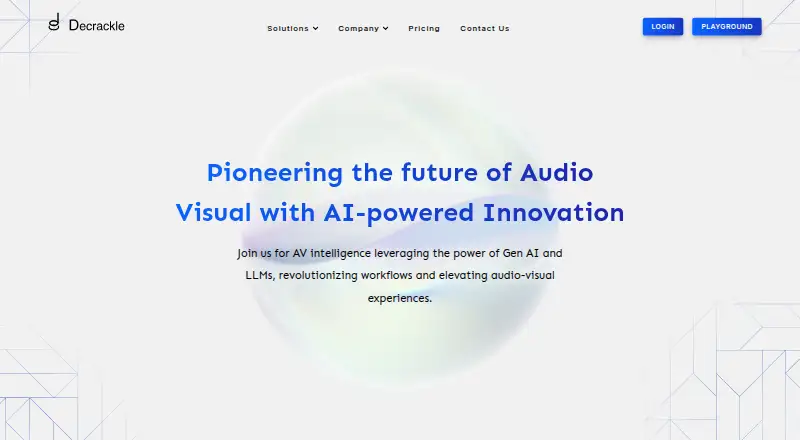
What Decrackle Audio AI is
Decrackle Audio AI provides audio denoising, transcription, and audio management through web tools and an API. Its Free plan offers basic denoising, 10MB of storage, and 30 minutes of processing per month. The Professional plan adds premium denoising, supports 10,000 processing minutes per month, and outputs MP3, WAV, FLAC, or Opus. It costs $18/mo, or $180 per year on the annual option. The API offers batch and streaming transcription with automatic language detection across 30+ languages, using a TypeScript SDK or REST API. The SDK works with Node.js 18+ and modern browsers. Decrackle also describes a conversation intelligence suite for recording and transcribing conversations, deriving keywords, analyzing sentiment, and producing summaries, insights, and reports. A separate Content Creator App combines video editing, podcast recording, caption generation, and storyboarding; its page invites users to join a waitlist. The Free plan is limited to MP3 output and a 10MB file size. Enterprise pricing is custom.
Who it suits
Decrackle may suit content creators, media and entertainment teams, editing software developers, call centers, customer service teams, and education users. Developers can access transcription and audio tools through an API.
What it does well
- Free plan includes basic denoising.
- API supports automatic detection across 30+ languages.
- Professional supports four audio output formats.
- Conversation suite includes summaries and reporting.
- API offers scoped keys and presigned URLs.
What to know first
- Free plan allows 30 processing minutes monthly.
- Free plan output is MP3 only.
- Free plan storage is 10MB.
- Content Creator App currently invites users to a waitlist.
Limits
The free plan includes 10MB of storage, 30 minutes of processing per month, basic denoising, EnhanceNet v2, and MP3 output only. Professional includes 100MB storage and 10,000 minutes of monthly processing.
Plans
| Plan | Billed and limits | Price |
|---|---|---|
| Free | $0/ forever · Basic denoising · EnhanceNet v2 · 10MB storage · 30 minutes processing/month · MP3 output only | Free |
| Professional | $18/ per month · 100MB storage · 10,000 minutes processing/month · Premium denoising · All EnhanceNet models · MP3, WAV, FLAC, Opus · Zero-retention mode available on request | $18 a month |
| Professional (monthly) | $18/ per month · Premium denoising · All EnhanceNet models · 100MB storage · 10,000 minutes processing/month · Dedicated support · Version pinning · MP3, WAV, FLAC, Opus output · Zero-retention mode available on request | $18 a month |
| Professional (annual) | $180 · 100MB storage · 10,000 minutes processing/month · Premium denoising · All EnhanceNet models · MP3, WAV, FLAC, Opus output · Zero-retention mode available on request | $180 a year |
| Enterprise | Custom · Unlimited API requests · Dedicated infrastructure · Custom SLAs and uptime guarantees · On-premise deployment option · Priority support and onboarding · Custom integrations and SDKs · Version pinning · MP3, WAV, FLAC, Opus output · Zero-retention mode | On request |
As decrackle.io lists them, read 14 Oct 2026. The maker's own page has the final word.
Getting started
- Visit the Decrackle website.
- Use the web tools or connect through the REST API or TypeScript SDK.
- Choose the Free plan for basic denoising, or Professional for premium denoising and expanded processing.
- For Enterprise features, request custom pricing.
Decrackle Audio AI combines audio-cleanup APIs with denoising plans, conversation intelligence and a separate content-creation app. It is best suited to developers and teams that need audio processing at scale or want recording and analysis tools alongside it. Its appeal is the range of API and enterprise options; the Free plan’s tight storage, monthly minutes and MP3-only output make it a limited starting point for larger workloads.
Overview
Decrackle spans several distinct uses: its API handles transcription, noise removal and audio management, while its conversation suite focuses on recording, transcripts, analysis and reporting. The Content Creator App brings video editing, podcast recording, caption generation and storyboarding together, but currently invites users to join a waitlist.
The API supports batch and streaming transcription with automatic language detection across 30+ languages. Developers can use a TypeScript SDK or REST API; the SDK works in Node.js 18+ and modern browsers. Scoped API keys provide plan-based access control, and presigned URLs support secure file access. These controls and multiple access routes suit software teams integrating audio processing, though the monthly processing quota remains a practical constraint outside Enterprise.
Key features
Denoising and file handling
Free includes basic denoising and EnhanceNet v2. Professional adds premium denoising and all EnhanceNet models, with MP3, WAV, FLAC and Opus output. That makes the paid tier more suitable for workflows needing format flexibility; the free tier’s MP3-only export is a clear limitation for production or archival use.
Conversation and content tools
The conversation suite covers recording, transcription, keyword derivation, sentiment analysis, summaries, insights and reporting. It says it can integrate with existing applications without data migration or complex setup, a useful fit for call centers and customer service teams. The content-creation offering addresses a different audience, but the waitlist means it is not an immediate option for someone choosing software to use now.
Security
Decrackle says it encrypts information in transit and at rest and regularly conducts penetration testing. Its privacy policy also states that absolute security of personal data cannot be guaranteed. Professional offers zero-retention mode on request; Enterprise includes it. Teams with strict data-handling requirements should weigh those terms against their own needs.
Pricing
The Free plan costs nothing, billed $0/ forever. It includes 10MB storage, 30 minutes of processing per month, basic denoising, EnhanceNet v2 and MP3 output only. It is a sensible way to evaluate a small workload, but the 30-minute quota and 10MB storage cap limit sustained use.
Professional costs $18 a month, billed $18/ per month. It raises storage to 100MB and processing to 10,000 minutes per month, adds premium denoising and all EnhanceNet models, and supports MP3, WAV, FLAC and Opus. Dedicated support is included, and zero-retention mode is available on request. This is the practical step up for regular processing or users who need more output formats.
Professional (annual) costs $180 a year, billed $180. It has the same 100MB storage, 10,000 monthly processing minutes, premium denoising, model access, formats and zero-retention option as monthly Professional. Choose it if an annual commitment fits; monthly Professional avoids paying for a year upfront.
Enterprise has custom pricing. It includes unlimited API requests, dedicated infrastructure, custom SLAs and uptime guarantees, an on-premise deployment option, priority support and onboarding, custom integrations and SDKs, and zero-retention mode. Those provisions suit organizations with higher scale or deployment requirements; custom pricing means it is not a fixed-cost alternative to Professional.
Platforms
Decrackle lists web, API and self-hosted access. Its TypeScript SDK supports Node.js 18+ and modern browsers. That mix gives developers integration options and organizations an on-premise route through Enterprise, while the web offering provides browser-based access.
Who it's for
Decrackle names media and entertainment, content creators, editing-software developers, call centers and customer service, and education as target sectors. Developers needing transcription or noise removal through an API are a strong fit, as are teams that can make use of the conversation suite’s analysis and reporting. The free tier is better for light evaluation than recurring production work; Professional is a more plausible fit for regular processing, while Enterprise targets teams requiring dedicated infrastructure or custom terms.
Pros and cons
- Pros: API transcription supports batch and streaming with automatic language detection across 30+ languages, useful for multilingual workflows.
- Pros: Professional supports four output formats and 10,000 processing minutes per month, a substantial step up from Free’s 30 minutes and MP3-only output.
- Pros: Enterprise offers dedicated infrastructure, an on-premise option and custom integrations for organizations with deployment needs beyond the standard plans.
- Cons: Free is capped at 10MB storage and 30 processing minutes per month, so it is restrictive for ongoing use.
- Cons: Content Creator App users must join a waitlist, so it is not a ready-to-use choice for creators seeking those tools now.
- Cons: Zero-retention mode is only available on request with Professional, while the policy does not guarantee absolute data security.
Alternatives
For a broader set of audio-restoration options, browse AI Audio Restoration Software.
Neural Analog is worth considering if you want a freemium option spanning API, Linux, macOS, web and Windows, though its free plan limits processing to 6 minutes monthly and uploads to 50 MB.
Denoise is an Android and iOS option for importing and denoising audio, with full before-and-after playback; saving and exporting require Pro.
MusiCraft AI Audio Enhancer is a web-based freemium alternative.
Selekt Audio Restoration may suit someone willing to try a time-limited offer, but its trial requires a payment method and renews at $5/month or $50/year unless canceled.
Cathar is a free alternative for Linux and macOS.
CEDAR Cambridge is a paid modular hardware and software system for macOS and Windows, with configuration-dependent options.
CrumplePop is a macOS and Windows alternative with plugin and standalone-app support; its Multi-Host Monthly Subscription costs $25 a month.
Perfect Declipper is a paid Windows option focused on declipping, priced at €100, paid once, with an optional Delossifier add-on.
Verdict
Choose Decrackle if you need audio processing through an API, or a path from denoising into conversation analysis and enterprise deployment. Professional is the sensible plan for recurring workloads that outgrow Free’s 30 minutes and MP3-only exports. Look elsewhere if you need a ready-to-use content-creation app now, or if Decrackle’s storage and processing limits do not fit your workload.
Verdict
Decrackle combines audio processing APIs with denoising plans and separate conversation and content-creation offerings. Check the Free plan's monthly processing, storage, and MP3 limits against your needs.
Questions
Does Decrackle have a free plan?
Yes. Free costs nothing and includes 10MB storage, 30 minutes of processing per month, and basic denoising.
How much does Professional cost?
Professional costs $18/mo. An annual option costs $180 per year.
What platforms does Decrackle support?
The listed platforms are API, self-hosted, and web.
What can the API do?
It offers transcription, noise removal, and audio management through a TypeScript SDK or REST API. Batch and streaming transcription include automatic language detection across 30+ languages.
Is the Content Creator App available?
Its page invites users to join a waitlist.
What does Enterprise include?
Enterprise lists unlimited API requests, dedicated infrastructure, custom SLAs and uptime guarantees, an on-premise deployment option, priority support and onboarding, custom integrations and SDKs, and zero-retention mode. Pricing is custom.
Facts from Decrackle Audio AI's own pages
- API
- Decrackle offers audio transcription, noise removal, and audio management through a TypeScript SDK or REST API. · docs.decrackle.io, 2 Oct 2026
- API access controls
- The API documentation describes scoped API keys with plan-based access control and presigned URLs for secure file access. · docs.decrackle.io, 2 Oct 2026
- API and SDK
- Decrackle documents a REST API and a TypeScript SDK distributed as the npm package @decrackle/sdk. · docs.decrackle.io, 14 Oct 2026
- API file formats
- The denoising docs list WAV, MP3, FLAC, OGG, M4A, AAC, AIFF, OPUS, and WEBM as supported inputs. · docs.decrackle.io, 14 Oct 2026
- API runtime
- The TypeScript SDK works in Node.js 18+ and modern browsers. · docs.decrackle.io, 2 Oct 2026
- App availability
- The Content Creator App page invites users to join a waitlist. · decrackle.io, 2 Oct 2026
- Audio denoising
- Its denoising API processes uploaded audio with Decrackle AI models and returns links to the original and cleaned files. · docs.decrackle.io, 14 Oct 2026
- Content creation
- The Content Creator App describes video editing, podcast recording, caption generation, and storyboarding in one platform. · decrackle.io, 2 Oct 2026
- Conversation analysis
- The conversation suite lists keyword extraction, sentiment analysis, summaries, customer and product insights, agent performance analysis, and reporting. · decrackle.io, 14 Oct 2026
- Conversation intelligence
- The suite describes conversation recording, transcription, keyword derivation, sentiment analysis, summaries, insights, and reporting. · decrackle.io, 2 Oct 2026
- Conversation recording
- The conversation suite describes recording customer interactions such as calls and chats for dashboard analysis. · decrackle.io, 14 Oct 2026
- Creator collaboration
- The creator page describes multilingual transcription and translation, team editing and feedback, and exports in multiple formats. · decrackle.io, 14 Oct 2026
- Creator tools
- The Content Creator App page describes video editing, podcast recording and editing, caption generation, and storyboarding, and invites visitors to join a waitlist. · decrackle.io, 14 Oct 2026
- Denoising limits
- The denoising documentation says Professional accounts support files up to 100MB, unlimited duration, and 10 concurrent jobs. · docs.decrackle.io, 14 Oct 2026
- Headquarters
- Middletown, Delaware, United States · decrackle.io, 28 Sept 2026
- Integrations
- The conversation suite says it connects with existing applications but does not name specific third-party integrations on that page. · decrackle.io, 14 Oct 2026
- Legal name and address
- The terms identify the provider as Decrackle Inc. and give an address in Middletown, Delaware. · decrackle.io, 14 Oct 2026
- Licence
- The terms identify Decrackle Inc. and restrict redistribution of Decrackle content without written consent, but do not name an open-source licence. · decrackle.io, 14 Oct 2026
- Limit: editorially reported
- AIChief's older review says its free tier has limited features, processing large files may take longer, and some advanced capabilities require paid plans; these are editorial comments, not repeated customer-review themes. · aichief.com, 14 Oct 2026
- Limit: trial availability listing
- AIChief's Decrackle listing says a free trial is not available; this is a third-party listing and the maker's pricing page does not state trial terms. · aichief.com, 14 Oct 2026
- LinkedIn industry and size
- Decrackle's LinkedIn profile classifies it under Technology, Information and Internet and lists a company size of 2–10 employees. · linkedin.com, 14 Oct 2026
- Output format limit
- The denoising docs say a completed output cannot be re-encoded into another format later. · docs.decrackle.io, 14 Oct 2026
- Privacy limitation
- The privacy policy states that Decrackle cannot guarantee absolute security of personal data. · decrackle.io, 2 Oct 2026
- Privacy policy
- The privacy policy says Decrackle collects personal data such as names and email addresses plus usage and diagnostic data; it was last updated June 28, 2024. · decrackle.io, 14 Oct 2026
Where Decrackle Audio AI stands on Freedom251
- AI Audio Restoration Software#2 of 22