Freedom251 › Live TV streaming services

Restream
by Restream
What Restream is
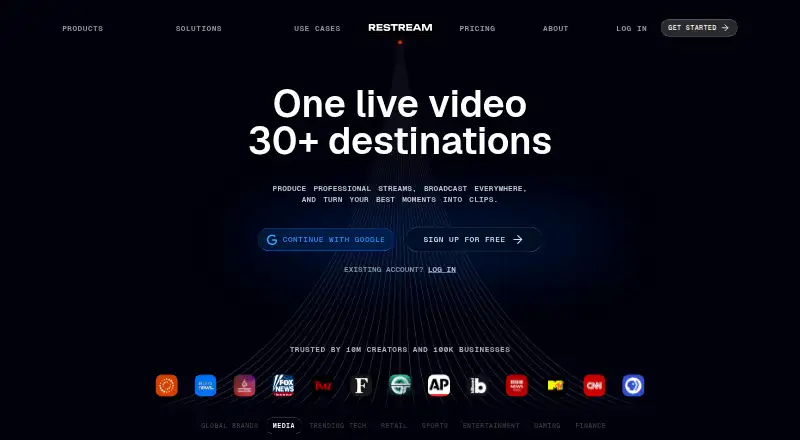
Restream helps users create and distribute live video across social platforms and other destinations. Users can go live from a browser, use the web-based Studio, or connect third-party streaming software such as OBS and Zoom. Studio provides graphics, live viewer comments, and guest invitations, while Restream Chat brings comments from connected platforms together. Upload & Stream can broadcast recorded videos as scheduled live streams, including when the user is offline. Clips can turn moments from streams and videos into short-form content with smart framing and captions. Restream supports more than 30 destinations and custom channels; listed integrations include YouTube, Facebook, X, LinkedIn, TikTok, Instagram, Kick, and Vimeo. Recordings are saved online, with listed plans allowing 6 to 10 hours per stream. The free plan streams to two channels at once and includes Restream branding. Standard costs $19.00 per month and allows three channels without branding; Professional costs $49.00 per month, and Business costs $239.00 per month. Annual pricing saves 20%. Studio screen sharing works in desktop browsers, not mobile browsers.
Who it suits
Restream suits creators, business owners, marketers, event producers, gamers, artists, and non-profits distributing video content. It offers browser streaming, a production studio, and connections to streaming software.
What it does well
- Streams to more than 30 destinations.
- Studio includes graphics, comments, and guest invitations.
- Chat brings connected-platform comments into one place.
- Online recordings can be accessed and shared.
What to know first
- Free plan includes Restream branding.
- Free plan streams to only two channels at once.
- Studio screen sharing is unavailable in mobile browsers.
- Business costs $239.00 per month.
Limits
The free plan allows two channels at once, includes Restream branding, and provides six hours of recording per stream with 15 days of storage. Standard costs $19 a month and allows three channels without Restream branding; recording is limited to 10 hours per stream with 15 days of storage.
Plans
| Plan | Billed and limits | Price |
|---|---|---|
| Free plan | forever · 2 channels at once · Restream branding · 6 hours recorded per stream · 15 days recording storage | Free |
| Standard | monthly · 3 channels at once · no Restream branding · 1 included team seat · 10 hours recorded per stream · 15 days recording storage | $19 a month |
| Professional | monthly · 5 channels at once · Full HD 1080p · 4K recording · 1 included team seat · 10 hours recorded per stream · 15 days recording storage | $49 a month |
| Business | monthly · 8 channels at once · 1,000 website-player viewers · 2 included team seats · co-producer mode · 30 days recording storage | $239 a month |
| Enterprise | contact us for pricing · custom channels · multiple workspaces · SSO and security review · dedicated account management · SRT ingest · stream backup · unlimited Upload & Stream | On request |
| Free | $0 forever | Free |
As restream.io lists them, read 28 Sept 2026. The maker's own page has the final word.
Getting started
- Open restream.io in a browser or choose a listed platform: Android, iOS, Linux, macOS, or Windows.
- Choose the Free plan or a paid plan; paid plans start at $19 per month, with a 20% annual billing discount.
- Go live in the browser, use Restream Studio, or connect streaming software such as OBS or Zoom.
- Connect destinations such as YouTube, Facebook, TikTok, or a custom RTMP channel.
- Invite guests or use Chat to follow comments across connected platforms.
Overview
Restream is a livestream production and distribution service for people who want to broadcast to several destinations without running separate streams. It suits creators, marketers, event producers and organizations that need browser-based production or a workflow built around tools such as OBS. Its strongest case is combining multistreaming with chat, scheduled recorded broadcasts and clips; the trade-off is that channel capacity, branding and team seats vary sharply by plan.
Key features
Restream can send a live feed to more than 30 social channels and other destinations, with custom channels supported. Its integrations include YouTube, Facebook, X, LinkedIn, TikTok, Instagram, Kick, Vimeo and Steam, plus OBS, Zoom, vMix and Streamlabs. Custom RTMP accommodates services that provide an RTMP URL and stream key. This breadth is useful when an audience is spread across platforms, though plan limits determine how many destinations can receive a stream at once.
The browser-based Restream Studio lets users go live without setup, add graphics, invite guests and display viewer comments. It supports up to 10 participants, useful for interviews and group broadcasts. Studio screen sharing works in desktop browsers, not mobile browsers, so mobile-only production is a poor fit for that workflow. Users can also connect third-party software such as OBS and Zoom.
Restream Chat gathers comments from connected platforms in one place for reading and responding. Upload & Stream schedules recorded video to air as a live broadcast while the user is offline, while Clips finds moments in streams and videos and turns them into short-form content with smart framing and captions. These tools extend a live workflow beyond the broadcast itself.
Cloud recordings can be accessed and shared online rather than kept on a device. Listed plans allow 6 to 10 hours of recording per stream; storage ranges from 15 days on Free, Standard and Professional to 30 days on Business. Restream supports encrypted RTMPS streams. Its GDPR measures cover access controls, monitoring and logging, vulnerability and breach detection, incident response and encryption. Enterprise adds SSO and a security review.
Pricing
Free costs nothing, billed $0 forever. It allows two simultaneous channels and includes Restream branding, six hours of recording per stream and 15 days of recording storage. It is a sensible way to try the workflow, but branding and the two-channel ceiling make it restrictive for polished or broader distribution.
Standard costs $19 a month, billed monthly. It raises capacity to three channels, removes branding and includes one team seat, 10 hours of recording per stream and 15 days of storage. This is the entry point for creators who need an unbranded broadcast but can work alone and reach no more than three channels.
Professional costs $49 a month, billed monthly. It supports five simultaneous channels, Full HD 1080p, 4K recording, one team seat, 10 hours per stream and 15 days of storage. It fits users who need Full HD streaming or 4K recordings, but adds no extra seat or longer storage period over Standard.
Business costs $239 a month, billed monthly. It raises the limit to eight channels and includes two team seats, co-producer mode, a website player with 1,000 viewers and 30 days of recording storage. The higher price is most defensible for teams that need those production and distribution capacities; it is a steep step for an individual creator.
Enterprise has custom pricing for media and corporate teams. It includes custom channels, multiple workspaces, SSO and a security review, dedicated account management, SRT ingest, stream backup and unlimited Upload & Stream. Restream says paid plans start at $19 per month and annual pricing saves 20%; the listed plan prices above are monthly billing. Priority support on paid plans includes 24/7 live chat, while Enterprise includes dedicated support and account management.
Platforms
Restream supports Android, iOS, Linux, macOS, web and Windows, and offers an API. Browser-based streaming avoids setup, while the Studio screen-sharing limitation on mobile browsers matters for anyone planning to present their screen from a phone or tablet.
Who it's for
Restream is a strong match for creators and businesses that need one live production to reach multiple services, especially when guest participation, centralized comments or scheduled recorded broadcasts matter. It can also serve marketers, event producers, gamers, artists and non-profits. Solo users with only one destination or teams that need more included seats on lower plans may find its channel-based pricing less compelling.
Pros and cons
- Pro: More than 30 destinations and custom channels make it possible to consolidate distribution across major social services and compatible RTMP endpoints.
- Pro: Studio, unified chat, scheduled recorded streams and clip creation cover production and follow-up tasks in one service.
- Pro: Enterprise offers SSO, security review, multiple workspaces and dedicated account management for larger organizations.
- Con: Free includes branding and only two simultaneous channels, while removing branding requires the $19 a month Standard plan.
- Con: Lower paid plans include only one team seat; a second included seat appears at Business, priced at $239 a month.
- Con: Screen sharing in Studio is unavailable on mobile browsers, limiting that part of the production workflow on mobile.
Alternatives
OBS Studio is the better fit for someone seeking free streaming software with no watermarks or usage limitations and who does not need Restream's combined distribution and audience tools.
Streamlabs Desktop is an alternative for users comparing desktop streaming software with a free Starter tier that includes one guest or camera and 1 GB storage, or an Ultra plan at $27 a month with 3+ destinations.
PRISM Live Studio is worth considering for users who want an option spanning Android, iOS, macOS and Windows; its PRISM Plus plan is $9.99 a month for up to six channels.
mimoLive is an alternative for users seeking a macOS-oriented option with a free watermarked plan and a Studio plan without a watermark.
Meld Studio suits users drawn to a free plan that includes multistreaming, 4K multitrack recording and one-click clipping.
Streamlabs Multistream is another freemium multistreaming option, with Starter limits of one vertical and one horizontal destination, one guest or camera and 1 GB cloud storage.
XSplit Broadcaster may suit Windows users who need free 720p streaming without a watermark and can do without simultaneous multistreaming on its Free plan.
OneStream Live is an alternative whose Free plan supports two multistreaming destinations, 720p, one team seat, 1 GB storage and three scheduled events.
For broader comparisons, see Live Streaming Software, Game Streaming Software, Church Streaming Software, Video Podcast Software and Live TV streaming services.
Verdict
Choose Restream if reaching several destinations from one production, with shared chat and tools for guests, scheduled broadcasts and clips, is more important than keeping costs low. It is particularly persuasive for workflows that need browser production or integrations with existing streaming software. Look elsewhere if you only need free single-purpose streaming, need mobile-browser screen sharing, or require more than one team seat without moving to Business.
Verdict
Restream combines multistreaming, a browser-based studio, shared chat, scheduled recorded broadcasts, and clip creation. The free tier limits simultaneous channels and includes branding; paid plans expand channel capacity and remove branding.
Questions
Is Restream free?
Yes. The Free plan is $0.00 USD, billed forever. It supports two channels at once and includes Restream branding.
What do paid plans cost?
Standard is $19 a month, Professional is $49 a month, and Business is $239 a month. Enterprise pricing is available by contacting Restream. Annual billing saves 20%.
Which platforms does Restream support?
Restream lists Android, iOS, Linux, macOS, web, and Windows, as well as an API platform.
Can I connect streaming software and custom destinations?
Yes. OBS and Zoom can connect for multistreaming. Custom RTMP supports platforms that provide an RTMP URL and stream key; SRT, HLS, and WHIP channels are also listed.
What does the Enterprise plan include?
It offers customized solutions for media and corporate teams, with custom channels, multiple workspaces, SSO and a security review, dedicated account management, SRT ingest, stream backup, and unlimited Upload & Stream. Contact Restream for pricing.
How many destinations can I stream to?
Restream supports more than 30 destinations and custom channels. The Free plan allows two channels at once; Standard allows three, Professional five, and Business eight.
Facts from Restream's own pages
- Annual billing discount
- Annual pricing saves 20%. · restream.io, 27 Sept 2026
- Audience
- Restream identifies business owners, marketers, event producers, gamers, artists, and non-profits as users who can use the service to create and distribute video content. · support.restream.io, 28 Sept 2026
- Browser streaming
- Users can go live directly from a browser without setup. · restream.io, 27 Sept 2026
- Browser-based studio
- Yes · restream.io, 20 Sept 2026
- Clips
- Restream Clips finds moments in streams and videos and turns them into short-form content with smart framing and captions. · support.restream.io, 28 Sept 2026
- Cloud recordings
- Stream recordings are saved online for access, sharing, and device-space savings. · restream.io, 27 Sept 2026
- Company identity
- The company is Restream, Inc., and Restream is its property. · restream.io, 27 Sept 2026
- Company reach
- Restream says it is trusted by 10 million creators and 100,000 businesses. · restream.io, 27 Sept 2026
- Core purpose
- Restream lets users create professional videos, livestream them on multiple social platforms, and interact with their audience. · support.restream.io, 28 Sept 2026
- Cross-platform chat
- Restream Chat lets users read and respond to live comments from connected platforms in one place. · support.restream.io, 28 Sept 2026
- Custom RTMP
- Custom RTMP supports platforms providing an RTMP URL and stream key. · restream.io, 27 Sept 2026
- Encoder integrations
- OBS and Zoom can connect to Restream for multistreaming. · restream.io, 27 Sept 2026
- Encrypted streaming
- RTMPS is available to all users, including free-plan users, and Restream supports AES encryption for SRT streams. · support.restream.io, 28 Sept 2026
- Enterprise security
- Enterprise offerings include SSO and a security review. · restream.io, 27 Sept 2026
- Founded
- 2015 · restream.io, 23 Sept 2026
- Free plan
- Yes · restream.io, 20 Sept 2026
- Free plan limit
- The free plan streams to 2 channels at once and includes Restream branding. · restream.io, 27 Sept 2026
- Guest participants
- Restream supports up to 10 stream participants. · restream.io, 27 Sept 2026
- Integrations
- Restream lists integrations including YouTube, Facebook, X, LinkedIn, TikTok, Instagram, Kick, OBS, Zoom, vMix, Streamlabs, Vimeo, Steam, and custom RTMP, SRT, HLS, and WHIP channels. · restream.io, 28 Sept 2026
- Mobile limitation
- Studio screen sharing is supported on desktop browsers but not on mobile browsers. · support.restream.io, 28 Sept 2026
- Multistream destinations
- Restream supports streaming to 30+ social channels or destinations. · restream.io, 27 Sept 2026
- Multistreaming
- Its multistreaming tool broadcasts live video from software such as OBS to many platforms at the same time. · support.restream.io, 28 Sept 2026
- Pre-recorded streams
- Upload & Stream can broadcast pre-recorded content live. · restream.io, 27 Sept 2026
- Recording limits
- The pricing comparison lists recording storage of 15 days on Free and Standard, 30 days on Professional, and custom storage on Business and Enterprise. · restream.io, 28 Sept 2026
Where Restream stands on Freedom251
- Live TV streaming services#4 of 169
- Live Streaming Software#4 of 137
- Live streaming software#4 of 134
- Pre-Recorded Live Stream Software#2 of 31
- Live Stream Scheduling Software#2 of 28
- Facebook Live Streaming Tools#2 of 26
- Church Live Streaming Software#2 of 24
- Church Streaming Software#5 of 37
- Live Streaming Encoders#10 of 69
- RTMP Streaming Services#5 of 32
- Multistreaming Software#8 of 43
- Game Streaming Software#9 of 45
- Video Podcast Software#8 of 39
- Cloud Live Streaming Studios#5 of 22
- YouTube Live Streaming Tools#7 of 26
- Twitch Streaming Software#7 of 26
- Virtual Recording Studio Software#6 of 18